
1. Introduction
This manual provides essential instructions for the proper installation and care of your ReplacementScrews stand screws, specifically designed for the Sony XBR-65X850E television model. These screws are intended to securely attach the original factory stand or legs to your television.
Please read this manual thoroughly before proceeding with installation to ensure correct usage and to prevent any damage to your television or the product.
2. Safety Information
- Keep screws and small parts out of reach of children to prevent choking hazards.
- Ensure the television is placed on a soft, clean surface (e.g., a blanket or towel) during installation to prevent scratches.
- Do not overtighten screws, as this may strip the threads or damage the television's stand mounting points.
- These screws are specifically for attaching the original factory stand/legs. They are not suitable for universal stands or wall mounting brackets, which typically require different screw types and lengths.
3. Package Contents
Your package should contain the following items:
- Eight (8) black machine screws (M5 thread size).

Image 3.1: A set of eight black machine screws, designed for securing TV stands. These screws feature a black oxide finish for corrosion resistance and a discreet appearance.
4. Setup Instructions
Follow these steps to securely attach the stand or legs to your Sony XBR-65X850E television:
- Verify TV Model: Before starting, confirm that your television's model number is XBR-65X850E. This model number is typically found on a label on the back of your TV.
- Prepare the TV: Carefully place your television screen-down on a soft, flat, and stable surface to prevent damage. Ensure the surface is clean to avoid scratching the screen.
- Position the Stand/Legs: Align the original factory stand or legs with the corresponding mounting holes on the back of the television.
- Insert Screws: Insert the provided black machine screws into the designated holes. These screws are M5 thread size and are designed to fit the pre-threaded metal holes or inserts on your TV and stand.
- Tighten Screws: Using an appropriate screwdriver (typically a Phillips head), gently tighten each screw. Tighten until snug, but avoid excessive force to prevent stripping the threads or damaging the components.
- Check Stability: Once all screws are tightened, carefully lift the television and place it in its desired location. Gently test the stability of the stand to ensure it is securely attached.
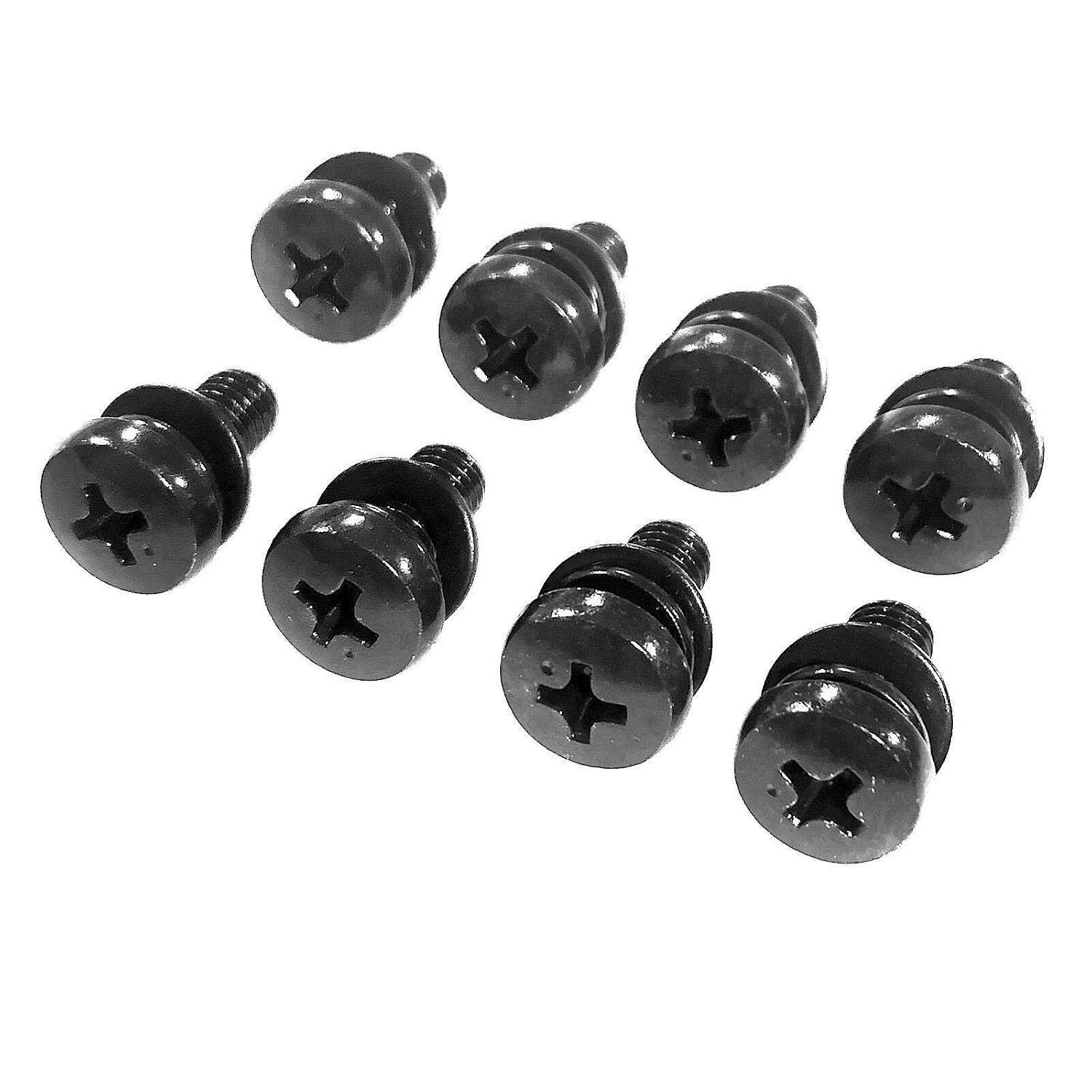
Image 4.1: An angled view of the black machine screws, highlighting their Phillips head drive and black oxide finish. These screws are designed for secure attachment to pre-threaded holes.
5. Usage Guidelines
These ReplacementScrews are specifically engineered for a single purpose:
- Original Factory Stands Only: This screw kit is designed exclusively for attaching the original factory stand or legs that came with your Sony XBR-65X850E television.
- Not for Universal Mounts: Do not use these screws for universal TV stands or wall mounting applications. Universal stands and wall mounts typically require different screw specifications (length, diameter, thread pitch) to ensure safety and compatibility. Using incorrect screws can lead to instability or damage.
6. Maintenance
The black oxide plating on these screws provides corrosion resistance. No special maintenance is required for the screws themselves. However, it is recommended to:
- Periodically check the tightness of the screws to ensure the stand remains secure. Do not overtighten.
- If the television needs to be moved or disassembled, store the screws in a safe, dry place to prevent loss or corrosion.
7. Troubleshooting
| Problem | Possible Cause | Solution |
|---|---|---|
| Screws do not fit into TV holes. | Incorrect TV model or incorrect screw type for application. | Verify your TV model is Sony XBR-65X850E. Ensure you are using these screws for the original factory stand, not a universal mount. |
| Screws feel loose after tightening. | Threads in TV or stand may be stripped, or screws are not fully engaged. | Carefully re-insert and tighten. If threads are stripped, professional repair may be required. Do not overtighten. |
| Missing screws. | Package contents incomplete. | Contact ReplacementScrews customer support for assistance. |
8. Specifications
| Feature | Detail |
|---|---|
| Product Model Number | RSAZN264644 |
| Compatibility | Sony XBR-65X850E (for original factory stand/legs) |
| Quantity | 8 screws per set |
| Thread Size | M5 |
| Material | Alloy Steel |
| Exterior Finish | Black Oxide |
| Product Dimensions (approx.) | 6.5 x 3.75 x 0.5 inches (packaging) |
| Item Weight (approx.) | 0.91 ounces |
| Manufacturer | ReplacementScrews |
9. Warranty and Support
For any questions, concerns, or support regarding your ReplacementScrews product, please contact the manufacturer directly. Information regarding specific warranty terms may be available through the point of purchase or the manufacturer's official website.
Manufacturer: ReplacementScrews
For further assistance, please visit the ReplacementScrews Store on Amazon.