
Introduction
Thank you for choosing the Jebao FD-85 Automatic Pond Koi Fish Feeder. This device is designed to provide consistent and reliable feeding for your pond fish, ensuring they receive their nutrition even when you are away. The FD-85 features an 8.5-liter capacity drum, an LED display for easy programming, and robust construction suitable for outdoor use. Please read this manual carefully to ensure proper setup and operation.
Key Features:
- Automatic feeding up to 6 times per day.
- 9 adjustable food quantity options.
- Large, clear LED display.
- Weatherproof design.
- AC powered operation.
- Versatile mounting options: wall or floor.
Setup
Before operating your Jebao FD-85 feeder, ensure all components are present and follow these steps for installation.
1. Unpacking and Component Identification
Carefully unpack all items from the box. Verify that you have the main feeder unit, digital controller, AC power adapter, mounting brackets, and any included hardware.

Image: An overview of all included components for the Jebao FD-85 feeder: the main feeder unit, the digital controller, AC power adapter, mounting brackets, and the user manual.
2. Mounting the Feeder
The FD-85 feeder can be mounted to either a wall or placed on the floor using the supplied brackets. Choose a stable location near your pond or fish tank that allows for easy food dispensing into the water and access to a power outlet.
- Wall Mounting: Use the provided wall brackets and appropriate fasteners (not always included) to securely attach the feeder to a vertical surface. Ensure the feeder is level and positioned so the food chute extends over the water.
- Floor Mounting: Attach the feeder to the floor stand (if included, or use a stable base) ensuring it is secure and cannot be easily knocked over.

Image: The Jebao FD-85 Automatic Fish Feeder shown mounted, illustrating its compact design and how it dispenses food.
3. Filling the Food Hopper
Open the lid of the food hopper. Fill the 8.5-liter drum with your preferred fish pellets. Ensure the lid is securely closed after filling to maintain food freshness and prevent moisture ingress.
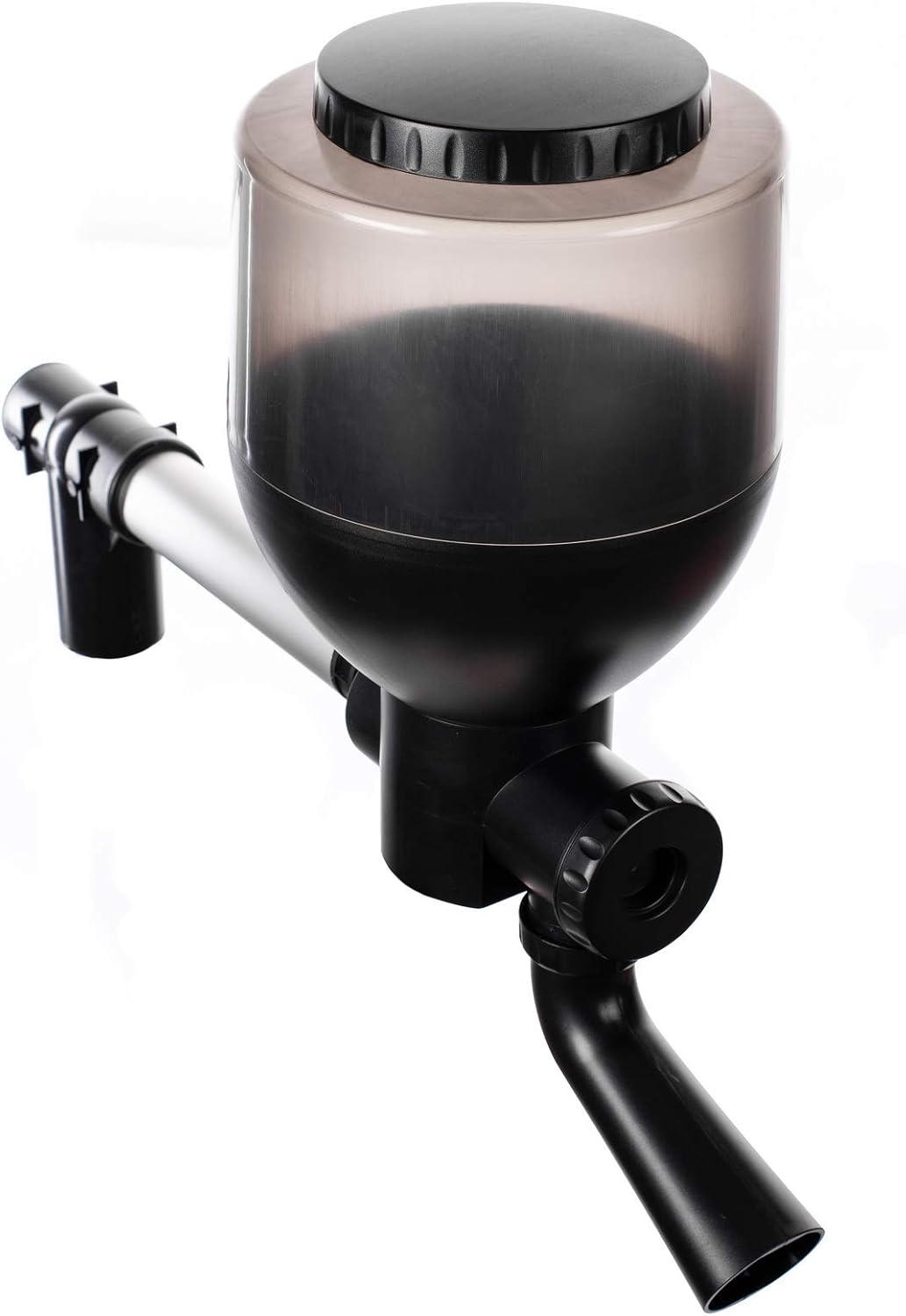
Image: An overhead perspective of the Jebao FD-85 feeder, illustrating the transparent food hopper and its lid.
4. Power Connection
Connect the AC power adapter to the feeder's digital controller, then plug the adapter into a standard electrical outlet. The feeder is AC powered, eliminating the need for batteries.
Operating Instructions
The Jebao FD-85 features an intuitive LED display and control buttons for programming feeding schedules.
1. Setting the Clock
Refer to the detailed instructions provided with your feeder's digital controller for setting the current time. Accurate time setting is crucial for precise feeding schedules.
2. Programming Feeding Times
The feeder allows for up to 6 automatic feeding times per day. Use the control buttons on the LED display to set your desired feeding intervals. Consult the controller's specific manual for step-by-step programming instructions.
3. Adjusting Food Quantity
There are 9 different options for setting the food quantity dispensed during each feeding cycle. Adjust this setting based on the number and size of your fish to prevent overfeeding or underfeeding. It is recommended to observe the initial feedings and adjust as necessary.

Image: A detailed view of the food dispensing outlet on the Jebao FD-85, where pellets are released.
4. Manual Feeding
Most digital controllers include a manual feed button, allowing you to dispense food instantly outside of the programmed schedule. This is useful for observing fish behavior or providing extra food if needed.
Maintenance
Regular maintenance ensures the longevity and optimal performance of your Jebao FD-85 feeder.
- Cleaning: The food hopper and dispensing mechanism should be cleaned periodically. Disconnect the power before cleaning. The material is plastic, and it is recommended for hand washing only. Ensure all parts are completely dry before reassembling and refilling with food.
- Inspection: Regularly inspect the feeder for any signs of wear, damage, or blockages in the food chute. Clear any debris or compacted food to ensure smooth operation.
- Weather Protection: While the feeder has a weatherproof design, placing it in a sheltered location can further protect it from extreme weather conditions and prolong its lifespan.
Troubleshooting
If you encounter issues with your Jebao FD-85 feeder, refer to the following common problems and solutions:
- Feeder Not Dispensing Food:
- Check if the power adapter is securely connected and the unit is receiving power.
- Verify that the feeding schedule is correctly programmed and the current time is accurate.
- Inspect the food hopper and dispensing chute for any blockages or compacted food.
- Ensure the food pellets are not too large or too moist, which can cause clogging.
- Incorrect Food Quantity Dispensed:
- Re-check the food quantity settings on the digital controller.
- Ensure the food type and size are consistent, as variations can affect dispensing accuracy.
- If the feeder dispenses too much food at once, ensure the programming for feed cycles is correctly set according to the manual.
- LED Display Not Working:
- Confirm the power connection is stable.
- If the display remains blank, try unplugging and re-plugging the power adapter.
- Feeder Not Activating at Programmed Times:
- Double-check the clock setting and ensure it is accurate.
- Review all programmed feeding times to ensure they are enabled and set correctly.
Specifications
| Model Number | FD-85 |
| Brand | Jebao |
| Capacity | 8.5 Liters |
| Product Dimensions (L x W x H) | 37.34 x 31.5 x 24.13 cm (14.7 x 12.4 x 9.5 inches) |
| Item Weight | 2.99 kg (6.59 lbs) |
| Material | Plastic |
| Power Source | Corded Electric |
| Operation Mode | Automatic |
| Target Species | Fish (Koi, etc.) |
| Included Components | Feeder, controller |
Warranty Information
The Jebao FD-85 Automatic Pond Koi Fish Feeder comes with a 180-day warranty from the date of purchase. This warranty covers manufacturing defects under normal use. Please retain your proof of purchase for warranty claims. The warranty does not cover damage caused by misuse, accident, unauthorized modification, or improper installation.
Customer Support
For further assistance, technical support, or warranty inquiries regarding your Jebao FD-85 Automatic Pond Koi Fish Feeder, please contact the manufacturer or your retailer. Have your model number (FD-85) and proof of purchase ready when contacting support.


