
TENMIYA A13
TENMIYA A13 Portable Bluetooth Speaker User Manual
Model: A13
Introduction
Thank you for purchasing the TENMIYA A13 Portable Bluetooth Speaker. This manual provides detailed instructions for the proper use, setup, and maintenance of your speaker. Please read this manual thoroughly before operating the device to ensure optimal performance and longevity.
Safety Information
- Do not expose the speaker to extreme temperatures, humidity, or direct sunlight.
- Avoid dropping or subjecting the speaker to strong impacts.
- Do not disassemble, repair, or modify the speaker yourself. Refer to qualified service personnel.
- Keep the speaker away from water and other liquids.
- Use only the specified charging cable and power adapter.
- Clean the speaker with a soft, dry cloth. Do not use abrasive cleaners or solvents.
Package Contents
Please check the package for the following items:
- 1 x A13 Bluetooth speaker
- 1 x Remote control (requires 2*AAA batteries, not included)
- 1 x AUX cable
- 1 x USB cable
- 1 x User manual
Product Overview
The TENMIYA A13 is a portable Bluetooth speaker designed for versatile audio playback. It features a powerful subwoofer, two tweeters, and a rear heavy bass guide tube for rich sound. Key features include Bluetooth 5.0 connectivity, FM radio, TF/SD card support, USB playback, AUX input, a 3.5mm microphone jack, intelligent remote control, digital display, and colorful RGB lights.
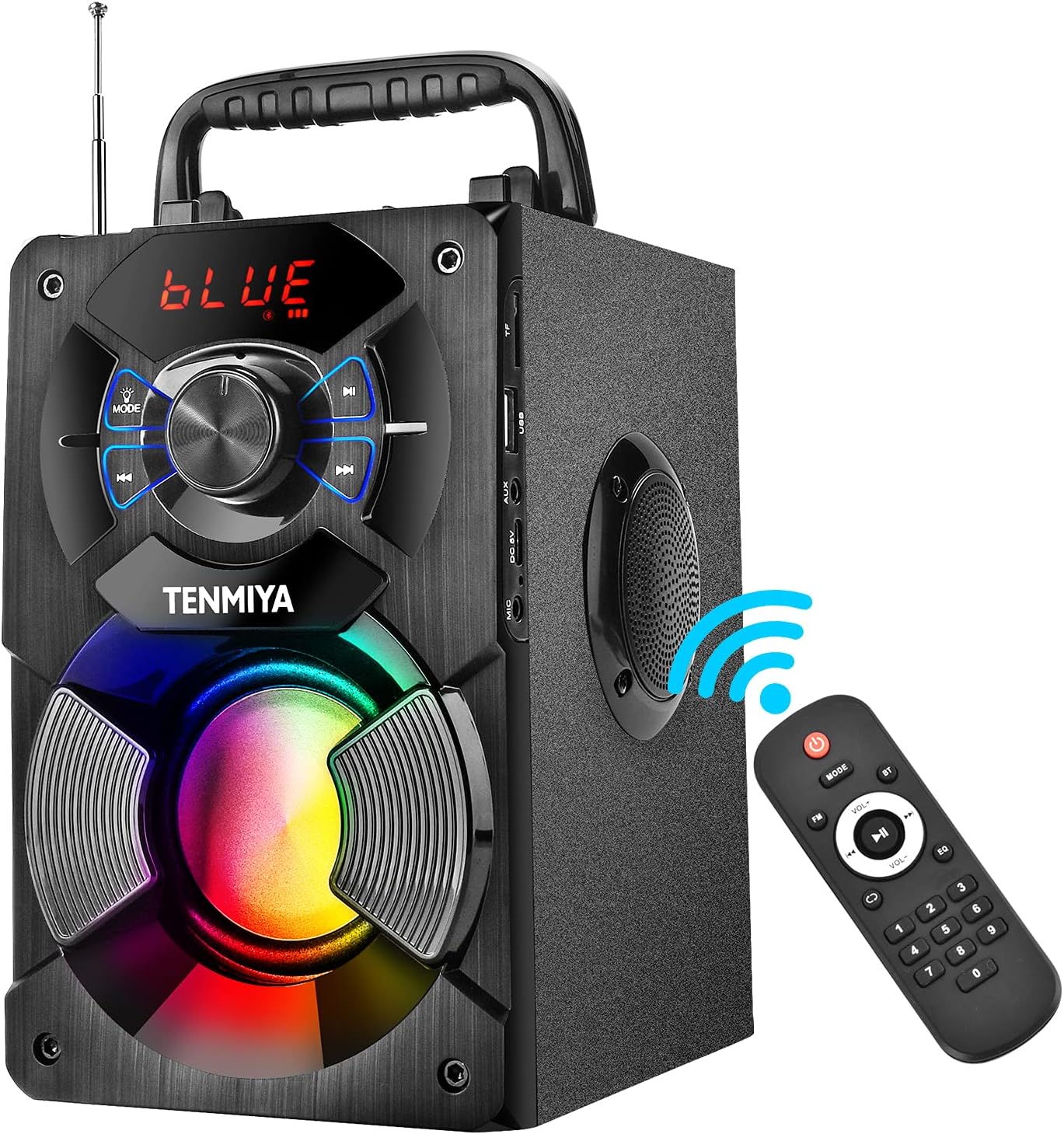
Figure 1: TENMIYA A13 Portable Bluetooth Speaker with included remote control, highlighting wireless connectivity.
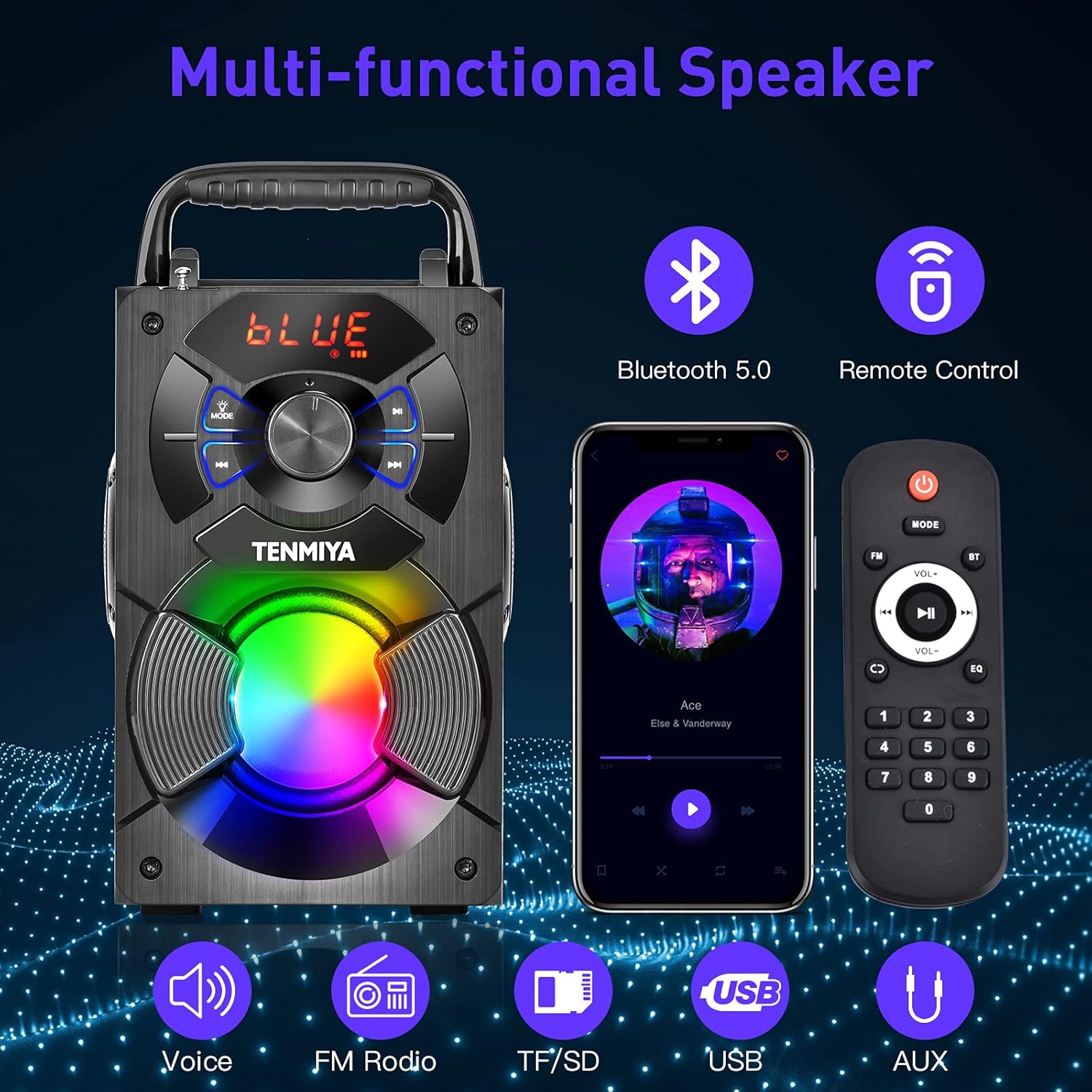
Figure 2: Overview of the speaker's multi-functional capabilities including Bluetooth 5.0, remote control, voice prompts, FM radio, TF/SD card, USB, and AUX input.

Figure 3: Dimensions of the TENMIYA A13 Portable Bluetooth Speaker, showing its compact size and portability with a handle.
Setup
Charging the Speaker
Before first use, fully charge the speaker. Connect the supplied USB cable to the speaker's DC 5V input port and the other end to a USB power adapter (not included) or a computer's USB port. The charging indicator will illuminate during charging and turn off when fully charged.
Powering On/Off
To power on the speaker, press and hold the Power button until the digital display illuminates. To power off, press and hold the Power button again until the display turns off.
Operating Instructions
Bluetooth Pairing
- Turn on the speaker. It will automatically enter Bluetooth pairing mode, indicated by a flashing "BLUE" on the digital display.
- Enable Bluetooth on your smartphone, tablet, or other Bluetooth device.
- Search for "A13" in the list of available devices and select it to connect.
- Once successfully paired, the speaker will emit a confirmation tone, and "BLUE" on the display will stop flashing.
- You can now play audio from your device through the speaker.
FM Radio Operation
- Press the "MODE" button on the speaker or remote control to switch to FM radio mode.
- Extend the antenna for better reception.
- To automatically search and save available stations, long press the "Play/Pause" button. The speaker will scan and store stations.
- Use the "Previous/Next" buttons to navigate between saved stations.
- Alternatively, use the remote control to manually input a station frequency.

Figure 4: The TENMIYA A13 speaker supporting FM radio, shown in an outdoor setting.
TF/SD Card Music Playback
Insert a TF (Micro SD) card into the TF card slot. The speaker will automatically switch to TF card mode and begin playing audio files (MP3, WAV, etc.) from the card.
USB Flash Drive Music Playback
Insert a USB flash drive into the USB port. The speaker will automatically switch to USB mode and begin playing audio files (MP3, WAV, etc.) from the drive.
AUX Line-in Connection
Connect one end of the supplied AUX cable to the speaker's AUX input port and the other end to the audio output jack of your external device (e.g., MP3 player, computer). Press the "MODE" button to switch to AUX mode.
Microphone Usage
Connect a 3.5mm microphone (not included) to the speaker's microphone jack. The speaker will amplify the microphone input, allowing for karaoke or public speaking.
Remote Control Functions
The included remote control allows for convenient operation of the speaker from a distance. Ensure 2*AAA batteries are inserted correctly. Functions include:
- Power: Turn the speaker on/off.
- MODE: Switch between Bluetooth, FM, TF/SD, USB, and AUX modes.
- Volume +/-: Adjust the master volume.
- Previous/Next: Skip tracks or navigate FM stations.
- Play/Pause: Play or pause audio. Long press for FM auto-scan.
- EQ: Cycle through various equalizer presets (Jazz, Rock, Classical, Pop, etc.).
- Number Pad: For direct input of FM frequencies.

Figure 5: User operating the TENMIYA A13 speaker with the remote control for convenient audio playback.
RGB Colorful Lights
The speaker features built-in RGB colorful lights that enhance the listening experience. These lights typically activate automatically when the speaker is on. Specific controls for light modes may be available via the remote control or a dedicated button on the speaker (refer to the speaker's control panel for details).
EQ Sound Effects
The speaker includes various EQ sound effects to customize your audio experience. Press the "EQ" button on the remote control to cycle through presets such as Jazz, Rock, Classical, Pop, and more, adjusting the audio output to suit different music genres.
Maintenance
- Cleaning: Use a soft, dry, lint-free cloth to clean the speaker's surface. Do not use liquid cleaners, aerosols, or solvents.
- Storage: When not in use for extended periods, store the speaker in a cool, dry place away from direct sunlight and extreme temperatures.
- Battery Care: To prolong battery life, avoid fully discharging the battery frequently. Charge the speaker regularly, even if not in use.
Troubleshooting
| Problem | Possible Cause | Solution |
|---|---|---|
| Speaker does not turn on. | Low battery. | Charge the speaker fully. |
| No sound. | Volume too low; incorrect mode; device not connected. | Increase volume; switch to correct mode (Bluetooth, AUX, etc.); ensure device is paired/connected. |
| Bluetooth pairing fails. | Speaker not in pairing mode; device too far; interference. | Ensure speaker is in Bluetooth mode and flashing; move device closer; restart both devices. |
| FM radio static. | Weak signal; antenna not extended. | Extend the antenna fully; try auto-scanning for stations again; move to a location with better reception. |
| Remote control not working. | Batteries low or incorrectly inserted; remote out of range. | Replace AAA batteries; ensure correct polarity; point remote directly at the speaker; reduce distance. |
Specifications
| Feature | Detail |
|---|---|
| Product Type | A13 Bluetooth Speaker |
| Speaker Output Power | 5W + 3W x 2 (Total 11W) |
| Speaker Unit | 3" (Subwoofer) + 2" x 2 (Tweeters) |
| Frequency Response | 80Hz-20KHz |
| Input Impedance | 10 kΩ |
| Input Voltage | DC 5V |
| Product Dimensions | 6.1 x 4.72 x 7.48 inches (18.52 x 11.51 x 22.5 cm) |
| Playing Time | Approx. 6-8 hours (depends on playing volume) |
| Battery Capacity | 2500mAh (Lithium Ion) |
| Bluetooth Version | 5.0 |
| Wireless Range | Up to 100 feet (barrier-free environment) |
| Supported Functions | Bluetooth, MP3 music player, FM radio, TF Card, AUX, USB music player, Remote control, EQ, Karaoke |
| Compatible Devices | Computer, MP3, MP4, Smart Phone, Tablet, Laptop |
| Material Type | Wood |
Warranty and Support
TENMIYA products are designed and manufactured to the highest quality standards. For information regarding warranty coverage, please refer to the warranty card included with your purchase or visit the official TENMIYA website. If you encounter any issues or have questions about your A13 speaker, please contact our customer service team. Our dedicated support staff will respond to your inquiries within 12 hours to assist you.
For customer service, please refer to the contact information provided on the product packaging or the official TENMIYA website.
Ask a question about this manual
Ask about setup, troubleshooting, compatibility, parts, safety, or missing instructions. Manuals+ will review the question and use this page’s manual context to help answer it.