
1. Introduction
Thank you for choosing the NPET Pet Water Fountain Pump with LED Light. This pump is designed to provide a continuous flow of fresh water for your pets, ensuring they stay hydrated. It features an ultra-quiet motor and a blue LED light to indicate water levels and enhance visibility. This manual provides detailed instructions for installation, operation, maintenance, and troubleshooting to ensure optimal performance and longevity of your pump.
2. Safety Information
- Always unplug the pump from the power source before cleaning or performing any maintenance.
- This pump is designed for indoor use only with NPET pet water fountains WF020, WF050, and WF210. Do not use it for any other purpose or with other fountain models.
- Ensure the power cord is not damaged. If the cord is damaged, do not use the pump.
- Keep the pump and power cord away from pets to prevent chewing or damage.
- Do not allow the pump to run dry, as this can cause damage to the motor. Always ensure the water level is above the minimum mark.
- Use only a 5V, 1A USB adapter for power supply.
3. Package Contents
- 1 x NPET Pet Water Fountain Pump with LED Light (Model: WF020-PP03)
- 1 x Impeller
- 1 x Filter Sponge
- 1 x Pump Cover
- 1 x Cleaning Brush
4. Setup
4.1 Compatibility
This pump is specifically designed for use with NPET automatic cat drinking fountains models WF020, WF050, and WF210.

4.2 Installation Steps
- Ensure the fountain basin is clean and dry.
- Place the pump at the bottom of the fountain basin. The pump is equipped with 3 strong suction cups for secure installation. Press firmly to adhere it to the base.
- Connect the pump's outlet nozzle to the fountain's water tube.
- Fill the fountain with water up to the maximum level indicated on your fountain, ensuring the pump is fully submerged.
- Plug the USB cord into a 5V, 1A adapter (not included) and then into a power outlet.

5. Operation
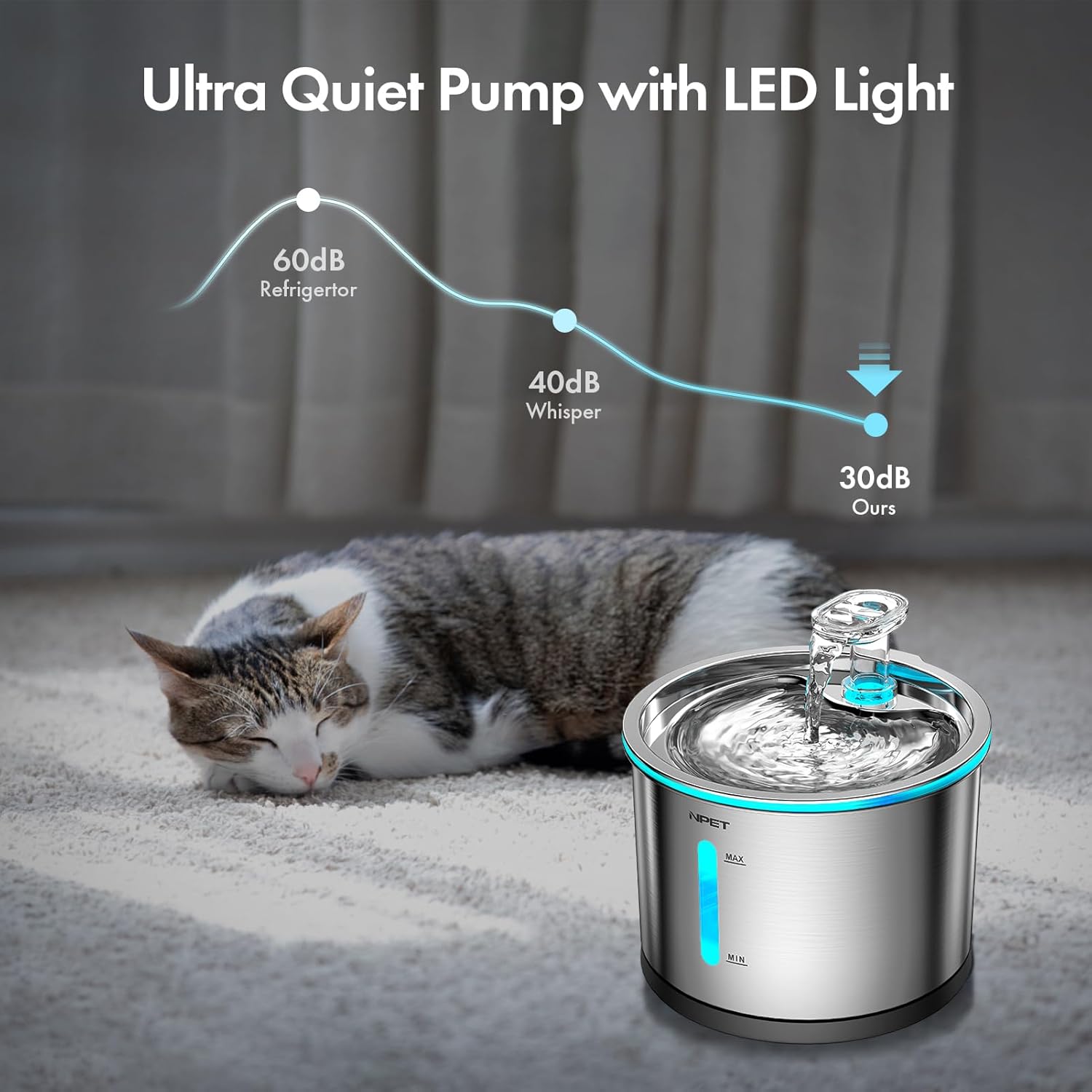
Once properly installed and connected to power, the pump will begin circulating water. The blue LED light will illuminate, indicating the pump is active and providing soft lighting, which is helpful for checking the water level at any time.

The pump operates at an ultra-quiet level, typically below 40 dB, ensuring a peaceful environment for both you and your pets.
6. Maintenance
Regular cleaning of the pump is crucial to maintain its efficiency and extend its lifespan. It is recommended to clean the pump at least once every two weeks, or more frequently depending on water quality and pet usage.
6.1 Disassembly and Cleaning Steps
- Unplug the fountain from the power outlet.
- Remove the pump from the fountain basin.
- Carefully detach the pump cover from the main pump body.
- Remove the filter sponge and the impeller from the pump.
- Use the provided cleaning brush to thoroughly clean the inside of the pump, the impeller, and the pump cover. Rinse all components under running water.
- Clean the filter sponge by rinsing it thoroughly. Replace the filter sponge if it appears excessively dirty or worn.
- After cleaning, reassemble the pump by first inserting the impeller, then placing the filter sponge, and finally reattaching the pump cover.

Video 1: This video demonstrates the step-by-step process of disassembling, cleaning, and reassembling the NPET water fountain pump to ensure proper maintenance.
7. Troubleshooting
| Issue | Possible Cause | Solution |
|---|---|---|
| Pump not working | No power; Impeller blocked; Water level too low. | Check power connection and adapter. Clean the pump and impeller. Ensure water level is above MIN mark. |
| Weak water flow | Pump or tube clogged; Impeller dirty; Filter sponge dirty. | Clean the pump, impeller, and water tube. Clean or replace the filter sponge. |
| Pump making noise | Impeller dirty or damaged; Water level too low. | Clean the impeller. If damaged, replace it. Add water to the fountain. |
| LED light not working | Power issue; LED component failure. | Check power connection. If pump works but light doesn't, contact support. |
8. Specifications
- Model: WF020-PP03
- Compatibility: NPET WF020, WF050, WF210 Cat Fountains
- Power Source: USB, Corded Electric
- Input Voltage: 5V, 1A (adapter not included)
- Cord Length: 1.5m / 4.9 ft
- Noise Level: Below 40 dB
- Features: Blue LED light, 3 strong suction cups
- Item Weight: 2.89 ounces
- Product Dimensions: 7.87 x 4 x 1.69 inches
9. Warranty and Support
This NPET Pet Water Fountain Pump comes with a 1-year / 12-month warranty from the date of purchase. If you encounter any quality problems or require assistance, please contact NPET customer service via email. Our support team is available to help you with any issues or questions regarding your product.
For warranty claims or technical support, please reach out to our service email (contact information typically found on the product packaging or NPET official website).
