
GearLight S1000
GearLight S1000 LED Tactical Flashlight User Manual
Model: S1000
1. Introduction
Thank you for choosing the GearLight S1000 LED Tactical Flashlight. This manual provides essential information for the safe and effective use of your new flashlight. The S1000 is designed for durability and high performance, making it suitable for various applications including emergency preparedness, outdoor activities, and general household use.

Image: The GearLight S1000 LED Tactical Flashlight, shown with included AAA batteries.
2. Safety Information
Please read and understand all safety instructions before using the flashlight.
- Eye Safety: Do not look directly into the LED light or shine it directly into anyone's eyes. The high lumen output can cause temporary vision impairment.
- Battery Handling: Use only recommended battery types (3x AAA alkaline or compatible rechargeable batteries). Ensure correct polarity when inserting batteries. Do not mix old and new batteries, or different types of batteries. Remove batteries if the flashlight will not be used for an extended period to prevent leakage.
- Heat: The flashlight head may become warm during prolonged use, especially on high brightness settings. Handle with care.
- Children: Keep out of reach of children. This is not a toy.
3. Package Contents
The GearLight S1000 package typically includes the following items:
- 1 x GearLight S1000 LED Tactical Flashlight
- 1 x AAA Battery Holder (for AAA battery use)
- 1 x Battery Tube (for rechargeable battery option, if applicable)
- 1 x Hand Strap
- 1 x Holder Case (Bonus Accessory)
- 1 x Operation Guide (this manual)
- 1 x Warranty Card

Image: Contents of the GearLight S1000 package, including the flashlight, battery holder, hand strap, and case.
4. Setup
4.1. Battery Installation
- Unscrew the tail cap of the flashlight by turning it counter-clockwise.
- Insert three (3) AAA batteries into the provided AAA battery holder, ensuring correct polarity (+/-).
- Place the loaded battery holder into the flashlight body with the positive (+) end facing towards the head of the flashlight.
- Screw the tail cap back on clockwise until it is securely tightened.
Note: If using a single rechargeable battery (e.g., 18650, not included in this specific package), use the provided battery tube to ensure a snug fit and proper contact. Always ensure the battery is fully charged before first use.

Image: Illustration of battery insertion into the flashlight body.
5. Operating Instructions
5.1. Power On/Off
Press the orange rubber button on the tail cap to turn the flashlight ON or OFF.
5.2. Changing Light Modes
The S1000 features 5 distinct lighting modes: High, Medium, Low, Strobe, and SOS. To cycle through these modes, lightly press the power button (without fully clicking it off) while the flashlight is ON. A full click will turn the flashlight OFF.
5.3. Zoom Function
The flashlight features a zoomable head to adjust the beam from a wide floodlight to a focused spotlight. To adjust the zoom, simply slide the head of the flashlight forward (zoom out for floodlight) or backward (zoom in for spotlight).

Image: The flashlight head can be extended to adjust the beam from wide to narrow.
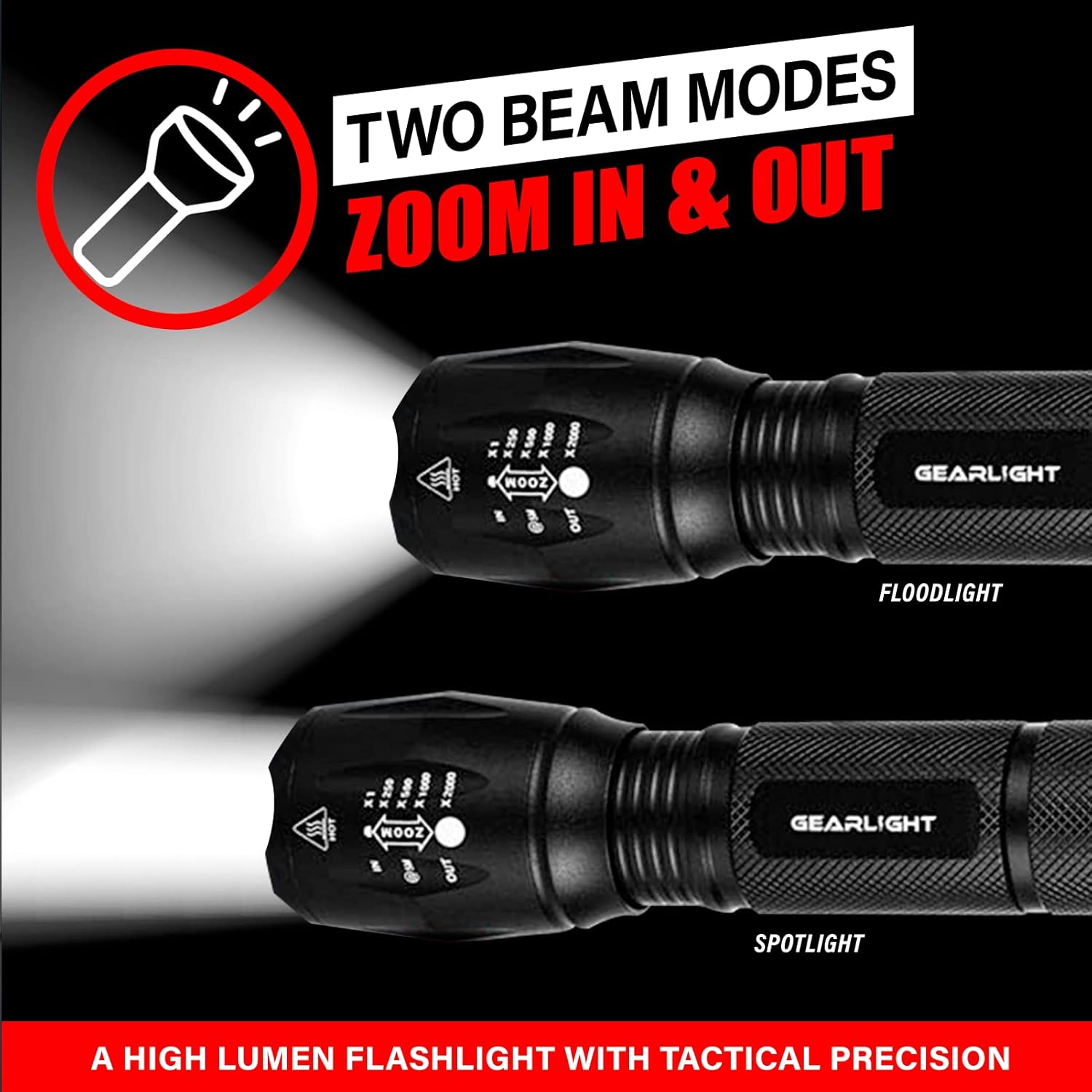
Image: Visual representation of the floodlight (wide beam) and spotlight (narrow beam) modes.
6. Maintenance
- Cleaning: Wipe the flashlight body with a soft, damp cloth. Do not use abrasive cleaners or solvents.
- Battery Replacement: Replace batteries when the light output diminishes. Follow the battery installation steps in Section 4.1.
- Lubrication: Periodically apply a thin layer of silicone grease to the O-rings and screw threads to maintain water resistance and smooth operation.
- Storage: Store the flashlight in a cool, dry place. Remove batteries if storing for extended periods to prevent corrosion.
7. Troubleshooting
| Problem | Possible Cause | Solution |
|---|---|---|
| Flashlight does not turn on. | Dead or incorrectly inserted batteries. | Replace batteries or ensure correct polarity. |
| Light output is dim. | Low battery power. | Replace batteries. |
| Light flickers or turns off intermittently. | Loose tail cap or dirty battery contacts. | Tighten tail cap. Clean battery contacts with a cotton swab and rubbing alcohol. |
| Zoom function is stiff. | Lack of lubrication or dirt. | Clean and apply silicone grease to the moving parts of the head. |
8. Specifications
- Model: S1000
- Brand: GearLight
- Light Source: LED
- Brightness: Up to 1000 Lumens
- Modes: High, Medium, Low, Strobe, SOS (5 Modes)
- Zoom: Adjustable (Floodlight to Spotlight)
- Material: Military-Grade Aluminum
- Power Source: 3 x AAA batteries (included) or 1 x 18650 rechargeable battery (not included)
- Water Resistance: Water Resistant
- Drop Resistance: Up to 10 feet
- Dimensions: 6.1"D x 1.57"W x 1.57"H
- Weight: 6.38 ounces
9. Warranty and Support
The GearLight S1000 LED Tactical Flashlight comes with a warranty. Please refer to the included Warranty Card for specific terms and conditions. For product support, technical assistance, or warranty claims, please visit the official GearLight website or contact their customer service department.
Official GearLight Store: Visit the GearLight Store on Amazon
Related documentsS1000


Ask a question about this manual
Ask about setup, troubleshooting, compatibility, parts, safety, or missing instructions. Manuals+ will review the question and use this page’s manual context to help answer it.