
1. Introduction
This instruction manual provides essential information for the safe and efficient operation of your ALLPOWERS 300W Portable Power Station and SP027 100W Foldable Solar Panel. This solar generator system is designed to provide reliable power for various applications, including outdoor camping, RV use, and home backup. Please read this manual thoroughly before using the product and retain it for future reference.
2. Safety Information
Always adhere to the following safety guidelines to prevent injury or damage to the product:
- Do not disassemble, repair, or modify the unit. Incorrect reassembly may cause fire or electric shock.
- Do not place the unit near fire or expose it to heat.
- Do not use or store the unit in a bathroom or in an area exposed to rain or moisture.
- Use only the original charger and cables provided with the unit.
- Keep the unit away from children and pets.
- Ensure proper ventilation during use and charging to prevent overheating.
- Avoid dropping, heavy impacts, or strong vibrations to the unit.
- Do not insert foreign objects into the ports or openings.
- If the unit emits smoke, odor, or unusual noise, stop using it immediately and contact customer support.
- The solar panel is designed to be waterproof, but avoid prolonged submersion.
3. Package Contents
Upon opening the package, verify that all the following items are included:
- 1 x ALLPOWERS Portable Power Station (300W)
- 1 x ALLPOWERS SP027 100W Foldable Solar Panel
- 1 x AC Adapter and Charging Cable
- 1 x User Manual (this document)
4. Product Overview
The ALLPOWERS 300W Portable Power Station is a compact and powerful energy storage solution, paired with a highly efficient 100W foldable solar panel for versatile charging.

Figure 4.1: The ALLPOWERS 300W Portable Power Station shown with the 100W Foldable Solar Panel. This image illustrates the complete solar generator kit, ready for use in various environments.
4.1. Key Features of the Power Station
- High Capacity: With 288Wh / 78000mAh, it provides substantial power for extended use.
- Powerful Output: Delivers 300W continuous power with a peak output of 600W, suitable for a wide range of devices.
- Compact & Portable: Measuring 8.1 x 6.5 x 4.3 inches and weighing 8.8 pounds, it features a built-in handle for easy portability and an emergency light.
- Versatile Outputs: Equipped with 6 output ports including AC, USB-A, USB-C, Car Charger, and Wireless Charging.

Figure 4.2: The ALLPOWERS Portable Power Station highlighting its 288Wh capacity, indicating its ability to store significant energy in a compact form factor.

Figure 4.3: The ALLPOWERS Portable Power Station displaying its six output options, including AC, USB-C, USB-A, wireless charging, and car charger ports, designed for multiple devices.
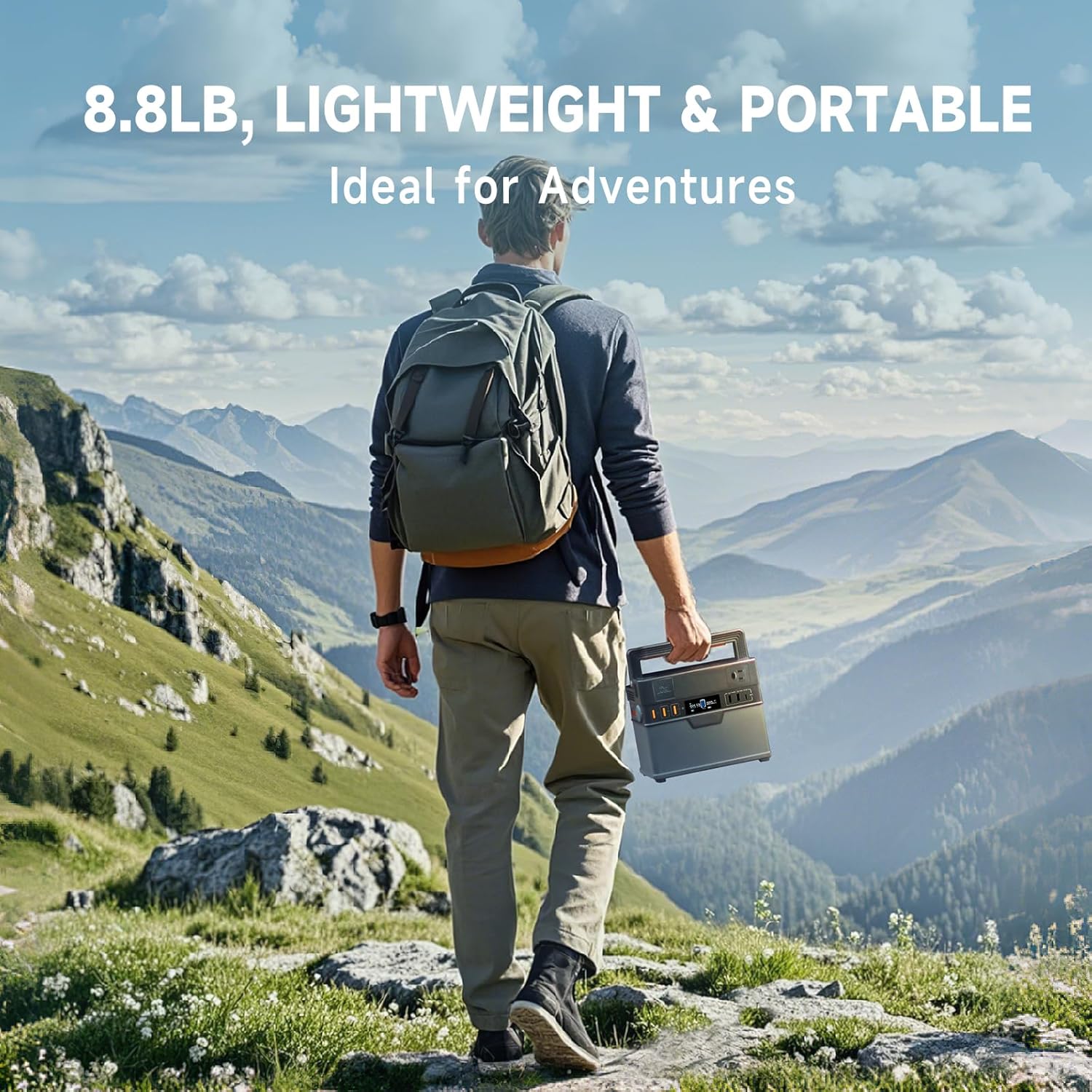
Figure 4.4: A person carrying the ALLPOWERS Portable Power Station, illustrating its lightweight (8.8 lbs) and portable design, ideal for outdoor adventures.
4.2. SP027 100W Foldable Solar Panel Features
- High Efficiency: Up to 22% conversion efficiency, utilizing high-quality USA-built solar cells for superior performance.
- Portability: Compact folded size of 20 x 25.6 x 1.2 inches and weighs 7.9 lbs, making it easy to transport and set up.
- Durability: Constructed with rugged, waterproof nylon and includes an adjustable bracket for optimal sun exposure. Built-in surge and short-circuit protection ensures safe charging.
- Broad Compatibility: Comes with multiple connectors (Anderson adapter, 5.5 x 2.5 mm solar cable, and 5.5 x 2.1 mm DC cable) for seamless integration with various solar generators and portable power stations.

Figure 4.5: The ALLPOWERS 300W Solar Generator Kit, showcasing the portable power station and the foldable solar panel as a complete system for renewable energy generation.
5. Setup
5.1. Initial Charging of the Power Station
Before first use, it is recommended to fully charge the power station.
- Connect the provided AC adapter to the AC charging input port on the power station.
- Plug the AC adapter into a standard wall outlet.
- The display will indicate charging status. The unit is fully charged when the battery indicator shows 100%.
Note: Initial charging via AC takes approximately 1.5 hours.
5.2. Connecting the Solar Panel
To charge the power station using the solar panel:
- Unfold the ALLPOWERS SP027 100W Foldable Solar Panel and place it in direct sunlight.
- Adjust the integrated kickstand to optimize the angle towards the sun for maximum efficiency.
- Connect the solar panel to the DC input port of the power station using the appropriate cable (e.g., 5.5 x 2.1 mm DC cable or Anderson adapter).
- The power station display will show "Solar Input" and the charging wattage.
Note: Solar charging time varies based on sunlight intensity and panel orientation, typically 3-4 hours for a full charge.
6. Operating Instructions
6.1. Turning On/Off
- To turn on the power station, press and hold the main power button for 3 seconds. The display will illuminate.
- To turn off the power station, press and hold the main power button for 3 seconds until the display turns off.
6.2. Using Output Ports
Each output section (AC, DC, USB) has its own power button. Press the respective button to activate the desired output.
- AC Outlet: Press the AC button to enable the 120V AC output. Connect devices requiring up to 300W (500W peak).
- USB-A Ports: Automatically active when the unit is on. Connect USB-A compatible devices for 18W fast charging.
- USB-C Port: Automatically active when the unit is on. Connect USB-C compatible devices for 100W QC3.0 charging.
- 12V/10A Car Charger: Press the DC button to enable the 12V car charger output.
- Wireless Charging: Place your Qi-compatible device on the wireless charging pad on top of the unit. Ensure proper alignment for charging to begin.
Important: Always ensure the total power consumption of connected devices does not exceed the power station's rated output (300W continuous, 600W peak).
6.3. Understanding the Display
The LCD display provides real-time information about the power station's status:
- Battery Level: Shows the remaining battery percentage.
- Input Power: Displays the current wattage being drawn for charging.
- Output Power: Shows the total wattage being consumed by connected devices.
- Remaining Time: Estimates the remaining runtime or charging time based on current input/output.
- Error Indicators: Alerts for overload, overheating, or other issues.
6.4. Uninterruptible Power Supply (UPS) Function
The ALLPOWERS Portable Power Station features a reliable UPS function that activates within 15 milliseconds. When the power station is connected to an AC wall outlet and also has devices plugged into its AC output, it can act as a pass-through power source. In the event of a power outage, the unit will automatically switch to battery power, providing seamless backup for connected devices.

Figure 6.1: The ALLPOWERS Portable Power Station demonstrating its Uninterruptible Power Supply (UPS) capability, providing continuous power to essential devices during an outage.
7. Charging Options
Your ALLPOWERS Portable Power Station offers five flexible charging methods:
| Charging Method | Max Input | Approx. Charging Time |
|---|---|---|
| AC + Solar | 300W | 1 hour |
| AC + Car Charger | 300W | 1 hour |
| AC Charging | 200W | 1.5 hours |
| Car Charger | 100W | 3-4 hours |
| Solar (MPPT) | 100W | 3-4 hours |

Figure 7.1: Visual representation of the five different charging methods available for the ALLPOWERS Portable Power Station, including AC, solar, and car charging.
8. Smart App Control
Control and monitor your power station remotely using the ALLPOWERS app, available for iOS (9.0+) and Android (4.3+) devices.
- Download the "ALLPOWERS" app from your device's app store.
- Ensure Bluetooth is enabled on your smartphone.
- Open the ALLPOWERS app and follow the on-screen instructions to pair with your power station.
- Once connected, you can monitor battery status, input/output wattage, turn outputs on/off, and adjust settings from up to 10 meters away.
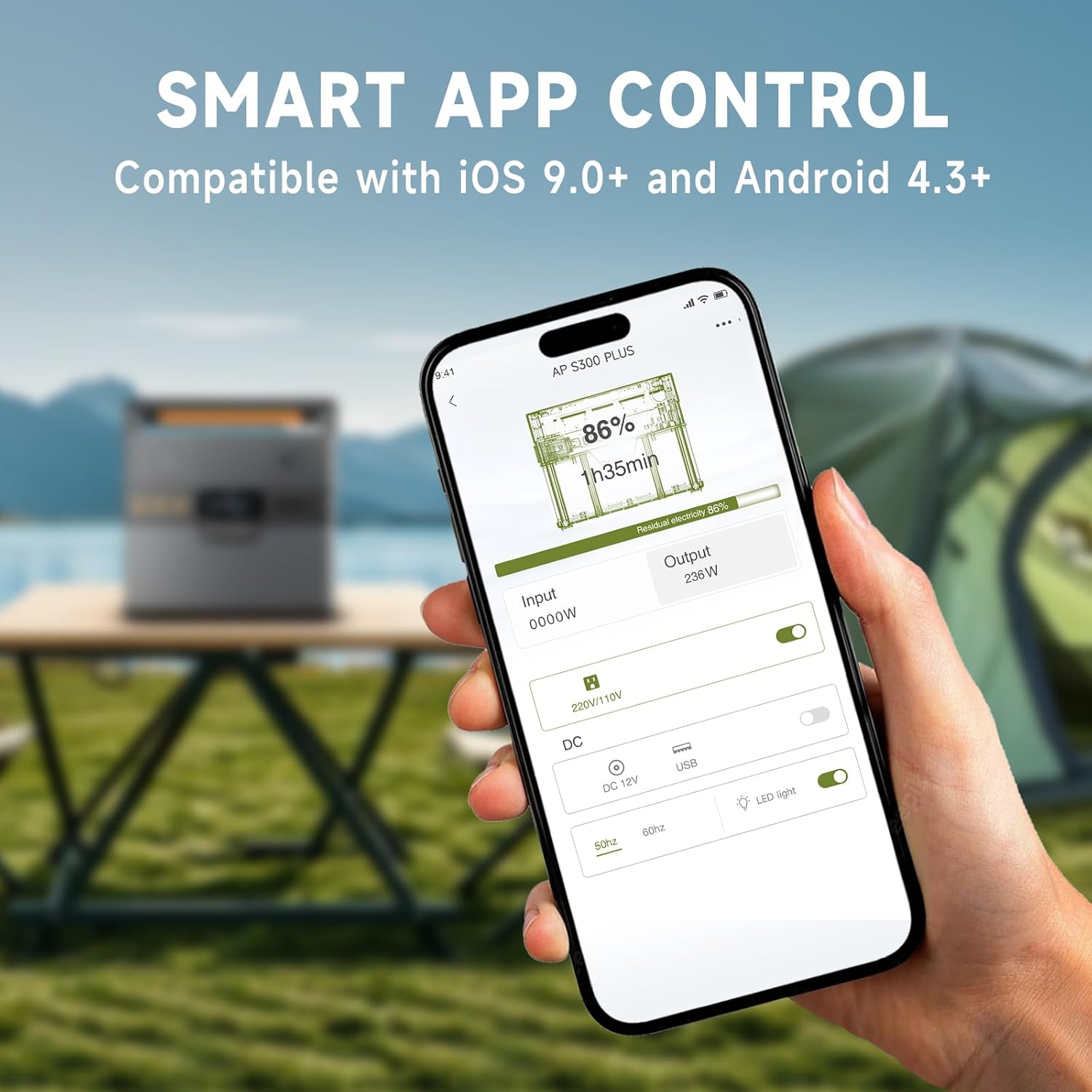
Figure 8.1: A smartphone displaying the ALLPOWERS app interface, demonstrating the ability to remotely control and monitor the power station via Bluetooth.
9. Maintenance
Proper maintenance ensures the longevity and optimal performance of your power station and solar panel.
- Cleaning: Use a soft, dry cloth to wipe the surfaces of the power station. For the solar panel, a damp cloth can be used to remove dirt or dust, ensuring the surface is dry before folding or storing.
- Storage: Store the unit in a cool, dry place, away from direct sunlight and extreme temperatures. For long-term storage, charge the power station to 50-80% every 3-6 months to maintain battery health.
- Battery Care: Avoid fully discharging the battery frequently. Recharge the unit as soon as possible after use.
- Inspection: Periodically check cables and connectors for any signs of wear or damage.
10. Troubleshooting
If you encounter issues with your ALLPOWERS Portable Power Station, refer to the following common problems and solutions:
| Problem | Possible Cause | Solution |
|---|---|---|
| Power station not turning on | Battery is completely depleted; Power button not held long enough. | Charge the unit using the AC adapter for at least 15 minutes. Press and hold the power button for 3 seconds. |
| AC output not working | AC output not enabled; Device power exceeds 300W; Overload protection activated. | Press the AC button to enable. Check device wattage. Disconnect high-power devices and restart AC output. |
| Solar panel not charging | Insufficient sunlight; Panel not angled correctly; Cable connection issue; Panel or cable damage. | Relocate panel to direct sunlight and adjust angle. Ensure cables are securely connected. Inspect panel and cables for damage. |
| Bluetooth app not connecting | Bluetooth off on phone/power station; App not updated; Distance too far. | Ensure Bluetooth is on for both devices. Update the app. Move closer to the power station (within 10 meters). |
| Unit overheating | Poor ventilation; Excessive load. | Ensure vents are clear. Reduce connected load. Allow unit to cool down. |
11. Specifications
| Feature | Detail |
|---|---|
| Brand | ALLPOWERS |
| Model Name | AP-SS-005 |
| Power Station Capacity | 288Wh / 78000mAh |
| AC Output | 300W (Peak 600W) |
| USB-A Output | 2 x 18W ports |
| USB-C Output | 1 x 100W QC3.0 |
| Car Charger Output | 1 x 12V/10A |
| Wireless Charging | 1 x 5V/1A |
| Solar Panel Wattage | 100W (SP027) |
| Solar Panel Efficiency | Up to 22% |
| Product Dimensions (Power Station) | 8.1"L x 6.5"W x 4.3"H |
| Product Weight (Power Station) | 8.8 lbs |
| Folded Dimensions (Solar Panel) | 20"L x 25.6"W x 1.2"H |
| Solar Panel Weight | 7.9 lbs |
| Warranty | 6 Years |
12. Warranty and Support
ALLPOWERS provides a 6-year warranty for this product, covering defects in materials and workmanship under normal use.
For technical support, warranty claims, or any inquiries, please contact ALLPOWERS customer service through their official website or the retailer where the product was purchased.
You can also visit the official ALLPOWERS Store for more information and product updates: ALLPOWERS Amazon Store.


