
Introduction
Thank you for choosing the KAPUCI BGX-D1-25MAZ Digital Auto-Open Safe. This safe is designed to provide secure storage for your valuables with its solid steel construction and advanced electronic locking system. This manual provides essential information for the proper setup, operation, and maintenance of your safe.

Image: The KAPUCI BGX-D1-25MAZ Digital Auto-Open Safe, showcasing its minimalist white design and digital keypad.
Safety Information
- Keep emergency keys in a secure location, separate from the safe, and not inside the safe itself.
- Ensure the safe is securely mounted to prevent unauthorized removal.
- Do not store flammable materials or liquids inside the safe.
- Regularly check battery levels to ensure continuous operation of the electronic lock.
Package Contents
- KAPUCI BGX-D1-25MAZ Digital Auto-Open Safe
- Emergency Keys (2)
- Expansion Screws for mounting
- Instruction Manual (this document)
- Removable Glass Shelf
Setup
1. Unpacking
Carefully remove the safe from its packaging. Inspect the safe for any signs of damage. Retain packaging materials for future transport or returns.
2. Battery Installation
The safe requires batteries for the electronic keypad to function. Batteries are not included. Locate the battery compartment on the inside of the safe door. Open the compartment and insert the required batteries, ensuring correct polarity. Close the compartment securely.
3. Mounting
The safe features pre-drilled mounting holes on the back for secure installation. Use the included expansion screws to fix the safe to a wall or cabinet. Ensure the mounting surface is strong enough to support the weight of the safe and its contents.

Image: The KAPUCI safe securely placed inside a closet, demonstrating a common mounting location.
Operating Instructions
1. Initial Password Setup
The default password for your safe is 168. To open the safe for the first time, enter 168 followed by the # key. The safe door will automatically open.
2. Changing the Password
- With the safe door open, press the reset button located inside the safe (refer to the diagram on the keypad image).
- Enter your new password (3-8 digits) on the keypad.
- Press the # key to confirm. The display will show "SET OK" to confirm the new password.
3. Opening the Safe
Enter your programmed password followed by the # key. The safe door will automatically open. The internal LED light will illuminate for visibility.

Image: Close-up of the KAPUCI safe's digital keypad, showing the 'OPEN' indicator and key functions.
4. Closing the Safe
Close the safe door firmly. The safe will automatically lock. You can also press the # key after closing the door to ensure it is securely locked.
5. Emergency Key Access
In case of battery failure or forgotten password, the safe can be opened using the emergency key. Locate the hidden keyhole behind the KAPUCI logo plate on the keypad. Gently pry open the logo plate to reveal the keyhole. Insert the emergency key and turn it to unlock the safe. Keep emergency keys in a safe, accessible location outside the safe.
6. Alarm System
The safe is equipped with an anti-theft alarm system. If the safe experiences strong vibrations or multiple incorrect password attempts, the alarm will activate. To silence the alarm, enter the correct password or use the emergency key.
7. Internal LED Light
The safe features a built-in LED light that automatically illuminates when the door is opened, providing visibility to your items. The light will turn off automatically after a short period or when the door is closed.
Video: A demonstration of the KAPUCI safe's auto-open feature and internal LED light, showing the ease of access.
Maintenance
1. Battery Replacement
When the battery low indicator appears on the display, replace all batteries promptly. Use the emergency key to open the safe if batteries are completely depleted. Always use new, high-quality batteries of the specified type.
2. Cleaning
Clean the exterior of the safe with a soft, damp cloth. Avoid using abrasive cleaners or solvents that could damage the finish. The interior felt lining can be gently vacuumed or wiped with a dry cloth.
Troubleshooting
- Safe does not open with password: Ensure batteries are not low. Re-enter the password carefully. If still unsuccessful, use the emergency key.
- Keypad is unresponsive: Check battery installation and replace if necessary. Use the emergency key.
- Alarm sounds unexpectedly: Check for vibrations or impacts to the safe. Ensure the door is fully closed and locked.
- Internal light not working: Check battery levels. Ensure the door sensor is not obstructed.
Specifications
| Feature | Detail |
|---|---|
| Model Number | BGX-D1-25MAZ |
| Brand | KAPUCI |
| Product Dimensions | 9.8"D x 13.8"W x 9.8"H |
| Capacity | 0.78 Cubic Feet |
| Lock Type | Electronic Combination Lock, Key |
| Material | Steel, Glass (shelf) |
| Special Features | Alarm System, Anti-Theft, Removable Shelf, Sensor Light |
| Mounting Type | Wall Mount |
| Item Weight | 22 Pounds |
| Batteries Required | Yes (Not Included) |
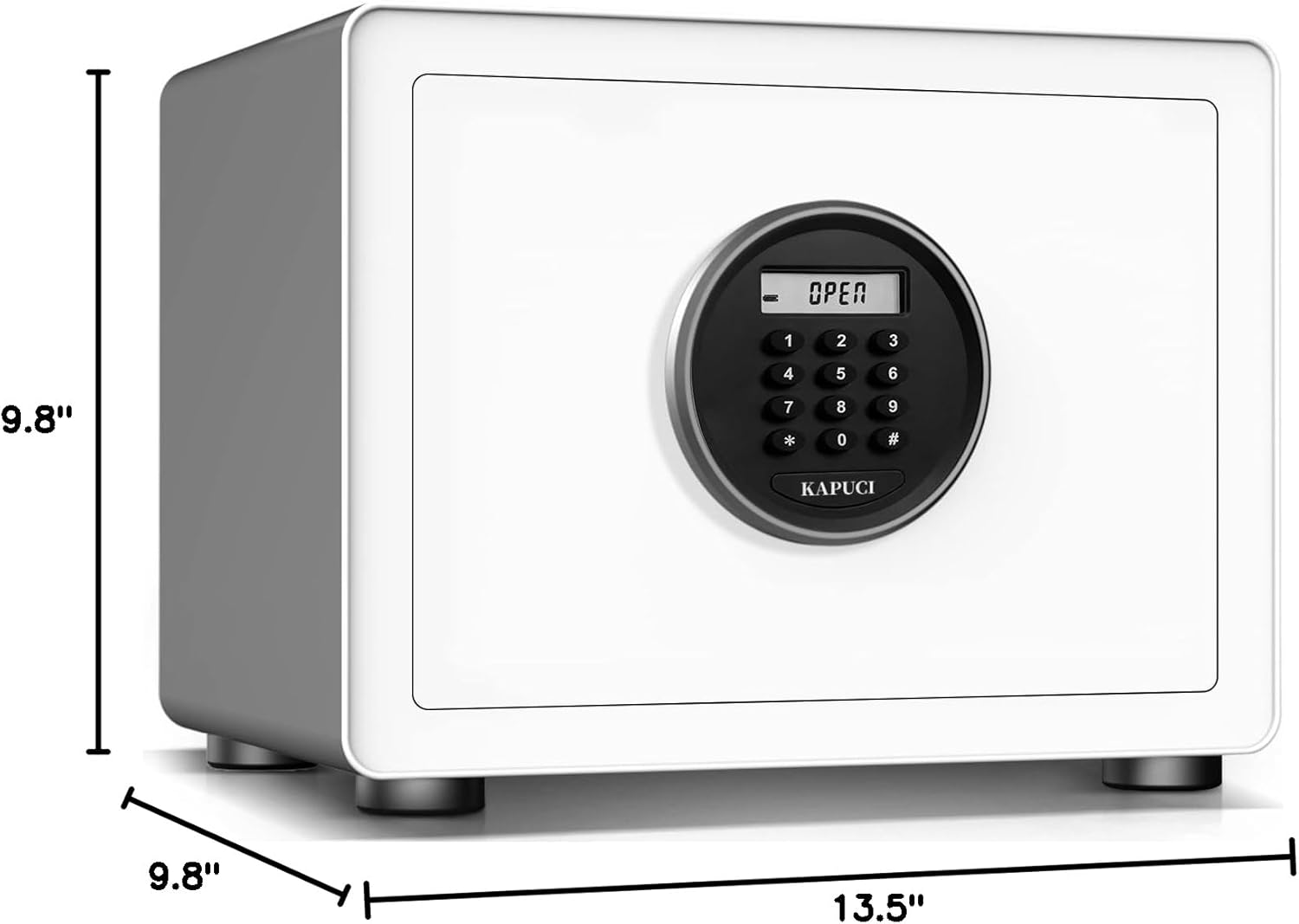
Image: Visual representation of the KAPUCI safe's external dimensions.
Warranty and Support
For warranty information or technical support, please refer to the contact details provided with your purchase documentation or visit the official KAPUCI website. Keep your purchase receipt as proof of purchase.