
Wireless Gear G0678
Wireless Gear Bluetooth 5.0 True Wireless Stereo Earbuds User Manual
Model: G0678
Introduction
Thank you for choosing the Wireless Gear Bluetooth 5.0 True Wireless Stereo Earbuds. This manual provides comprehensive instructions to help you set up, operate, and maintain your new earbuds, ensuring optimal performance and longevity. These earbuds are designed to deliver rich audio and extreme bass with the convenience of true wireless technology.

Image: A user enjoying music with the Wireless Gear True Wireless Stereo Earbuds, highlighting the seamless wireless experience.
Safety Information
Please read all safety instructions carefully before using this product. Failure to follow these instructions may result in electric shock, fire, or other hazards.
- Do not expose the earbuds or charging case to extreme temperatures, humidity, or liquids.
- Avoid dropping or subjecting the device to strong impacts.
- Do not attempt to disassemble, repair, or modify the product. This will void the warranty.
- Keep out of reach of children.
- Use only the provided charging cable or a certified equivalent.
- Prolonged listening at high volume levels may cause hearing damage. Adjust volume to a safe level.
Package Contents
Ensure all items are present in the package:
- Wireless Gear True Wireless Stereo Earbuds (Left and Right)
- Charging Case
- USB Charging Cable
- User Manual (this document)
Product Overview
Familiarize yourself with the components of your Wireless Gear Earbuds:

Image: The Wireless Gear Earbuds nestled in their charging case, ready for use or charging.
- Earbuds: Left (L) and Right (R) earbuds with built-in microphones and touch controls.
- Charging Case: Portable case that charges the earbuds and protects them when not in use. Features LED indicators for charging status.
- Touch Control Area: Located on the side of each earbud for managing playback, calls, and voice assistant.
- Charging Port: On the charging case for connecting the USB charging cable.

Image: Demonstrating the convenient touch control feature on the earbud.
Setup
1. Charging the Earbuds and Case
Before first use, fully charge the earbuds and the charging case.
- Place both earbuds into the charging case. Ensure they are seated correctly.
- Connect the USB charging cable to the charging port on the case and the other end to a USB power source (e.g., computer, wall adapter).
- The LED indicators on the case will show charging status. Once fully charged, the indicators may turn off or change color.
- A full charge provides up to 10 hours of playtime for the earbuds, and the case can provide 4 to 5 additional charges, totaling up to 50 hours of playback.
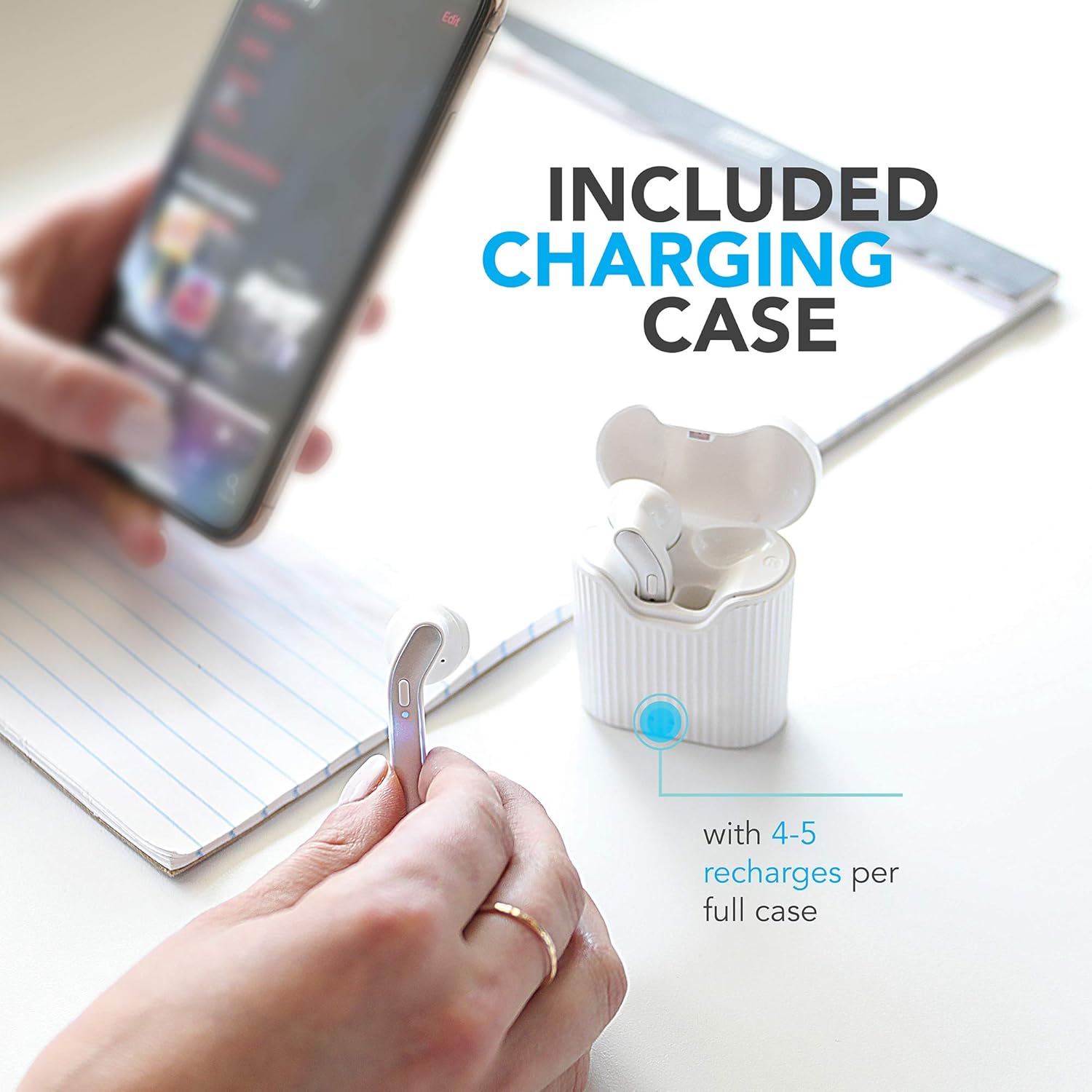
Image: The charging case provides multiple recharges for extended listening.

Image: Visual representation of the earbuds' battery life and sound capabilities.
2. Pairing with a Bluetooth Device
The earbuds feature auto-pair and auto-power on functionality for seamless connection.
- Power On: Open the charging case or take the earbuds out of the case. They will automatically power on and enter pairing mode. You may hear an audible prompt.
- Activate Bluetooth: On your smartphone, tablet, or laptop, enable Bluetooth.
- Select Device: In the Bluetooth settings, search for "Wireless Gear Earbuds" (or similar name) in the list of available devices and select it to connect.
- Confirmation: Once successfully paired, you will hear a confirmation sound, and the earbuds' indicator lights may change.
- Automatic Reconnection: After initial pairing, the earbuds will automatically connect to the last paired device when taken out of the case, provided Bluetooth is enabled on the device.
Operating Instructions
The Wireless Gear Earbuds feature convenient touch controls for easy management of your audio and calls.
Music Playback
- Play/Pause: Single tap on either earbud.
- Next Track: Double tap the right earbud.
- Previous Track: Double tap the left earbud.
Call Management
- Answer/End Call: Single tap on either earbud during an incoming call or active call.
- Reject Call: Press and hold either earbud for 2 seconds during an incoming call.
Voice Assistant (Siri/Google Assistant)
- Activate Voice Assistant: Triple tap on either earbud.
Power On/Off
- Power On: Earbuds automatically power on when removed from the charging case.
- Power Off: Earbuds automatically power off when placed back into the charging case.
Maintenance
Proper care will extend the life of your earbuds.
- Cleaning: Use a soft, dry, lint-free cloth to clean the earbuds and charging case. Do not use harsh chemicals or abrasive materials.
- Storage: When not in use, store the earbuds in their charging case to protect them from dust and damage.
- Avoid Water: The earbuds are not waterproof. Avoid exposure to water, sweat, or excessive moisture.
- Charging: Charge the device regularly, even if not in frequent use, to maintain battery health.
Troubleshooting
If you encounter issues, try the following solutions:
| Problem | Solution |
|---|---|
| Earbuds not pairing/connecting. |
|
| Only one earbud working. |
|
| Earbuds not charging. |
|
| Poor sound quality. |
|
Specifications
Detailed technical specifications for your Wireless Gear Earbuds:
| Feature | Detail |
|---|---|
| Model Number | G0678 |
| Bluetooth Version | 5.0 |
| Connectivity Technology | Bluetooth |
| Earbud Playtime | Up to 10 hours |
| Total Playtime (with case) | Up to 50 hours (4-5 additional charges) |
| Control Type | Touch Control |
| Microphone | Built-In |
| Form Factor | In Ear |
| Material | Plastic |
| Charging Case Dimensions | Approx. 2" x 3" x 0.5" |
| Manufacturer | ESI Wireless Accessories |
| Battery Type | Lithium Ion (included) |
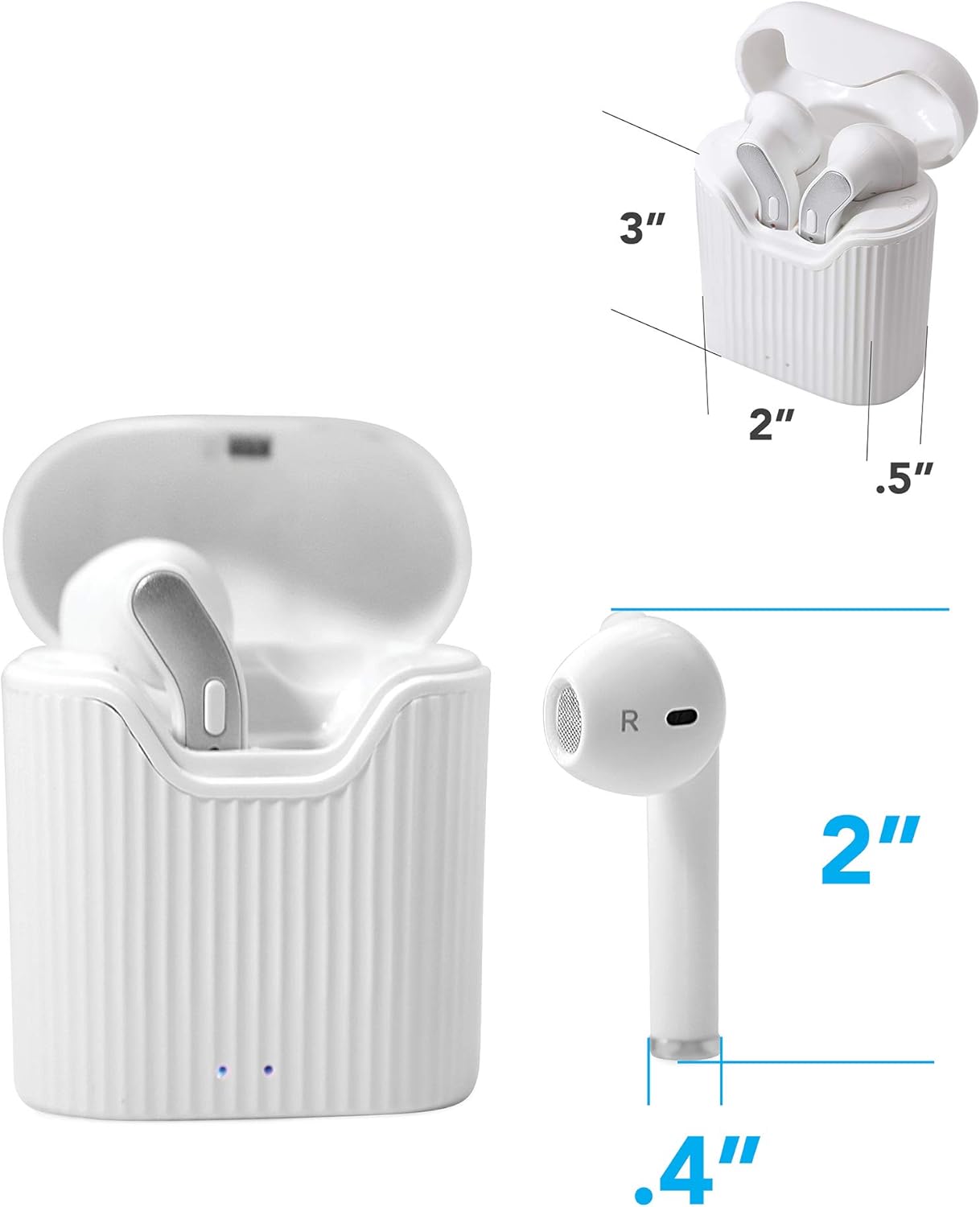
Image: Dimensions of the earbuds and charging case for reference.
Warranty and Support
For warranty information or technical support, please refer to the contact details provided with your purchase or visit the official Wireless Gear website. Keep your proof of purchase for warranty claims.
Manufacturer: ESI Wireless Accessories
Related documentsG0678


Ask a question about this manual
Ask about setup, troubleshooting, compatibility, parts, safety, or missing instructions. Manuals+ will review the question and use this page’s manual context to help answer it.