
Introduction
This user manual provides comprehensive instructions for the setup, operation, maintenance, and troubleshooting of your MSI Katana GF66 12UD-436 Gaming Laptop. Please read this manual thoroughly before using your device to ensure optimal performance and longevity.
The MSI Katana GF66 is designed for high-performance gaming and demanding tasks, featuring a 12th Gen Intel Core i7 processor, NVIDIA GeForce RTX 3050 Ti graphics, a 144Hz FHD display, and advanced cooling solutions.
Package Contents
Upon unboxing your MSI Katana GF66, please verify that all items listed below are present:
- MSI Katana GF66 Gaming Laptop
- Power Adapter
- Power Cord
- User Manual (this document)
- Warranty Card
If any items are missing or damaged, please contact your retailer or MSI customer support immediately.
Setup
Initial Power-On and Configuration
- Connect Power: Plug the power adapter into the laptop's DC-in port and then into a power outlet.
- Power On: Open the laptop lid and press the power button, typically located above the keyboard.
- Windows Setup: Follow the on-screen instructions to complete the Windows 11 setup process. This includes selecting your region, language, connecting to a network, and creating a user account.
- Driver Installation: Ensure all necessary drivers are installed. MSI Center can assist with driver updates.
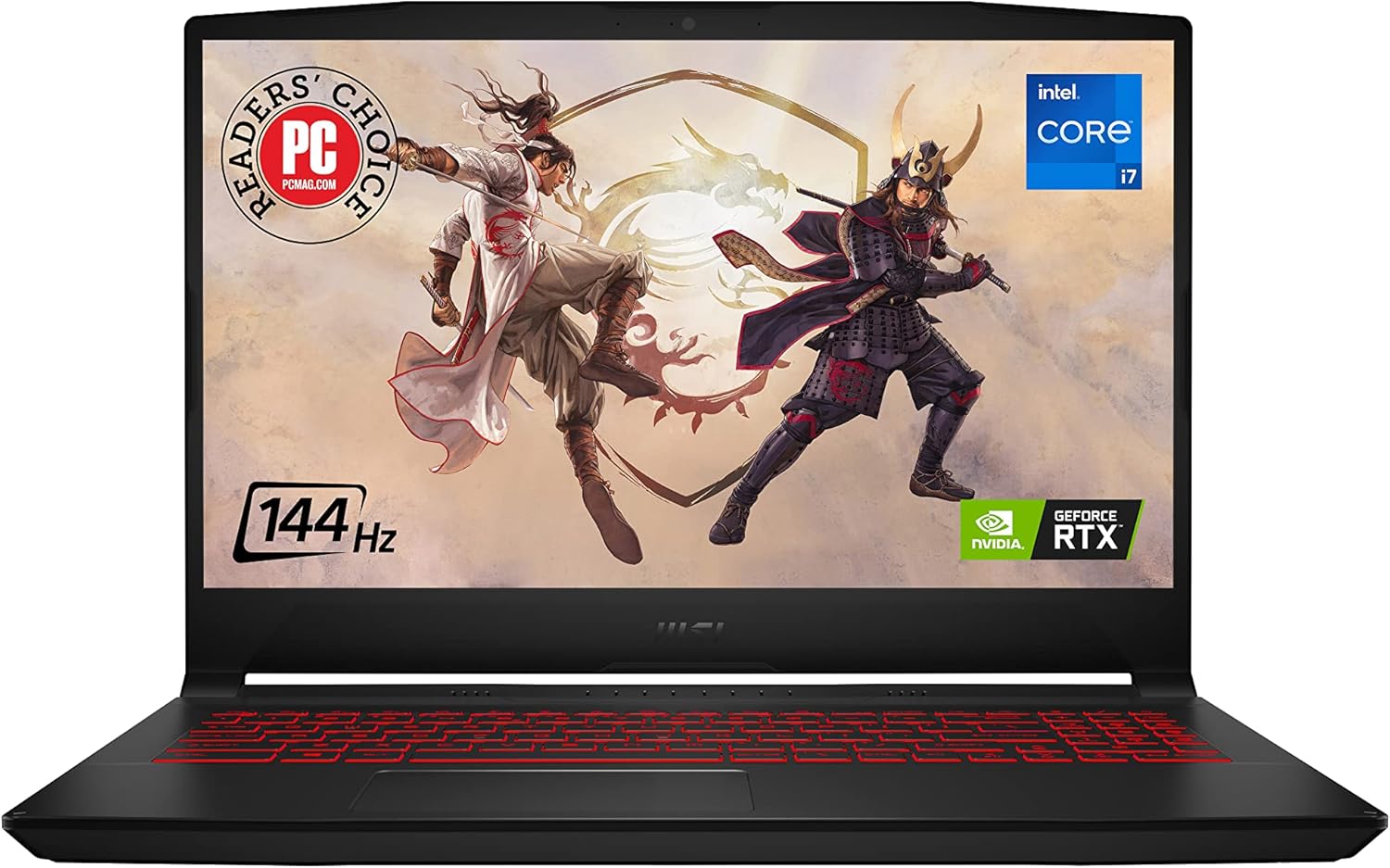
Figure 1: MSI Katana GF66 Gaming Laptop. This image shows the laptop from the front, highlighting its display and keyboard.
Connecting Peripherals
The Katana GF66 offers versatile connectivity options:
- USB Ports: Connect external devices such as mice, keyboards, and external storage drives to the available USB 3.2 Gen 1 Type-A, USB 3.2 Gen 1 Type-C, and USB 2.0 Type-A ports.
- HDMI: Use the HDMI 2.0 port to connect to an external monitor or TV for extended display.
- Ethernet: Connect to a wired network using the RJ45 Ethernet port.
- Audio Jack: The audio combo jack supports both headphones and microphones.

Figure 2: Versatile Connectivity. This image illustrates the various ports available on the MSI Katana GF66 laptop, including USB, HDMI, Ethernet, and audio jacks.
Operating the Laptop
Basic Operation
- Keyboard and Touchpad: Utilize the integrated keyboard and multi-touch touchpad for navigation and input.
- Display Settings: Adjust display resolution and refresh rate (up to 144Hz) through Windows display settings for optimal visual experience.
- Audio: Control volume and audio settings via the system tray or dedicated function keys. The laptop supports High-Resolution Audio.

Figure 3: Lightning Fast Display. This image highlights the 144Hz refresh rate capability of the laptop's screen, crucial for smooth gaming.
Gaming Performance
The MSI Katana GF66 is optimized for gaming:
- CPU: Powered by the 12th Gen Intel Core i7-12650H processor, providing robust performance for demanding games and multitasking.
- GPU: Equipped with NVIDIA GeForce RTX 3050 Ti, supporting ray-tracing and AI-accelerated features for realistic graphics.
- Cooling: Features Cooler Boost 5 technology with dual fans and multiple heat pipes to maintain optimal temperatures during intense gaming sessions.

Figure 4: Reinventing Multi-Core Architecture. This image emphasizes the powerful Intel Core i7 processor and its multi-core capabilities.

Figure 5: GeForce RTX 30 Series. This image highlights the dedicated NVIDIA GeForce RTX 3050 Ti graphics card, crucial for high-fidelity gaming.

Figure 6: Cooler Boost 5. This diagram illustrates the advanced cooling system of the laptop, designed to dissipate heat efficiently.
Maintenance
Cleaning and Care
- Screen: Use a soft, lint-free cloth specifically designed for electronics to clean the screen. Do not use harsh chemicals.
- Keyboard and Chassis: Wipe surfaces with a slightly damp, soft cloth. Use compressed air to clear dust from keyboard keys and vents.
- Vents: Regularly check and clean the cooling vents to ensure unobstructed airflow, which is critical for maintaining performance and preventing overheating.
Software Updates
- Windows Updates: Keep your Windows 11 operating system updated to the latest version for security and performance improvements.
- Driver Updates: Periodically check for updated drivers for your graphics card (NVIDIA), chipset (Intel), and other components through MSI's official website or MSI Center application.
Troubleshooting
Common Issues and Solutions
| Problem | Possible Cause | Solution |
|---|---|---|
| Laptop does not power on. | No power, battery drained, or power adapter issue. | Ensure power adapter is securely connected and outlet is functional. Charge battery for at least 30 minutes before attempting to power on. |
| Screen is blank or black. | Display settings, external monitor connected, or driver issue. | Press Fn + F2 (or similar display toggle key) to cycle display modes. Disconnect external monitors. Update graphics drivers. |
| Overheating during use. | Blocked vents, high system load, or outdated cooling profiles. | Ensure vents are clear of obstructions. Use MSI Center to adjust fan speeds or cooling profiles. Consider a cooling pad for prolonged heavy use. |
| Poor gaming performance. | Outdated graphics drivers, power settings, or background applications. | Update NVIDIA graphics drivers. Set power plan to "High Performance". Close unnecessary background applications. Ensure laptop is plugged in during gaming. |
For more complex issues, please refer to the official MSI support website or contact their customer service.
Specifications
Below are the key technical specifications for the MSI Katana GF66 12UD-436 Gaming Laptop:
| Feature | Detail |
|---|---|
| Model Name | Katana GF66 12UD-436 |
| Processor | 12th Gen Intel Core i7-12650H (up to 4.7 GHz) |
| Graphics Card | NVIDIA GeForce RTX 3050 Ti (4 GB GDDR6) |
| Display | 15.6-inch FHD (1920x1080) 144Hz IPS-Level |
| RAM | 16 GB DDR4 |
| Storage | 512 GB NVMe SSD (PCIe Gen4x4) |
| Operating System | Windows 11 Home |
| Connectivity | Wi-Fi, Bluetooth, USB 3.2 Gen1 Type-A, USB 3.2 Gen1 Type-C, USB 2.0 Type-A, HDMI 2.0, RJ45 Ethernet, Audio Combo Jack |
| Cooling System | Cooler Boost 5 (2 Fans, 6 Heat Pipes) |
| Dimensions (LxWxH) | 15.63 x 10.24 x 0.9 inches |
| Weight | 4.8 pounds |
Warranty and Support
Your MSI Katana GF66 Gaming Laptop comes with a manufacturer's warranty. Please refer to the warranty card included in your package for specific terms and conditions, including warranty duration and coverage details.
For technical support, driver downloads, and further assistance, please visit the official MSI support website:
You can also find additional resources and FAQs on the product's Amazon page or by contacting Amazon customer service.
For protection plans, consider the options available:
- 2-Year Protection Plan
- 4-Year Protection Plan
- Complete Protect (monthly subscription)
These plans offer extended coverage beyond the standard manufacturer's warranty.


