
1. Introduction
The Shure AONIC 215 Sound Isolating Earbuds are designed to deliver clear, detailed audio with exceptional comfort and noise isolation. Engineered for discerning listeners, these earbuds feature a single vented balanced armature driver for full-range sound and a compact, low-profile design for all-day wear. Sound Isolating Technology blocks up to 37 dB of ambient noise, providing an immersive listening experience.
Key Features
- Striking Full-Range Sound: Single vented balanced armature driver for clear, detailed audio.
- Compact Low-Profile Design: Ensures all-day comfort and a secure fit.
- Sound Isolating Technology: Blocks up to 37 dB of ambient noise for immersive listening.
- Detachable Cable with Remote and Mic: 3.5mm communication cable with integrated controls for calls and music.
- Customizable with MMCX Accessories: Detachable cable system allows for future upgrades or wireless conversion.
What's in the Box
Your Shure AONIC 215 package includes the following items:
- AONIC 215 Detachable Sound Isolating Earphones (Black)
- 3.5mm Communication Cable
- Fit Kit (various sizes of Flex and Foam sleeves)
- Carrying Case
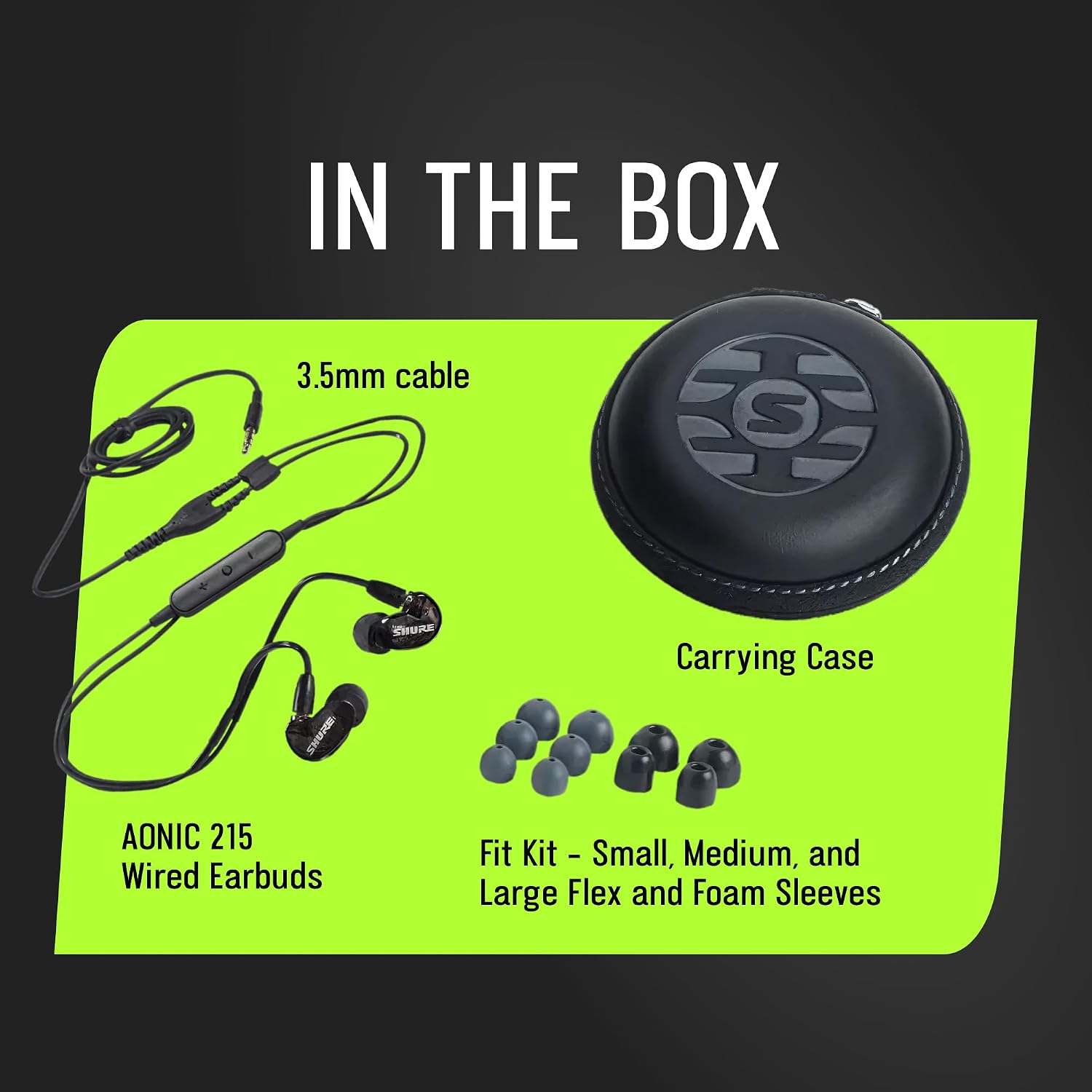
Image: The Shure AONIC 215 package contents, including the earbuds, 3.5mm cable, various ear tips, and a carrying case.
2. Setup
Choosing the Right Sleeves
The fit of your earphone sleeves is crucial for optimal sound isolation and comfort. Experiment with the included Flex and Foam sleeves of different sizes to find the best seal for your ears. A good seal will provide rich bass and block out external noise effectively.
- Flex Sleeves: Offer a comfortable, flexible fit.
- Foam Sleeves: Provide maximum sound isolation and a secure fit. Compress the foam sleeve before inserting it into your ear.
Attaching Earphones to Cable
The AONIC 215 features a detachable cable with MMCX connectors, allowing for easy replacement or customization. Ensure the correct earphone (L for left, R for right) is connected to the corresponding cable side.
- Align the gold dots on the earphone and cable connector.
- Push the connectors together until you feel a click.
- To detach, gently pull the earphone straight out from the cable connector. Do not twist.
Wearing the Earphones
The AONIC 215 earbuds are designed with an over-ear wireform to ensure a secure and comfortable fit, keeping the cables out of the way.
- Identify the left (L) and right (R) earphones.
- Insert the earphone into your ear canal.
- Loop the cable over the top of your ear, adjusting the wireform for a snug fit.
- Gently pull your earlobe to help seat the earphone deeper for a better seal.

Image: A man wearing the Shure AONIC 215 earbuds, demonstrating the secure over-ear fit.
Video: Official Shure guide on how to properly fit and wear earphones for optimal sound and comfort.
Connecting to Device
Plug the 3.5mm jack of the communication cable into the headphone port of your audio device (smartphone, tablet, laptop, etc.).
3. Operating
Sound Isolation
The AONIC 215 earbuds utilize passive sound isolation. Once properly fitted with the correct sleeves, they create a seal that physically blocks external noise. This allows you to hear your audio clearly at lower volumes and reduces distractions from your surroundings.
Using the Integrated Remote and Mic
The 3.5mm communication cable includes an in-line remote and microphone for convenient control of your audio and calls.
- Volume Control: Use the dedicated buttons to adjust playback volume.
- Music Playback: Single press the center button to play/pause. Double press for next track, triple press for previous track.
- Phone Calls: Single press the center button to answer/end a call. Press and hold to decline a call.
- Voice Commands: Press and hold the center button to activate your device's voice assistant (e.g., Siri, Google Assistant).
4. Maintenance
Cleaning Earphones
Regular cleaning helps maintain sound quality and hygiene.
- Sleeves: Remove sleeves from the earphones. Wash foam sleeves with mild soap and water, rinse thoroughly, and let them air dry completely before reattaching. Flex sleeves can be wiped clean with a damp cloth.
- Earphone Nozzles: Use the provided cleaning tool (if included) or a small brush to gently remove any earwax or debris from the earphone nozzles. Do not push debris further into the nozzle.
- Earphone Body: Wipe the earphone body with a soft, dry cloth.
Cable Care
To prolong the life of your detachable cable:
- Avoid sharp bends or kinks in the cable.
- Do not pull the cable directly when disconnecting from your device; always grasp the plug.
- Store the cable neatly when not in use.
Storage
Always store your AONIC 215 earbuds and cable in the provided carrying case when not in use. This protects them from dust, dirt, and physical damage.
5. Troubleshooting
If you encounter issues with your Shure AONIC 215 earbuds, try the following steps:
- No Sound or Low Volume:
- Ensure the 3.5mm jack is fully inserted into your device.
- Check your device's volume settings.
- Verify that the earphones are securely connected to the cable.
- Test with another audio source or device to rule out device issues.
- Poor Sound Quality (Lack of Bass, Tinny Sound):
- This is often due to a poor seal. Experiment with different sleeve sizes and types to achieve a proper fit.
- Clean the earphone nozzles to ensure no debris is blocking the sound.
- Microphone or Remote Not Working:
- Ensure the 3.5mm jack is fully inserted.
- Check if your device is compatible with the in-line remote/mic functions.
- Test with another device if possible.
- Cable Damage: If you suspect the cable is damaged, it can be replaced due to the detachable design.
If problems persist, please refer to the support section or contact Shure customer service.
6. Specifications
| Feature | Specification |
|---|---|
| Model Name | AONIC 215 UNI |
| Model Number | SE215DYBK+UNI |
| Ear Placement | In Ear |
| Driver Type | Single Vented Balanced Armature Driver |
| Impedance | 17 ohm |
| Noise Control | Sound Isolation (up to 37 dB) |
| Connectivity Technology | 3.5mm Jack |
| Cable Features | Detachable, with Remote and Microphone |
| Connector Type | MMCX |
| Material | Aluminum (enclosure) |
| Item Weight | 13.44 ounces (product package) |
| UPC | 042406598774 |
7. Warranty
The Shure AONIC 215 Wired Sound Isolating Earbuds come with a 2-Year Manufacturer's Warranty. This warranty covers defects in materials and workmanship under normal use. Please retain your proof of purchase for warranty claims.
For full warranty terms and conditions, please refer to the official warranty document: Shure Warranty Information (PDF)
8. Support
For additional support, frequently asked questions, or to download the latest user guides, please visit the official Shure website or refer to the documents below: