
Introduction
Thank you for purchasing the Edillas Digital Alarm Clock. This manual provides detailed instructions for setting up, operating, and maintaining your new alarm clock. Please read this manual thoroughly before use to ensure proper function and to maximize your product experience. Keep this manual for future reference.

Figure 1: Edillas Digital Alarm Clock. This image shows the front view of the alarm clock with its large green LED display, reflecting a room in its mirror surface.
Package Contents
Please check the package contents upon unboxing to ensure all items are present:
- 1 x Edillas Digital Alarm Clock
- 1 x USB Cable (for power)
- 1 x User Manual (this document)
- 1 x Backup Battery (for time memory)
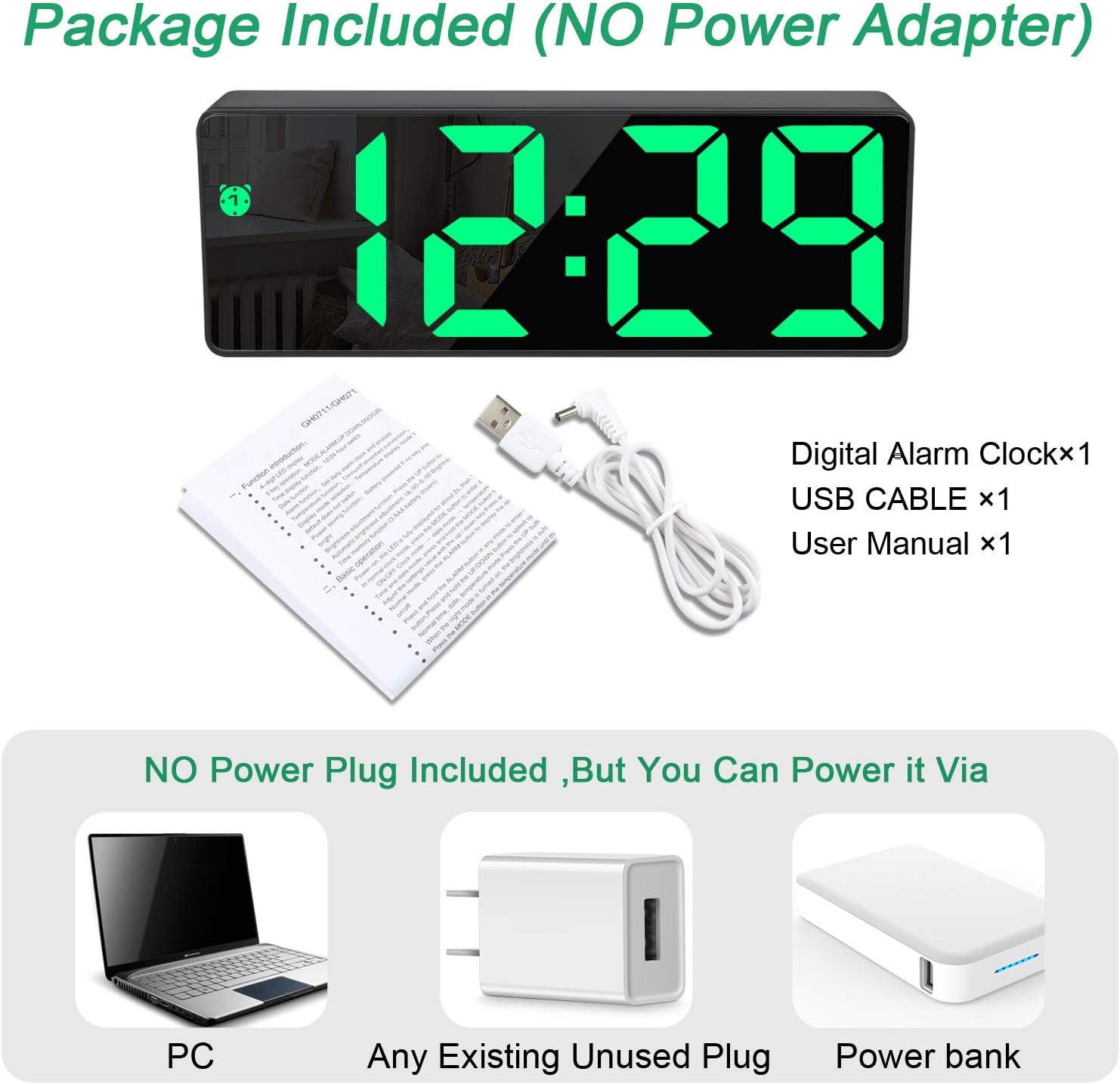
Figure 2: Package Contents. This image displays the Edillas Digital Alarm Clock along with its included USB cable, user manual, and a backup battery, indicating that a power adapter is not included.
Product Features
The Edillas Digital Alarm Clock offers several key features designed for convenience and functionality:
- Large LED Display: Clear and easy-to-read time display.
- Mirror Surface: Functions as a mirror when not actively displaying time.
- Adjustable Brightness: Three levels of brightness can be set manually or automatically.
- Dual Alarms: Set two independent alarms.
- Snooze Function: Provides an additional 5 minutes of sleep.
- External Storage Battery: Built-in battery retains time settings during power outages.
- USB Charging Connection: Powers the clock via a standard USB port.

Figure 3: Rear Panel and Features. This image shows the back of the alarm clock with labeled buttons for SNOOZE/LIGHT, UP, DOWN, MODE, and ALARM, along with the DC 5V power input. Icons below illustrate features like alarm, power saving, memory, adjustable brightness, time display, night display, temperature display, date display, and snooze function.
Setup
1. Power Connection
- Connect the provided USB cable to the DC 5V port on the back of the alarm clock.
- Plug the other end of the USB cable into a compatible USB power source (e.g., a computer, a USB wall adapter, or a power bank). Note: A power adapter is not included.
- The display will light up, indicating the clock is powered on.
Figure 4: Powering the Device. This image illustrates different ways to power the alarm clock using the USB cable, including connecting to a PC, a standard USB wall plug, or a portable power bank.
2. Initial Setup (Backup Battery)
The clock includes a backup battery to maintain time settings during power interruptions. Ensure it is properly installed or activated if required. The built-in storage battery ensures that you do not need to reset the time when the main power is disconnected.
Operating Instructions
1. Time Setting (12/24 Hour Format)
- Press and hold the MODE button for 3 seconds to enter time setting mode. The hour digits will flash.
- Use the UP or DOWN buttons to adjust the hour.
- Press the MODE button again to switch to minute setting. The minute digits will flash.
- Use the UP or DOWN buttons to adjust the minute.
- Press the MODE button a third time to select 12-hour or 24-hour format. Use UP or DOWN to toggle.
- Press the MODE button once more to confirm and exit time setting.
2. Alarm Setting (Dual Alarms)
This clock supports setting two independent alarms (AL1 and AL2).
- Press the ALARM button once to display AL1.
- Press and hold the ALARM button for 3 seconds to enter AL1 setting mode. The hour digits will flash.
- Use the UP or DOWN buttons to adjust the alarm hour.
- Press the ALARM button again to switch to minute setting. The minute digits will flash.
- Use the UP or DOWN buttons to adjust the alarm minute.
- Press the ALARM button once more to confirm AL1 setting.
- To set AL2, repeat steps 1-6, pressing ALARM twice initially to display AL2 before holding it.
- To activate/deactivate an alarm, press the ALARM button repeatedly until the desired alarm icon (AL1 or AL2) appears or disappears on the display.
3. Snooze Function
When an alarm sounds:
- Press the SNOOZE/LIGHT button to activate the snooze function. The alarm will pause for 5 minutes and then sound again.
- To stop the alarm completely, press any other button on the back of the clock.
- The snooze duration can be adjusted from 5 to 60 minutes (refer to advanced settings if available, otherwise assume default 5 minutes as per product description).
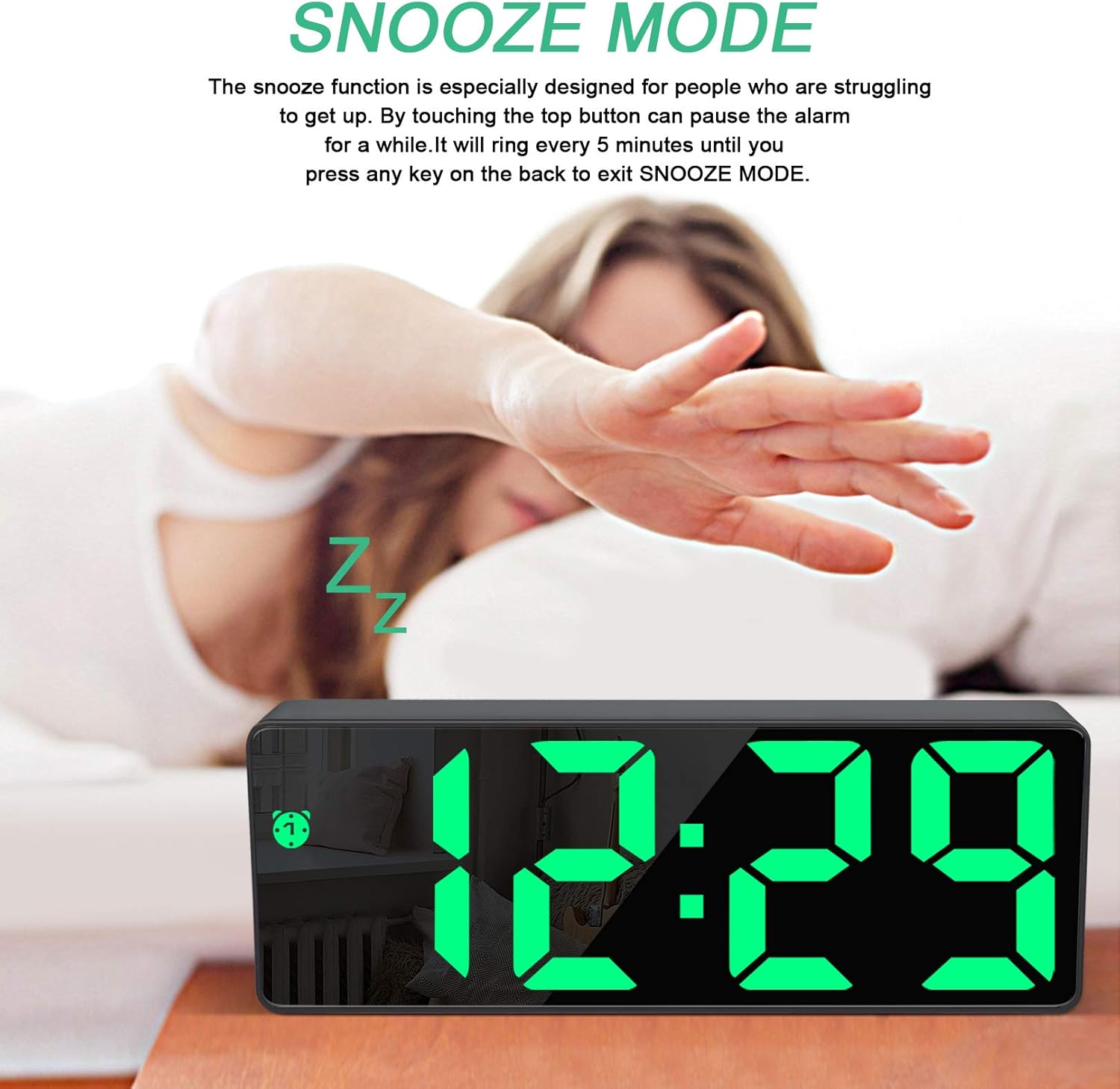
Figure 5: Snooze Mode. This image shows the alarm clock displaying time with a 'Zz' icon, indicating snooze mode is active, with a hand reaching towards the top button.
4. Brightness Adjustment
The display brightness can be adjusted manually or automatically.
- Manual Adjustment: Press the SNOOZE/LIGHT button (when not in alarm mode) to cycle through 3 brightness levels (High, Medium, Low).
- Automatic Dimming: The clock can automatically dim the LED light during night hours to protect your eyes and save energy. Refer to the full user manual for specific instructions on activating or adjusting automatic dimming if this feature is not immediately apparent.

Figure 6: Brightness Levels. This image shows two identical alarm clocks side-by-side, demonstrating the difference between a brighter and a dimmer display setting, illustrating the adjustable brightness feature.
5. Mirror Surface Function
The front surface of the alarm clock is designed with a mirror finish. When the display is off or at its lowest brightness, it can function as a reflective mirror.

Figure 7: Mirror Functionality. This image highlights the mirror surface of the alarm clock, showing a reflection and various makeup items placed in front of it, demonstrating its dual use.
Maintenance
- Cleaning: Use a soft, dry cloth to clean the mirror surface and body of the clock. Avoid abrasive cleaners or solvents.
- Power: Always use the provided USB cable for power. Ensure the power source is 5V DC.
- Environment: Keep the clock away from direct sunlight, high temperatures, and high humidity.
- Backup Battery: The internal backup battery is designed for memory retention. If the clock frequently loses time settings after power disconnection, the backup battery may need replacement (consult customer support if this occurs).
Troubleshooting
| Problem | Possible Cause | Solution |
|---|---|---|
| Clock display is off. | No power supply or loose connection. | Ensure USB cable is securely connected to both the clock and a working power source. |
| Alarm does not sound. | Alarm not activated or set incorrectly. | Verify alarm time and ensure the alarm icon (AL1/AL2) is displayed. |
| Time settings are lost after power disconnection. | Backup battery issue. | Ensure the backup battery is correctly installed. If issues persist, the backup battery may need replacement. |
| Display is too dim/bright. | Brightness level needs adjustment. | Press the SNOOZE/LIGHT button to cycle through brightness levels. |
Specifications
| Feature | Detail |
|---|---|
| Brand | Edillas |
| Model | B08F9WMNDH |
| Display Type | Digital LED |
| Material | Polyvinyl Chloride (PVC) |
| Product Dimensions | 16 x 2.5 x 6 cm |
| Item Weight | 160 g |
| Power Source | USB (DC 5V), Battery Powered (for memory) |
| Special Features | Adjustable Brightness, Dual Alarms, Large Display, Snooze Function, Mirror Surface |
| Time Format | 12/24 Hour |
| Snooze Duration | 5-60 minutes (default 5 minutes) |
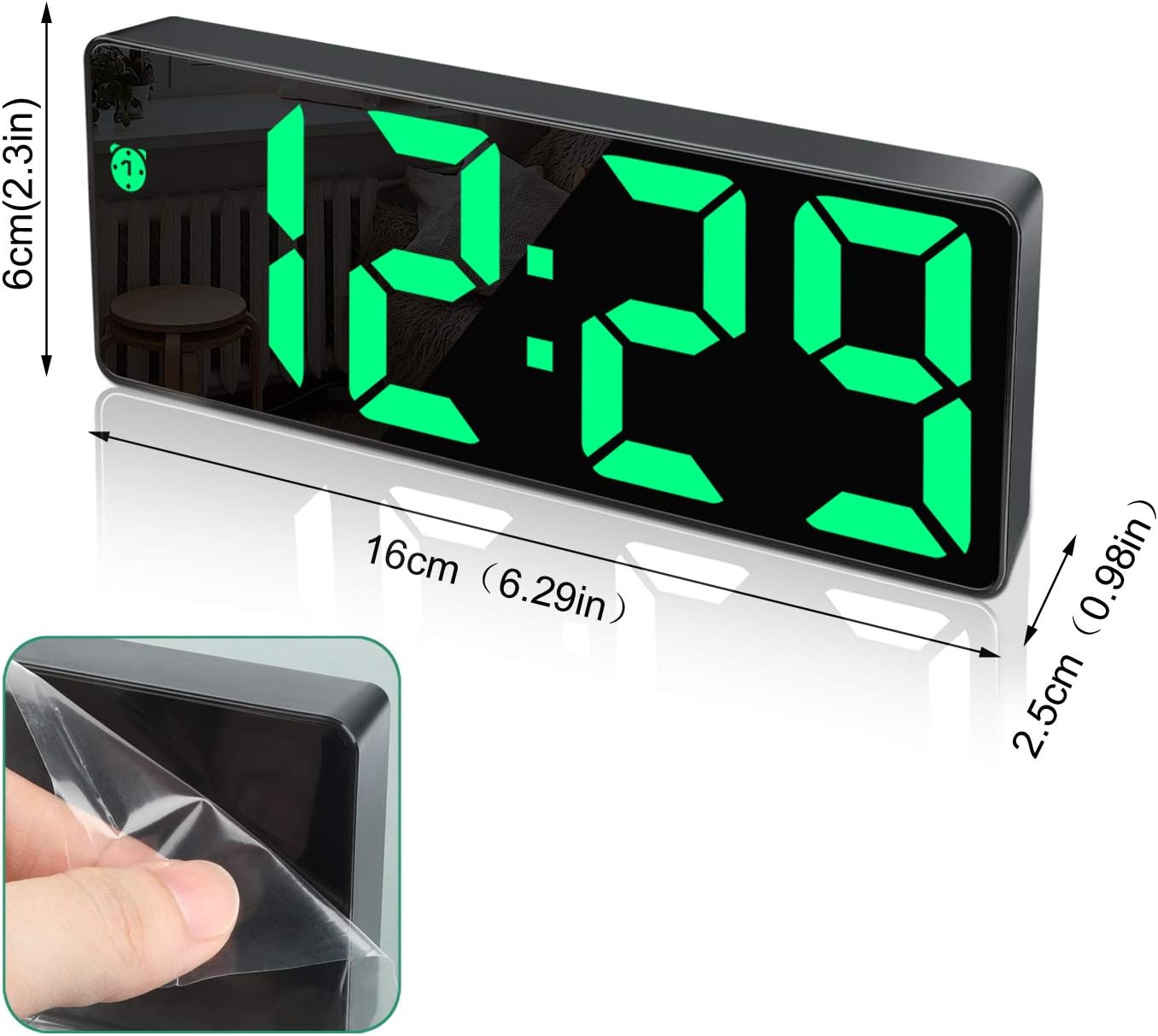
Figure 8: Product Dimensions. This image provides a visual representation of the alarm clock's dimensions, showing its length (16cm / 6.29in), height (6cm / 2.3in), and depth (2.5cm / 0.98in).
Warranty and Support
For warranty information or technical support, please refer to the contact details provided with your purchase documentation or visit the official Edillas website. Please retain your proof of purchase for any warranty claims.