
1. Introduction
Thank you for choosing the UNICOO Electric Height Adjustable 2-Tier Standing Desk, Model KT1002. This manual provides essential information for the safe assembly, operation, and maintenance of your new desk. Please read these instructions thoroughly before use and retain them for future reference.

A full view of the UNICOO Electric Height Adjustable 2-Tier Standing Desk, featuring a black tabletop and black legs, with the upper tier for a monitor and lower tier for a keyboard.
2. Safety Information
- This desk is equipped with safety features including collision avoidance, overheat protection, and auto-balance protection.
- The maximum weight capacity for this desk is 225 pounds. Do not exceed this limit.
- Keep the motor and all electrical components dry and free from liquids to prevent damage or electrical hazards.
- Always follow the assembly instructions and guidelines provided to ensure safe and proper use.
- Ensure the desk is placed on a level surface to maintain stability during height adjustments.
- Keep children and pets away from the desk during operation to prevent injury.
3. Package Contents
Please verify that all components are present before beginning assembly. If any parts are missing or damaged, contact UNICOO customer support.
- Desk Frame (Legs and Crossbar)
- Main Tabletop
- Upper Tier/Monitor Stand
- Electric Motor and Control Box
- Control Panel
- Power Adapter and Cable
- Caster Wheels (optional, for mobility)
- Adjustable Feet (for stationary use)
- Cup Holder
- Keyboard Tray
- Assembly Hardware (screws, wrenches, etc.)
4. Assembly Instructions
Assembly of this desk requires approximately 2 people for optimal safety and ease. Follow the detailed instructions provided in the separate assembly guide included with your product. A general overview of the steps is provided below:
- Unpack Components: Carefully remove all parts from the packaging and lay them out on a clean, soft surface to prevent scratches.
- Assemble Desk Frame: Attach the legs to the crossbar, ensuring all connections are secure.
- Install Motor and Control Box: Mount the electric motor and control box to the designated areas on the desk frame. Connect all necessary cables.
- Attach Tabletop: Secure the main tabletop to the assembled frame using the provided hardware.
- Install Upper Tier: Attach the monitor stand (upper tier) to the main tabletop.
- Mount Control Panel: Secure the control panel to the underside of the main tabletop in an accessible location.
- Attach Wheels or Feet: Decide whether to use the caster wheels for mobility or the adjustable feet for stationary placement. Install them firmly into the base of the desk legs.
- Install Accessories: Attach the cup holder and keyboard tray as desired.
- Connect Power: Plug the power adapter into the control box and then into a wall outlet.

An image illustrating the dimensions of the desk: 47.24 inches width, 24 inches depth, and 48 inches maximum height.
5. Operating Instructions
5.1 Electric Height Adjustment
The UNICOO Electric Standing Desk features smooth electric height adjustment. Use the control panel located on the underside of the main tabletop to adjust the desk height.
- Press the ▲ (Up) button to raise the desk.
- Press the ▼ (Down) button to lower the desk.
- Release the button at your desired height. The digital display will show the current height.
5.2 Memory Presets
The control panel allows you to save up to four preferred height settings for quick adjustments.
- Adjust the desk to your desired height using the Up/Down buttons.
- Press the 'S' button (Set). The display will flash.
- Immediately press one of the numbered preset buttons (1, 2, 3, or 4) to save the current height to that memory slot.
- To recall a saved height, simply press the corresponding numbered button (1, 2, 3, or 4). The desk will automatically move to the saved position.
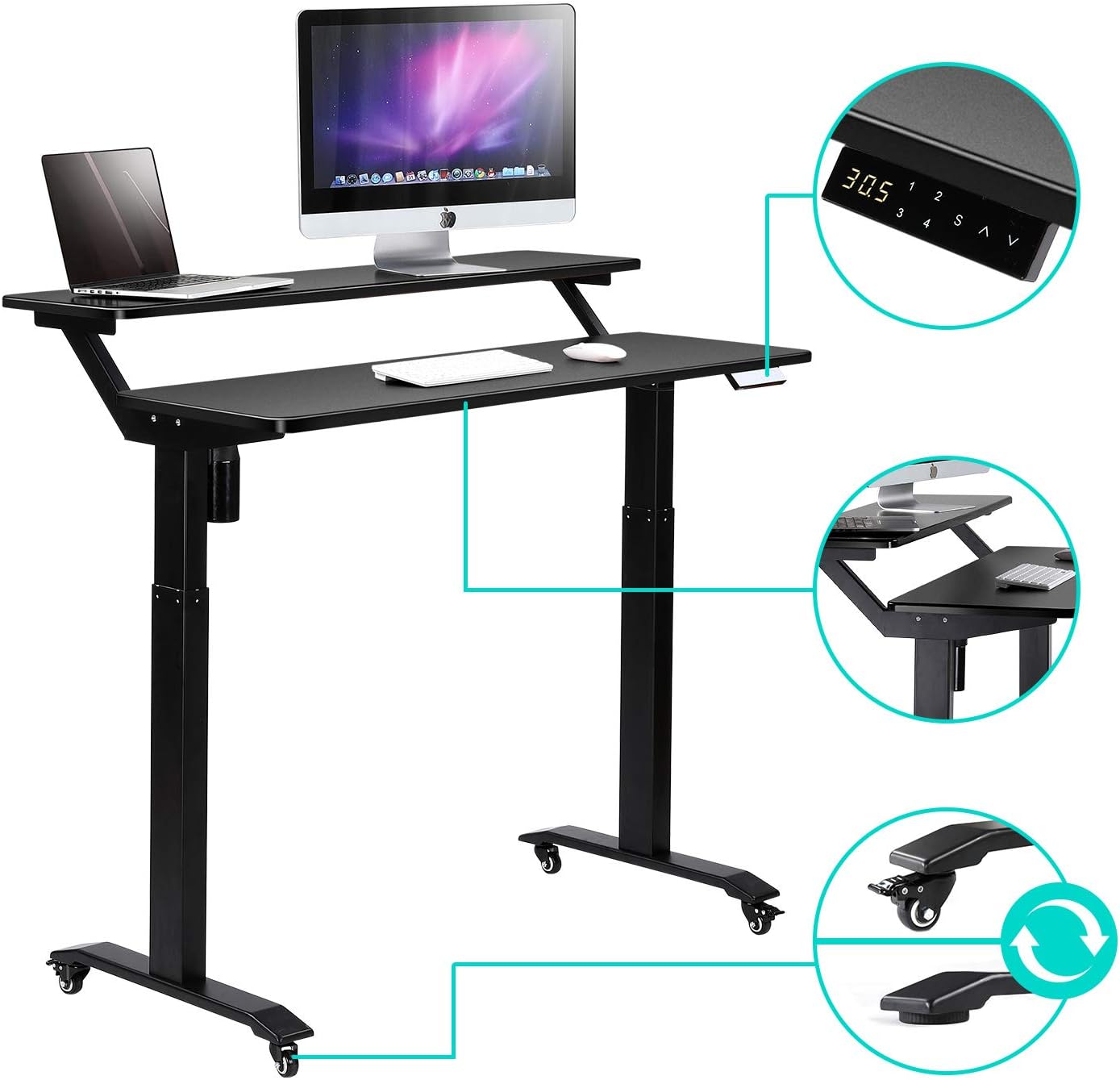
An image detailing various features including the digital control panel for height adjustment, lockable caster wheels for mobility, and the rounded corner design of the desk surface.
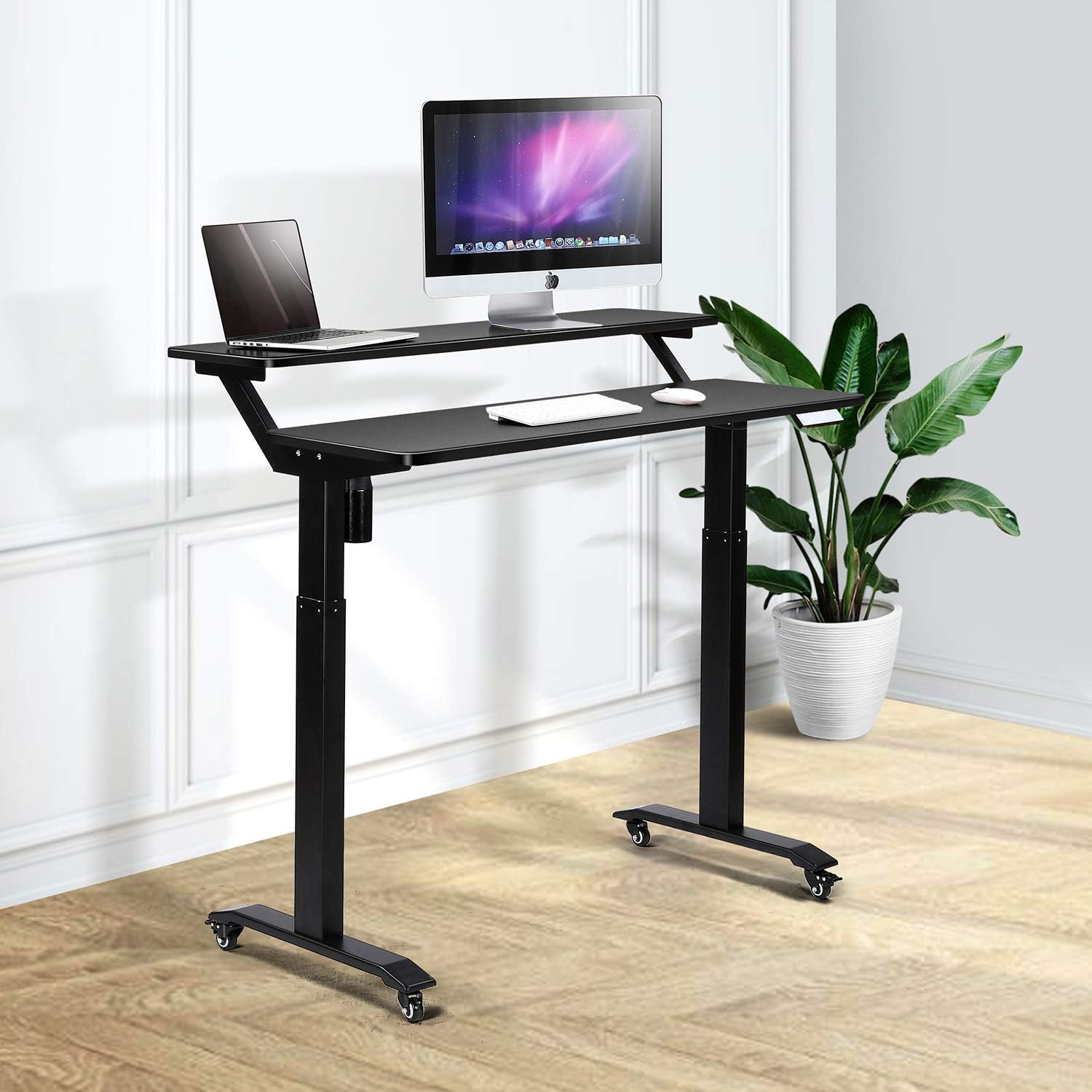
The desk adjusted to a standing height, with a laptop on the lower tier and a monitor on the upper tier, illustrating ergonomic standing use.

A diagram showing proper ergonomic posture when using the 2-tier standing desk, highlighting eye-level monitor placement and correct back alignment for both sitting and standing.
6. Maintenance and Care
- Cleaning: Clean the desk surfaces with a damp cloth, avoiding excess moisture. Use a dry microfiber cloth for dusting. For stubborn marks, use a mild detergent sparingly.
- Avoid Harsh Cleaners: Do not use abrasive or corrosive cleaners, as they can damage the finish.
- Electrical Components: Always keep the motor and electrical components dry and free from liquids.
- Regular Checks: Periodically check all screws and connections to ensure they remain tight and secure.

A detailed view of the desk's rounded corners and edges, emphasizing the safety and aesthetic design.
7. Troubleshooting
If you encounter issues with your UNICOO Electric Standing Desk, please refer to the following common troubleshooting tips:
- Desk Not Moving:
- Ensure the power cable is securely plugged into both the desk and a working wall outlet.
- Check if any cables are pinched or disconnected from the control box or motor.
- If an error code appears on the display, consult the specific troubleshooting section in your detailed assembly guide.
- Uneven Movement:
- Verify that the desk is placed on a level surface.
- Check for any obstructions under or around the desk legs.
- Ensure the weight on the desk is evenly distributed and does not exceed the maximum capacity.
- Noise During Operation:
- A slight motor sound is normal during height adjustment.
- If the noise is excessive or unusual, check for loose components or obstructions.
If these steps do not resolve the issue, please contact UNICOO customer support for further assistance.
8. Specifications
| Brand | UNICOO |
| Model Number | KT1002 |
| Product Dimensions (D x W x H) | 24"D x 47.24"W x 48"H |
| Minimum Height | 30.1 Inches |
| Maximum Height | 48 Inches |
| Item Weight | 60 Pounds |
| Maximum Weight Recommendation | 225 Pounds |
| Color | Black Top/Black Legs |
| Top Material Type | Engineered Wood (Laminated Finish) |
| Base Material | Alloy Steel (Industrial-grade steel) |
| Special Features | Adjustable Height, Electric, Rolling Desk |
| Included Components | Cup Holder, Keyboard Tray |
| Required Assembly | Yes |
| Recommended Number of People for Assembly | 2 |
9. Warranty Information
The UNICOO Electric Height Adjustable 2-Tier Standing Desk (Model KT1002) comes with a Limited Warranty. This warranty covers manufacturing defects and issues under normal use. For specific details regarding the terms, conditions, and duration of your warranty, please refer to the warranty documentation included with your purchase or contact UNICOO customer support.
10. Contact and Support
For any questions, technical support, or warranty claims, please contact UNICOO customer service. Refer to your purchase documentation for the most current contact information or visit the official UNICOO website.