
Introduction
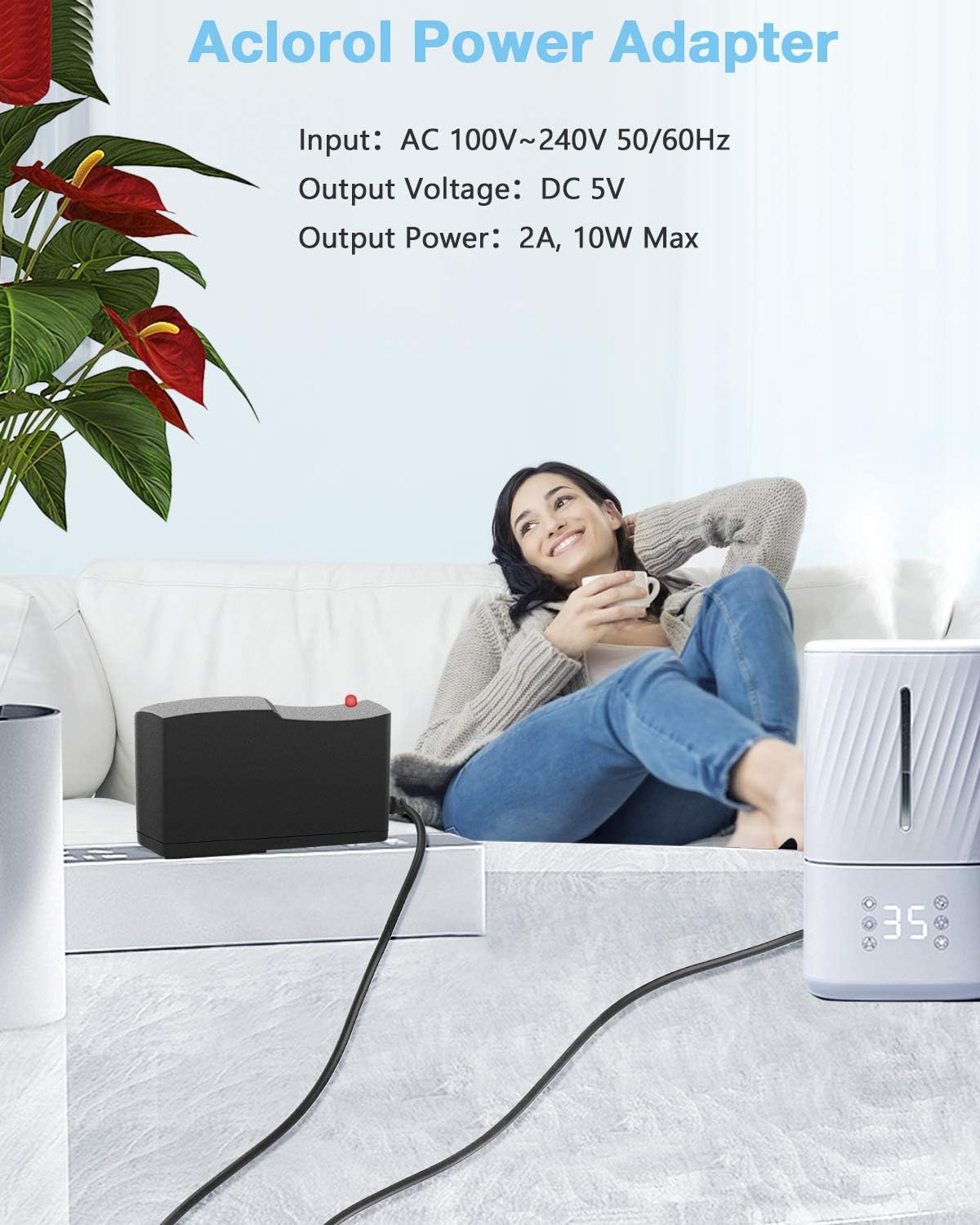
This user manual provides essential information for the safe and effective use of your Aclorol 5V 2A Power Supply. This device is designed to convert AC 100-240V input to a stable DC 5V 2A output, suitable for various low-power electronic devices. Please read this manual thoroughly before operation and retain it for future reference.
Product Overview
Key Features
- Input Voltage: AC 100-240V, 50/60Hz.
- Output Specifications: DC 5V, 2A, 10W. Designed for devices requiring DC 5V with current draw up to 2A. Overloading beyond 2A can damage the unit.
- DC Connector: 5.5mm x 2.5mm, compatible with 5.5mm x 2.1mm. Includes a screw terminal adapter for easy wire connection without soldering.
- Safety Protection: Built-in intelligent protection system against over-current, over-voltage, short-circuit, and includes stability features to safeguard connected equipment.
- Durability: Constructed with high-quality copper core wire for extended lifespan and a solid PC & ABS shell.
- Broad Compatibility: Suitable for devices such as audio amplifiers, wireless routers, surveillance cameras, 3D printers, water pumps, electric drills, electric fans, and motors.
What's in the Box
- 1 x Aclorol 5V 2A Power Supply
Product Visuals


Specifications
| Parameter | Value |
|---|---|
| Input Voltage | AC 100-240V, 50/60Hz |
| Output Voltage | DC 5V |
| Output Current | 2A |
| Output Wattage | 10W |
| DC Connector Size | 5.5mm x 2.5mm (compatible with 5.5mm x 2.1mm) |
| Cable Length | 94 cm (37.0 inches) |
| Operating Temperature | -10 to 50 degrees Celsius |
| Storage Temperature | -20 to 85 degrees Celsius |
| Item Weight | 2.46 ounces |
| Dimensions (L x W x H) | 3.82 x 3.07 x 1.22 inches |
| Model Number | 619191113705 |
Setup Instructions
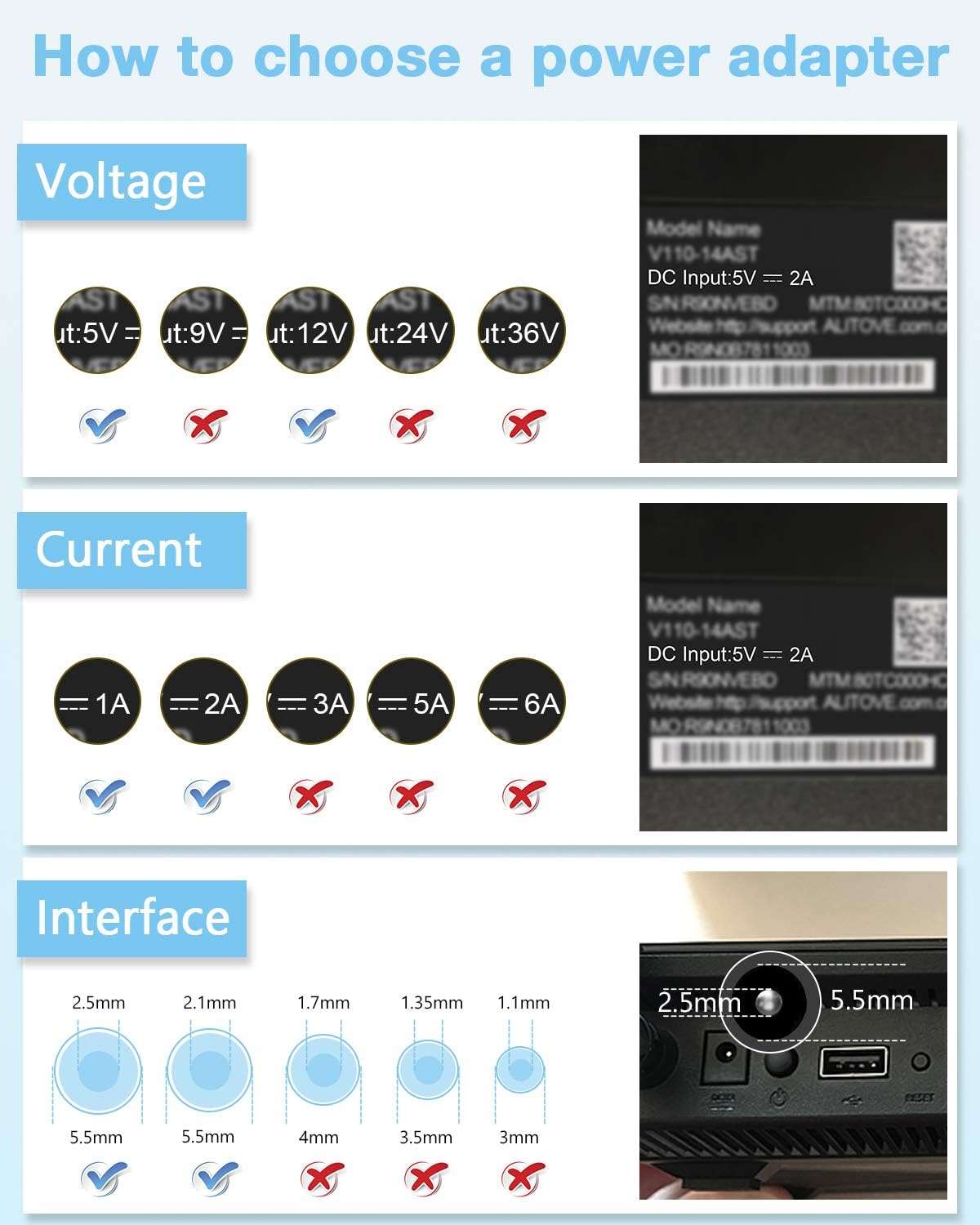
- Verify Device Compatibility: Before connecting, ensure your device requires a DC 5V input and draws a maximum current of 2A (or less). Check your device's specifications or existing power adapter for voltage (V) and amperage (A) requirements. Using an incorrect voltage or exceeding the current rating can damage your device or the power supply.
- Check Connector Size: Confirm that your device's power input port is compatible with the 5.5mm x 2.5mm DC barrel connector. This adapter is also compatible with 5.5mm x 2.1mm ports.
- Connect to Device: Insert the DC barrel connector of the Aclorol power supply into the power input port of your electronic device. Ensure a secure fit.
- Connect to Power Outlet: Plug the AC prongs of the power supply into a standard AC 100-240V wall outlet.
- Power On: Once connected, your device should receive power. Some power supplies may have a small indicator light to show it is receiving power.
Important: Never connect this power supply to devices that require a voltage other than 5V DC, or devices that draw more than 2 Amps of current. Doing so can cause severe damage to both the power supply and the connected device, and may pose a fire hazard.
Operating Instructions
The Aclorol 5V 2A Power Supply operates automatically once connected to a compatible device and a power outlet. It provides a continuous and stable 5V DC power output.
- Ensure the power supply is plugged into a functional wall outlet.
- Confirm the connected device is receiving power and functioning as expected.
- The power supply is designed for continuous operation within its specified limits.
Maintenance
The Aclorol 5V 2A Power Supply requires minimal maintenance to ensure optimal performance and longevity.
- Cleaning: Disconnect the power supply from the wall outlet and the device before cleaning. Use a soft, dry cloth to wipe the exterior. Do not use liquid cleaners or abrasive materials.
- Storage: When not in use, store the power supply in a cool, dry place away from direct sunlight and extreme temperatures.
- Cable Care: Avoid bending or crimping the power cord excessively, especially near the connectors, to prevent internal wire damage.
- Inspection: Periodically inspect the power supply and its cable for any signs of damage, such as frayed wires, cracks in the casing, or unusual discoloration. If damage is observed, discontinue use immediately.
Troubleshooting
If you encounter issues with your Aclorol 5V 2A Power Supply, please refer to the following common troubleshooting steps:
| Problem | Solution |
|---|---|
| No Power to Device |
|
| Power Supply Feels Hot |
|
| Device Malfunctions or Shuts Off |
|
| Blue Indicator Light is Too Bright |
|
Safety Information
- Indoor Use Only: This power supply is designed for indoor use in dry environments. Do not expose it to water, moisture, or high humidity.
- Avoid Overloading: Never exceed the rated output of 5V 2A (10W). Overloading can cause overheating, damage to the unit and connected device, and poses a fire hazard.
- Proper Ventilation: Ensure the power supply has adequate airflow around it. Do not cover it or place it in an enclosed space that restricts ventilation.
- Temperature: Operate within the specified temperature range (-10 to 50 degrees Celsius). Avoid extreme heat or cold.
- Handle with Care: Do not drop, impact, or disassemble the power supply. Unauthorized modifications can lead to electric shock or fire.
- Children and Pets: Keep the power supply out of reach of children and pets.
- Disconnect When Not in Use: Unplug the power supply from the wall outlet when not in use for extended periods or during electrical storms.
- Damaged Unit: If the power supply or its cable appears damaged, discontinue use immediately and dispose of it properly. Do not attempt to repair it.
Warranty and Support
Aclorol provides a 12-month warranty for this power supply, covering manufacturing defects and issues arising from normal use. This warranty ensures the product's quality and reliability, backed by a quality microchip design.
For technical support, warranty claims, or any questions regarding your Aclorol 5V 2A Power Supply, please contact Aclorol customer service through the retailer's platform or visit the official Aclorol brand store on Amazon: Aclorol Store.
Please have your model number (619191113705) and purchase date available when contacting support.