
Ring Floodlight Cam Wired Plus
Ring Floodlight Cam Wired Plus User Manual
Model: Floodlight Cam Wired Plus
Brand: Ring
Introduction
The Ring Floodlight Cam Wired Plus is a comprehensive outdoor security solution designed to provide peace of mind through advanced monitoring and illumination. This manual provides essential information for setup, operation, and maintenance of your device.
What's Included
- Floodlight Cam
- Mounting Bracket
- Installation Tools and Screws
- User Manual
- Security Sticker
Setup and Installation
Before beginning installation, ensure the power to your existing floodlight's junction box is turned off at the circuit breaker. This device requires hardwired AC power (110-240V) and a 4-inch round weatherproof electrical box.
Installation Overview
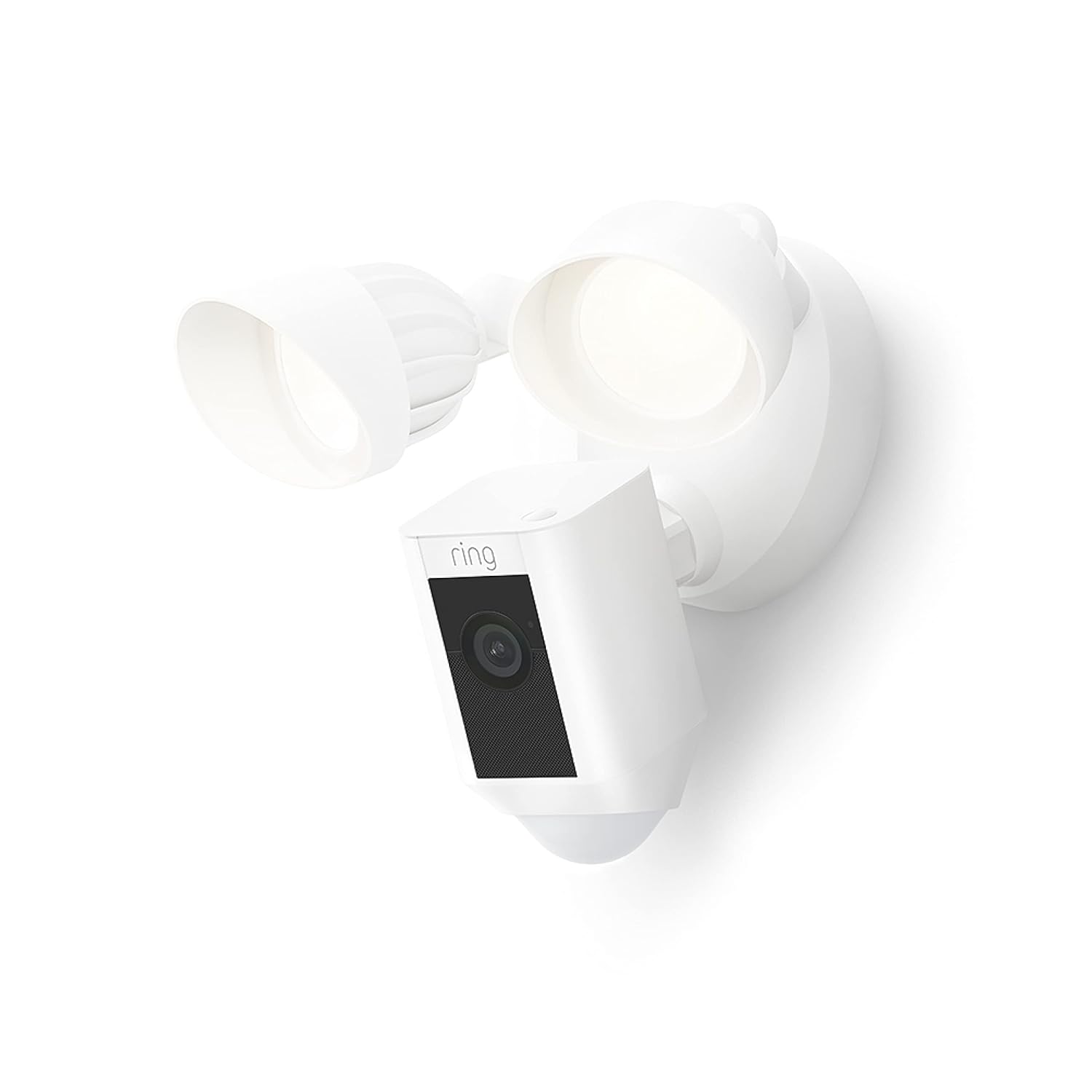
A complete view of the Ring Floodlight Cam Wired Plus, showcasing its dual floodlights and integrated camera unit.
This video provides a brief overview of the Ring Floodlight Cam Wired Plus, highlighting its key features and simple installation process.
Step-by-Step Guide
- Prepare the Mounting Bracket: Secure the provided mounting bracket to your existing electrical box. Ensure it is firmly attached.
- Wire the Floodlight Cam: Connect the wires from your home's electrical box to the corresponding wires on the Floodlight Cam. Typically, white is neutral, black is live, and green/bare copper is ground. Use the included wire nuts to secure connections.
- Mount the Floodlight Cam: Carefully push the excess wiring into the electrical box. Align the Floodlight Cam with the mounting bracket and secure it using the provided screws.
- Adjust Lights and Camera: Loosen the adjustment screws on the floodlights and camera to position them for optimal coverage. Tighten the screws once positioned.
- Restore Power: Turn the power back on at your circuit breaker. The Floodlight Cam will power on and enter setup mode.

An individual is shown in the process of installing the Ring Floodlight Cam Wired Plus, connecting it to existing home wiring.
Operating Instructions
The Ring Floodlight Cam Wired Plus is managed through the Ring app on your smartphone, tablet, or PC.
- Live View: Access real-time video and audio from your camera anytime, anywhere.
- Motion Detection: Receive instant notifications when motion is detected. Customize motion zones to focus on specific areas and reduce unwanted alerts.
- Two-Way Talk: Speak to visitors or deter unwanted guests using the built-in microphone and speaker.
- Siren: Activate the loud 105dB security siren remotely from the app to scare off intruders.
- Color Night Vision: Benefit from clear, full-color video even in low-light conditions, enhanced by the two 2000 Lumen LED floodlights.
- Alexa Integration: Pair your Floodlight Cam with Alexa-enabled devices to receive motion alerts, view Live View on compatible screens, and communicate with visitors using voice commands.

A person is at a front door, and the image suggests two-way communication is possible through the Ring camera system.

A smartphone screen displays the Ring app interface, showing a map with customizable motion zones highlighted in blue, indicating areas for motion detection.

The Ring Floodlight Cam is mounted on a wall, with its two LED floodlights brightly illuminated, emphasizing its security and lighting capabilities.

An Echo Show device displays a live feed from a Ring camera, showing a driveway with a car, demonstrating its compatibility with Alexa.
Maintenance
To ensure optimal performance, regularly clean the camera lens and floodlight covers with a soft, damp cloth. Avoid using harsh chemicals. Keep your Ring app updated to the latest version for new features and security enhancements.
Troubleshooting
- No Live View/Offline: Check your Wi-Fi connection and ensure the device is receiving power. Verify your Wi-Fi signal strength in the Device Health section of the app.
- False Motion Alerts: Adjust motion sensitivity and refine motion zones in the app to exclude areas with frequent, non-threatening movement (e.g., trees, passing cars).
- Poor Night Vision: Ensure the floodlights are clean and unobstructed. Check for any external light sources that might interfere with the camera's night vision.
Specifications
| Feature | Detail |
|---|---|
| Average install time | 15-25 minutes |
| Video | 1080p HD, Live View, Color Night Vision |
| Field of view | 140° horizontal, 80° vertical |
| Motion detection | Advanced Motion Detection with Customizable Motion Zones |
| Audio | Two-way audio with noise cancellation |
| Siren | Remote-activated 105db siren (level measured at 4 inch/10cm distance) |
| Lights | Two 3000° Kelvin with 2000 Lumen floodlights |
| Power | Hardwired (110-240V) |
| Internet requirements | Requires a minimum upload speed of 2 Mbps for optimal performance |
| Connectivity | 802.11 b/g/n Wi-Fi connection @2.4GHz902-928 Mhz Radio |
| Operating conditions | -4°F to 122°F (-20°C to 50°C), Weather Resistant |
| Available colors | White, Black |
| Mounting base | Integrated mounting base with adjustable light and cameras angles. Mounts on 4 inch round weatherproof electrical box (not included) |
| Dimensions | 11.7in x 7.03in x 9.67in (29.9cm x 24.6cm x 17.9cm) |
| Setup requirements | 4 inch round weatherproof electrical box with AC power wiring |
| Generation | Ring Floodlight Cam Wired Plus - 2021 release |
Warranty and Support
This device includes a 1-year limited warranty and service. For additional support, visit the Ring Store or the Security Cameras support page. Software security updates are guaranteed until at least four years after the device is last available for purchase as a new unit on our websites.
Related documentsFloodlight Cam Wired Plus


Ask a question about this manual
Ask about setup, troubleshooting, compatibility, parts, safety, or missing instructions. Manuals+ will review the question and use this page’s manual context to help answer it.