
Introduction
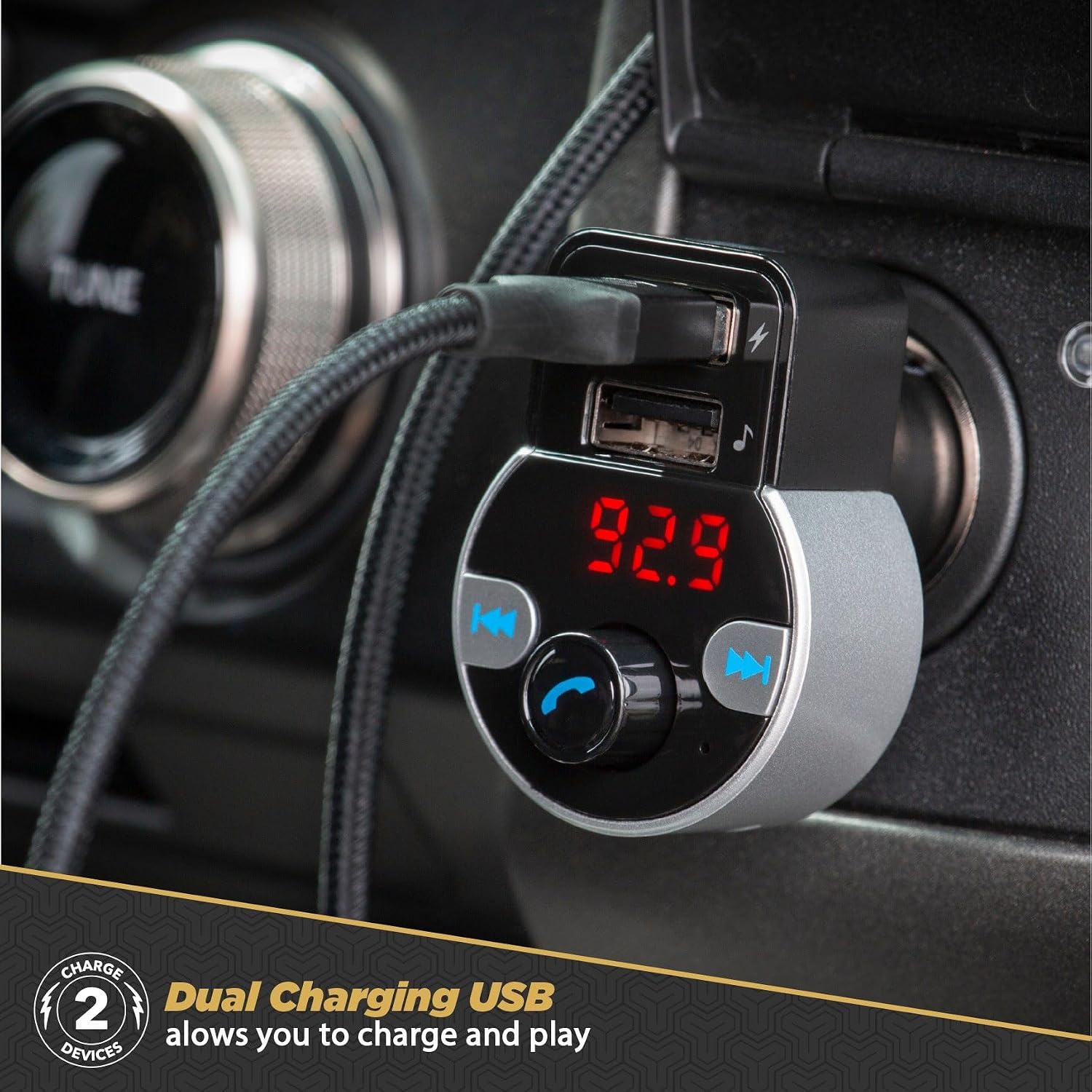
The Scosche SBTFM4-XCES0 Select FM Transmitter provides a versatile solution for in-car audio and charging. This device allows you to stream music wirelessly, manage hands-free phone calls, and charge mobile devices directly from your vehicle's 12V outlet. It features Bluetooth 5.0 for stable connections and a digital LED display for clear information.
Key features include:
- Bluetooth 5.0 Connectivity: For wireless audio streaming and hands-free calls.
- Dual USB Charging Ports: Charge two devices simultaneously.
- Digital LED Display: Shows FM frequency and vehicle battery voltage.
- Hands-Free Calling: Integrated microphone for clear communication.
- Multiple Audio Sources: Supports Bluetooth, U-disk, and SD cards for music playback.
Product Overview



Official Product Video
This video provides an overview of the SCOSCHE SBTFM4 Select Bluetooth 5.0 Car Kit FM Transmitter, demonstrating its features and functionality.
Setup Instructions
- Power On: Insert the SBTFM4-XCES0 into your vehicle's 12V power outlet. The device will power on automatically, and the LED display will illuminate.
- Set FM Frequency: Tune your car's FM radio to an unused frequency (one with no active broadcast). On the SBTFM4-XCES0, press the 'CH' button (often represented by a phone icon or a central knob press) and then use the left/right arrow buttons or rotate the knob to match the FM frequency on the device to your car's radio. For optimal sound quality, choose a frequency that is clear and free of static.
- Bluetooth Pairing:
- On your mobile device, enable Bluetooth.
- Search for available Bluetooth devices and select "Scosche BTFM4" (or similar name) from the list.
- Once paired, the device will confirm the connection, and you can begin streaming audio.
Operating Instructions
Music Playback
- Via Bluetooth: After successful pairing, play music from your mobile device. The audio will transmit to your car stereo via the selected FM frequency. Use your phone or the device's controls (left/right arrows or knob) to skip tracks.
- Via U-disk/SD Card: Insert a U-disk (USB flash drive) into one of the USB-A ports or an SD card into the designated slot. The device will automatically detect and begin playing audio files. Use the device's controls to navigate tracks.
Hands-Free Calling
- Answering/Ending Calls: When a call comes in, the device will automatically switch from music mode. Press the phone button (usually the central knob) to answer. Press it again to end the call.
- Rejecting Calls: Press and hold the phone button to reject an incoming call.
- Redialing: Double-press the phone button to redial the last number.
Charging Devices
Connect your mobile devices to the dual USB-A charging ports using appropriate USB cables. The device provides power to charge your devices while in use.
Battery Voltage Check
The LED display will show your vehicle's battery voltage upon startup. This feature helps monitor your car battery's health.
Maintenance
- Cleaning: Wipe the device with a soft, dry cloth. Avoid using harsh chemicals or abrasive cleaners.
- Storage: When not in use for extended periods, store the device in a cool, dry place away from direct sunlight and extreme temperatures.
- Connection: Ensure the 12V plug is securely inserted into the outlet to maintain a stable power connection.
Troubleshooting
| Problem | Possible Cause | Solution |
|---|---|---|
| No audio or static interference | Incorrect FM frequency; weak signal; car radio volume too low; Bluetooth not connected. | Tune to a clear FM frequency; increase car radio volume; ensure Bluetooth is paired. |
| Poor call quality (others cannot hear me) | Microphone obstruction; high vehicle noise; weak signal. | Ensure microphone is clear; reduce vehicle noise; check device placement. |
| Device not powering on | Loose connection in 12V outlet; vehicle's 12V outlet is not active. | Ensure secure connection; check if vehicle ignition needs to be on for 12V outlet. |
| Unable to charge devices | Faulty USB cable; device not compatible with charging port; loose connection. | Try a different USB cable; ensure device is compatible; check USB port connection. |
| Bluetooth connection drops frequently | Interference from other devices; device too far from transmitter. | Move other wireless devices away; keep phone close to the transmitter. |
Specifications
| Feature | Detail |
|---|---|
| Model Name | SBTFM4-XCES0 |
| Connectivity Technology | Bluetooth 5.0, USB |
| Power Source | Corded Electric (12V Vehicle Outlet) |
| Special Features | Built-In Microphone, Dual Charging, Hands-Free Calls |
| Display Type | LED |
| Supported Media Type | SD Card |
| Material | Aluminum |
| Item Dimensions (L x W x H) | 2.9" x 2.2" x 1.9" |
| Item Weight | 0.08 kg |
| FM Frequency Range | 87.5 to 107.9 MHz |
Warranty and Support
This Scosche product is backed by a Limited Lifetime Warranty. For detailed warranty information or technical support, please contact Scosche Industries directly. You can typically find contact information on the official Scosche website or through the retailer where the product was purchased.


