
1. Product Overview
The Benro Tortoise TTOR03CGX25 is a compact, lightweight carbon-fiber travel tripod kit designed for photographers requiring stability and portability. This columnless tripod offers maximum rigidity and includes a GX25 dual-pan ball head with an Arca-Swiss compatible quick-release plate, making it suitable for various photographic applications, from travel to macro.
Key Features:
- Ultra-Portable Travel Design: Carbon-fiber 3-section legs fold down to 11.8 inches (30 cm) with a packed diameter of approximately 3.1 inches (8 cm), ideal for backpacks and travel.
- Column-Free Stability: The absence of a center column enhances rigidity and minimizes flex, providing dependable stability for creative shooting, including low angles.
- Dual-Pan Ball Head (GX25): Features dual-pan capabilities (base and quick-release stage) and a secure Arca-Swiss-style quick-release plate for precise panoramic movements and rapid camera changes.
- High Load Capacity: Supports up to 17.64 lb (8 kg) of gear, accommodating mirrorless or DSLR setups with lenses and accessories.
- Accessory-Ready Platform: Includes independent leg-spread angles, twist-lock leg collars, and three 1/4-20 accessory threads on the leg spider for attaching monitors, lights, or arms.

Figure 1.1: The Benro Tortoise TTOR03CGX25 Tripod Kit in its folded, compact state.
2. Setup Instructions
2.1 Unpacking and Initial Inspection
- Carefully remove all components from the packaging.
- Verify that all items listed in the product contents are present: Benro Tortoise Columnless Carbon Fibre Zero Series Tripod with GX25 Ball Head.
- Inspect the tripod and ball head for any signs of damage during transit.

Figure 2.1: Tripod kit components including the tripod and its dedicated carry bag.
2.2 Unfolding the Tripod
- Hold the tripod firmly and release the leg angle locks located at the top of each leg.
- Extend each leg outwards until it clicks into one of the available angle positions. The tripod offers independent leg-spread angles for uneven terrain.
- To extend the leg sections, twist the leg collars counter-clockwise to unlock, pull the leg section to the desired length, and twist clockwise to lock securely.

Figure 2.2: The Benro Tortoise TTOR03CGX25 Tripod Kit with legs fully extended and spread.
2.3 Attaching Your Camera to the GX25 Ball Head
- Locate the Arca-Swiss style quick-release plate on the GX25 ball head.
- Unscrew the locking knob on the quick-release clamp to open it.
- Attach the quick-release plate to the base of your camera using the 1/4-20 screw. Ensure it is tightened securely.
- Slide the camera with the attached plate into the quick-release clamp on the ball head.
- Tighten the locking knob until the camera is firmly secured and cannot move.

Figure 2.3: A camera securely mounted on the GX25 ball head of the Benro Tortoise tripod.
3. Operating Instructions
3.1 Adjusting Tripod Height and Leg Angles
- Leg Extension: To adjust the height, twist the leg collars counter-clockwise to loosen, extend or retract the leg sections, then twist clockwise to lock them firmly in place. Always ensure all sections are locked before placing a camera on the tripod.
- Leg Angles: Press the leg angle locks to adjust each leg independently to one of the preset angles. This allows for stable setup on uneven surfaces or for achieving very low shooting angles.
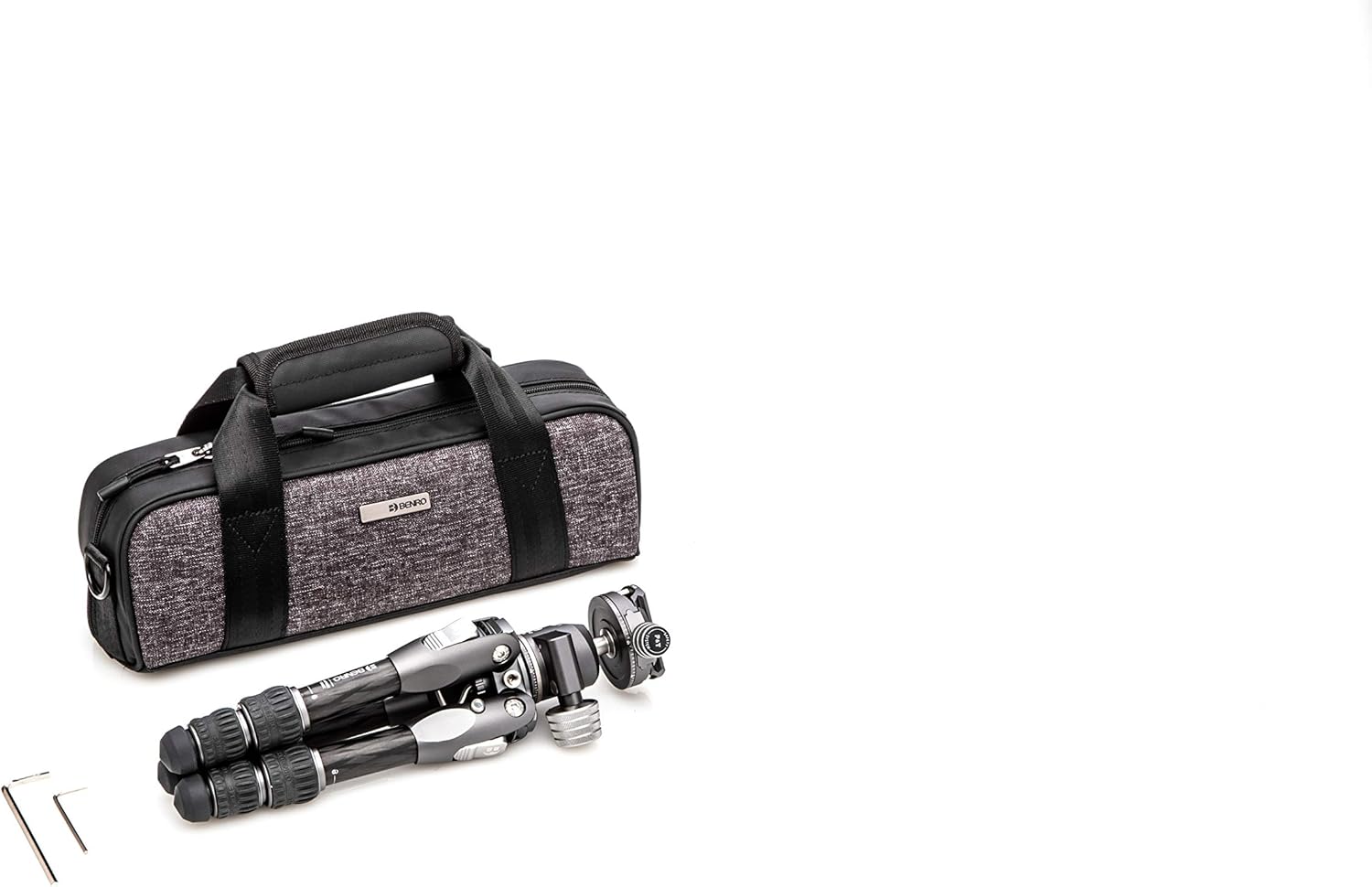
Figure 3.1: The tripod configured for low-angle photography, demonstrating independent leg-spread.
3.2 Using the GX25 Dual-Pan Ball Head
- Ball Lock Knob: This large knob controls the movement of the ball. Loosen it to adjust the camera's angle (tilt and swivel), then tighten to secure the camera in position.
- Panoramic Base Lock Knob: Located at the base of the ball head, this knob controls the rotation of the entire head. Loosen it for 360-degree panning, then tighten to lock.
- Quick-Release Clamp Knob: Used to secure or release the Arca-Swiss quick-release plate. Ensure it is fully tightened when the camera is mounted.

Figure 3.2: Detailed view of the GX25 ball head, highlighting the various control knobs for precise adjustments.
3.3 Attaching Accessories
The leg spider features three 1/4-20 accessory threads. These can be used to attach various accessories such as external monitors, LED lights, or articulating arms directly to the tripod, expanding your creative possibilities.

Figure 3.3: The leg spider showing the 1/4-20 accessory threads for attaching additional equipment.
4. Maintenance
- Cleaning: After use, especially in dusty or sandy environments, wipe down the tripod legs and ball head with a soft, damp cloth. Avoid using harsh chemicals. For carbon fiber legs, a mild soap solution can be used if necessary, followed by thorough drying.
- Lubrication: The ball head mechanism is factory-lubricated. Do not attempt to lubricate it yourself unless specifically instructed by Benro support.
- Inspection: Periodically check all screws, bolts, and leg locks for tightness. Tighten any loose components to ensure optimal stability and safety.
- Storage: Store the tripod in its protective carry bag in a dry, cool place away from direct sunlight and extreme temperatures.
5. Troubleshooting
- Tripod Instability: Ensure all leg sections are fully extended and their twist locks are securely tightened. Verify that the leg angle locks are engaged in their respective positions. Check that the camera is properly seated and locked onto the quick-release plate.
- Ball Head Movement After Locking: Confirm that the main ball lock knob is fully tightened. If movement persists, ensure the quick-release plate is securely attached to the camera and the clamp is fully closed.
- Leg Sections Sticking: Clean the leg sections thoroughly to remove any dirt or debris that may be causing friction. Avoid over-tightening the twist locks, as this can cause them to bind.
- Difficulty with Panning: Ensure the panoramic base lock knob is loosened sufficiently for smooth rotation. If it feels gritty, clean the base area.
6. Specifications
| Feature | Specification |
|---|---|
| Model Name | TTOR03CGX25 |
| Product Dimensions (Folded) | 14.5 x 4.9 x 4.9 inches (36.8 x 12.4 x 12.4 cm) |
| Item Weight | 3.15 pounds (1.43 kg) |
| Material | Carbon Fiber |
| Weight Limit | 17.64 pounds (8 kg) |
| Maximum Height | 40 Centimeters (15.7 inches) |
| Tripod Head Type | Ball Head (GX25 Dual-Pan) |
| Leg Sections | 3 |
| Color | Black |

Figure 6.1: Key dimensions of the Benro Tortoise TTOR03CGX25 Tripod Kit.
7. Warranty and Support
7.1 Warranty Information
A standard limited warranty of 3 years is provided from the date of purchase for the original owner. If the product is registered online, the warranty is extended by an additional 2 years, totaling 5 years in applicable regions. Please refer to the official Benro website for detailed warranty terms and conditions.
7.2 Customer Support
For technical assistance, spare parts, or warranty claims, please contact Benro customer support through their official website. Have your product model number (TTOR03CGX25) and proof of purchase ready when contacting support.


