
Introduction
This manual provides essential information for the safe and effective use of your Oticon Get P BTE (Behind-The-Ear) Hearing Aid. Please read these instructions carefully before using your device.
The Oticon Get P BTE Hearing Aid is designed to assist individuals with hearing loss. Key features include:
- Feedback Cancellation: Helps to reduce whistling sounds.
- Noise Management: Minimizes distracting background noise for clearer listening.
- 4 Fitting Bands: Allows for precise sound adjustments across 4 channels.
- Directional Microphones: Controls microphones to focus on speech sounds from various directions.
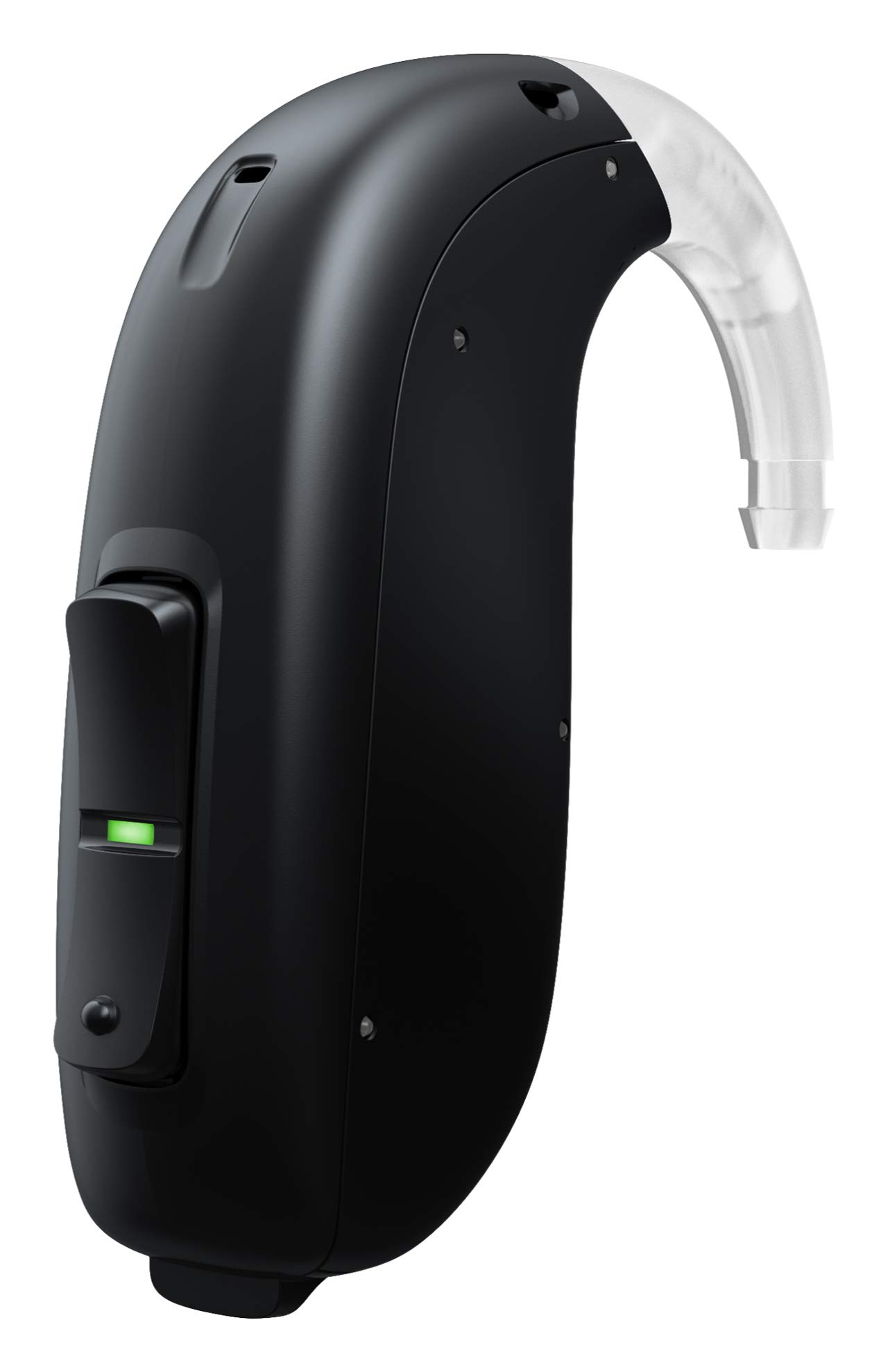
Image: Oticon Get P BTE Hearing Aid. This image displays the black Oticon Get P BTE hearing aid, highlighting its compact design and the ear hook component.
Setup
1. Battery Insertion
- Gently open the battery compartment door located on the hearing aid.
- Insert a fresh battery (typically size 13 or 675, refer to your audiologist's recommendation) with the flat positive (+) side facing upwards, according to the indicator inside the compartment.
- Close the battery compartment door firmly until it clicks. The hearing aid will typically play a start-up melody.
2. Fitting the Hearing Aid
- Place the hearing aid body behind your ear.
- Gently guide the ear hook over the top of your ear.
- Insert the custom earmold or dome into your ear canal. Ensure it fits snugly and comfortably.
3. Initial Power On
The hearing aid powers on automatically when the battery door is closed. If it does not, ensure the battery is correctly inserted and fully charged. Consult your hearing care professional for initial programming and adjustments.
Operating
1. Volume Control
Your Oticon Get P BTE may feature a rocker switch or push button for volume adjustment. Press the top part of the rocker switch or the designated button to increase volume, and the bottom part to decrease it. Your hearing care professional can program the specific functionality.
2. Program Changes
Your hearing aid may have multiple listening programs for different environments (e.g., quiet, noisy, music). A short press of the program button (if available) will cycle through these programs. A distinct beep or voice indicator will confirm the program change.
3. Daily Use
- Insert the hearing aid each morning after showering and styling your hair.
- Remove the hearing aid before sleeping, showering, or swimming.
- Always handle the hearing aid over a soft surface to prevent damage from accidental drops.
Maintenance
1. Daily Cleaning
- Use a soft, dry cloth to wipe the hearing aid body and ear hook.
- Clean the earmold or dome daily to remove earwax. If removable, it can be washed with mild soap and water, then thoroughly dried before reattaching. Ensure no moisture remains in the tubing.
- Use the provided cleaning tools (brush, wax pick) to clear any wax from the sound outlet.
2. Battery Care
- Replace batteries as soon as you hear the low battery indicator or notice a decrease in sound quality.
- Always carry spare batteries.
- Store batteries in a cool, dry place, away from children and pets.
3. Storage
When not in use, store your hearing aid in its protective case or a drying kit. Open the battery compartment door to allow air circulation and conserve battery life.
Troubleshooting
| Problem | Possible Cause | Solution |
|---|---|---|
| No sound or weak sound |
|
|
| Whistling or feedback |
|
|
| Sound is distorted or unclear |
|
|
If problems persist after attempting these solutions, contact your hearing care professional for assistance.
Specifications
- Model: GET P BTE
- Manufacturer: Oticon
- ASIN: B08F1VWB3G
- Item Part Number: GET P BTE
- Net Quantity: 1.00 Count
- First Available: 31 July 2020
- Features: Feedback Cancellation, Noise Management, 4 Fitting Bands, Directional Microphones.
Warranty and Support
For specific warranty information, please refer to the documentation provided with your purchase or contact your authorized Oticon dealer. Oticon products are typically covered by a limited warranty against manufacturing defects.
For technical support, adjustments, or repairs, please contact your hearing care professional. They are best equipped to provide personalized assistance for your Oticon Get P BTE Hearing Aid.
You can find more information and locate a professional through the official Oticon website: www.oticon.com