
Introduction
The T-fal EcoMaster Steam Iron is designed to provide outstanding ironing results with energy efficiency. Its advanced features ensure a smooth gliding experience and effective wrinkle removal for various fabric types. This manual provides essential information for the safe and optimal use of your new steam iron.
Key Features
- Energy-Efficient: Reduces energy consumption by up to 25% while maintaining high ironing efficiency.
- Powerful Performance: 1400W of power with an 80 g steam boost for stubborn creases.
- Efficient Steam Output: Provides 24 g/minute continuous steam for fast and effective ironing.
- Comfortable & User-Friendly: Compact design, ergonomic steam trigger, and smooth-gliding ceramic soleplate.
- Precision Ironing: Features a precision tip for hard-to-reach areas like collars and buttons.
- Anti-Drip Protection: Prevents water stains on fabrics.
- Automatic Shut-off: Enhances safety by turning off the iron when left unattended.
Product Overview
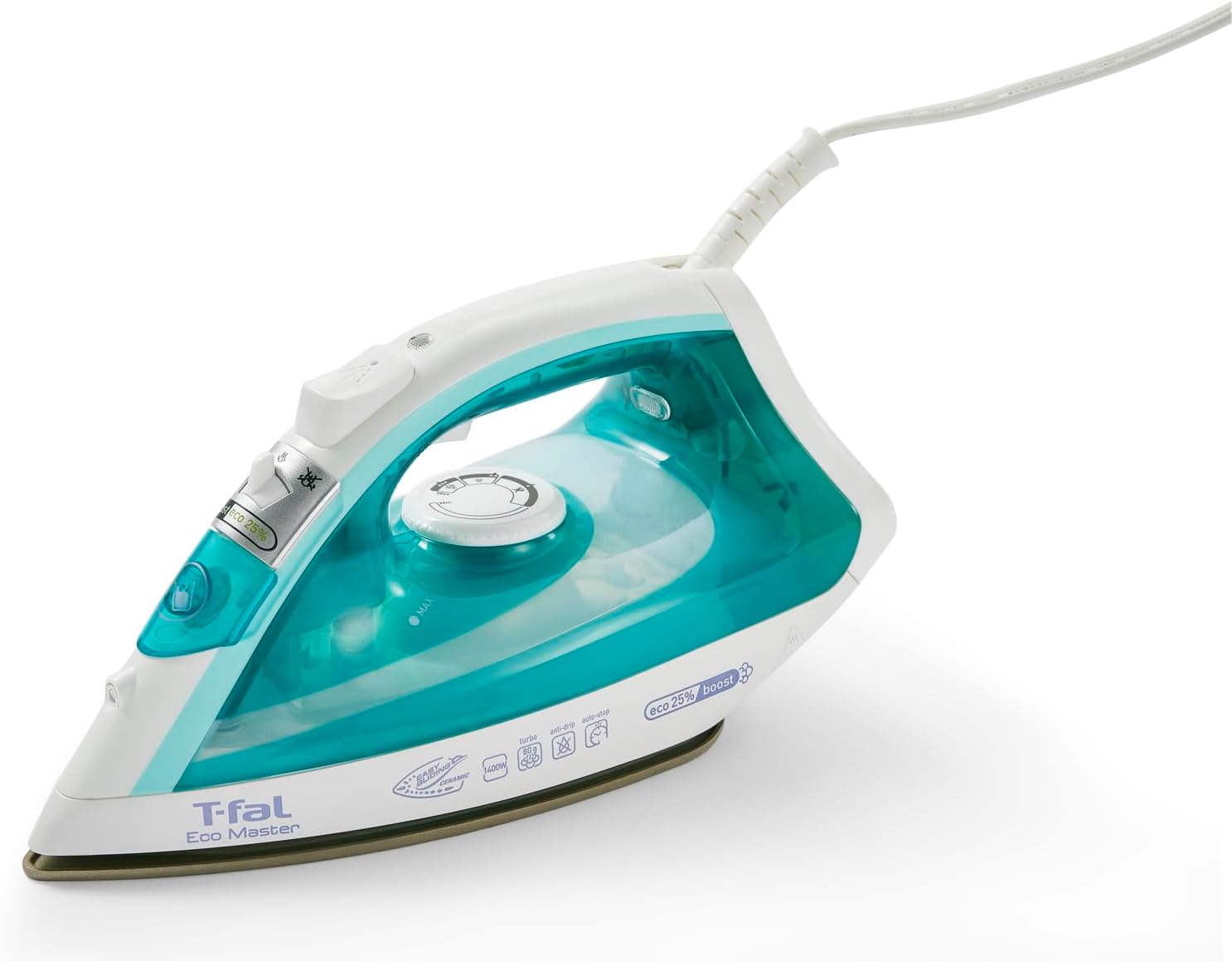
The T-fal EcoMaster Steam Iron, featuring a blue and white design with a ceramic soleplate.

Detailed view of the iron highlighting its eco-friendly mode, 80g/min steam burst, cold spray control, steam control, precision tip, and ceramic soleplate.

Close-up of the easy-glide ceramic soleplate, designed for optimal glide and long-term durability.

Demonstration of the iron's ability to de-wrinkle faster and easier, even without an ironing board.

Illustration of the anti-drip system, preventing white marks and ensuring spotless ironing.

Visual representation of the worry-free auto-off feature, showing shut-off times for horizontal, upright, and side positions.

An image indicating that 100% of irons are pre-tested, and condensation may be present in the water tank.
Setup
- Unpack: Carefully remove the iron and all accessories from the packaging. Retain packaging for future storage or transport.
- Initial Cleaning: Wipe the soleplate with a damp cloth to remove any dust or residue from manufacturing.
- Fill Water Tank: Ensure the iron is unplugged. Open the water filling inlet and fill the water tank with tap water up to the 'MAX' line. Do not overfill.
- Plug In: Insert the power plug into a suitable electrical outlet.
Operating Instructions
Temperature Settings
Rotate the temperature dial to select the appropriate heat setting for your fabric type. Refer to the garment's care label for recommended ironing temperatures. The iron will heat up quickly, indicated by the indicator light turning off.
Steam Ironing
- Ensure the water tank is filled.
- Select a steam-compatible temperature setting (usually higher settings).
- Slide the steam control lever to the desired steam output (continuous steam or steam boost).
- For a powerful steam boost, press the steam trigger button.
Dry Ironing
- Ensure the water tank is empty or the steam control is set to 'no steam'.
- Select the desired temperature setting.
- Iron garments without steam.
Vertical Steaming
The iron can be used for vertical steaming of hanging garments or drapes. Hold the iron upright, close to the fabric, and press the steam trigger button to release bursts of steam.
Spray Function
For stubborn creases, press the spray button to lightly moisten the fabric before ironing.
Automatic Shut-off
For safety, the iron automatically turns off if left unattended:
- After 30 seconds if left horizontally or on its side.
- After 8 minutes if left upright on its heel rest.
Maintenance
- Cleaning the Soleplate: After each use, allow the iron to cool completely. Wipe the soleplate with a damp cloth. For stubborn stains, use a non-abrasive iron cleaner.
- Descaling: The iron features a built-in cleaning system to capture mineral build-up. For optimal performance, perform monthly descaling as per the iron's specific instructions (refer to the full product manual for detailed descaling steps).
- Storage: Always empty the water tank after use. Store the iron upright on its heel rest to prevent damage to the soleplate.
Troubleshooting
| Problem | Possible Cause | Solution |
|---|---|---|
| Iron does not heat up. | Not plugged in, power outlet issue, or auto-off activated. | Check power connection. Try a different outlet. Move the iron to reactivate if auto-off engaged. |
| No steam or insufficient steam. | Water tank empty, temperature too low, or steam vents clogged. | Fill water tank. Set to a higher temperature. Perform descaling to clear vents. |
| Water dripping from soleplate. | Temperature too low for steam, or anti-drip system issue. | Increase temperature setting. Ensure iron is fully heated before using steam. If problem persists, contact customer support. |
| Iron leaves marks on clothes. | Soleplate is dirty, or incorrect temperature setting. | Clean the soleplate. Adjust temperature according to fabric type. |
Specifications
| Feature | Detail |
|---|---|
| Brand | Tefal |
| Model Name | Ecomaster |
| Item Model Number | 23108808507 |
| Power | 1400 Watts |
| Base Material | Ceramic |
| Color | Blue |
| Product Dimensions | 11.5"L x 6.26"W |
| Item Weight | 2.42 pounds |
| Special Feature | Programmable |
| Recommended Uses | Steam iron |
| Fabric Type Compatibility | Cotton/Poly/Silk/Rayon |
| Country of Origin | China |
Warranty and Support
The T-fal EcoMaster Steam Iron comes with a 1 Year Limited Warranty. For warranty claims, technical support, or any product-related inquiries, please refer to the contact information provided in your product packaging or visit the official T-fal website.
You can visit the official T-Fal store for more information: T-Fal Store