
Popglory P22
Popglory Smart Watch User Manual
Model: P22 | Brand: Popglory
Introduction
Welcome to the Popglory Smart Watch user manual. This guide provides comprehensive instructions for setting up, operating, and maintaining your new smartwatch. The Popglory Smart Watch is designed to be a versatile companion for your daily life, offering health monitoring, fitness tracking, and smart notifications.
What's in the Box
- Popglory Smart Watch (P22)
- Charging Cable (Magnetic USB)
- User Manual (this document)

Image: Popglory Smart Watch and its included accessories.
Setup Guide
1. Charging the Smart Watch
Before first use, fully charge your Popglory Smart Watch. Connect the magnetic charging cable to the charging points on the back of the watch and plug the USB end into a power adapter (not included) or a computer's USB port.

Image: Smart watch connected to its magnetic charging cable.
2. Downloading the App
The Popglory Smart Watch uses the HeroBandⅢ app for full functionality. Download the app from the App Store (for iOS devices) or Google Play Store (for Android devices). Ensure your smartphone meets the compatibility requirements: iOS 9.0 or above, Android 4.4 or above.
3. Pairing with Your Smartphone
- Enable Bluetooth on your smartphone.
- Open the HeroBandⅢ app and follow the on-screen instructions to create an account or log in.
- In the app, navigate to the device section and search for your Popglory Smart Watch.
- Select your watch from the list of available devices to initiate pairing. Confirm the pairing request on both your watch and smartphone if prompted.
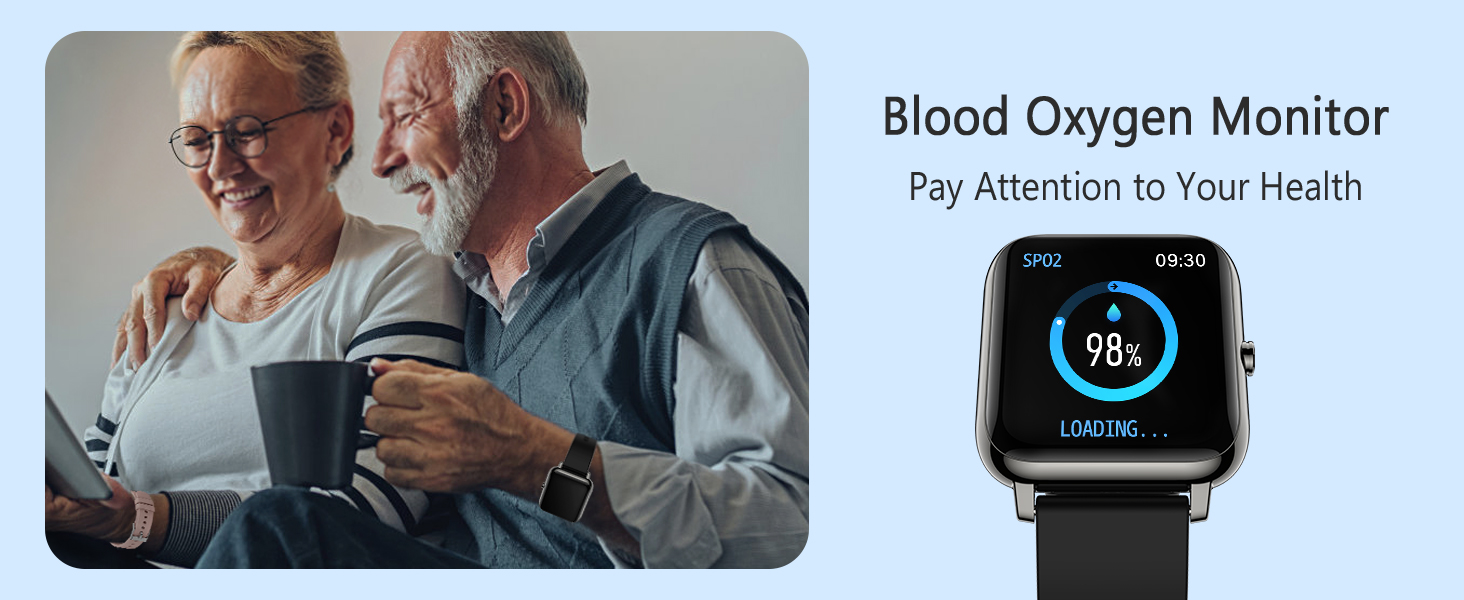
Image: HeroBandⅢ app interface showing device connection and compatibility.
Operating Instructions
Navigating the Interface
- Swipe Up/Down: Scroll through menus and notifications.
- Swipe Left/Right: Access quick functions or different data screens.
- Tap: Select an option or confirm an action.
- Side Button: Press to wake the screen, return to the home screen, or access the main menu.
Key Features
- Health Monitoring:
The watch features advanced sensors to monitor your blood pressure, blood oxygen (SpO2), and heart rate. Data is recorded in the HeroBandⅢ app for historical tracking and analysis.

Image: Blood Oxygen and Blood Pressure monitoring on the watch.

Image: Heart Rate monitoring and Auto Sleep Tracker on the watch.
- Fitness Tracking:
Track your daily activities including steps, distance, calories burned, and sleep status. The watch supports 7 sport modes: Walking, Running, Cycling, Skipping, Badminton, Basketball, and Football.
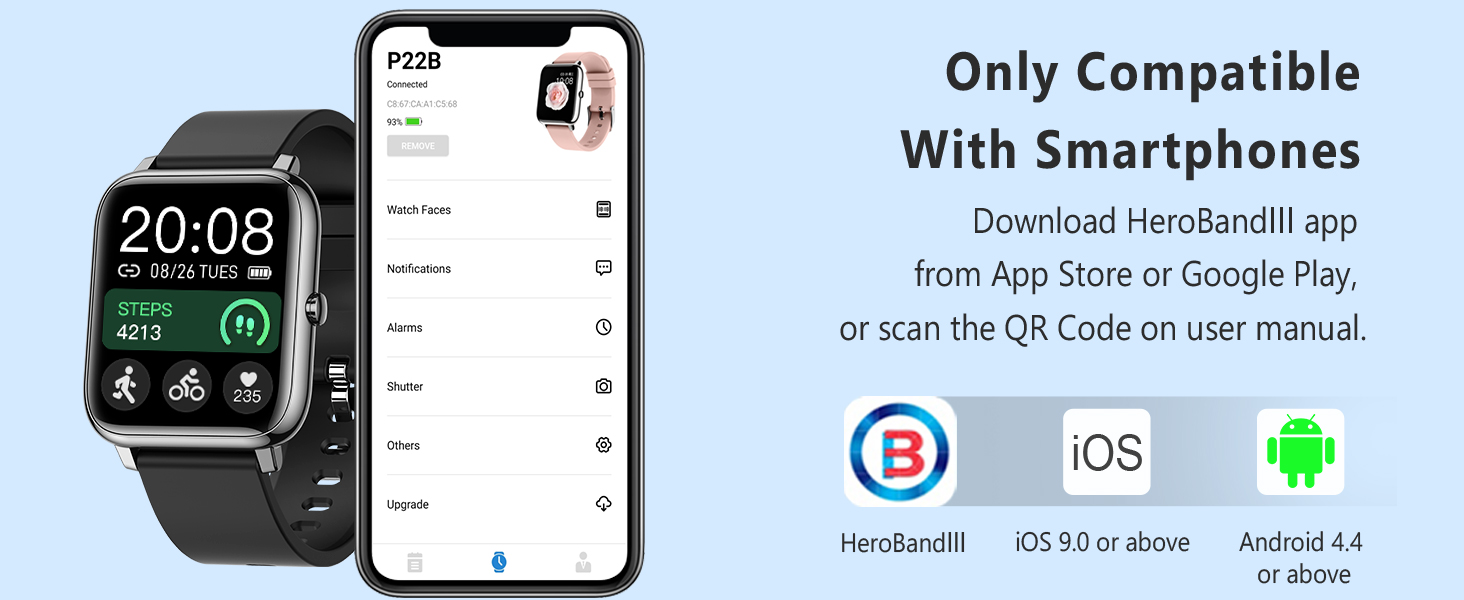
Image: Overview of 7 sports modes and daily activity tracking.
- Sleep Monitoring:
The watch automatically monitors your sleep patterns, showing periods of deep sleep, light sleep, and waking time. Set alarms to wake you gently.
- Smart Notifications:
Receive call, text, and app notifications directly on your watch. Customize which app notifications you receive through the HeroBandⅢ app.

Image: Smart notifications for calls, texts, and social media apps.
- Customizable Watch Faces:
Choose from over 200 watch faces or customize your own using the companion app to match your style.

Image: A selection of built-in and customizable watch faces.
- Convenient Tools:
Access useful tools such as a timer, stopwatch, weather display, music control, sedentary reminder, and a 'find phone' function.

Image: Various utility features including weather, alarm, stopwatch, and sedentary reminder.
Maintenance
Cleaning
Regularly clean your watch and strap to prevent skin irritation and maintain device longevity. Use a soft, damp cloth to wipe the screen and strap. Avoid harsh chemicals or abrasive materials.
Battery Care
To maximize battery life, avoid exposing the watch to extreme temperatures. Charge the watch fully when the battery is low. The watch offers up to 10 days of usage time and 30+ days of standby time on a single charge.
Storage
When not in use for extended periods, store the watch in a cool, dry place. It is recommended to charge the watch periodically (e.g., once a month) to prevent deep discharge.
Troubleshooting
- Watch not turning on: Ensure the watch is fully charged. If it still doesn't turn on, try connecting it to a different USB power source.
- Unable to pair with phone:
- Ensure Bluetooth is enabled on your phone and the watch is within range.
- Check if the HeroBandⅢ app is updated to the latest version.
- Restart both your phone and the watch.
- Forget the device in your phone's Bluetooth settings and try pairing again through the app.
- Inaccurate health readings:
Ensure the watch is worn snugly on your wrist, about one finger's width from your wrist bone. Keep still during measurements. Note that smartwatches are not medical devices and readings are for reference only.
- Notifications not appearing:
Verify that notifications are enabled both in your phone's settings for the HeroBandⅢ app and within the app's notification settings for specific applications (e.g., messages, social media).
Specifications
| Feature | Detail |
|---|---|
| Model Number | P22 |
| Screen Size | 1.3 Inches (Standing screen display size) |
| Operating System | Android, iOS |
| Wireless Communication | Bluetooth |
| Battery Life (Usage) | Up to 10 days |
| Battery Life (Standby) | 30+ days |
| Charging Time | Approx. 2.5 hours |
| Item Weight | 44 Grams (1.55 ounces) |
| Color | Black |
Warranty and Support
Popglory is committed to providing high-quality products and excellent customer service. For any issues or inquiries regarding your Popglory Smart Watch, please contact our support team.
- Lifetime Technical Support: We offer lifetime technical support for our products.
- 24-hour Online Customer Service: Our customer service team is available to assist you.
- Contacting Support:
- Through your Amazon account: Go to "Your Orders" -> Find related order number -> Click "Contact Seller".
- Through the product details page: Click "Seller Name" -> Click "Ask a question" -> Enter "Seller messaging assistant" to contact seller.
Related documentsP22


Ask a question about this manual
Ask about setup, troubleshooting, compatibility, parts, safety, or missing instructions. Manuals+ will review the question and use this page’s manual context to help answer it.