
1. Safety Information
Please read this instruction manual thoroughly before using the ANMEATE Blood Pressure Monitor. Keep this manual for future reference.
- This device is intended for adult use only.
- Do not use this device on infants, children, or individuals who cannot express their consent.
- Consult your physician before using this device if you have any medical conditions, especially if you are pregnant or have a pacemaker.
- Self-measurement is not diagnosis. Always consult a healthcare professional for interpretation of results.
- Do not attempt to repair or modify the device yourself. Refer all servicing to qualified personnel.
- Keep the device and cuff away from water and extreme temperatures.
2. Product Overview
The ANMEATE A-30B Blood Pressure Monitor is an automatic upper arm device designed for convenient and accurate blood pressure measurement at home. It features a large LCD screen, dual user memory, and irregular heartbeat detection.

Figure 2.1: Front view of the ANMEATE Blood Pressure Monitor with cuff.
2.1 Key Features
- Accurate Measurement: Provides reliable systolic, diastolic, and pulse readings.
- Large LCD Screen: Easy-to-read display for clear results.
- Dual User Memory: Stores 99 sets of readings for two users (total 198 records).
- Irregular Heartbeat Detection: Alerts users to potential arrhythmia.
- Cuff Self-checking Function: Ensures proper cuff placement.
- Dual Power Supply: Operates on 4 AAA batteries or USB Type-C.
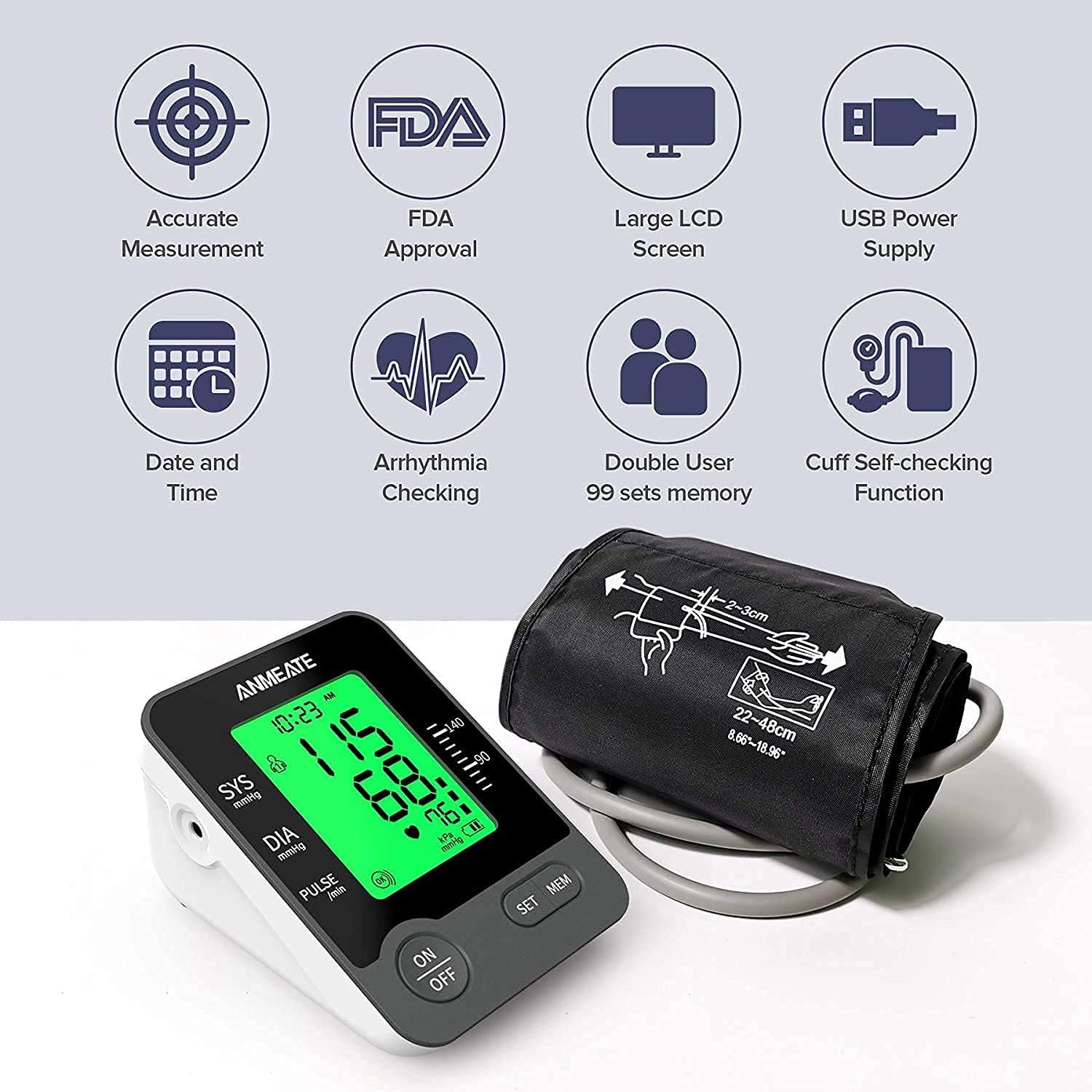
Figure 2.2: Visual representation of key features including accurate measurement, FDA approval, large LCD screen, USB power supply, date and time, arrhythmia checking, double user memory, and cuff self-checking function.
2.2 Display Indicators
Familiarize yourself with the symbols and information displayed on the screen:

Figure 2.3: Labeled diagram of the monitor's display, showing icons for user, inflation, deflation, memory, pulse, cuff wrapping, low battery, pressure unit, irregular heartbeat, and average value.
- SYS (mmHg): Systolic blood pressure.
- DIA (mmHg): Diastolic blood pressure.
- PULSE (/min): Heart rate in beats per minute.
- User Icon: Indicates which user's data is displayed (User 1 or User 2).
- Memory Icon: Appears when viewing stored readings.
- Irregular Heartbeat Icon: Indicates detection of an irregular heartbeat during measurement.
- Low Battery Icon: Appears when batteries need replacement.
- Blood Pressure Classification Bar: Visual indicator of blood pressure level (Normal, Mild High, High).
3. Setup
3.1 Power Supply
The monitor can be powered by 4 AAA batteries or a USB Type-C cable.
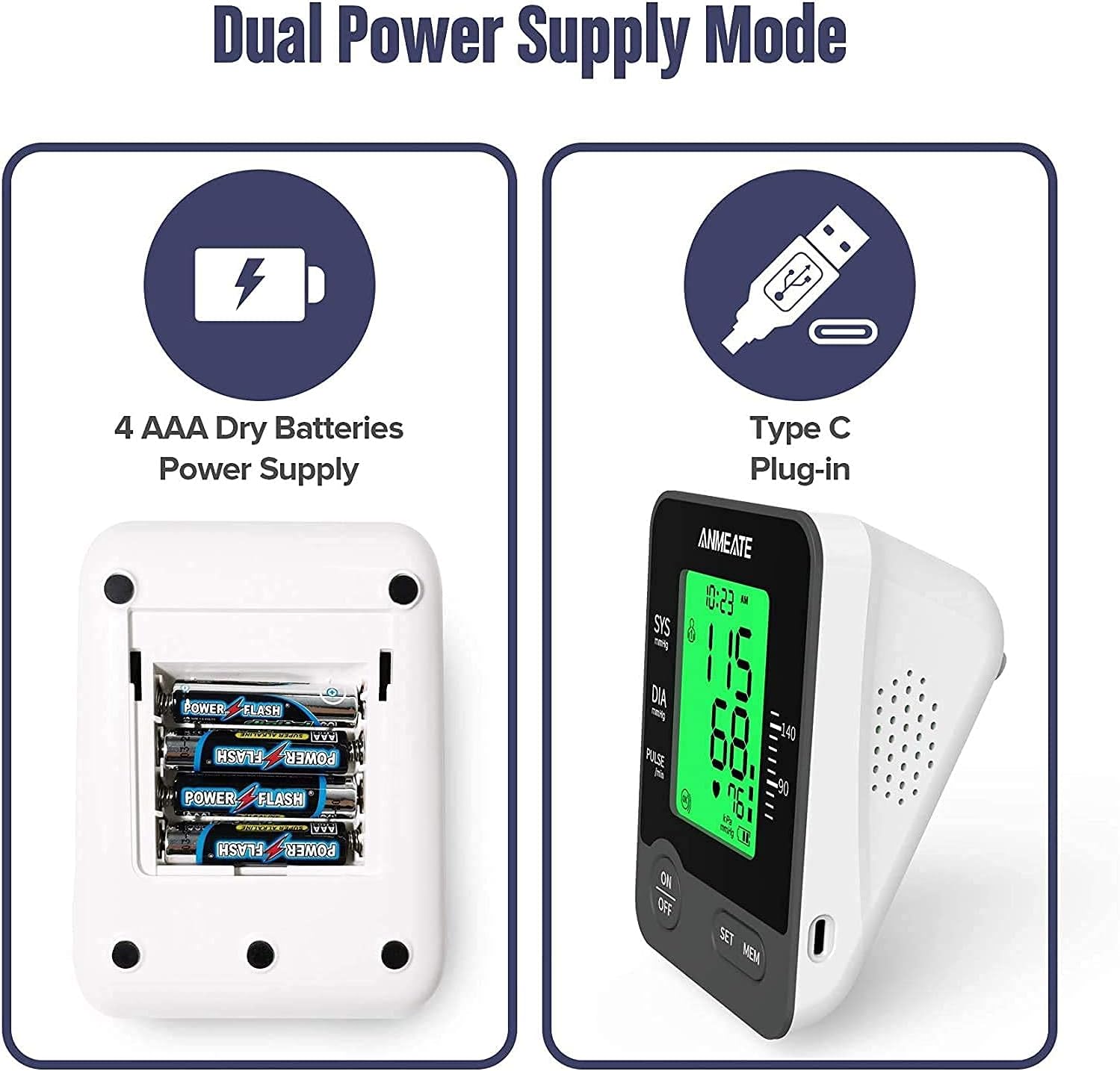
Figure 3.1: Illustration of the dual power supply modes: 4 AAA dry batteries and Type-C USB plug-in.
Using Batteries:
- Open the battery compartment cover on the back of the device.
- Insert 4 AAA batteries, ensuring correct polarity (+/-).
- Close the battery compartment cover securely.
Using USB Type-C:
- Connect one end of the USB Type-C cable to the monitor's port.
- Connect the other end to a compatible USB power adapter (not included) or a computer USB port.
Note: When using USB power, batteries are not required. Remove batteries if the device will not be used for an extended period.
3.2 Setting Date and Time
Accurate date and time settings are crucial for tracking your measurements. Refer to the device's display and buttons (SET/MEM) to navigate and adjust these settings. Typically, press the 'SET' button to enter setting mode and use 'MEM' to adjust values, then 'SET' again to confirm and move to the next setting.
4. Operating Instructions
4.1 Before Measurement
- Avoid eating, drinking alcohol, smoking, exercising, and bathing for 30 minutes before measurement.
- Rest for at least 5 minutes before taking a measurement.
- Sit upright with your back supported and feet flat on the floor. Do not cross your legs.
- Place your arm on a table so the cuff is at heart level.
4.2 Applying the Cuff

Figure 4.1: Step-by-step guide on how to wear the cuff correctly, close the cuff, position the arm, and start the measurement.
- Wear the Cuff Correctly: Slide your left arm through the cuff loop. The air tube should run down the inside of your arm. The bottom edge of the cuff should be approximately 0.5 to 1 inch (1 to 2 cm) above your elbow joint.
- Close the Cuff: Wrap the cuff snugly around your upper arm. Ensure it is not too tight or too loose. The cuff should fit comfortably.
- Arm Placement Position: Rest your arm on a flat surface, such as a table, with your palm facing upwards. The cuff should be at the same level as your heart.
4.3 Taking a Measurement
- Ensure the cuff is correctly applied and your arm is positioned as described above.
- Press the 'ON/OFF' button to start the measurement. The cuff will automatically inflate.
- Remain still and silent during the measurement. Do not talk or move.
- Once the measurement is complete, the cuff will deflate, and your systolic, diastolic, and pulse readings will be displayed on the screen.
- The device will automatically store the reading in the selected user's memory.
4.4 Understanding Your Results
The monitor provides a visual classification of your blood pressure readings based on standard guidelines:
Figure 4.2: Intelligent indicator showing normal, mild high pressure/hypotension, and red for high pressure readings with corresponding color codes.
- Green: Normal blood pressure.
- Orange: Mild high pressure or hypotension.
- Red: High blood pressure.
Consult your doctor for a complete interpretation of your blood pressure readings.
4.5 Memory Function
The device supports two users, each with 99 memory slots. To switch between users or view past readings:

Figure 4.3: Image illustrating the double user 99 sets memory feature of the blood pressure monitor.
- Press the 'MEM' button to access memory mode.
- Press 'MEM' repeatedly to scroll through past readings for the current user.
- To switch users, typically press and hold the 'SET' button while in memory mode, or refer to the specific instructions in your quick start guide.
5. Maintenance
5.1 Cleaning
- Wipe the monitor and cuff with a soft, dry cloth.
- If necessary, use a cloth lightly dampened with water or a mild detergent, then wipe dry immediately.
- Do not use abrasive cleaners, alcohol, or organic solvents.
5.2 Storage
- Store the device in a clean, dry place, away from direct sunlight and extreme temperatures.
- If not in use for a long period, remove the batteries to prevent leakage.
- Do not fold the cuff too tightly or twist the air tube.
6. Troubleshooting
If you encounter issues with your ANMEATE Blood Pressure Monitor, refer to the table below for common problems and solutions.
| Problem | Possible Cause | Solution |
|---|---|---|
| Device does not turn on. | Low or dead batteries; Incorrect battery polarity; No USB power. | Replace batteries; Check battery orientation; Ensure USB cable is properly connected. |
| Error message (e.g., 'E-1', 'E-2'). | Cuff not applied correctly; Movement during measurement; Air leakage. | Reapply cuff snugly; Remain still and silent; Check cuff and tube for damage. |
| Inconsistent readings. | Improper posture; Talking during measurement; Stress/anxiety. | Ensure correct posture and relaxation; Take multiple readings at different times of day. |
| Irregular Heartbeat Icon appears frequently. | Actual irregular heartbeat; Movement during measurement. | Consult a physician; Ensure stillness during measurement. |
If the problem persists after trying these solutions, please contact customer support.
7. Specifications
| Feature | Detail |
|---|---|
| Model Number | A-30B |
| Measurement Method | Oscillometric |
| Measurement Range | Pressure: 0-299 mmHg; Pulse: 40-199 beats/minute |
| Accuracy | Pressure: ±3 mmHg; Pulse: ±5% of reading |
| Memory | 2 users x 99 sets of readings |
| Power Source | 4 x AAA batteries or USB Type-C |
| Cuff Size | Standard adult upper arm cuff (22-48 cm / 8.66-18.9 inches) |
| Product Dimensions | 15.7 x 9.7 x 11.3 cm |
| Product Weight | 508 g |
| UPC | 789964242274 |
8. Warranty and Support
ANMEATE products are manufactured with high-quality materials and are thoroughly inspected before shipment. This product is covered by a standard manufacturer's warranty against defects in materials and workmanship from the date of purchase.
For warranty claims, technical support, or any questions regarding the operation of your blood pressure monitor, please contact ANMEATE customer service through the retailer where you purchased the product or visit the official ANMEATE website for contact information.
Please have your model number (A-30B) and proof of purchase ready when contacting support.