
Haofy Haofy68srmy0nw5
Haofy Cordless Gas Soldering Iron Pen
Model: Haofy68srmy0nw5
Introduction
This manual provides essential information for the safe and effective use of your Haofy 4-in-1 Cordless Gas Soldering Iron Pen. This versatile tool is designed for various soldering projects, offering convenience and portability. Please read this manual thoroughly before operation to ensure proper handling and to prevent injury or damage.

Image: The Haofy Cordless Gas Soldering Iron Pen, showcasing its main body and interchangeable tips.
Safety Information
Your safety is paramount. Please adhere to the following safety guidelines:
- Gas Filling: Always ensure the power button is set to OFF when filling the gas. The gas filling hole should be positioned upwards during refilling.
- Keep Away from Children: This product is not a toy. Keep the soldering iron and its accessories out of reach of children, especially when in operation or still hot.
- Fire Hazard: Avoid bringing the flame or hot tip close to your face, body, clothing, or any flammable materials to prevent burns or fire.
- Post-Use Check: After each use, confirm that the power button has been completely pressed to the OFF position to prevent accidental ignition or gas leakage.
- Storage: Store the soldering iron away from direct sunlight and in temperatures below 40 degrees Celsius (104 degrees Fahrenheit).
- Ventilation: Use in a well-ventilated area to disperse fumes produced during soldering.
- Hot Surfaces: The soldering tip and surrounding metal parts become extremely hot during operation. Do not touch them directly. Allow sufficient time for cooling before handling or storing.
Package Contents
Verify that all items are present in your package:
- 1 x Soldering Iron Pen (Gas is not included)
- 1 x Welding Tip
- 1 x Hot Cutter Head
Specifications
| Feature | Detail |
|---|---|
| Brand | Haofy |
| Model Number | Haofy68srmy0nw5 |
| Material | Metal + Plastic (Silver + Black) |
| Solder Iron Temperature Range | 250-450°C (482-842°F) |
| Flame Temperature | Up to 1300°C (2372°F) |
| Filling Capacity | 12ml |
| Dimensions (Dia x L) | Approx. 1.9 x 16.7 cm (0.75 x 6.57 inches) |
| Item Weight | Approx. 85g (3.0 oz) |
| Power Source | Butane Gas (Cordless) |
| Handle Material | Aluminum |

Image: The soldering iron pen with its approximate dimensions (1.9cm diameter, 16.7cm length) indicated.
Setup
Before using your soldering iron pen, it must be filled with butane gas.
- Prepare for Filling: Ensure the soldering iron is cool and the power button is set to the OFF position.
- Position for Filling: Hold the soldering iron pen with the gas filling hole facing upwards.
- Fill with Butane: Insert the nozzle of a standard butane gas canister into the filling hole. Press down firmly for a few seconds until the gas tank is full (approximately 12ml capacity). Do not overfill.
- Wait: After filling, wait a few minutes for the gas to stabilize and for any excess gas to dissipate before attempting to ignite the tool.

Image: A detailed view of the gas filling port and the ON/OFF switch located on the body of the soldering iron pen.
Operating Instructions
Follow these steps for safe and effective operation:
- Select Tip: Choose the appropriate tip (welding tip or hot cutter head) for your task and securely attach it to the soldering iron pen.
- Ignition: Once filled with gas, slide the power button to the ON position. You may hear a slight hiss of gas. Use an external ignition source (e.g., a lighter or match) to ignite the gas at the tip.
- Temperature Adjustment: The temperature can be adjusted by rotating the control knob near the tip. Rotate clockwise to increase temperature and counter-clockwise to decrease it, within the range of 250-450°C.
- Soldering: Allow the tip to heat up to the desired temperature. Apply the hot tip to the joint you wish to solder, then feed solder wire onto the joint, allowing it to melt and flow.
- Cool Down: After use, slide the power button to the OFF position. Allow the soldering iron to cool completely on a heat-resistant surface or using the flexible stand before storing.

Image: A hand holding the soldering iron pen, with a visual representation of the heat emanating from the tip, indicating it is ready for use at approximately 450°C.
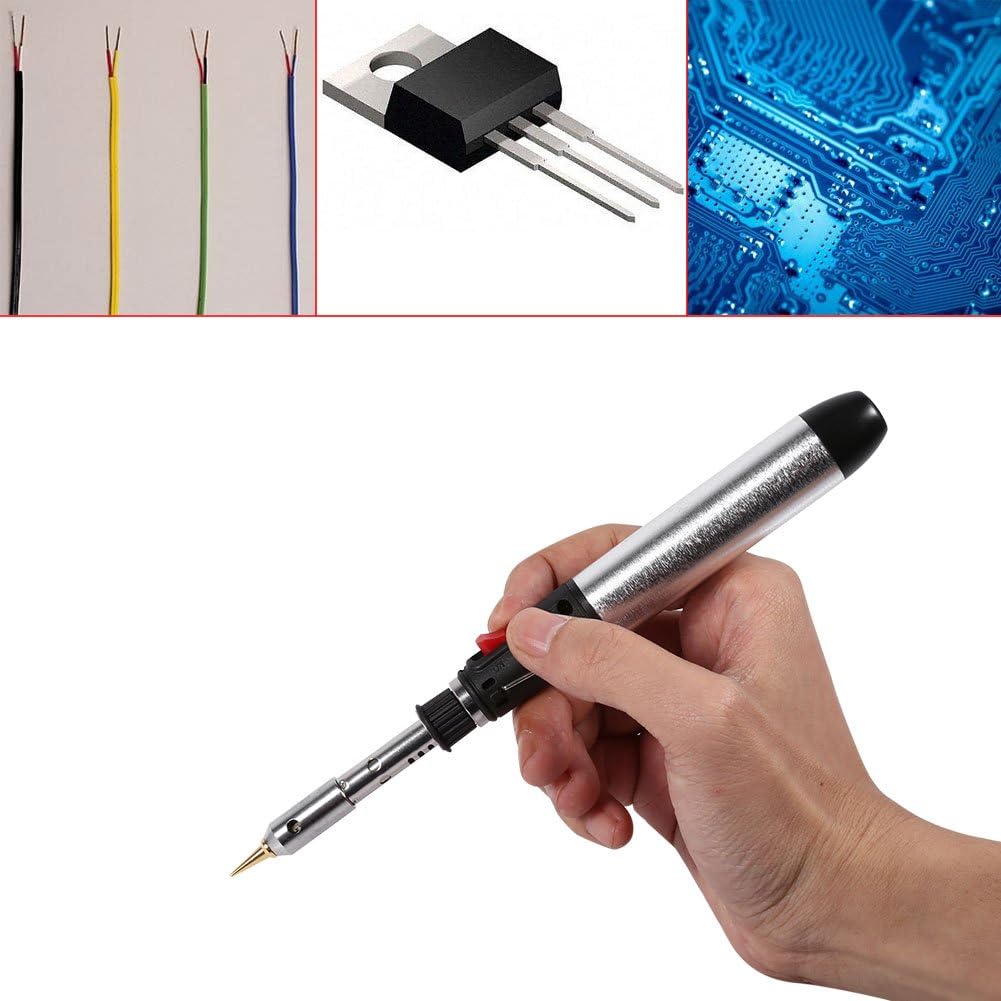
Image: Examples of typical applications for the soldering iron, including soldering wires, electronic components, and circuit boards.
Maintenance
Proper maintenance ensures the longevity and performance of your soldering iron pen:
- Tip Cleaning: Regularly clean the soldering tip with a damp sponge or brass wool to remove excess solder and oxidation. A clean tip ensures efficient heat transfer.
- Tip Replacement: If the tip becomes excessively worn or damaged, replace it with a new, compatible tip.
- Storage: Store the soldering iron in a clean, dry place, away from dust and moisture, and out of direct sunlight. Ensure it is completely cool before storage.
- Gas Refill: Refill with high-quality butane gas only. Impure gas can clog the internal mechanisms.

Image: A close-up view of the precision soldering tip, highlighting its design for detailed work.
Troubleshooting
If you encounter issues with your soldering iron pen, consider the following:
- Tool Does Not Ignite:
- Check if the gas tank is empty. Refill with butane gas as per the 'Setup' section.
- Ensure the power button is fully in the ON position.
- Verify that you are using an external ignition source correctly.
- If the tool has been recently refilled, allow a few minutes for the gas to stabilize before attempting ignition.
- Inconsistent Flame/Heat:
- The gas level might be low. Refill the tank.
- The tip might be dirty or oxidized. Clean the tip as described in the 'Maintenance' section.
- Ensure the temperature adjustment knob is set correctly for the desired heat output.
- Gas Leakage:
- Ensure the power button is completely in the OFF position when not in use or during refilling.
- Check for any visible damage to the tool's body or gas connections. If damage is present, discontinue use immediately.
Warranty and Support
For information regarding warranty coverage, technical support, or replacement parts, please refer to the product's packaging or contact the seller directly. Specific warranty terms and support channels may vary.
Ask a question about this manual
Ask about setup, troubleshooting, compatibility, parts, safety, or missing instructions. Manuals+ will review the question and use this page’s manual context to help answer it.