
Introduction
Thank you for choosing the BOBLOV LF600AG Golf Rangefinder. This device is designed to provide accurate distance measurements for golf, hunting, and other outdoor activities. It features advanced pin acquisition technology with vibration, slope compensation, 6x magnification, and a durable, portable design. Please read this manual thoroughly before using the device to ensure proper operation and to maximize its performance.
Safety Information
- Do not look directly into the sun or any bright light source through the rangefinder, as this may cause permanent eye damage.
- This device uses a Class 1 laser, which is safe under normal operating conditions. However, avoid direct eye exposure to the laser beam.
- Keep the device away from water and moisture. If it gets wet, wipe it dry immediately.
- Do not attempt to disassemble or repair the device yourself. Contact qualified service personnel for assistance.
- Store the device in a cool, dry place when not in use.
- Keep out of reach of children.
Package Contents
Verify that all items are present in the package:
- 1 x BOBLOV LF600AG Golf Rangefinder
- 1 x USB Charging Cable
- 1 x User Manual
- 1 x Carry Bag
- 1 x Lens Cleaning Cloth
Product Overview
The BOBLOV LF600AG is a versatile rangefinder equipped with several key features to enhance your experience.

Figure 1: Front view of the BOBLOV LF600AG Digital Golf Rangefinder, highlighting its compact design and optical components.
Key Features:
- Pin Acquisition Technology with Vibration: Quickly and accurately locks onto the flagstick, providing a short vibration pulse to confirm target acquisition.
- Slope Compensation: Calculates the slope-adjusted distance, providing a more accurate "play-as" distance for uphill and downhill shots. This feature can be toggled ON/OFF for tournament legality.
- 6X Magnification: Offers clear and bright optics for easy target identification.
- Rechargeable Lithium Battery: Built-in 3.7V/800mAh battery provides long-lasting performance, capable of 15,000 scans on a full charge.
- Speed Measurement: Capable of measuring speeds from 20 to 300 km/h.
- Continuous Scan Mode: Allows for scanning multiple targets quickly.
- Unit Switching: Easily switch between meters and yards.
Setup
1. Initial Charging
Before first use, fully charge the rangefinder. Connect the supplied USB charging cable to the device's charging port and to a standard USB power adapter (not included). The charging indicator will show the charging status. A full charge typically takes a few hours.
2. Power On/Off
Press the Power/Measurement button once to turn on the device. The LCD display will activate. The device will automatically power off after a period of inactivity to conserve battery.
3. Adjusting Focus
Look through the eyepiece and rotate the diopter adjustment ring (located near the eyepiece) until the display and target appear sharp and clear.
Operating Instructions
1. Measuring Distance
- Turn on the device by pressing the Power/Measurement button.
- Aim the crosshairs at your desired target.
- Press the Power/Measurement button again. The distance to the target will be displayed on the LCD.
2. Flag Lock with Vibration (M2 Mode)
In M2 (Flag Lock) mode, the rangefinder will prioritize the closest object, typically the flagstick, and provide a short vibration to confirm the lock. This helps distinguish the flag from background objects.
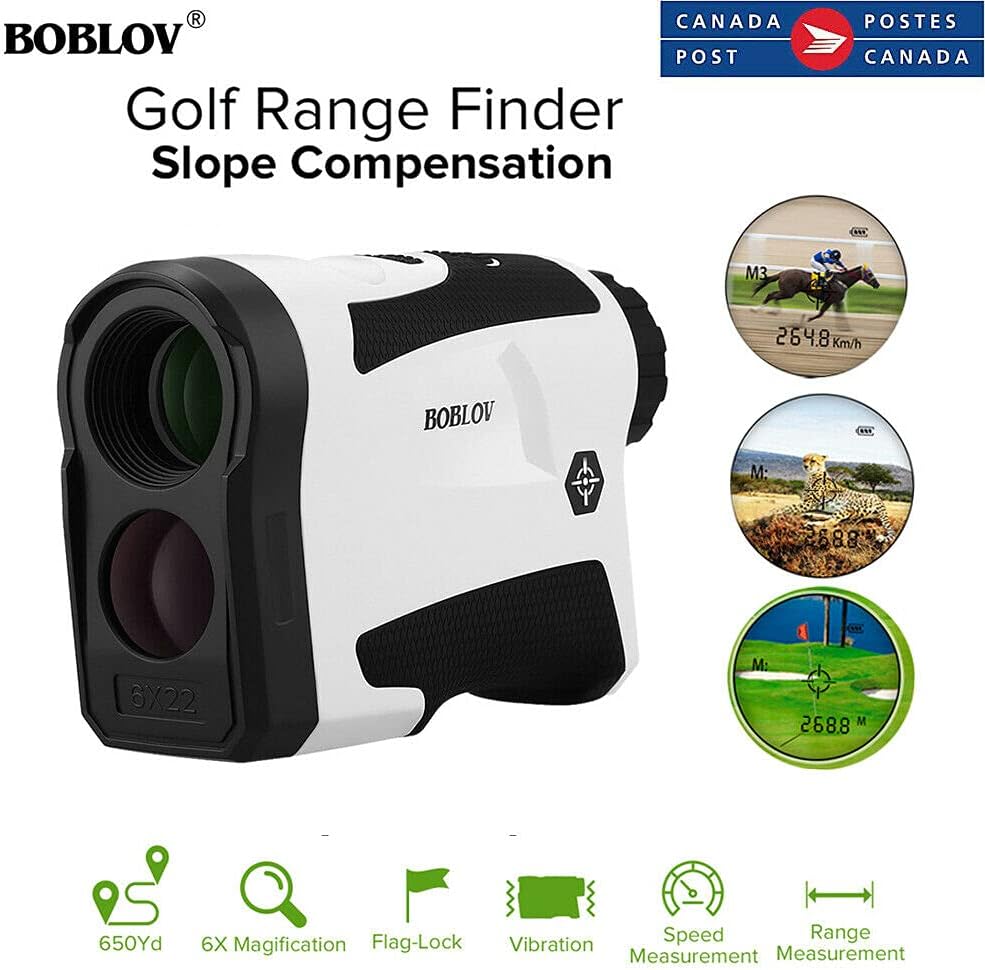
Figure 2: The vibration switch on the side of the rangefinder. Vibration is active only in M2 (Flag Lock) mode.
3. Slope Compensation
The slope compensation feature calculates the adjusted distance based on elevation changes. This provides a more accurate distance for uphill and downhill shots. To toggle the slope function:
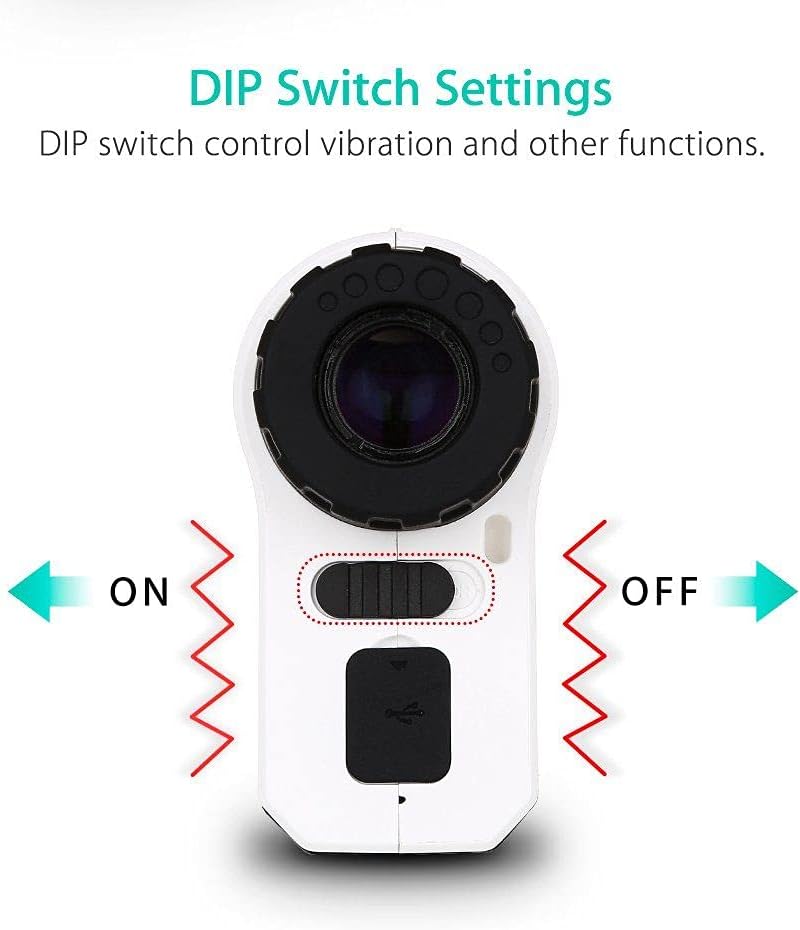
Figure 3: DIP switch for controlling slope compensation and other functions. Slide the switch to the desired position.
- Locate the DIP switch on the side of the device.
- Slide the switch to the 'ON' position to activate slope compensation. The display will show the compensated distance.
- Slide the switch to the 'OFF' position to disable slope compensation. This mode is legal for tournament play.
4. Speed Measurement
To measure speed:
- Press the Mode button until the speed measurement mode is selected (indicated by a specific icon or 'KM/H'/'MPH' on the display).
- Aim at the moving object and press the Power/Measurement button. Follow the object's movement with the crosshairs.
- The speed will be displayed once the measurement is complete.
5. Unit Switching (Meters/Yards)
To switch between meters and yards:
- With the device powered on, press and hold the Mode button for approximately 3 seconds.
- The unit of measurement on the display will change from meters (M) to yards (Y) or vice versa.
Charging the Device
The BOBLOV LF600AG features a built-in rechargeable lithium battery. When the battery indicator on the display shows low power, connect the rangefinder to a USB power source using the provided USB cable. A full charge allows for approximately 15,000 measurements. There is no need to replace external batteries.
Maintenance
- Cleaning Lenses: Use the included lens cleaning cloth to gently wipe the lenses. Do not use abrasive materials or harsh chemicals.
- Cleaning Body: Wipe the body of the rangefinder with a soft, damp cloth.
- Storage: When not in use, store the device in its carry bag in a dry, cool environment, away from direct sunlight and extreme temperatures.
- Battery Care: For optimal battery life, avoid completely draining the battery frequently. Charge the device regularly, even if not used for extended periods.
Troubleshooting
| Problem | Possible Cause | Solution |
|---|---|---|
| Device does not power on. | Low battery. | Charge the device fully using the USB cable. |
| Inaccurate distance readings. | Lens is dirty; target is too small or reflective; unstable hand. | Clean lenses; ensure stable aim; try continuous scan mode. |
| Display is blurry. | Diopter not adjusted. | Rotate the diopter adjustment ring until the display is clear. |
| No vibration feedback. | Not in M2 (Flag Lock) mode; vibration switch is OFF. | Ensure M2 mode is active and the vibration switch is ON. |
Specifications
| Feature | Specification |
|---|---|
| Model | LF600AG |
| Color | Black |
| Range | 6.6 - 656 yards (6 - 600 meters) |
| Range Measurement Accuracy | +/- 1 yard |
| Speed Measurement Range | 20 - 300 km/h |
| Laser Type | 905 nm (Class 1 Laser) |
| Magnification | 6X |
| Effective Lens Diameter | 16 mm |
| Exit Pupil Diameter | 3.7 mm |
| Object Lens Size | 22 mm |
| Field of View Angle | 7.5° |
| Battery | Built-in 3.7V/800mAh Lithium Battery |
| Dimensions (L x W x H) | 118 x 75 x 40 mm (4.6 x 3.0 x 1.6 inches) |
| Operating Temperature | -10°C to 50°C (14°F to 122°F) |
| Material | ABS, Acrylonitrile Butadiene Styrene |
Warranty and Support
BOBLOV products are manufactured to high quality standards. For warranty information or technical support, please refer to the contact details provided with your purchase or visit the official BOBLOV website. Keep your purchase receipt as proof of purchase.