
GLOBO 58405S
GLOBO Lighting Black Table Lamp - Instruction Manual
Model: 58405S
1. Introduction
Thank you for purchasing the GLOBO 58405S Black Table Lamp. This manual provides essential information for the safe and efficient use of your new lighting product. Please read these instructions carefully before installation and operation, and retain them for future reference.
2. Safety Instructions
Always observe basic safety precautions when using electrical appliances to reduce the risk of fire, electric shock, and personal injury.
- Ensure the lamp is placed on a stable, flat surface.
- Do not expose the lamp to water or excessive moisture.
- Do not attempt to disassemble or modify the lamp. There are no user-serviceable parts inside.
- Keep the lamp away from heat sources and direct sunlight.
- Disconnect the power supply before cleaning or performing any maintenance.
- The lamp contains a Li-metal CR2032 3V battery. Ensure proper disposal of batteries according to local regulations. Keep batteries out of reach of children.
3. Package Contents
Verify that all components are present in the package:
- GLOBO 58405S Black Table Lamp (integrated LED)
- 1x Li-metal CR2032 3V battery (pre-installed or included separately)
- Instruction Manual (this document)
4. Setup
4.1 Unpacking
Carefully remove all components from the packaging. Retain packaging materials for future transport or storage if needed.
4.2 Battery Installation (for Touchdimmer/Memory Function)
The lamp requires one CR2032 3V lithium metal battery, which may be pre-installed. If not, locate the battery compartment, typically on the underside of the base, and insert the battery with the correct polarity (+/-) as indicated.
4.3 Placement
Place the lamp on a flat, stable surface such as a desk or table. Ensure there is adequate space around the lamp for ventilation and to allow for adjustment of the lamp head.
4.4 Connecting to Power
Plug the lamp's power cord into a standard 230V electrical outlet.
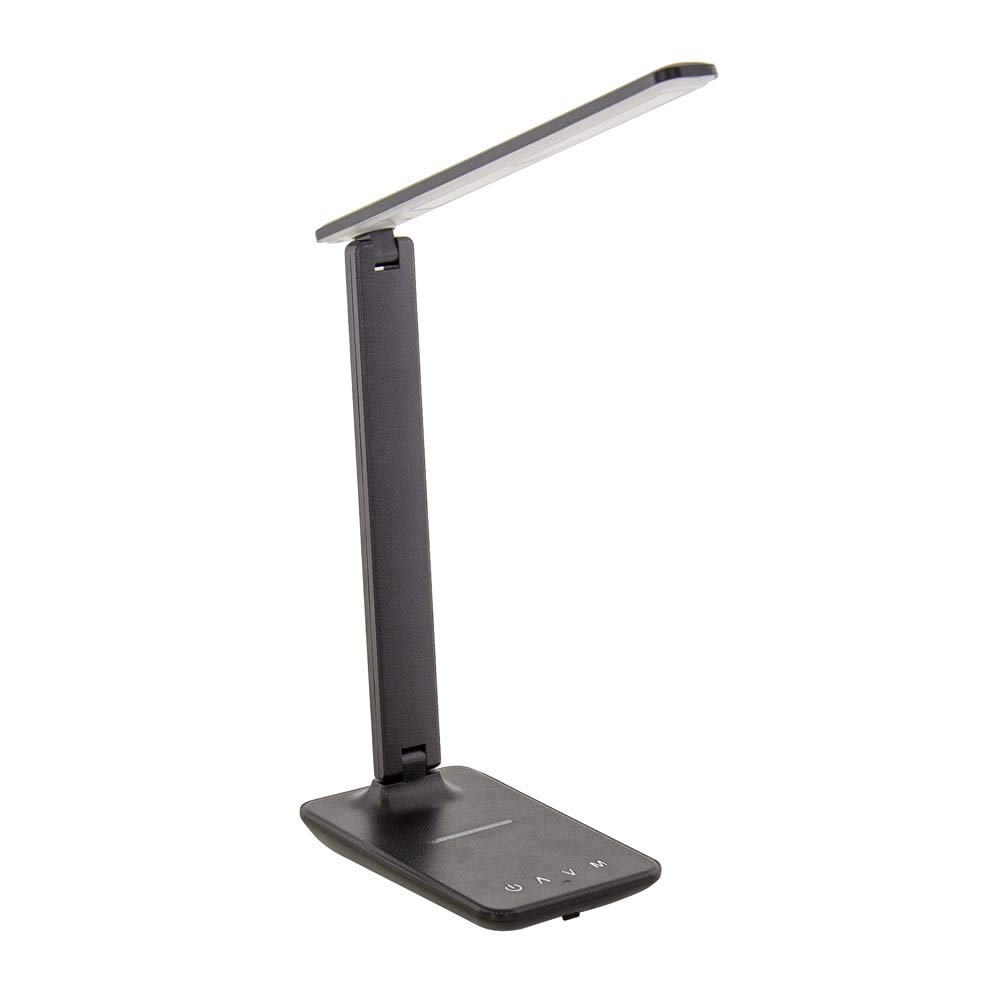
Figure 1: The GLOBO 58405S Black Table Lamp. This image shows the lamp in an upright position with its adjustable arm and rectangular base, which features touch controls.
5. Operating Instructions
The GLOBO 58405S lamp features touch controls on its base for easy operation.
5.1 Power On/Off
Gently touch the power symbol (⏻) on the lamp base to turn the lamp on or off.
5.2 Dimming Function (Touchdimmer)
To adjust the brightness, touch and hold the dimming control area on the base. The light will gradually brighten or dim. Release your finger when the desired brightness level is reached.
5.3 Color Temperature Adjustment (CCT)
The lamp offers three color temperature settings: 3000K (Warm White), 4500K (Neutral White), and 6000K (Cool White). Touch the mode/color temperature control symbol (often represented by 'M' or a sun icon) to cycle through these settings.
5.4 Adjusting the Lamp Head
The lamp head and arm are adjustable. Gently pivot the lamp head and arm to direct the light as needed. Do not force the joints beyond their natural range of motion.
6. Maintenance
6.1 Cleaning
Before cleaning, ensure the lamp is unplugged from the power outlet. Use a soft, dry cloth to wipe the lamp's surfaces. Do not use abrasive cleaners, solvents, or harsh chemicals, as these may damage the finish.
6.2 LED Light Source
The lamp uses an integrated LED light source, which is designed for long-term use and is not user-replaceable. If the LED light source fails, the entire fixture should be replaced.
7. Troubleshooting
If you encounter issues with your lamp, refer to the following common problems and solutions:
- Lamp does not turn on:
- Check if the power cord is securely plugged into the wall outlet.
- Ensure the wall outlet is functional by testing it with another appliance.
- Verify that the CR2032 battery is correctly installed and not depleted.
- Dimming or color temperature adjustment not working:
- Ensure your finger is making full contact with the touch control area.
- Replace the CR2032 battery if the touch functions are erratic.
- Light flickers:
- Check for loose connections.
- Ensure the lamp is not connected to a faulty dimmer switch (if applicable, though this lamp has its own dimmer).
If the problem persists after trying these solutions, please contact customer support.
8. Specifications
| Feature | Specification |
|---|---|
| Model Number | 58405S |
| Product Dimensions (LxWxH) | 48 x 11.5 x 56.5 cm |
| Item Weight | 0.55 Kilograms |
| Lamp Type | Table Lamp |
| Light Source | Integrated LED (1xLED 5W 230V) |
| Luminous Flux (Source) | 500 lm |
| Luminous Flux (Output) | 400 lm |
| Color Temperature (CCT) | 3000K - 4500K - 6000K (Adjustable) |
| Special Features | Dimmable, Color Fixing, Touchdimmer |
| Switch Type | Touch |
| Shade Material | Plastic |
| Shade Color | Black |
| Base Material | Metal |
| Finish Type | Polished |
| Batteries Required | Yes (1x Li-metal CR2032 3V, included) |
9. Warranty and Support
For information regarding warranty coverage and customer support, please refer to the warranty card included with your purchase or contact your retailer. Keep your proof of purchase for any warranty claims.
Related documents58405S


Ask a question about this manual
Ask about setup, troubleshooting, compatibility, parts, safety, or missing instructions. Manuals+ will review the question and use this page’s manual context to help answer it.