
SIMJAR QF02A
Simjar Wireless RF Key Finder Locator Tracker (Model QF02A) Instruction Manual
Your guide to setting up and using your Simjar Key Finder.
1. Introduction
Thank you for choosing the Simjar Wireless RF Key Finder Locator Tracker. This device is designed to help you quickly locate misplaced items such as keys, wallets, phones, or luggage. By attaching a receiver to your valuable items and using the remote control, you can easily find them through an audible alert and flashing LED light.

Image: The Simjar Wireless RF Key Finder system, showing the remote control and two color-coded receivers.
2. Package Contents
Please verify that all items are present in your package:
- 1 x Remote Control Transmitter
- 2 x Color-Coded Receivers (Red, Purple)
- 3 x CR2032 Lithium Ion Batteries (pre-installed or included separately)
- 2 x Key Rings
- 2 x Double-Sided Adhesive Tapes (Velcro)
- 1 x User Manual (this document)

Image: All components included in the Simjar Key Finder package.
3. Setup Instructions
3.1 Battery Installation
The key finder system requires CR2032 Lithium Ion batteries. Ensure batteries are correctly installed in both the remote control and the receivers.
- Locate the battery compartment on the back of the receiver or remote.
- Use a small tool (such as a coin or the provided metal rod) to gently twist and open the battery cover.
- Insert the CR2032 battery with the positive (+) side facing upwards.
- Replace the battery cover and twist to secure it. Ensure it is firmly closed to maintain contact.

Image: Visual instructions for opening the battery compartment and inserting CR2032 batteries into the devices.
3.2 Attaching Receivers to Items
Connect the color-coded receivers to items you frequently misplace using the provided key rings or double-sided adhesive tapes.
- Using Key Rings: Attach the receiver to your keys, luggage, or other items with a loop using the metal key rings.
- Using Adhesive Tape: For flat surfaces like wallets, remote controls, or phones, peel off the backing from the double-sided adhesive tape and firmly press it onto the back of the receiver and your item.

Image: Illustration of various methods for attaching the receivers to personal items.

Image: A receiver being attached to a key using a key ring.

Image: A receiver being attached to an item using adhesive tape.
4. Operating Instructions
4.1 Locating Your Items
To find a misplaced item, follow these steps:
- Identify the color of the receiver attached to the item you wish to locate.
- On the remote control, press and release the corresponding color-coded button.
- If the receiver is within range, it will emit an audible beep (up to 90dB) and its LED light will flash, guiding you to the item.
- Follow the sound and light to retrieve your item.
The effective wireless range is approximately 40 meters (131 feet) in an open area. Walls and other obstacles may reduce the signal strength and range.
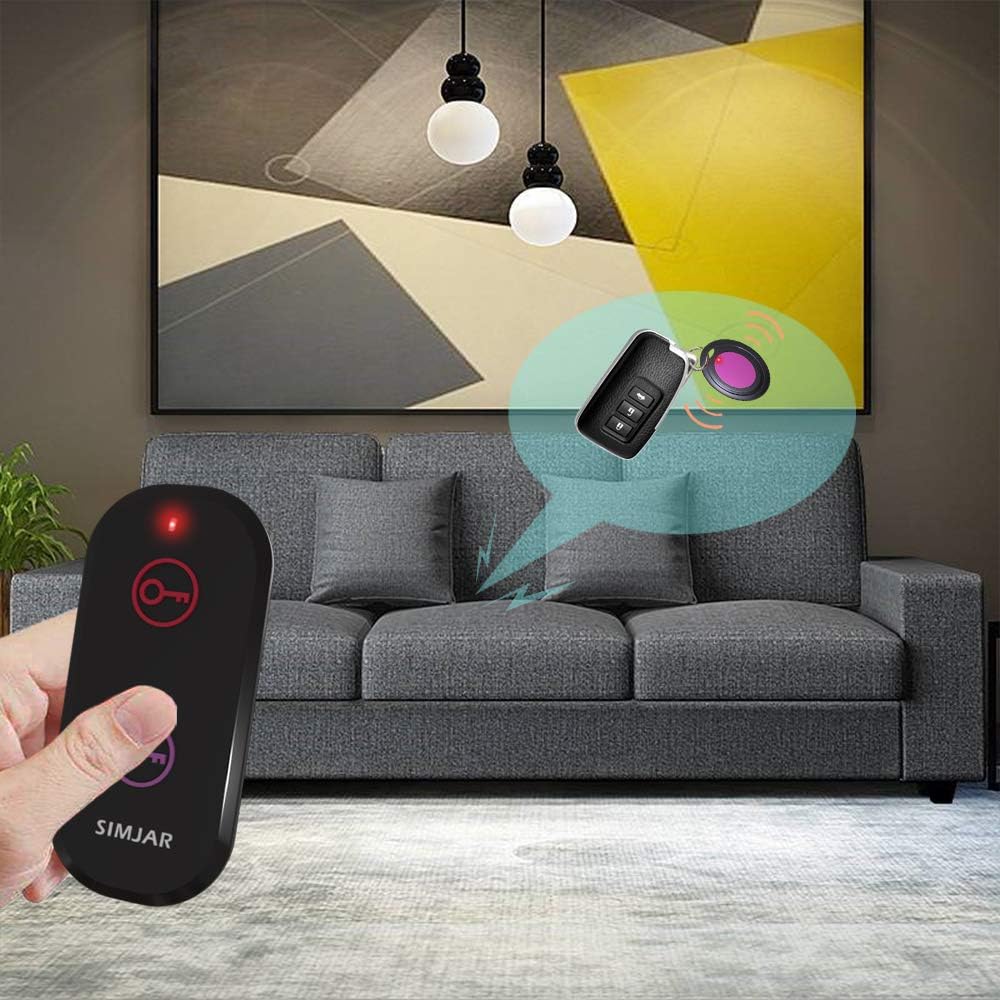
Image: Demonstrates pressing the remote button to activate a receiver.

Image: Visual representation of the key finder's operational range.

Image: Examples of items that can be tracked using the Simjar Key Finder.
5. Maintenance
5.1 Battery Replacement
When the sound from a receiver becomes faint or the LED light does not flash, it is time to replace the battery. Refer to Section 3.1 for battery installation instructions. Always use CR2032 Lithium Ion batteries for replacement.
5.2 Cleaning
Wipe the devices with a soft, dry cloth. Avoid using harsh chemicals or abrasive materials, as these can damage the product's surface.
6. Troubleshooting
- No sound or light from receiver:
- Check if the receiver's battery is correctly installed and has sufficient power. Replace if necessary.
- Ensure the receiver is within the operational range of the remote control.
- Reduce obstacles between the remote and the receiver.
- Remote control not working:
- Verify the remote control's battery is installed correctly and has power. Replace if needed.
- Short range:
- The stated range is for open areas. Obstacles like walls, furniture, and electronic devices can significantly reduce the effective range. Try moving closer to the item.
- Low battery levels can also affect range.
7. Specifications
| Feature | Detail |
|---|---|
| Model Number | QF02A |
| Product Dimensions | 3.3 x 1.42 x 0.43 inches (Remote) |
| Item Weight | 2.11 ounces (total) |
| Connectivity Technology | RF (Radio Frequency) |
| Wireless Range | Up to 40 meters (131 feet) in open area |
| Sound Level | Up to 90dB |
| Batteries Required | CR2032 Lithium Ion (3 included) |
| Material | Acrylonitrile Butadiene Styrene (ABS) |
8. Warranty and Support
8.1 Warranty Information
Please retain your proof of purchase for any warranty claims. For specific warranty details, refer to the product packaging or contact Simjar customer support.
8.2 Customer Support
If you encounter any issues or have questions regarding your Simjar Wireless RF Key Finder, please contact Simjar customer support through the retailer's platform or the official Simjar website for assistance.
Related documentsQF02A


Ask a question about this manual
Ask about setup, troubleshooting, compatibility, parts, safety, or missing instructions. Manuals+ will review the question and use this page’s manual context to help answer it.