Introduction
This manual provides detailed instructions for the proper use and maintenance of your Infun Otium M01 Wireless Earbuds. Designed for comfort and high-quality audio, these Bluetooth 5.0 earbuds feature touch controls, deep bass, and IPX7 water resistance, making them suitable for sports and travel. Please read this manual thoroughly before first use to ensure optimal performance and longevity of your device.
Package Contents
Upon unboxing, please ensure all items are present:
- Infun Otium M01 Wireless Earbuds (Left and Right)
- Charging Case
- USB Type-C Charging Cable
- Multiple Sizes of Ear Cushions (S, M, L)
- User Manual
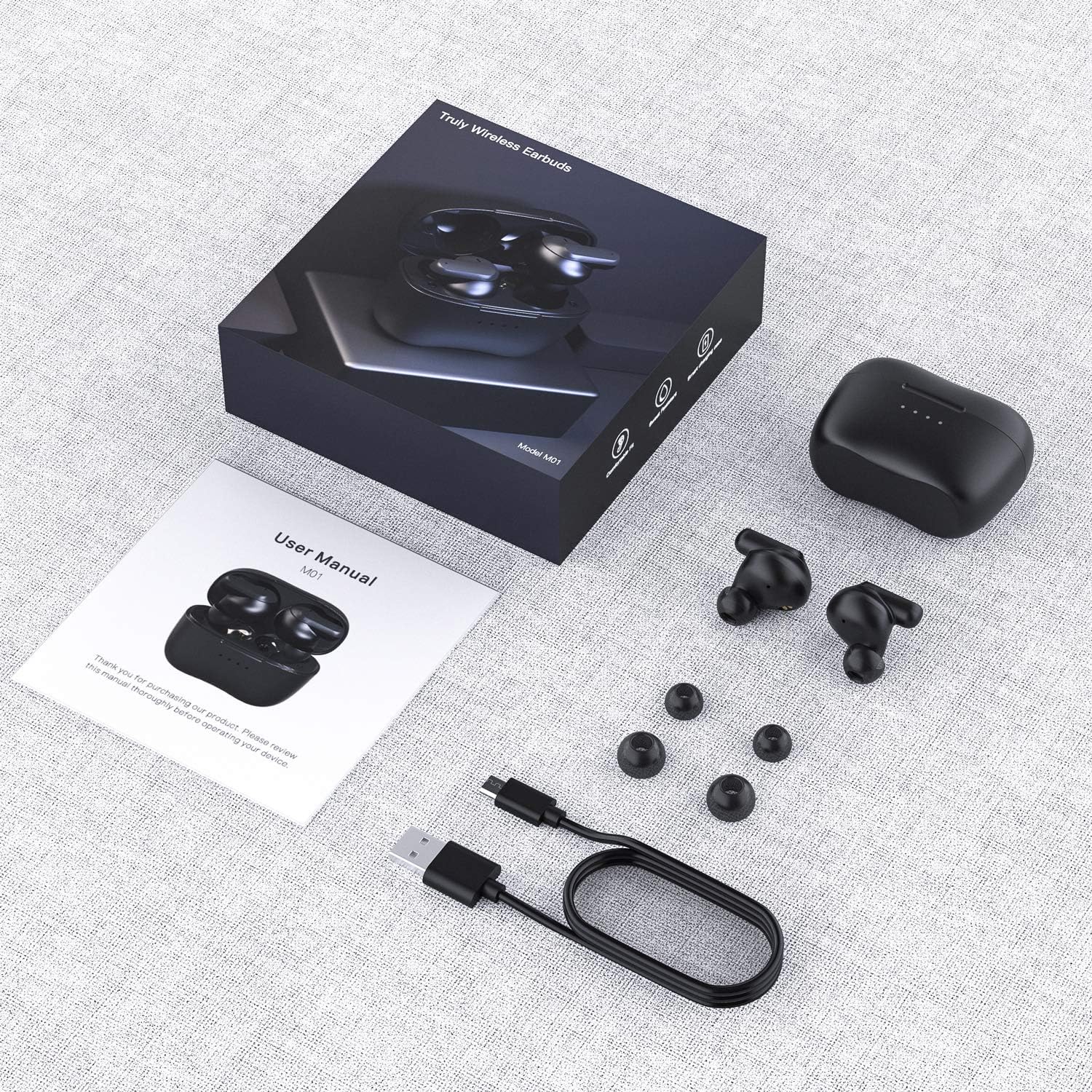
Image: The package contents of the Infun Otium M01 Wireless Earbuds, including the earbuds, charging case, USB-C cable, extra ear tips, and user manual.
Setup
1. Initial Charging
Before first use, fully charge the earbuds and the charging case. Connect the provided USB Type-C cable to the charging port on the back of the case and to a power source. The LED indicators on the case will show the charging status. Ensure the protective film on the earbud charging contacts is removed before placing them in the case.

Image: The Otium M01 earbuds resting in their charging case, displaying four illuminated LED battery indicators on the front.
2. Pairing with Your Device
- Ensure the earbuds are charged and remove them from the charging case. They will automatically enter pairing mode.
- On your device (smartphone, tablet, laptop), enable Bluetooth.
- Search for available Bluetooth devices and select "M01" from the list.
- Once connected, you will hear an audio confirmation, and the earbuds will be ready for use.

Image: A smartphone screen showing "M01" as a connected Bluetooth device, with the earbuds and charging case nearby, illustrating the one-step pairing process.
Video: A user demonstrates the unboxing and pairing process of the Otium M01 Wireless Earbuds, showing how to remove the protective film and connect them to a smartphone via Bluetooth.
Operating Instructions
Touch Controls
The Otium M01 earbuds feature intuitive touch controls for managing audio playback, calls, and voice assistant activation.
- Play/Pause: Single tap on either earbud.
- Next Track: Double tap the right earbud.
- Previous Track: Double tap the left earbud.
- Volume Up: Single tap the right earbud during playback.
- Volume Down: Single tap the left earbud during playback.
- Activate Voice Assistant (Siri/Google Assistant): Triple tap on either earbud.

Image: An illustration detailing the various touch control functions of the Otium M01 earbuds, including call management, music playback, and voice assistant activation.
Call Management
- Answer/End Call: Double tap on either earbud when a call is ringing or during an active call.
- Reject Call: Long press on either earbud when a call is ringing.
Single and Twin Mode
The earbuds support both single and twin mode operation. You can use one earbud independently for calls or audio, or both together for a stereo experience. Simply remove one earbud from the case to use it in single mode; the other will remain in the case or can be used simultaneously.
Audio Quality
The Otium M01 earbuds are equipped with 10mm dynamic drivers, engineered to deliver high-quality stereo sound with enhanced deep bass. This design ensures a rich and immersive audio experience across various music genres and media content.

Image: A cutaway diagram illustrating the internal components of the Otium M01 earbud, highlighting the 10mm driver responsible for high-quality stereo sound and deep bass.
Battery Life
The earbuds provide approximately 4-5 hours of playback or talk time on a single charge. The portable charging case offers an additional 20 hours of battery life, allowing for multiple recharges on the go. The LED indicators on the charging case display the remaining battery level.

Image: An infographic showing the battery life of the Otium M01 earbuds (4-5 hours) and the charging case (20 extra hours), with battery level indicators.
Water Resistance
The Otium M01 earbuds are rated IPX7 waterproof, providing protection against sweat, rain, and accidental splashes. This makes them suitable for workouts and outdoor activities. Please note that the charging case is not waterproof.

Image: A person wearing the Otium M01 earbuds in a wet environment, highlighting their IPX7 waterproof, rainproof, and sweatproof capabilities.
Maintenance
- Cleaning: Regularly clean the earbuds, especially the ear tips and charging contacts, with a soft, dry cloth to prevent debris buildup and ensure proper charging and sound quality.
- Storage: When not in use, store the earbuds in their charging case to protect them from damage and keep them charged.
- Avoid Extreme Conditions: Do not expose the earbuds or charging case to extreme temperatures, humidity, or corrosive liquids.
Troubleshooting
- No Sound/Connection Issues:
- Ensure both earbuds are charged.
- Verify Bluetooth is enabled on your device and "M01" is selected.
- Try unpairing and re-pairing the earbuds.
- Check if the protective film on the earbud charging contacts has been removed.
- Charging Problems:
- Ensure the charging cable is securely connected to both the case and the power source.
- Clean the charging contacts on both the earbuds and the case.
- Try a different charging cable or power adapter.
- Earbuds Not Turning On/Off:
- Long press the touch area on the earbud for 4-5 seconds to manually power on/off.
Specifications
| Model Name | M01 |
| Brand | Infun (Manufacturer: Otium) |
| Connectivity Technology | Bluetooth 5.0 |
| Ear Placement | In Ear |
| Water Resistance Level | IPX7 (Waterproof, Rainproof, Sweatproof) |
| Control Method | Touch Control |
| Audio Driver Type | Dynamic Driver (10mm) |
| Battery Life (Earbuds) | 4-5 Hours |
| Battery Life (with Charging Case) | Up to 20 Extra Hours |
| Included Components | Ear Cushions, USB Type-C Cable |
| Material | Plastic, Silicone |
| Item Weight | 1.45 ounces (41 Grams) |
| Product Dimensions | 2.17 x 0.98 x 1.57 inches |

Image: A diagram illustrating the dimensions of the Otium M01 charging case and an individual earbud.
Warranty and Support
For warranty information or technical support, please refer to the contact details provided with your purchase or visit the official Infun/Otium website. Keep your proof of purchase for warranty claims.


