
1. Safety Instructions
Please read all safety warnings and instructions before using this appliance. Failure to follow the warnings and instructions may result in electric shock, fire, and/or serious injury.
- This appliance is intended for household use only. Do not use outdoors or on wet surfaces.
- Do not allow children to operate the vacuum cleaner. Close supervision is necessary when used near children.
- Do not pick up flammable or combustible liquids, such as gasoline, or use in areas where they may be present.
- Do not pick up anything that is burning or smoking, such as cigarettes, matches, or hot ashes.
- Do not use without the dust cup and filter in place.
- Turn off the appliance before making any adjustments, changing accessories, or storing the appliance.
- Use only manufacturer-recommended attachments.
- Keep hair, loose clothing, fingers, and all parts of the body away from openings and moving parts.
- Exercise extra care when cleaning on stairs.
- If the charging cable is damaged, it must be replaced by the manufacturer or its service agent to avoid a hazard.
2. Package Contents
Carefully unpack your WECLEAN Cordless Vacuum Cleaner and ensure all items are present and in good condition. If any items are missing or damaged, please contact customer support.
- WECLEAN Cordless Vacuum Cleaner Main Unit
- Extension Tube
- Flexible Floor Brush with LED Lights
- 2-in-1 Crevice Nozzle
- Stiff Brush
- 2 x Detachable Rechargeable Batteries
- Charger
- User Manual

Image: The WECLEAN Cordless Vacuum Cleaner main unit, extension tube, floor brush, and various attachments including the 2-in-1 crevice nozzle and stiff brush, demonstrating its versatility for different cleaning tasks.
3. Setup and Initial Charging
3.1 Assembly
- Insert the extension tube into the main unit until it clicks securely into place.
- Attach the flexible floor brush to the other end of the extension tube, ensuring it clicks securely.
- For handheld use, attach desired accessories (2-in-1 crevice nozzle or stiff brush) directly to the main unit.
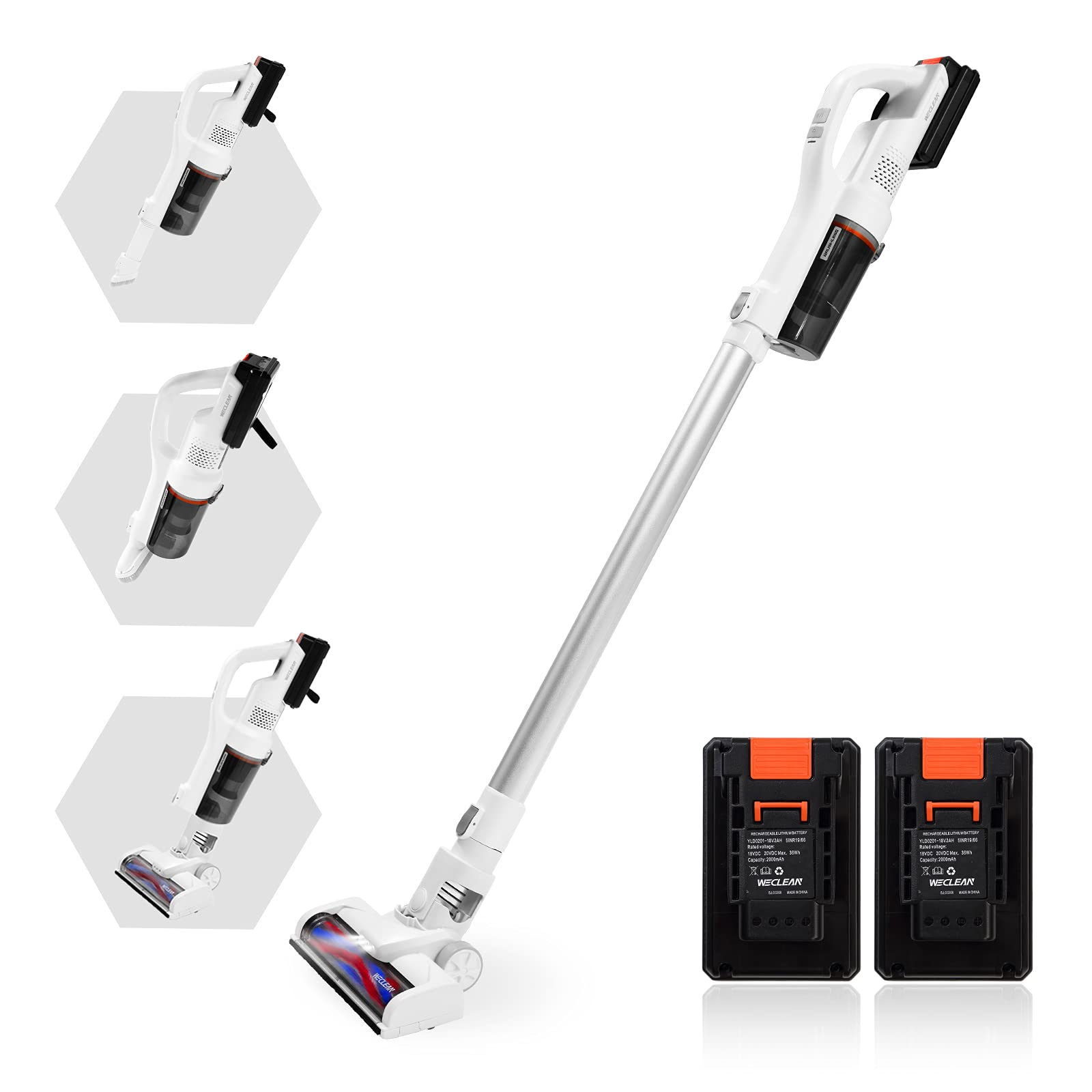
Image: The WECLEAN Cordless Vacuum Cleaner fully assembled in its stick vacuum configuration, ready for use.
3.2 Battery Charging
The vacuum cleaner comes with two detachable rechargeable batteries. Ensure both batteries are fully charged before first use.
- Remove a battery from the main unit by pressing the release button and sliding it out.
- Connect the charger to a power outlet.
- Plug the charger into the battery charging port. The charging indicator light will illuminate.
- A full charge takes approximately 3-4 hours per battery.
- Once fully charged, disconnect the charger and reinsert the battery into the main unit or store it safely.

Image: A close-up view of the WECLEAN detachable battery, illustrating the charging process and indicating a charging time of 3-4 hours.
4. Operation
4.1 Powering On/Off and Cleaning Modes
The vacuum cleaner features two cleaning modes for different cleaning needs.
- Press the power button to turn on the vacuum cleaner. It will start in the normal cleaning mode.
- Press the mode button to switch to the powerful cleaning mode (MAX 16000pa).
- Press the mode button again to return to normal cleaning mode.
- Press the power button again to turn off the vacuum cleaner.
Runtime per battery:
- Normal Mode (Low Gear): Approximately 30 minutes
- Powerful Mode (High Gear): Approximately 10-14 minutes
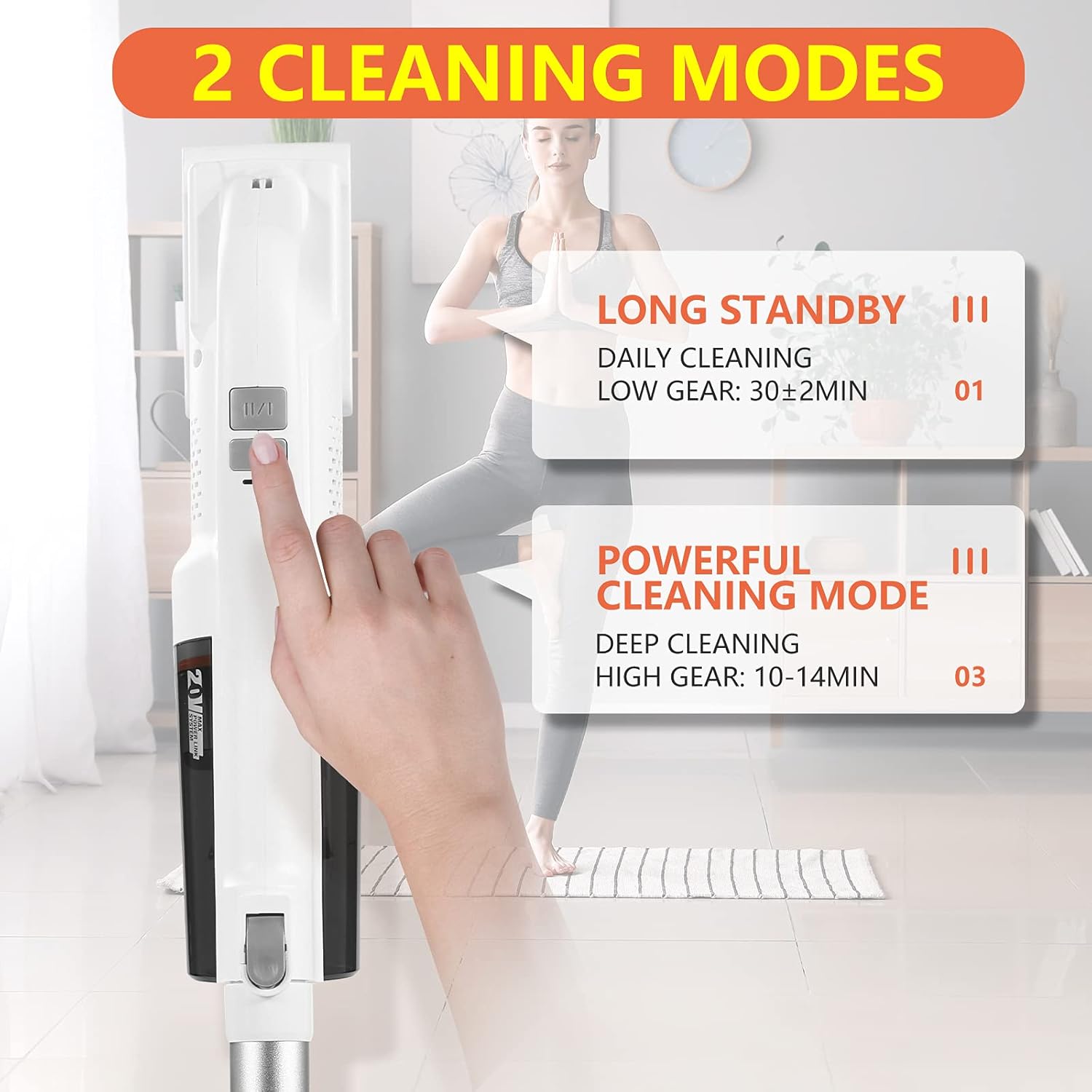
Image: A user's hand pressing a button on the WECLEAN vacuum cleaner, with an overlay indicating '2 Cleaning Modes': 'Long Standby' (Daily Cleaning, Low Gear: 30±2min) and 'Powerful Cleaning Mode' (Deep Cleaning, High Gear: 10-14min).
4.2 Using the Flexible Brush Head
The floor brush is designed for versatile cleaning on various surfaces.
- The brush head is equipped with LED lights to illuminate dark areas during cleaning.
- It can be rotated 90° up and down, and left and right, allowing easy maneuverability around furniture and into tight corners.
- Suitable for both carpet and hard floor surfaces.

Image: The WECLEAN vacuum cleaner's flexible brush head shown in action near a sofa, with insets demonstrating its 90-degree rotational capability for easy cleaning under and around obstacles.
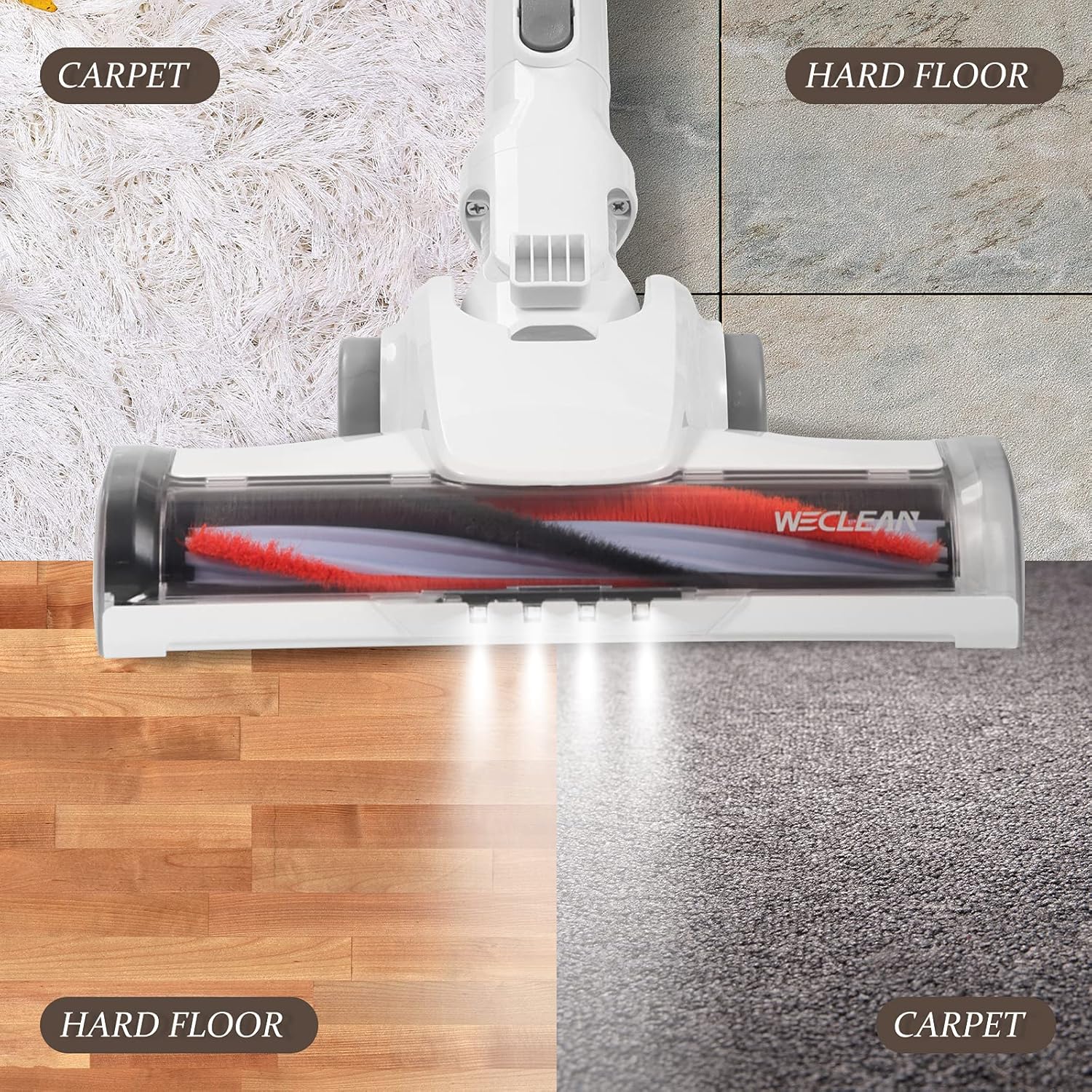
Image: The WECLEAN vacuum cleaner's brush head positioned over a split image showing its effectiveness on both carpet and hard floor surfaces, highlighting its versatility.
4.3 Using Attachments
The 2-in-1 crevice nozzle and stiff brush are ideal for specialized cleaning tasks.
- 2-in-1 Crevice Nozzle: Use for narrow gaps, corners, and hard-to-reach areas like between sofa cushions or car interiors.
- Stiff Brush: Effective for removing stubborn dirt from upholstery, curtains, or pet hair from fabric surfaces.
To use, detach the extension tube and floor brush, then connect the desired attachment directly to the main unit.
5. Maintenance
Regular maintenance ensures optimal performance and extends the lifespan of your vacuum cleaner.
5.1 Emptying the Dust Cup
The dust cup has a capacity of 0.2-0.3L. Empty it regularly, preferably after each use, to maintain strong suction.
- Ensure the vacuum cleaner is turned off.
- Locate the dust cup release button on the main unit.
- Press the button to detach the dust cup.
- Hold the dust cup over a trash bin and open the bottom flap to release collected debris.
- Close the flap and reattach the dust cup to the main unit until it clicks.
5.2 Cleaning the HEPA Filter
The HEPA filter (E10 level) should be cleaned regularly to prevent clogging and maintain suction power.
- With the dust cup detached, carefully remove the HEPA filter.
- Tap the filter gently over a trash bin to remove loose dust.
- If heavily soiled, rinse the filter under cold running water. Do not use detergents.
- Allow the filter to air dry completely for at least 24 hours before reinserting. Do not use a hairdryer or other heating devices.
- Replace the filter if it shows signs of wear or damage, or if suction power remains low after cleaning.
5.3 Cleaning the Brush Head
Periodically check the flexible floor brush for tangled hair or debris.
- Ensure the vacuum cleaner is turned off and disconnected from the power source.
- Detach the floor brush from the extension tube.
- Use scissors or a brush to carefully cut and remove any hair or threads tangled around the brush roller.
- Wipe the brush head casing with a dry cloth.
6. Troubleshooting
Refer to this section for common issues and their solutions.
| Problem | Possible Cause | Solution |
|---|---|---|
| Vacuum does not turn on | Battery not charged or not properly inserted. | Ensure battery is fully charged and securely inserted. |
| Weak suction power | Dust cup full, filter clogged, or blockage in nozzle/tube/brush head. | Empty dust cup. Clean HEPA filter. Check for and remove any blockages. |
| Brush head stops rotating | Hair or debris tangled in brush roller. | Turn off vacuum, remove brush head, and clear any obstructions from the roller. |
| Short operating time | Battery not fully charged or operating in powerful mode. | Ensure battery is fully charged (3-4 hours). Use normal mode for longer runtime. |
| Unusual noise | Blockage or foreign object in the vacuum path. | Turn off and inspect all parts for blockages or foreign objects. |
7. Specifications
| Feature | Specification |
|---|---|
| Model | WECLEAN Cordless Vacuum Cleaner |
| Form Factor | Stick |
| Power Source | Battery Powered |
| Rated Input Power | 200W |
| Rated Voltage | 18V |
| Rated Frequency | 50/60HZ |
| Vacuum Degree | Max 16KPa |
| Battery Type | 2 x 2Ah Lithium Battery |
| Charging Time | 3-4 hours per battery |
| Operation Hours (High Gear) | 10-14 minutes per battery |
| Operation Hours (Low Gear) | 30 minutes per battery |
| Noise Level | ≤85dB(A) |
| Air Inlet Filter | HEPA (E10 level) |
| Dust Collection Volume | 0.2-0.3L |
| Surface Recommendation | Carpet, Hard Floor |
8. Warranty Information
WECLEAN products are manufactured to the highest quality standards. For specific warranty details, including coverage period and terms, please refer to the warranty card included in your product packaging or contact WECLEAN customer support.
Please retain your proof of purchase for warranty claims.
9. Customer Support
If you have any questions, require technical assistance, or need to report an issue with your WECLEAN Cordless Vacuum Cleaner, please contact our customer support team.
Please have your product model and purchase information ready when contacting support.
Contact details can typically be found on the WECLEAN official website or on the product packaging.