1. Introduction
This manual provides essential information for the safe and efficient operation of your Hisense WF1Q8041BW Washing Machine. Please read these instructions carefully before using the appliance and retain them for future reference.
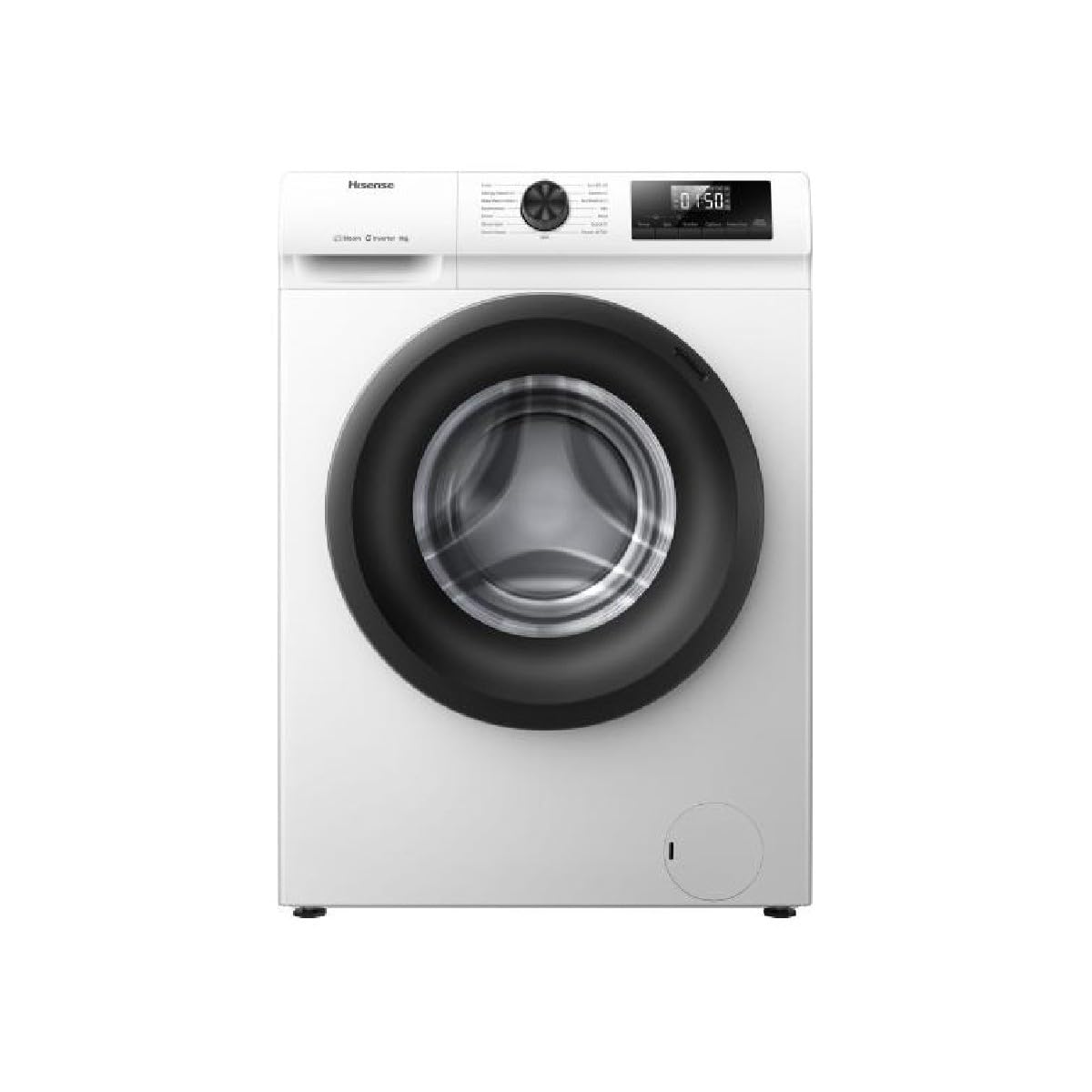
Figure 1: Front view of the Hisense WF1Q8041BW Washing Machine with the door closed.
2. Safety Information
Always follow basic safety precautions when using electrical appliances to reduce the risk of fire, electric shock, or injury to persons.
- Ensure the appliance is properly grounded.
- Do not allow children to play on or in the appliance.
- Keep packaging materials out of reach of children.
- In case of malfunction, the self-diagnostic tools will indicate a unique error code. Refer to the troubleshooting section for guidance.
- Do not operate the washing machine if it is damaged or malfunctioning.
3. What's in the Box
Verify that all components are present upon unpacking:
- Hisense WF1Q8041BW Washing Machine
- Power Cord
- Fill Hose
- Drain Hose
- User Manual (this document)
4. Setup and Installation
Proper installation is crucial for the performance and safety of your washing machine. It is recommended to have the appliance installed by a qualified technician.
4.1 Unpacking
Carefully remove all packaging materials and transport bolts from the rear of the machine. Keep these for future transport if needed.
4.2 Positioning
Place the washing machine on a firm, level surface. Adjust the leveling feet to ensure stability and prevent vibrations during operation.
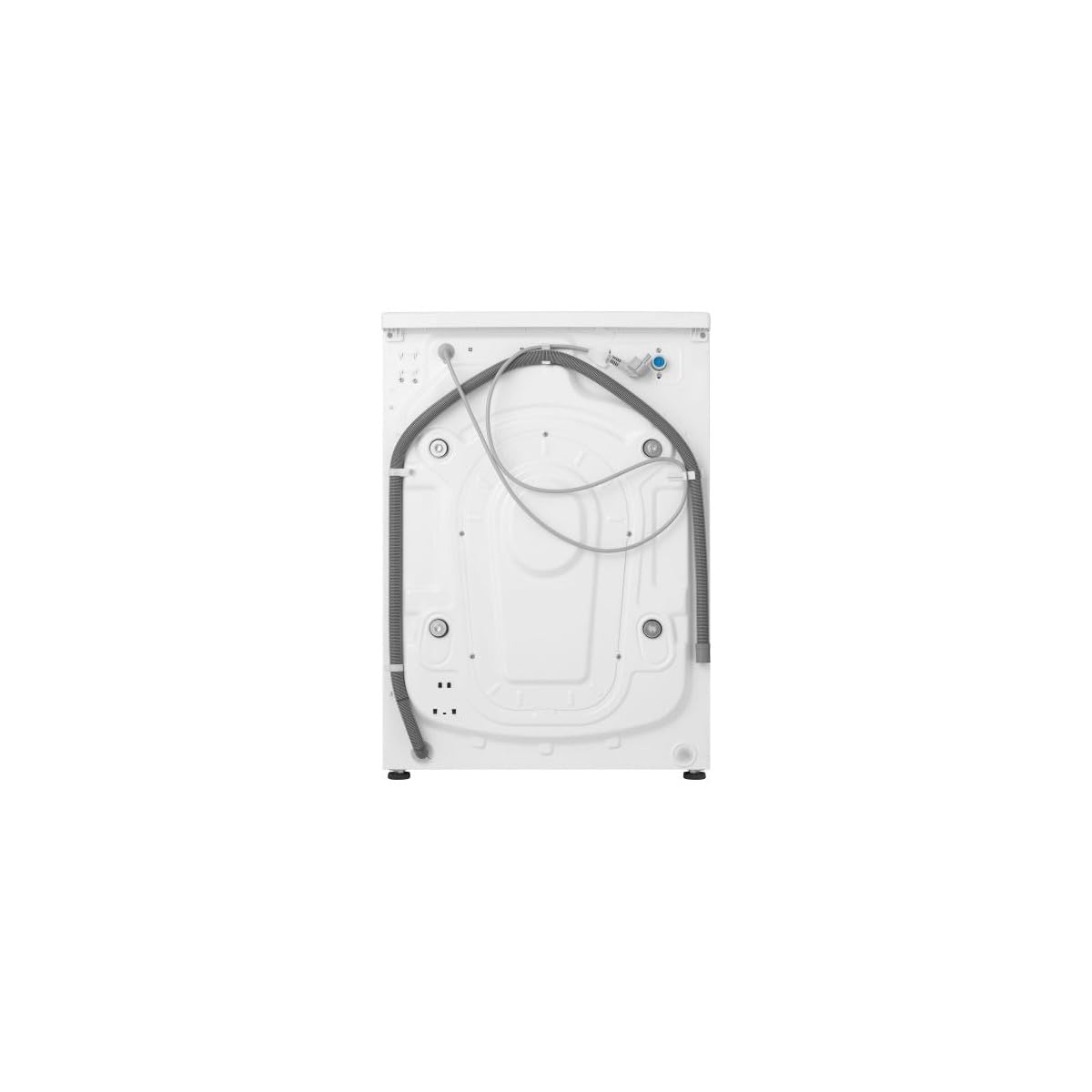
Figure 2: Rear view of the washing machine, illustrating hose and power connections.
4.3 Water Connection
- Connect the fill hose to a cold water supply tap and to the inlet valve on the back of the washing machine.
- Ensure all connections are tight to prevent leaks.
- Position the drain hose into a suitable drain pipe or sink, ensuring it is securely fixed to prevent dislodgement during draining.
4.4 Electrical Connection
Plug the power cord into a grounded electrical outlet. Ensure the voltage matches the specifications of the appliance (220 Volts).
5. Operating Instructions
This section guides you through the daily operation of your washing machine.
5.1 Control Panel Overview
The control panel features a program selector knob, a digital display, and touch buttons for various functions.

Figure 3: Detailed view of the control panel, showing program selector and display.
5.2 Loading Laundry
Open the door and load laundry into the drum. Do not overload the machine; refer to the program's maximum load capacity (8 kg).

Figure 4: Front view of the washing machine with the door open, ready for loading.
5.3 Adding Detergent
Add appropriate detergent and fabric softener to the dispenser drawer.
5.4 Program Selection
Turn the program selector knob to choose one of the 15 available programs:
- AutoWash: Automatically adjusts settings for optimal cleaning.
- Eco 40-60: Energy-efficient wash for normally soiled cotton laundry.
- Cotton: For cotton items.
- Synthetics: For synthetic fabrics.
- Mix: For mixed loads of cotton and synthetics.
- Wool: Gentle wash for wool items.
- Down: Specialized program for down-filled items.
- Sportswear: For sports clothing.
- Anti-allergic Program (Hygiene Steam): Uses steam to remove allergens and bacteria.
- Baby Wash: Gentle and thorough cleaning for baby clothes.
- Quick Wash (Quick 15): Washes up to 1 kg of lightly soiled laundry in 15 minutes.
- Power 49': A powerful wash cycle completed in 49 minutes.
- Rinse+Spin: For rinsing and spinning only.
- Spin: For spinning only.
- Drum Clean: For cleaning the washing machine drum.
5.5 Additional Functions
- Temp: Adjust wash temperature.
- Spin: Adjust spin speed (up to 1400 rpm).
- Quicker: Reduces wash time for selected programs.
- Options: Select additional wash options.
- Delay End: Set a delayed start time for the wash cycle.
5.6 Starting a Program
Press the 'Start/Pause' button to begin the selected wash program.
6. Maintenance and Cleaning
Regular maintenance ensures optimal performance and extends the lifespan of your washing machine.
6.1 Drum Clean Function
Use the Drum Clean function periodically to clean the drum. This program uses more water at higher temperatures and speeds to remove residue and ensure hygiene. Run this cycle without any laundry in the drum.
6.2 Cleaning the Detergent Dispenser
Remove and clean the detergent dispenser drawer regularly to prevent buildup.
6.3 Cleaning the Exterior
Wipe the exterior of the washing machine with a soft, damp cloth. Do not use abrasive cleaners.
7. Troubleshooting
If you encounter an issue, refer to the following common problems and solutions. For more complex issues, contact customer support.
7.1 Self-Diagnosis
The washing machine is equipped with a self-diagnosis system. In the event of a malfunction, an error code will be displayed. Consult the full user manual (available online or with purchase) for a complete list of error codes and their corresponding solutions.
7.2 Common Issues
- Machine does not start: Check if the power cord is properly plugged in, the door is closed, and the 'Start/Pause' button has been pressed.
- Water leakage: Ensure fill and drain hoses are securely connected and not damaged.
- Excessive vibration: Verify the machine is level and transport bolts have been removed.
- Poor washing results: Check detergent dosage, program selection, and load size.
8. Specifications
| Feature | Specification |
|---|---|
| Brand | Hisense |
| Model | WF1Q8041BW |
| Capacity | 8 Kilograms |
| Maximum Rotational Speed | 1400 RPM |
| Number of Standard Cycles | 15 |
| Special Features | Drum Clean, High Efficiency, Hygiene Steam, Inverter |
| Installation Type | Freestanding |
| Access Location | Front Load |
| Control Console | Touch |
| Voltage | 220 Volts |
| Noise Level | 72 Decibels |
| Material | Stainless Steel (Drum) |
| Item Weight | 58 kg |
| Product Dimensions (LxWxH) | 54D x 59.5W x 84.5H Centimeters |
| Energy Efficiency (10 classes) | A to G |
9. Warranty and Support
For warranty information, technical support, or service requests, please contact Hisense customer service. Details can typically be found on the Hisense official website or your purchase documentation.
Always provide your model number (WF1Q8041BW) and serial number when contacting support.


