1. Introduction
Thank you for choosing the Hisense WFQP701219VM Washing Machine. This manual provides essential information for the safe and efficient operation, installation, and maintenance of your appliance. Please read it thoroughly before using the washing machine and keep it for future reference.

Image: Front view of the Hisense WFQP701219VM Washing Machine, showcasing its white finish, black door, and control panel.
2. Safety Information
Always follow basic safety precautions when using electrical appliances to reduce the risk of fire, electric shock, and injury to persons.
- Ensure the washing machine is properly grounded.
- Do not operate the machine if the power cord or plug is damaged.
- Keep children and pets away from the appliance during operation.
- Do not wash items that are soiled with flammable substances.
- Always unplug the machine before cleaning or performing maintenance.
- Do not open the detergent dispenser or door during a wash cycle, especially when the water temperature is high.
3. Setup and Installation
3.1 Unpacking
Carefully remove all packaging materials. Ensure all transit bolts at the rear of the machine are removed before use. Failure to do so can cause severe damage to the appliance.
3.2 Positioning and Leveling
Place the washing machine on a firm, level surface. Adjust the leveling feet to ensure the machine is stable and does not wobble. Proper leveling is crucial to prevent excessive vibration and noise during operation, as noted in user feedback.
3.3 Dimensions
The dimensions of the Hisense WFQP701219VM are important for proper installation and placement.

Image: Technical drawing showing the dimensions of the Hisense WFQP701219VM Washing Machine: Height 845mm, Width 595mm, Depth 450mm (435mm body, 960mm with door open).
- Height: 84.5 cm
- Width: 59.5 cm
- Depth: 45 cm
3.4 Water and Drain Connections
Connect the water inlet hose to a cold water tap. Ensure the drain hose is securely placed into a standpipe or sink, preventing kinks or blockages.
4. Operating Instructions
4.1 Control Panel Overview
The control panel allows you to select wash programs and functions.

Image: Close-up of the Hisense WFQP701219VM control panel, showing the program dial, digital display, and function buttons.
4.2 Loading Laundry
Open the door and load laundry into the drum. Do not overload the machine; refer to the maximum load capacity for each program. This model has a 7 kg capacity, allowing for a significant amount of laundry per cycle.
4.3 Adding Detergent
Pull out the detergent dispenser drawer and add the appropriate amount of detergent and fabric softener to the designated compartments.
4.4 Selecting a Program
Turn the program dial to select your desired wash program. The display will show the estimated time and default settings.
Available Programs:
- Anti-Allergy
- Baby Clothes
- Sportswear
- Duvet
- 20°C
- Dark Clothes
- Drum Clean
- Eco 40-60
- Cotton
- Synthetics
- Mix
- Wool
- Quick 15'
- Rinse+Spin
- Spin
4.5 Special Functions
Enhance your wash with these features:
- Steam Function: Refreshes clothes, helps prevent wrinkles, and eliminates 99.9% of bacteria and allergens. Certified by SGS Laboratories. View SGS Certificate

Image: Illustration depicting the steam function, showing steam particles interacting with fabric inside the washing machine drum.
- Quick Wash (15 min): Efficient programs for a complete wash in reduced time with excellent cleaning results.

Image: Washing machine with an overlay indicating a '15 min' quick wash cycle.
- Pause & Add: A useful function that allows you to pause the cycle to add or remove garments.

Image: A person adding clothes to the washing machine during a paused cycle.
- Delay End: Take advantage of the best time slots of the day by reducing your electricity bill.
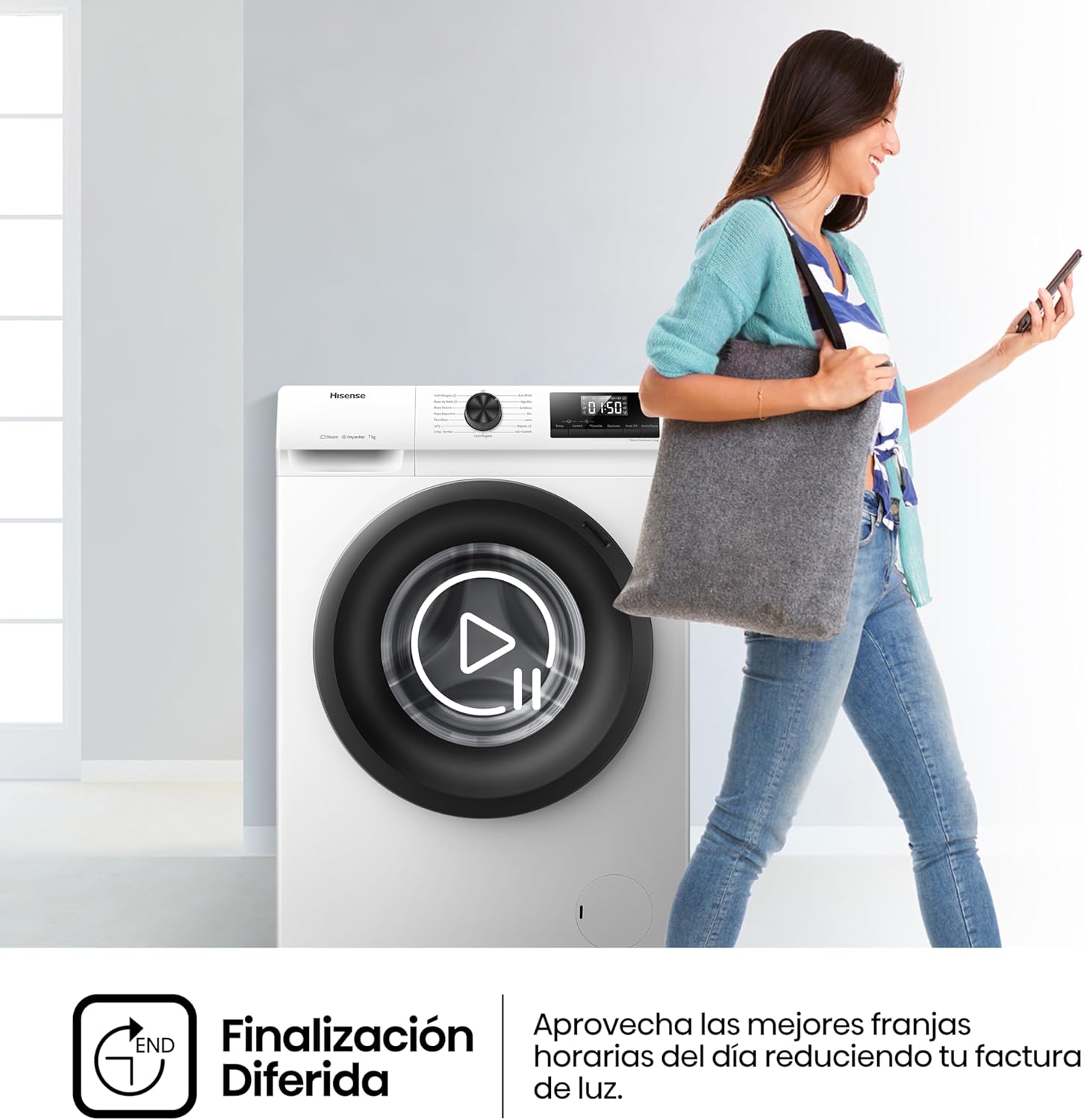
Image: A person walking away from the washing machine, implying the use of the delay end function.
- Inverter Technology: Advanced technology for very quiet operation and low vibration. Maximum tranquility with an extended warranty on the motor.

Image: Washing machine with an overlay indicating '1200 Centrifugado RPM' (1200 Spin RPM), highlighting the inverter technology.
4.6 Starting a Cycle
Press the Start/Pause button to begin the selected wash cycle.
5. Maintenance
Regular maintenance ensures the longevity and optimal performance of your washing machine.
5.1 Cleaning the Drum
Use the dedicated 'Drum Clean' program periodically to clean the inside of the drum and prevent odors.
5.2 Cleaning the Detergent Dispenser
Remove and clean the detergent dispenser drawer regularly to prevent detergent residue buildup.
5.3 Cleaning the Filter
Locate and clean the drain pump filter at the bottom front of the machine as needed to remove lint and small objects.
5.4 Exterior Cleaning
Wipe the exterior of the machine with a soft, damp cloth. Do not use abrasive cleaners.
6. Troubleshooting
If you encounter issues with your washing machine, refer to the following common problems and solutions:
| Problem | Possible Cause / Solution |
|---|---|
| Machine does not start | Check if the power cord is plugged in, the door is closed properly, and the Start/Pause button has been pressed. |
| Excessive vibration or noise | Ensure the machine is level and all transit bolts have been removed. Redistribute laundry inside the drum if it's unbalanced. |
| Water leakage | Check hose connections for tightness and ensure the drain hose is not blocked or kinked. |
| Detergent residue in dispenser | Clean the detergent dispenser regularly. Ensure water pressure is adequate. |
For issues not listed here, please contact Hisense customer support.
7. Specifications
| Feature | Specification |
|---|---|
| Model Number | WFQP701219VM |
| Brand | Hisense |
| Capacity | 7 Kg |
| Spin Speed | 1200 rpm |
| Energy Efficiency Class | A |
| Dimensions (H x W x D) | 84.5 cm x 59.5 cm x 45 cm |
| Weight | 61 kg |
| Country of Origin | China |
| Included Accessories | Drain hose |

Image: Illustration highlighting the 'Class A' energy efficiency rating of the washing machine.
8. Warranty and Support
Your Hisense WFQP701219VM Washing Machine comes with a standard manufacturer's warranty. For specific warranty terms and conditions, please refer to the warranty card included with your product or visit the official Hisense website.
For technical assistance, spare parts, or service requests, please contact Hisense customer support. Ensure you have your model number (WFQP701219VM) and purchase details ready when contacting support.


