
Wicked Audio WITW2151
Wicked Audio Driftr True Wireless Earbuds
Model: WITW2151
Introduction
The Wicked Audio Driftr True Wireless Earbuds offer a seamless audio experience with easy pairing and comfortable wear. Designed for convenience, these earbuds provide clear sound and intuitive controls, making them ideal for everyday use.
What's in the Box
- Wicked Audio Driftr True Wireless Earbuds (Left and Right)
- Charging Case
- USB Charging Cable
- User Manual (This document)
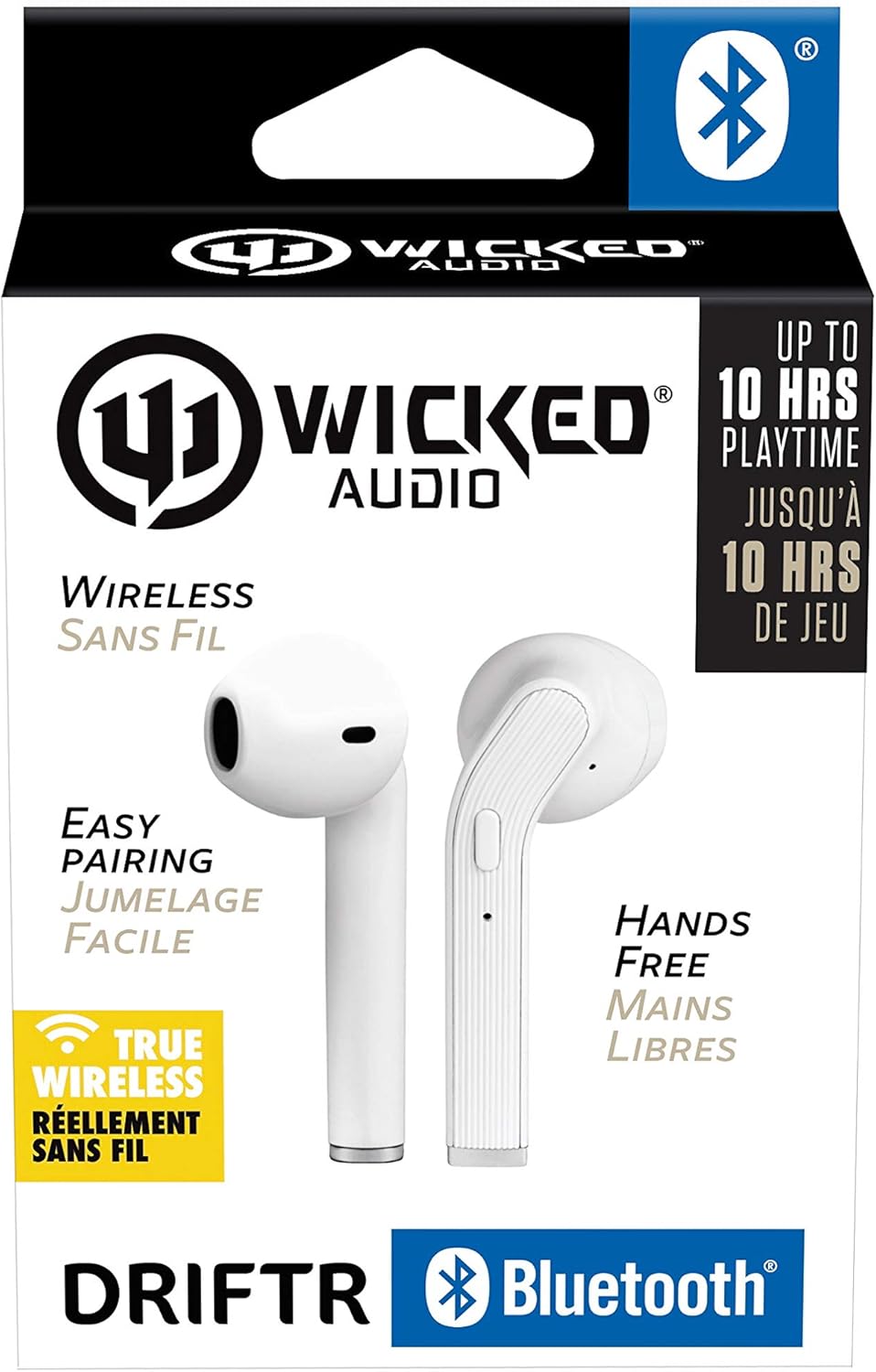
Image: Product packaging showing the earbuds and charging case.
Product Overview
The Driftr earbuds feature an angled housing design for a comfortable fit. Each earbud includes touch controls for managing audio playback and calls, along with a built-in microphone for hands-free communication. The compact charging case provides additional battery life on the go.

Image: White Wicked Audio Driftr True Wireless Earbuds resting inside their open charging case.

Image: Close-up view of the left and right Wicked Audio Driftr True Wireless Earbuds, showing their angled design and control surfaces.

Image: A person wearing a white Wicked Audio Driftr True Wireless Earbud in their ear, demonstrating the fit.
Setup
1. Charging the Earbuds and Case
Before first use, fully charge the earbuds and the charging case. Connect the provided USB charging cable to the charging port on the case and plug the other end into a USB power source (e.g., computer, wall adapter). The charging indicator light on the case will show charging status. A full charge takes approximately 1 hour for both the earbuds and the case.
2. Easy Pairing
- Ensure the earbuds are charged.
- Open the charging case. The earbuds will automatically power on and enter pairing mode.
- On your device (smartphone, tablet, laptop), go to the Bluetooth settings.
- Select "Wicked Audio Driftr" from the list of available devices.
- Once connected, you will hear an audio prompt, and the indicator light on the earbuds will change.
The earbuds are designed for straightforward, no-nonsense pairing in one easy step. After the initial pairing, they will automatically connect to your last paired device when removed from the case.
Operating Instructions
Touch Controls
The Driftr earbuds feature intuitive touch controls for various functions:
- Play/Pause: Single tap on either earbud.
- Next Track: Double tap on the right earbud.
- Previous Track: Double tap on the left earbud.
- Answer/End Call: Single tap on either earbud during an incoming call.
- Reject Call: Press and hold on either earbud during an incoming call.
- Activate Voice Assistant: Triple tap on either earbud (e.g., Siri, Google Assistant).
Wearing the Earbuds
Insert the earbuds into your ears with the angled housing pointing slightly forward for a secure and comfortable fit. Adjust as needed to ensure optimal sound quality and passive noise cancellation.
Maintenance
To ensure the longevity and optimal performance of your Wicked Audio Driftr earbuds, follow these maintenance guidelines:
- Cleaning: Regularly wipe the earbuds and charging case with a soft, dry, lint-free cloth. Do not use harsh chemicals or abrasive materials.
- Storage: When not in use, always store the earbuds in their charging case to protect them and keep them charged.
- Avoid Moisture: The earbuds are not water resistant. Avoid exposure to water, sweat, and high humidity.
- Temperature: Do not expose the earbuds or case to extreme temperatures (hot or cold).
Troubleshooting
If you encounter issues with your Driftr earbuds, try the following solutions:
- Earbuds not pairing:
- Ensure both earbuds are charged.
- Place both earbuds back into the charging case, close the lid, wait a few seconds, then open the lid again.
- On your device, forget "Wicked Audio Driftr" from your Bluetooth settings and attempt to pair again.
- No sound from one earbud:
- Ensure both earbuds are charged and properly seated in the case.
- Try resetting the earbuds by placing them in the case and then removing them.
- Earbuds not charging:
- Check the charging cable and power source.
- Ensure the charging contacts on the earbuds and inside the case are clean and free of debris.
- Poor sound quality:
- Ensure the earbuds are properly seated in your ears.
- Check the audio source and volume levels on your device.
- Move closer to your paired device to avoid interference.
Specifications
| Feature | Detail |
|---|---|
| Model Name | Wicked Audio Driftr (WITW2151) |
| Connectivity Technology | Wireless (Bluetooth 5.0) |
| Bluetooth Range | Up to 32 Feet |
| Battery Life | Up to 10 Hours (earbuds) |
| Charging Time | Approx. 1 Hour (earbuds and case) |
| Audio Driver Size | 13 Millimeters |
| Frequency Response | 20 Hz - 20,000 Hz |
| Sensitivity | 15 dB |
| Impedance | 32 Ohm |
| Noise Control | Passive Noise Cancellation |
| Control Method | Touch |
| Water Resistance Level | Not Water Resistant |
| Item Weight | 2.11 ounces |
| Product Dimensions | 1.5 x 3 x 5.5 inches |
| UPC | 712949012265 |
Warranty and Support
Wicked Audio products are designed for durability and performance. For specific warranty information and support inquiries, please refer to the official Wicked Audio website or contact their customer service directly. Keep your proof of purchase for warranty claims.
For further assistance, visit the Wicked Audio Store on Amazon.
Ask a question about this manual
Ask about setup, troubleshooting, compatibility, parts, safety, or missing instructions. Manuals+ will review the question and use this page’s manual context to help answer it.