1. Introduction
Thank you for choosing the T'nB Universal Electric Scooter Charger. This charger is designed to provide efficient and reliable power to a wide range of electric scooters. With its 42V-2A output and 84W power, it ensures optimal charging times comparable to original manufacturer chargers. The included interchangeable connectors offer broad compatibility with various scooter models.
Please read this manual carefully before using the charger to ensure safe and proper operation. Keep this manual for future reference.

Image: The T'nB Universal Electric Scooter Charger with its attached power cable.
2. Safety Instructions
To prevent injury or damage to your device, always follow these basic safety precautions:
- Use the charger only indoors in a dry environment. Do not expose it to rain, moisture, or extreme temperatures.
- Ensure the voltage of your power outlet matches the charger's input voltage (240V).
- Do not use the charger if the cable, plug, or charger unit is damaged. Contact customer support for assistance.
- Keep the charger away from heat sources, direct sunlight, and flammable materials.
- Always disconnect the charger from the power outlet when not in use or before cleaning.
- Do not attempt to open, modify, or repair the charger yourself. This will void the warranty and may cause electric shock or fire.
- Keep out of reach of children and pets.
- Ensure adequate ventilation around the charger during use to prevent overheating.
3. Package Contents
Verify that all items are present in the package:
- 1 x T'nB Universal Electric Scooter Charger
- 2 x Interchangeable Connectors (in addition to the fixed connector)
- 1 x User Manual (this document)

Image: The three interchangeable connectors provided with the charger.
4. Setup and Connection
Follow these steps to set up and connect your charger:
- Select the Correct Connector: Identify the charging port on your electric scooter. Choose one of the two interchangeable connectors that matches your scooter's port. If the fixed connector on the charger already matches, no additional connector is needed.
- Attach Connector (if needed): Firmly attach the selected interchangeable connector to the charger's output cable. Ensure it is securely seated.
- Connect to Scooter: Plug the chosen connector into your electric scooter's charging port.
- Connect to Power: Plug the charger's power cord into a standard 240V AC wall outlet.
The charging process will begin automatically. Refer to the 'Operating' section for information on the indicator light.
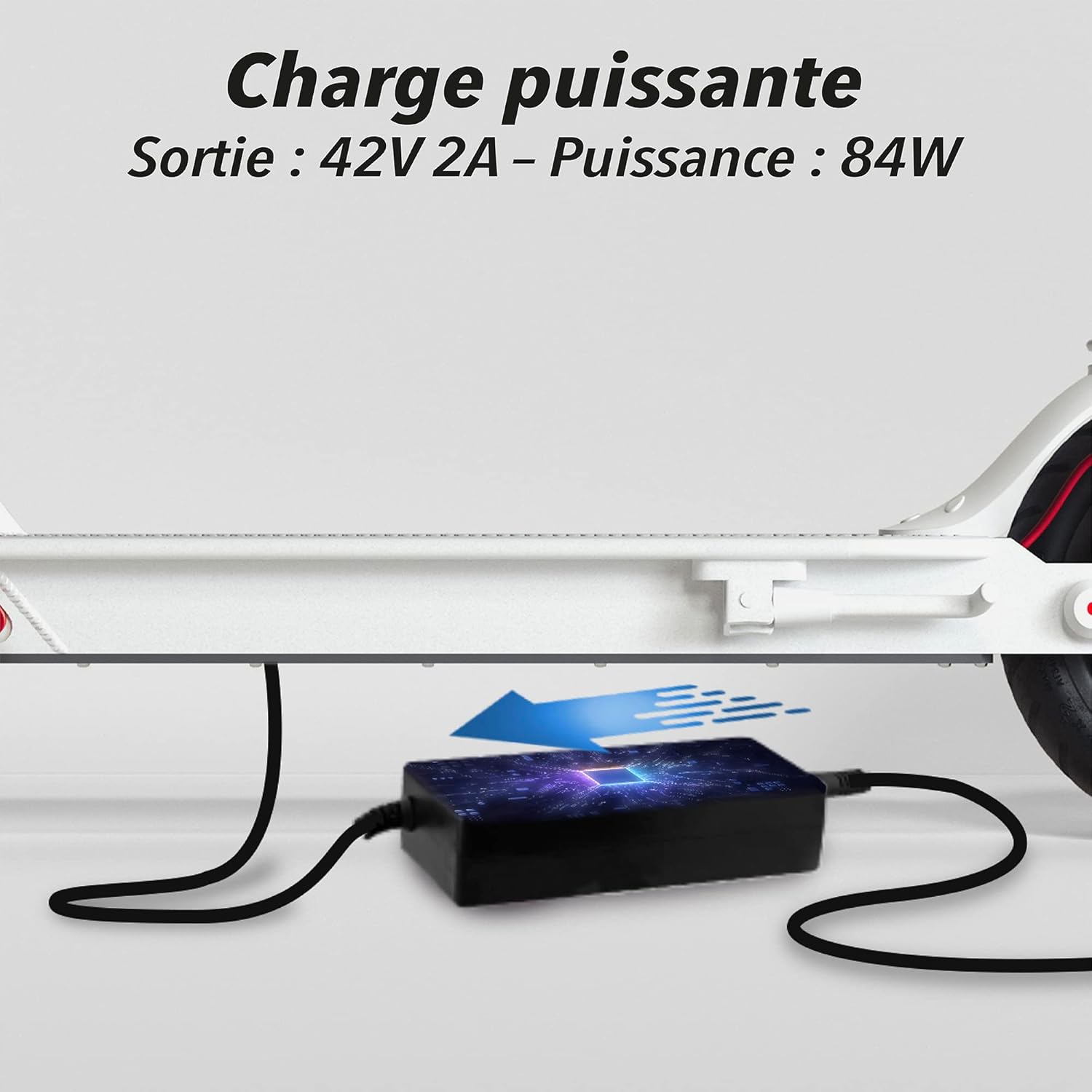
Image: The T'nB charger connected to an electric scooter for charging.
5. Operating the Charger
The T'nB Universal Electric Scooter Charger features an LED indicator to show the charging status:
- Red Light: Indicates that the scooter is currently charging.
- Green Light: Indicates that the scooter's battery is fully charged.
Once the green light appears, you can disconnect the charger from the scooter and the power outlet. It is recommended to disconnect the charger once charging is complete to prolong battery life and for safety.

Image: The charger's LED indicator showing red (charging) and green (fully charged) states.
6. Compatibility
This universal charger is compatible with a wide range of electric scooter models. The included interchangeable connectors ensure broad compatibility. Below is a non-exhaustive list of compatible models:
- XIAOMI: M365, Pro, Pro 2, 1S, Essential
- SEGWAY NINEBOT: ES1, ES2, ES3, ES4, MAX G30
- URBAN GLIDE: 80XL, 85XL, 81 Boost, Ride 100, 61+, 100 Pro, 62 S
- QILIVE: 8P city Q4863, 8P Q4872
- E-TWOW: Booster Evolution S, S+
- MOOV WAY: BW10, EASY, CITY MOOV, B20, i22, SM11
- WAYSCRALL: Kickway E1
- MPMAN: TR100, CS50
- REVOE: Street Motion tech 6.5
- WISPEED: T850, T855, SUV1000
Always ensure the selected connector fits securely into your scooter's charging port and that the charger's specifications (42V-2A) match your scooter's charging requirements.

Image: A detailed compatibility table illustrating various scooter models and their corresponding connector types for the T'nB charger.
7. Maintenance and Storage
Proper care and storage will extend the life of your charger:
- Cleaning: Disconnect the charger from the power outlet and the scooter before cleaning. Use a soft, dry cloth to wipe the surface. Do not use liquid cleaners or abrasive materials.
- Cable Care: Avoid bending or kinking the power cable excessively. Do not place heavy objects on the cable.
- Storage: Store the charger in a cool, dry place, away from direct sunlight and extreme temperatures. Keep the connectors protected from dust and damage.
- Transportation: When transporting, ensure the charger and its cables are securely packed to prevent damage.
8. Troubleshooting
If you encounter issues with your charger, refer to the following common problems and solutions:
| Problem | Possible Cause | Solution |
|---|---|---|
| Charger indicator light is off. | No power to the charger, faulty outlet, or damaged charger. | Check if the charger is securely plugged into a working power outlet. Try a different outlet. Inspect the charger and cable for visible damage. If damaged, discontinue use. |
| Charger light is red, but scooter is not charging. | Loose connection, incorrect connector, or scooter battery issue. | Ensure the connector is firmly seated in the scooter's charging port. Verify you are using the correct connector for your scooter model. Check your scooter's manual for battery troubleshooting. |
| Charger light remains red after extended charging. | Scooter battery not fully charging, or charger fault. | Allow sufficient time for charging (refer to your scooter's manual for typical charging times). If the issue persists, the scooter battery may be faulty, or the charger may require service. |
| Charger gets excessively hot. | Poor ventilation, overloading, or internal fault. | Ensure the charger is in a well-ventilated area. Do not cover it during use. If overheating continues, disconnect immediately and contact support. |
If these solutions do not resolve the issue, please contact T'nB customer support.
9. Specifications
| Brand: | T'nB |
| Model: | UMCHARGER1 |
| Output Voltage: | 42V |
| Output Current: | 2A |
| Power: | 84W |
| Input Voltage: | 240V |
| Material Type: | Plastic |
| Product Dimensions: | 15 x 10 x 5 cm |
| Weight: | 441 g |
10. Warranty and Support
This T'nB product is covered by a manufacturer's warranty. Please refer to the warranty card included with your purchase or visit the official T'nB website for detailed warranty terms and conditions.
For technical support, troubleshooting assistance, or warranty claims, please contact T'nB customer service through their official website or the contact information provided with your product.


