
BONAI BST-C9015TC
BONAI Smart Battery Charger Instruction Manual
Model: BST-C9015TC | Brand: BONAI
Product Overview
The BONAI Smart Battery Charger is a versatile and efficient charging solution designed for various rechargeable battery types. It features an intelligent LCD display and a convenient discharge function, ensuring optimal battery performance and longevity. This charger is compatible with 1-4 count AA, AAA, C, D Ni-MH/Ni-CD rechargeable batteries and 1-2 Ni-MH Li-ion 9V rechargeable batteries.
Key Features:
- Universal Compatibility: Charges AA, AAA, C, D, and 9V Ni-MH/Ni-CD rechargeable batteries.
- Dual Input Ports: Supports charging via Micro USB or Type C (2.0A adapter required, not included).
- Discharge Function: Allows discharging of 1-4 AA, AAA, C, D Ni-MH/Ni-CD batteries before recharging to optimize performance. (Not applicable for 9V batteries).
- LCD Display: Provides real-time charging status for individual AA/AAA/C/D batteries.
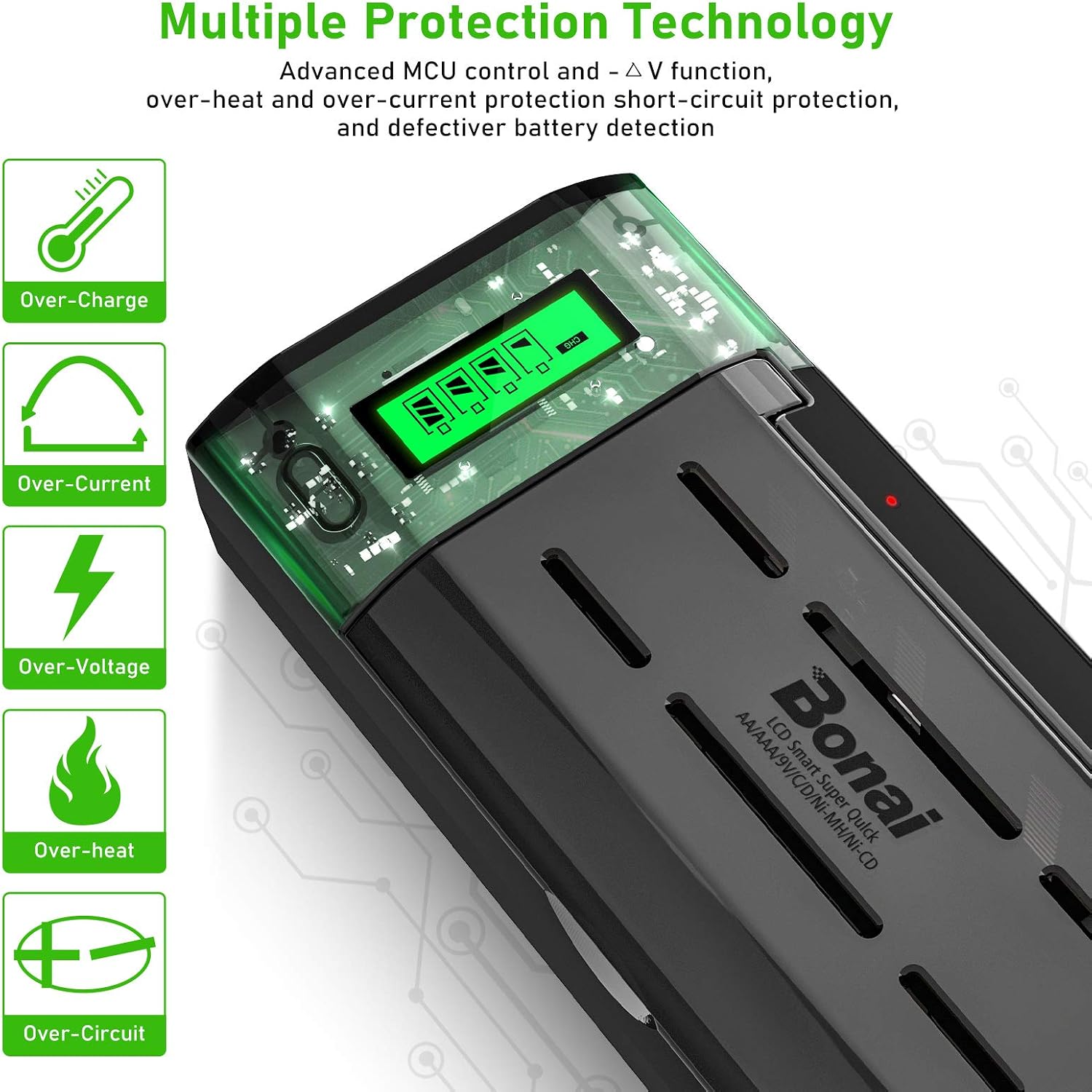
- Advanced Safety Protections: Includes over-heat, over-current, short-circuit protection, and detection for non-rechargeable or defective batteries.
- Over Heat Protection: Automatically powers off if charger or battery temperature exceeds 60℃.

Setup Guide
Follow these steps to set up your BONAI Smart Battery Charger:
- Unpack the Charger: Carefully remove the charger and its accessories from the packaging.
- Connect Power: Use the provided Micro USB or Type C charging cord. Connect one end to the charger's input port and the other end to a 2.0A USB power adapter (not included). Plug the adapter into a standard wall outlet.
- Placement: Place the charger on a stable, flat, and dry surface away from direct sunlight or heat sources.


Operating Instructions
This section details how to use your BONAI Smart Battery Charger effectively.
1. Inserting Batteries
- Identify the correct battery type (AA, AAA, C, D, or 9V) you wish to charge.
- For AA, AAA, C, and D batteries, insert them into the adjustable charging slots, ensuring correct polarity (+ and - ends match the markings on the charger).
- For 9V batteries, insert them into the dedicated 9V battery slots at the back of the charger, ensuring proper contact with the terminals.
- Important: Only use Ni-MH or Ni-CD rechargeable batteries. Do not attempt to charge non-rechargeable batteries (e.g., Alkaline, Zinc-Carbon) as this can damage the charger and pose a safety risk.

2. Understanding the LCD Display and Indicators
The smart LCD display provides clear information about the charging process for AA/AAA/C/D batteries. For 9V batteries, an LED indicator is used.

- Charging (CHG): The battery icon on the LCD will animate or show segments filling up, indicating that the battery is currently charging.
- Fully Charged: A full battery icon will appear on the LCD, indicating that the battery has reached full capacity. For 9V batteries, the corresponding LED will turn off or change color (refer to charger's specific LED behavior).
- Discharging (DISCHG): When the discharge function is active, the LCD will display "DISCHG".
- Error: If "ERROR" is displayed, it indicates an issue such as an incorrectly installed battery, a non-rechargeable battery, or a defective battery.

3. Discharge Function
The discharge function is available for 1-4 AA, AAA, C, and D Ni-MH/Ni-CD batteries. This feature helps to eliminate memory effect and optimize battery life.
- To discharge a battery, insert it into a slot and press the dedicated discharge button. The LCD will show "DISCHG".
- Once the discharge cycle is complete, the charger will automatically switch to charging mode.
- Note: The discharge function is not available for 9V batteries.
4. Charging Time
Charging times vary depending on the battery type and capacity. As a general guide:
- AA, AAA, C, D batteries: Approximately 5 hours.
- 9V batteries: Approximately 15 hours.
Maintenance
Proper maintenance ensures the longevity and optimal performance of your BONAI Smart Battery Charger.
- Cleaning: Use a soft, dry cloth to clean the charger's exterior. Do not use liquid cleaners or abrasive materials.
- Storage: When not in use, store the charger in a cool, dry place away from direct sunlight and extreme temperatures.
- Unplugging: Always unplug the charger from the power source when it is not in use or when performing maintenance.
- Avoid Obstruction: Ensure that the ventilation openings on the charger are not blocked to prevent overheating.
Troubleshooting
If you encounter issues with your BONAI Smart Battery Charger, refer to the following common problems and solutions:
- Charger Not Powering On:
- Ensure the power cable is securely connected to both the charger and a working 2.0A USB power adapter.
- Verify the power adapter is plugged into a live electrical outlet.
- "ERROR" Displayed on LCD:
- Check if the battery is inserted correctly with the positive (+) and negative (-) terminals aligned with the charger's markings.
- Confirm that the battery is a rechargeable Ni-MH or Ni-CD type. Non-rechargeable batteries will trigger an error.
- The battery might be defective. Try charging a different, known-good rechargeable battery.
- Batteries Not Charging / Slow Charging:
- Ensure you are using a 2.0A power adapter. Lower amperage adapters may result in slower charging or insufficient power.
- Clean the battery contacts on both the battery and the charger with a dry cloth to ensure good connection.
- Charger Feels Warm:
- It is normal for the charger to become slightly warm during operation.
- If the charger or batteries become excessively hot (exceeding 60℃), the built-in over-heat protection will automatically power off the unit. Allow it to cool down before resuming use.
Specifications
| Attribute | Value |
|---|---|
| Brand | BONAI |
| Model Number | BST-C9015TC |
| Color | Black |
| Input Voltage | 5 Volts |
| Output Voltage | 1.2 Volts (DC) |
| Item Weight | 10.9 ounces |
| Package Dimensions | 8.23 x 4.13 x 2.24 inches |
| Manufacturer | Dongguan King Power Digital Technology Co., Ltd |
| Country of Origin | China |
Warranty Information
Specific warranty details for the BONAI Smart Battery Charger are not provided in this manual. Please refer to the product packaging, the official BONAI website, or contact the seller directly for comprehensive warranty information and terms.
Customer Support
For any questions, technical assistance, or support regarding your BONAI Smart Battery Charger, please visit the official BONAI Store on Amazon or contact their customer service through the platform.
Visit the BONAI Store for more information and support.
Related documentsBST-C9015TC

Ask a question about this manual
Ask about setup, troubleshooting, compatibility, parts, safety, or missing instructions. Manuals+ will review the question and use this page’s manual context to help answer it.