
Introduction
This manual provides comprehensive instructions for the Symphonized NRG MFI Earbuds and the Symphonized NXT 2.0 Bluetooth Wireless Portable Speaker. It covers setup, operation, maintenance, and troubleshooting to ensure optimal performance and longevity of your devices. Please read this manual thoroughly before using your products.
Product Overview

Image: The Symphonized NRG MFI Earbuds with Lightning connector and the Symphonized NXT 2.0 Bluetooth Wireless Portable Speaker, showcasing both products together.
The Symphonized NRG MFI Earbuds are designed for Apple devices with a Lightning port, offering high-fidelity audio and integrated controls. The Symphonized NXT 2.0 is a portable Bluetooth speaker crafted from natural wood, delivering rich sound and wireless convenience.
Symphonized NRG MFI Earbuds
Features
- MFI Apple Certified: Ensures seamless compatibility and flawless connectivity with all Lightning cable devices, including iPhone, iPad, and iPod.
- Premium HD Stereo Sound: Handcrafted from natural Bubinga wood for superior acoustics, maximizing sound output and minimizing loss. Delivers powerful, high-fidelity sound with strong deep bass.
- Integrated Controls: Features an in-line microphone and volume control for convenient call management and audio adjustments.
- Comfortable Design: Angled wooden housing and multiple silicone ear tip sizes (S/M/L) provide a secure and comfortable fit, enhancing noise isolation.

Image: A detailed view of the Symphonized NRG MFI Earbuds, highlighting their wooden construction and Lightning connector.
Setup and Usage
- Connect to Device: Plug the Lightning connector of the earbuds directly into the Lightning port of your compatible Apple device (iPhone, iPad, iPod).
- Adjust Fit: Select the appropriate silicone ear tips (S, M, or L) from the included six pairs to achieve a comfortable and secure fit in your ear canal. The angled wooden housing is designed for optimal fit.
- Audio Playback: Once connected, audio will automatically route through the earbuds.
- Volume Control: Use the in-line volume control buttons to adjust the audio level.
- Microphone Usage: The integrated microphone allows for hands-free calling.

Image: Diagram illustrating the "No Slip Fit" design of the Symphonized NRG MFI Earbuds, showing the angled wooden housing and the various sizes of silicone ear tips for a custom fit.

Image: Promotional image highlighting the deep powerful bass and HD stereo sound of the Symphonized NRG MFI Earbuds, featuring 8mm drivers and Bubinga wood housing.
Symphonized NXT 2.0 Bluetooth Wireless Portable Speaker
Features
- Natural Wood Construction: Handcrafted from a solid piece of genuine wood, providing unique acoustical properties for crystal clear sound and deep bass.
- Bluetooth 4.1 Capability: Offers wireless connectivity with a range of up to 10 meters (33 feet). Compatible with iPhones, iPods, iPads, Android devices, tablets, MP3 players, and other audio devices.
- Portable Design: Compact size allows for easy transport in a backpack or purse.
- Extended Playtime: Designed for long-lasting battery performance.

Image: The Symphonized NXT 2.0 Bluetooth Wireless Portable Speaker placed on a wooden table outdoors, demonstrating its portability and aesthetic appeal.
Setup and Usage
- Power On: Locate the power button on the speaker and press it to turn the device on.
- Bluetooth Pairing:
- Ensure the speaker is in pairing mode (usually indicated by a blinking LED light).
- On your audio device (smartphone, tablet, etc.), enable Bluetooth and search for available devices.
- Select "Symphonized NXT 2.0" (or similar name) from the list to pair.
- Once paired, the LED indicator will typically show a solid light, and you may hear an audible confirmation.
- Audio Playback: Begin playing audio from your connected device. Use the controls on the speaker or your device to adjust volume and playback.
- Charging: Connect the speaker to a power source using the provided charging cable when the battery is low.

Image: Diagram showing the Symphonized NXT 2.0 Bluetooth Wireless Portable Speaker and its Bluetooth 4.1 capabilities, including extended compatibility and a 33-foot range.
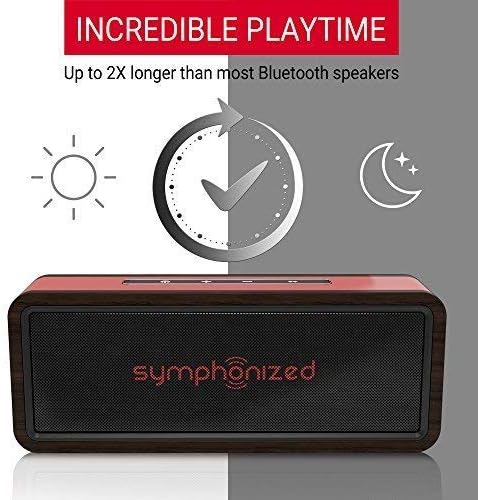
Image: Graphic illustrating the "Incredible Playtime" feature of the Symphonized NXT 2.0 Bluetooth Wireless Portable Speaker, indicating up to 2X longer playtime compared to most Bluetooth speakers.
What's in the Box

Image: The Symphonized product box opened, revealing the NRG MFI Earbuds, various ear tip sizes, a carrying case, and documentation.
The Symphonized product package typically includes the following items:
- Symphonized NRG MFI Earbuds
- Symphonized NXT 2.0 Bluetooth Wireless Portable Speaker
- Multiple pairs of silicone ear tips (S/M/L) for the earbuds
- Earbuds carrying case
- Charging cable for the speaker
- Audio cable for the speaker
- User Manual / Documentation

Image: The Symphonized NXT 2.0 Bluetooth Wireless Portable Speaker displayed with its accompanying accessories, including a carrying pouch, charging cable, and auxiliary audio cable.
Specifications
| Feature | Symphonized NRG MFI Earbuds | Symphonized NXT 2.0 Speaker |
|---|---|---|
| Connectivity | Lightning (MFI Certified) | Bluetooth 4.1, Auxiliary (3.5mm) |
| Wireless Range | N/A (Wired) | Up to 10 meters (33 feet) |
| Material | Natural Bubinga Wood | Natural Wood |
| Control Type | In-line Volume Control, Microphone | On-device buttons (Volume, Play/Pause) |
| Compatibility | iOS devices with Lightning port (iPhone, iPad, iPod) | All Bluetooth-enabled devices (iOS, Android, tablets, etc.) |
| Special Features | HD Stereo Sound, Deep Bass, Noise Isolation, Multiple Ear Tips | Extended Playtime, Portable Design |
| 7740eaf7-8fc8-4ef7-a2e6-7b3c28738fd3 (Bundle Model) | ||
Maintenance
- Cleaning: Use a soft, dry cloth to clean the surfaces of both the earbuds and the speaker. Avoid using harsh chemicals or abrasive materials.
- Ear Tips: Regularly remove and clean the silicone ear tips with mild soap and water. Ensure they are completely dry before reattaching them to the earbuds.
- Storage: When not in use, store the earbuds in their provided carrying case and the speaker in a cool, dry place away from direct sunlight and extreme temperatures.
- Avoid Moisture: Neither product is water-resistant. Keep them away from liquids and high humidity to prevent damage.
Troubleshooting
Earbuds Troubleshooting
- No Sound:
- Ensure the Lightning connector is fully inserted into your device.
- Check the volume level on your device and using the in-line controls.
- Test the earbuds with another compatible Apple device to rule out device-specific issues.
- Inspect the cable and connector for any visible damage.
- Microphone Not Working:
- Ensure the microphone is not obstructed.
- Check your device's privacy settings to ensure the application has permission to access the microphone.
Speaker Troubleshooting
- Speaker Not Turning On:
- Ensure the speaker is fully charged. Connect it to a power source and allow it to charge for a period.
- Cannot Pair via Bluetooth:
- Ensure the speaker is in pairing mode (LED blinking).
- Make sure Bluetooth is enabled on your device and it is within the 10-meter range.
- Turn off and on both the speaker and your device's Bluetooth.
- Forget the device from your phone's Bluetooth settings and try pairing again.
- Ensure no other devices are currently connected to the speaker.
- No Sound from Speaker:
- Check the volume level on both the speaker and your connected device.
- Ensure the speaker is successfully paired and connected to your device.
- If using an auxiliary cable, ensure it is fully inserted into both the speaker and the audio source.
Warranty and Support
Symphonized products are backed by a One Year Hassle-Free Limited Warranty. This warranty covers manufacturing defects and ensures your product performs as expected.
For warranty claims, technical assistance, or any product-related inquiries, please contact Symphonized customer service. Our USA-Based Customer Service team is available to assist you.
Please visit the official Symphonized website or refer to the contact information provided with your product packaging for the most current support details.
Note: Keep your proof of purchase for warranty purposes.