
Introduction
This manual provides detailed instructions for the installation, operation, and maintenance of your SXFJF 2K/1080P Full HD Dual Dash Camera. This device is designed to record high-definition video of your driving, offering features such as a wide-angle lens to reduce blind spots, loop recording, G-sensor for emergency video locking, and Wide Dynamic Range (WDR) for improved night vision. Please read this manual thoroughly before using the product to ensure proper function and longevity.
Package Contents
Verify that all items listed below are present in your package:
- 1x Dash Cam Unit
- 1x Suction Mount
- 1x Car Cigarette Lighter Power Adapter
- 1x Rear Camera with Cable (Note: Model B does not include a rear camera)
- 1x User Manual
- Additional mounting accessories (screws, adhesive pads, cable clips)

Image: Package contents including dash cam, cables, and mounting accessories.
Setup and Installation
- Prepare the Micro SD Card: Before first use, insert a high-speed Micro SD card (up to 128GB, not included) into the dash cam. It is recommended to format the card within the dash cam settings for optimal performance.
- Mounting the Dash Cam:
- Clean the windshield area where the dash cam will be mounted.
- Attach the suction mount to the dash cam.
- Press the suction mount firmly against the windshield, ensuring a secure attachment. Adjust the angle of the dash cam to ensure a clear view of the road.
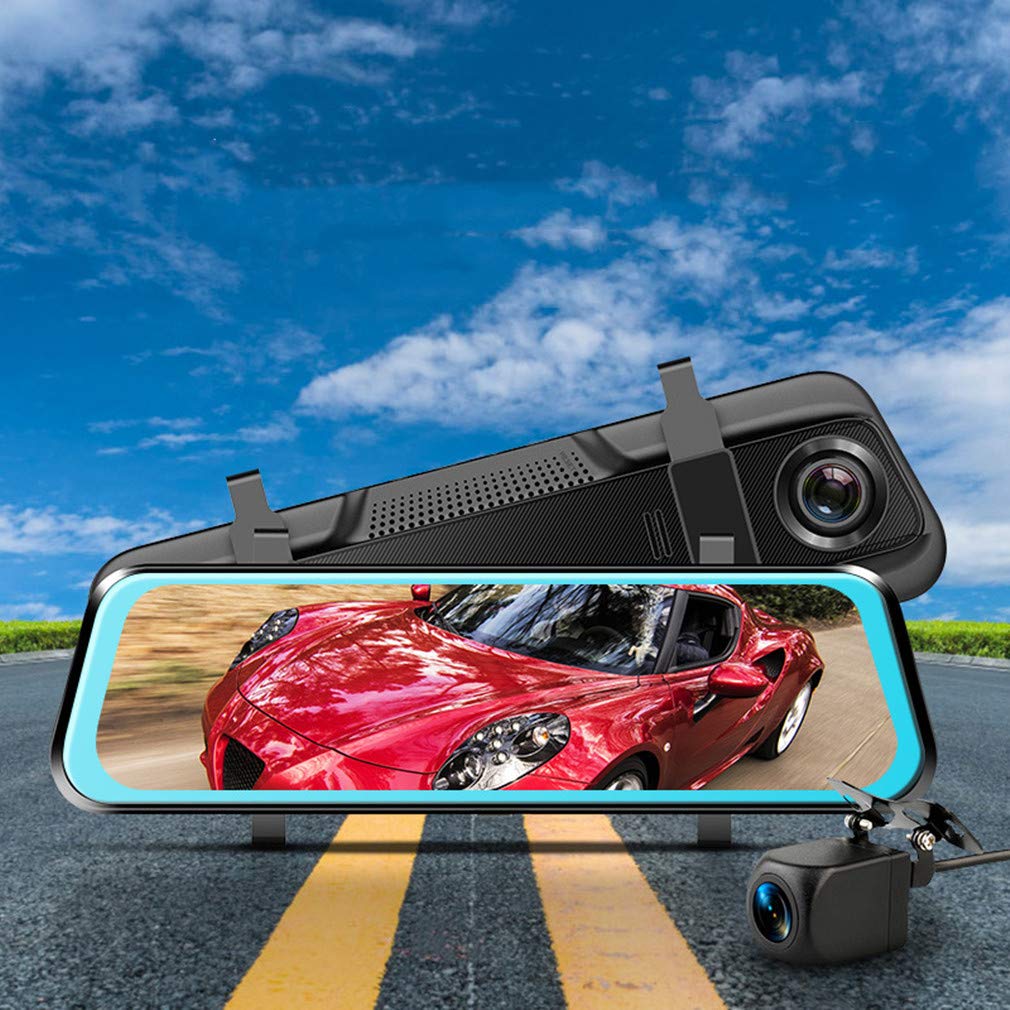
Image: Dash cam mounted on a windshield.
- Connecting Power:
- Connect the included car cigarette lighter power adapter to the dash cam's power input port.
- Plug the other end of the adapter into your vehicle's 12V cigarette lighter socket.
- Route the power cable neatly along the windshield and dashboard to avoid obstructing your view or interfering with driving.
- Installing the Rear Camera (if applicable):
- Mount the rear camera at the back of your vehicle, typically above the license plate or on the rear window, ensuring a clear view.
- Connect the rear camera cable to the main dash cam unit.
- Route the cable carefully from the rear camera to the front dash cam, concealing it under trim panels or carpets.
Operation
Basic Functions
- Power On/Off: The dash cam will automatically power on and begin recording when your vehicle's ignition is turned on. It will power off automatically when the ignition is turned off. You can also manually power it on/off using the power button.
- Recording Modes: The dash cam supports continuous loop recording. When the memory card is full, the oldest unlocked video files will be overwritten.
- Touch Screen Interface: The 9.96-inch IPS touch screen allows for intuitive navigation through menus and settings. Swipe gestures can be used to switch between front and rear camera views or access playback.
- Video Playback: Recorded videos can be reviewed directly on the dash cam's screen. Navigate to the playback menu to select and view files.
Advanced Features
- G-Sensor (Emergency Save): The built-in G-sensor detects sudden impacts or collisions. When triggered, it automatically locks the current video segment, preventing it from being overwritten by loop recording. This ensures critical footage is preserved.
- 24-Hour Parking Monitor: When enabled, the dash cam can monitor your vehicle even when parked. If an impact is detected, it will automatically record a short video. This feature typically requires a hardwire kit (sold separately) to provide continuous power.
- Wide Dynamic Range (WDR): WDR technology enhances video quality in varying light conditions, ensuring clearer footage in both bright and dark areas, especially useful for night driving.
- Wide Angle Lens: The 170° wide-angle lens captures a broad view of the road, minimizing blind spots and providing comprehensive coverage.

Image: G-sensor emergency save feature in action.

Image: Wide-angle view captured by the dash cam.
Maintenance
- Micro SD Card: Regularly format your Micro SD card (at least once a month) to maintain optimal recording performance and prevent data corruption. Replace the card if you experience frequent errors or recording issues.
- Cleaning: Use a soft, dry cloth to clean the dash cam lens and screen. Avoid using abrasive cleaners or solvents.
- Temperature: Avoid exposing the dash cam to extreme temperatures for extended periods, as this can affect battery life and component performance.
- Firmware Updates: Check the manufacturer's website periodically for firmware updates. Updating the firmware can improve performance and add new features.
Troubleshooting
- Dash cam does not power on.
- Ensure the power cable is securely connected to both the dash cam and the vehicle's cigarette lighter socket. Check if the vehicle's 12V socket is functioning. Try a different power source if available.
- Dash cam stops recording or freezes.
- Format the Micro SD card within the dash cam's settings. Ensure you are using a high-speed (Class 10 or U1/U3) Micro SD card from a reputable brand. The card may be full or corrupted. Replace the card if issues persist.
- Video footage is blurry or unclear.
- Clean the dash cam lens with a soft cloth. Ensure the protective film has been removed from the lens. Check if the windshield area in front of the camera is clean. Adjust the camera angle to avoid reflections.
- G-sensor is too sensitive or not sensitive enough.
- Adjust the G-sensor sensitivity setting in the dash cam's menu. Lower sensitivity for fewer false triggers, higher sensitivity for more responsive detection.
- Rear camera is not displaying or working.
- Ensure the rear camera cable is securely connected to both the rear camera and the main dash cam unit. Check for any damage to the cable. Verify that your specific model includes a rear camera (Model B does not).
Specifications
| Brand | SXFJF |
| Model Number | 465-793-147 |
| Screen Size | 9.96 Inches IPS Touch Screen |
| Video Capture Resolution | 2K / 1080P Full HD |
| Viewing Angle | 170 Degrees |
| Frame Rate | 30 FPS |
| Storage | Supports Micro SD/TF Card up to 128GB (not included) |
| Connectivity | USB |
| Control Method | Touch |
| Power Source | Car Cigarette Lighter (12V/24V compatible) |
| Product Dimensions (D x W x H) | 0.39" x 10.04" x 0.28" |
Warranty and Support
Your SXFJF Dash Camera is covered by a standard manufacturer's warranty. Please refer to the warranty card included in your package for specific terms and conditions. For technical support, troubleshooting assistance, or warranty claims, please contact SXFJF customer service through the retailer where the product was purchased or visit the official SXFJF website.