
Introduction
This manual provides detailed instructions for the safe and efficient use of your BONAI Smart LCD Universal Battery Charger, Model C9015TC. This charger is designed to charge various types of Ni-MH and Ni-CD rechargeable batteries, including AA, AAA, SC, C, D, and 9V sizes. Please read this manual thoroughly before first use and keep it for future reference.
Safety Instructions
- Ensure correct battery polarity: Always match the positive (+) and negative (-) terminals of the battery with the corresponding markings on the charger.
- Operating Environment: The charger is designed to operate in temperatures between 0℃ and 40℃. It is normal for batteries to become slightly warm during the charging process.
- Do not disassemble or modify the charger. Unauthorized modifications can lead to hazards and void the warranty.
- Unplug the charger from the power source when not in use to prevent standby power consumption.
- Remove fully charged batteries promptly from the charger.
- Important: Do not attempt to charge non-rechargeable batteries such as alkaline, zinc-carbon, or lithium primary batteries. Charging these types of batteries can cause leakage, explosion, or fire.
Package Contents
Verify that all items are present in your package:
- 1 x BONAI Smart LCD Universal Battery Charger
- 1 x Micro USB Charging Cable
- 1 x User Manual
Product Overview
The BONAI Smart LCD Universal Battery Charger features independent charging slots and an intuitive LCD display for monitoring the charging status of each battery.

Image: The BONAI Smart LCD Universal Battery Charger, showcasing its design and multiple battery slots.
Key Features:
- Independent Charging Slots: Allows simultaneous charging of up to 4 AA/AAA/SC/C/D Ni-MH/Ni-CD batteries and 2 9V Ni-MH/Ni-CD batteries.
- Smart LCD Display: Clearly shows the charging status for each AA/AAA/C/D battery.
- 9V LED Indicator: A dedicated LED indicates the charging status of 9V batteries (Red for charging, Green for fully charged).
- Discharge Function: A dedicated button allows discharging of 1-4 Ni-MH/Ni-CD batteries (excluding 9V) before recharging.
- Dual Input Ports: Supports both Micro USB and Type-C input for power.
- Multiple Protection Technology: Advanced MCU control provides protection against over-charge, over-current, over-voltage, short-circuit, and over-heat. It also detects defective or non-rechargeable batteries.

Image: Top view of the charger highlighting the smart LCD for AA/AAA/C/D batteries and the LED indicator for 9V batteries.

Image: A close-up of the LCD screen, explaining the meanings of 'CHG' (Charging), 'DISCHG' (Discharging), 'Fully Charged' icon, 'Charging Process' icon, and 'ERROR' for wrongly installed or broken batteries.

Image: The charger surrounded by various compatible battery types (AA, AAA, C, D, 9V), illustrating its universal charging capability for Ni-MH and Ni-CD batteries.
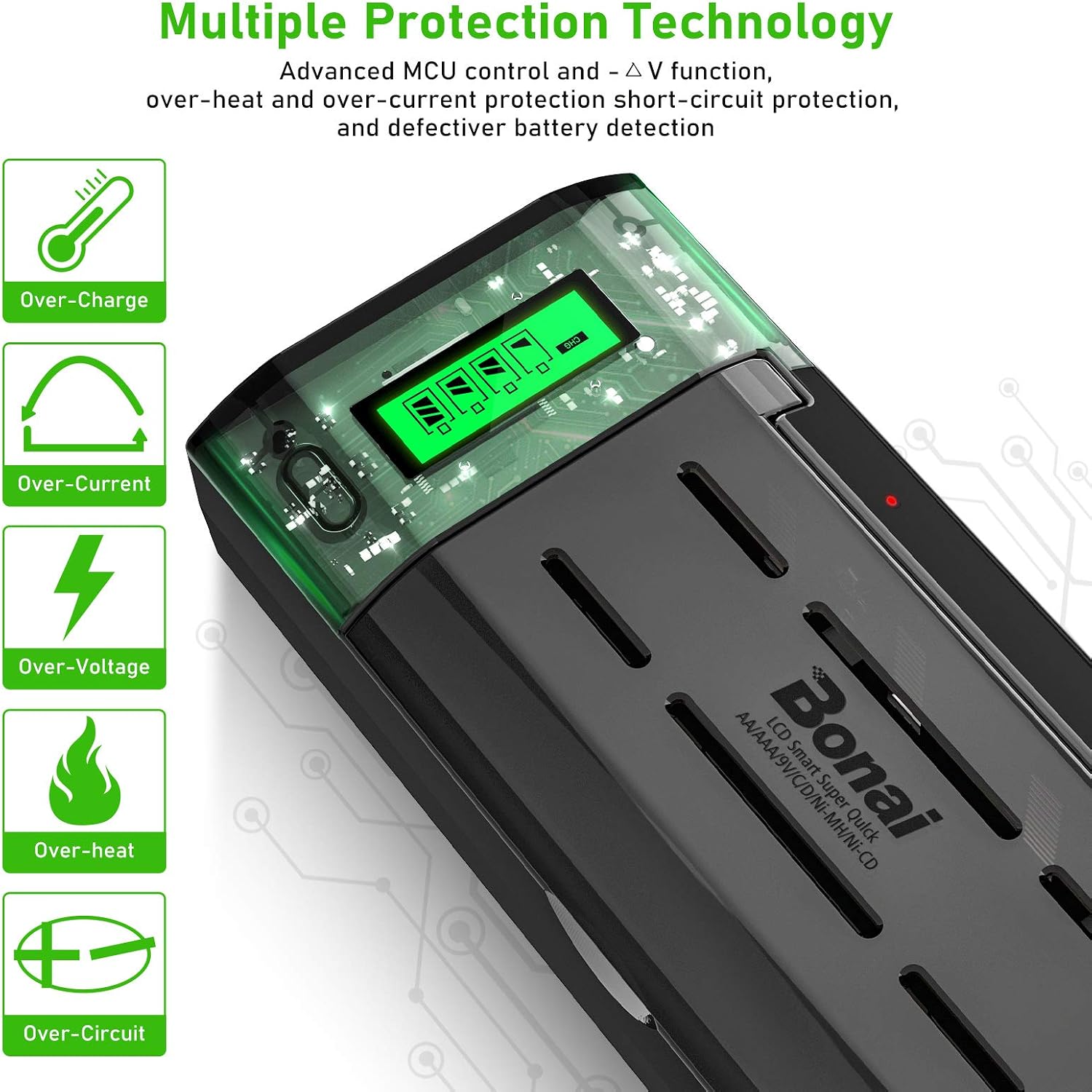
Image: Icons representing the charger's multiple protection features: Over-Charge, Over-Current, Over-Voltage, Over-Heat, and Over-Circuit protection.
Setup
- Power Connection: Connect the charger to a power source using the provided Micro USB cable or a Type-C cable (not included). Ensure your power adapter provides a 5V/2A output for optimal charging speed. A 2A adapter is recommended; do not use a 1.0A adapter.
- Initial Check: Once connected, the LCD screen will briefly illuminate, indicating the charger is ready for use.

Image: A close-up view of the charger's side, showing the Micro USB and Type-C input ports for power connection.
Operating Instructions
Charging Batteries
- Insert Batteries: Carefully insert 1 to 4 AA, AAA, SC, C, or D Ni-MH/Ni-CD batteries into their respective slots, observing the correct polarity (+/-). For 9V Ni-MH/Ni-CD batteries, insert up to 2 into the dedicated 9V slots, also observing polarity.
- Monitor Charging (AA/AAA/SC/C/D): The LCD screen will display the charging status for each individual AA/AAA/SC/C/D battery. The battery icon will animate to indicate charging progress. Once fully charged, the icon will show a solid full battery symbol.
- Monitor Charging (9V): For 9V batteries, a dedicated LED indicator will light up red during charging. It will turn green when the 9V battery is fully charged.
- Charging Time: Approximate charging times are as follows (actual times may vary based on battery capacity and discharge level):
- AAA (500-1200mAh): 0.5-1.5 hours
- AA (1300-2800mAh): 1-2.5 hours
- C (1800-5000mAh): 2-4 hours
- D (1800-10000mAh): 2-6 hours
- 9V (150-600mAh): 2-4 hours
- Remove Batteries: Once batteries are fully charged, remove them from the charger.

Image: The charger actively charging batteries, demonstrating its fast and smart charging technology.
Discharging Batteries
The discharge function is available for 1 to 4 Ni-MH/Ni-CD AA, AAA, SC, C, or D batteries. This function is not applicable to 9V batteries.
- Insert Batteries: Insert the Ni-MH/Ni-CD AA, AAA, SC, C, or D batteries you wish to discharge into the charger slots.
- Activate Discharge: Press the 'Discharge' button (often labeled 'Batton For Charge/Discharge' or similar). The LCD screen will display "DISCHG" for the selected battery slots, indicating that the batteries are in discharge mode.
- Automatic Recharge: After the discharge cycle is complete, the charger will automatically switch to charging mode to fully recharge the batteries.
Maintenance
- Cleaning: Disconnect the charger from the power source before cleaning. Use a soft, dry cloth to wipe the exterior of the charger. Do not use abrasive cleaners or solvents.
- Storage: Store the charger in a cool, dry place away from direct sunlight and moisture when not in use.
- Avoid Obstructions: Ensure that the ventilation openings on the charger are not blocked to prevent overheating.
Troubleshooting
| Problem | Possible Cause | Solution |
|---|---|---|
| LCD shows "ERROR" | Battery inserted incorrectly (wrong polarity), battery is defective, or battery is non-rechargeable. | Re-insert battery with correct polarity. Try a different battery. Ensure only Ni-MH/Ni-CD rechargeable batteries are used. |
| Charger not powering on | No power connection, faulty cable, or insufficient power adapter. | Check USB cable connection. Try a different USB cable. Ensure power adapter is 5V/2A. |
| Batteries getting excessively hot | Overheating protection activated, or charger/battery is faulty. | The charger automatically shuts off if temperature exceeds 60℃. Allow to cool down. If problem persists, discontinue use and contact support. |
| 9V LED not changing to green | Battery not fully charged, or battery is defective. | Allow more time for charging. Try a different 9V battery. |
Specifications
| Feature | Detail |
|---|---|
| Model Number | C9015TC |
| Brand | BONAI |
| Compatible Battery Types | Ni-MH/Ni-CD AA, AAA, SC, C, D, 9V |
| Input Voltage | 5V (via Micro USB or Type-C) |
| Input Current | Max 2A (requires 2A adapter, not included) |
| Output Current (AA/AAA/C/D) | 750-1250mA |
| Output Current (9V) | 50-120mA |
| Output Voltage | 8 Volts (DC) |
| Number of Ports | 6 (4 for AA/AAA/SC/C/D, 2 for 9V) |
| Product Dimensions | 9.3D x 19.5W x 5.2H centimeters |
| Item Weight | 20 Grams |
| Safety Standards | FCC Compliant |
Warranty and Support
Specific warranty information for the BONAI Smart LCD Universal Battery Charger (Model C9015TC) is not provided in this manual. For details regarding warranty coverage, spare parts availability, or technical support, please contact BONAI customer service directly or refer to the product listing on the retailer's website.