
1. Introduction
This manual provides detailed instructions for the assembly, operation, and maintenance of your NOBLEWELL NWCD1B Computer Desk. Please read this manual thoroughly before assembly and retain it for future reference. This desk is designed for home office environments, offering a dedicated workspace with integrated storage and ergonomic features.

Image 1.1: The NOBLEWELL NWCD1B Computer Desk, showcasing its monitor stand, keyboard tray, and side storage shelves.
2. Safety Information
- Always assemble the desk on a soft, clean surface to prevent scratches.
- Ensure all screws and fasteners are securely tightened before use. Periodically check and re-tighten as necessary.
- Do not overload the desk or shelves beyond their weight capacity.
- Keep small parts and packaging materials away from children and pets to prevent choking hazards.
- Use caution when moving the assembled desk to avoid injury or damage.
3. Package Contents
Before beginning assembly, verify that all components listed below are present. If any parts are missing or damaged, please contact customer support.
- Desk Panels (Main desktop, monitor stand, shelf panels)
- Metal Frame Components (Legs, support bars, X-shaped frames)
- Keyboard Tray and Rails
- Assembly Accessories (Screws, bolts, nuts, Allen wrench, screwdriver)
- Instruction Manual
- Adjustable Foot Pads
4. Assembly Instructions
Follow these steps carefully for proper assembly. It is recommended to have a second person assist with certain steps.

Image 4.1: A person assembling the desk frame, demonstrating the ease of construction with the provided tools.
- Unpack and Identify Parts: Lay out all components on a clean, soft surface. Refer to the parts list in the instruction manual to identify each piece.
- Assemble Side Frames: Attach the horizontal support bars to the vertical leg frames using the provided screws. Ensure the X-shaped frames are correctly positioned for stability.
- Install Shelf Panels: Secure the storage shelf panels to the assembled side frames.
- Attach Main Desktop: Carefully place the main desktop panel onto the assembled frame and secure it with screws from underneath.
- Assemble Keyboard Tray: Attach the sliding rails to the keyboard tray and then to the underside of the main desktop. Ensure smooth operation.
- Install Monitor Stand: Position the monitor stand on top of the main desktop and secure it according to the instructions.
- Adjust Foot Pads: Once the desk is fully assembled, place it in its desired location. Adjust the foot pads at the bottom of the legs to ensure the desk is level and stable on uneven floors.
5. Usage and Features
The NOBLEWELL NWCD1B Computer Desk is designed to enhance your workspace with several functional features.
5.1 Ergonomic Monitor Stand

Image 5.1: A user demonstrating improved posture with the monitor stand, highlighting the ergonomic benefits.
The integrated monitor stand elevates your screen to a more comfortable eye level, reducing neck and eye strain during prolonged use. This ergonomic design promotes better posture and frees up valuable space on the main desktop.
5.2 Slide-Out Keyboard Tray
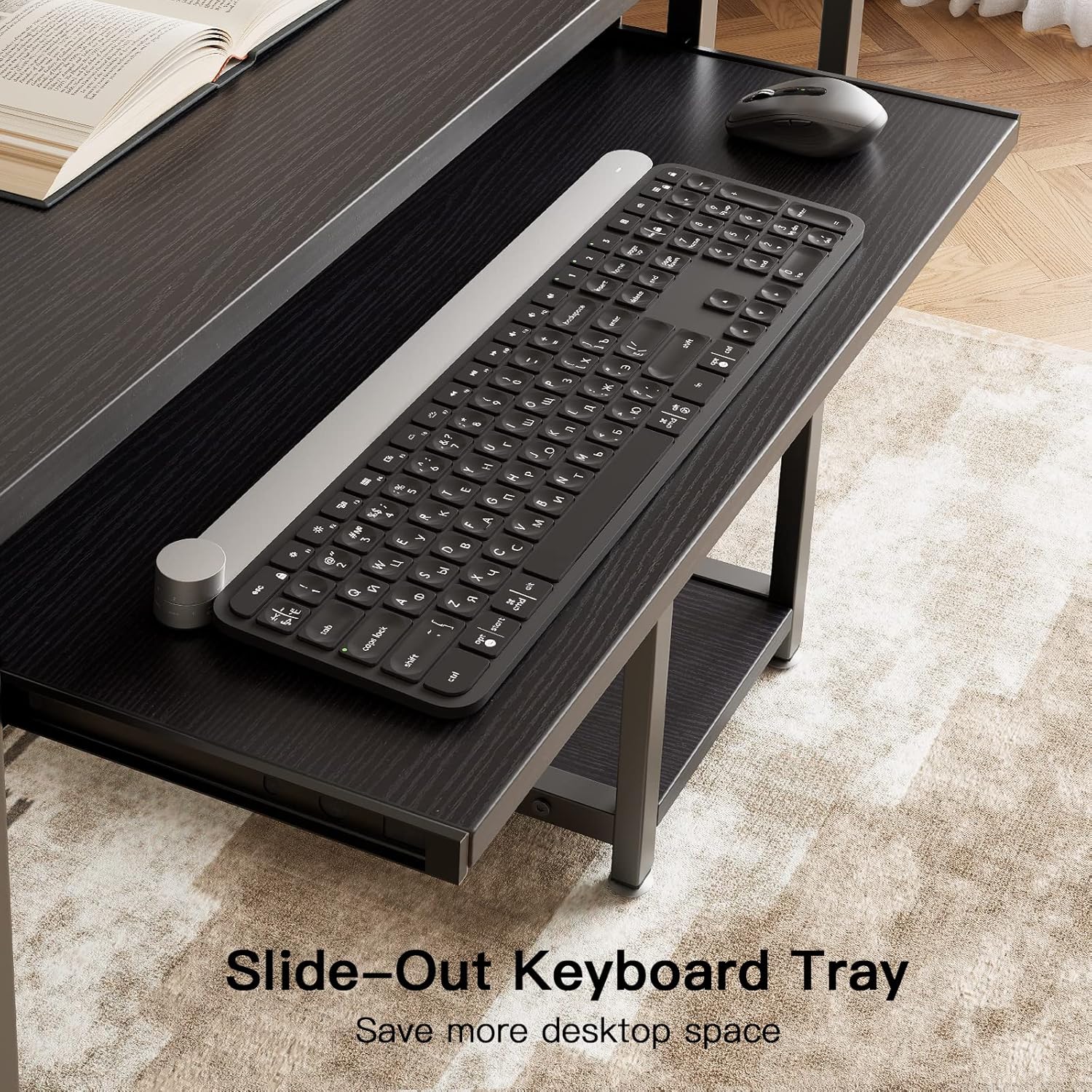
Image 5.2: A close-up view of the keyboard tray, showing a keyboard and mouse placed on it.
The 23-inch slide-out keyboard tray provides a dedicated space for your keyboard and mouse, keeping them neatly tucked away when not in use. This feature helps to maximize your desktop area and offers a comfortable typing position.
5.3 Integrated Storage Shelves
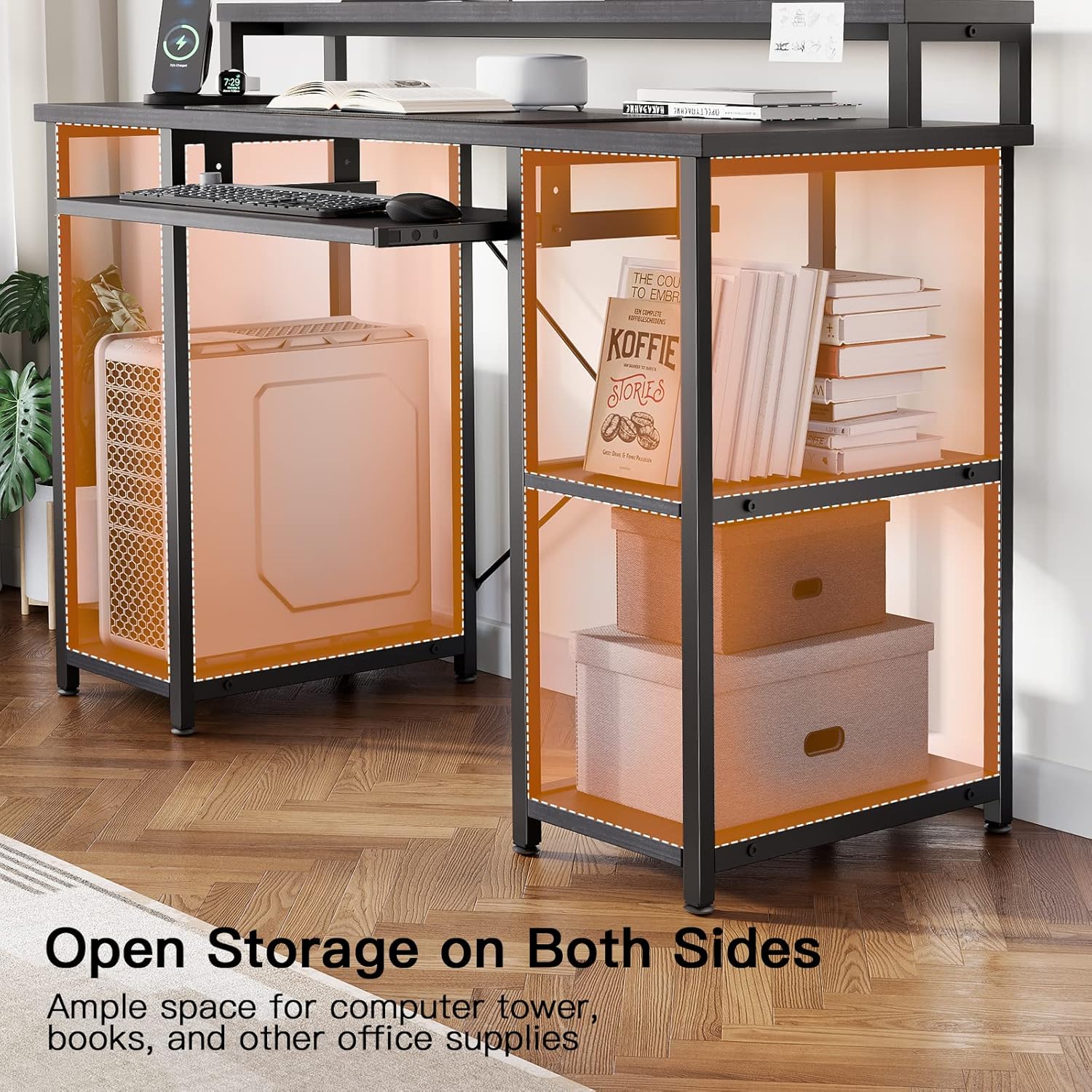
Image 5.3: The desk's open storage shelves, illustrating space for a computer tower, books, and other office supplies.
The desk features open storage shelves on both sides, offering ample space for a computer tower, books, documents, and other office essentials. This design helps maintain an organized and clutter-free workspace.
5.4 Desk Dimensions
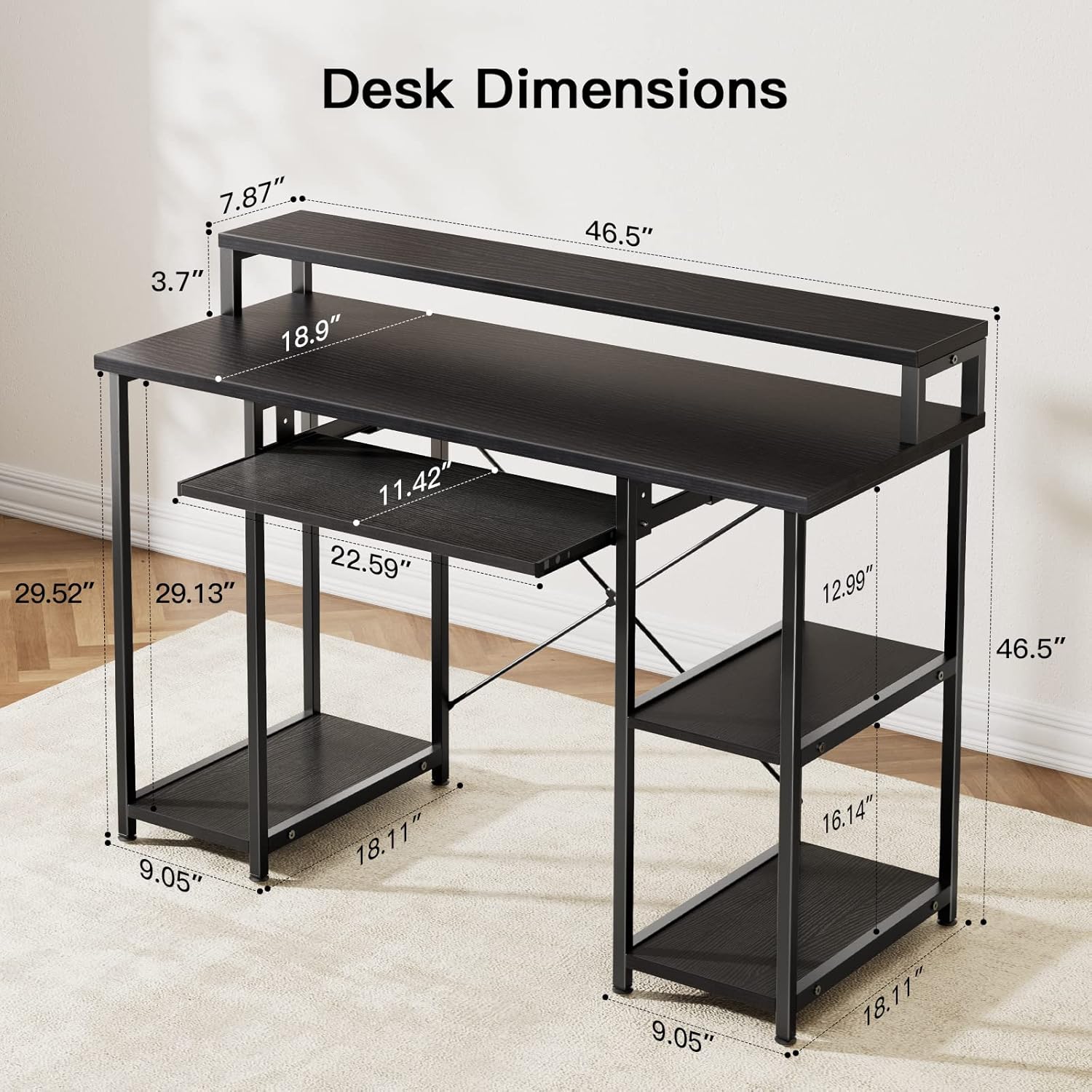
Image 5.4: A detailed diagram illustrating the overall and component dimensions of the desk.
The desk measures approximately 47 inches (L) x 19 inches (W) x 34 inches (H), providing a compact yet functional workspace suitable for various room sizes.
6. Maintenance
- Cleaning: Wipe surfaces with a soft, damp cloth. Avoid harsh chemicals or abrasive cleaners that may damage the finish.
- Dusting: Regularly dust the desk to prevent buildup.
- Fastener Check: Periodically inspect all screws and bolts to ensure they remain tight. Re-tighten if any looseness is detected.
- Spills: Clean up spills immediately to prevent staining or damage to the wood and metal components.
7. Troubleshooting
7.1 Desk is Wobbly
- Check Foot Pads: Ensure all adjustable foot pads are making firm contact with the floor and are adjusted to level the desk.
- Tighten Fasteners: Verify that all screws and bolts are securely tightened. Loose connections can cause instability.
- Even Surface: Ensure the desk is placed on a flat, even surface.
7.2 Keyboard Tray Does Not Slide Smoothly
- Check Rails: Inspect the sliding rails for any obstructions or misalignment.
- Lubrication: A small amount of silicone-based lubricant can be applied to the rails if they are stiff.
- Installation: Ensure the tray and rails were installed correctly according to the assembly instructions.
8. Specifications
| Feature | Detail |
|---|---|
| Brand | NOBLEWELL |
| Model | NWCD1B |
| Product Dimensions | 48.01 x 118.11 x 118.11 cm (approx. 19D x 46.5W x 46.5H inches) |
| Item Weight | 20.87 kg |
| Material Type | Metal (Base), Wood (Top) |
| Colour | Black |
| Special Features | Ergonomic Monitor Stand, Keyboard Tray Included, Storage Shelves |
| Mounting Type | Floor Mount |
9. Warranty and Support
For specific warranty information, please refer to the documentation included with your purchase or contact the retailer where the product was acquired. NOBLEWELL aims to provide quality products and customer satisfaction.
If you encounter any issues or have questions regarding your NOBLEWELL NWCD1B Computer Desk, please reach out to the manufacturer's customer support or your point of purchase for assistance. When contacting support, please have your model number (NWCD1B) and purchase details readily available.
