
1. Introduction
The Reveal TWS True Wireless Stereo Bluetooth Earbuds provide a wireless audio experience with touch controls and a portable charging case. These earbuds are designed for comfort and convenience, featuring Bluetooth 5.0 technology for stable connectivity and a sweatproof design suitable for active use.
2. What's in the Box
Please check the package contents to ensure all items are present:
- 2 x Earphones (Left and Right Earbuds)
- 1 x Charging Case
- 1 x Micro USB Charging Cable

Image: Two Reveal TWS earbuds, showing their wood-inspired design.
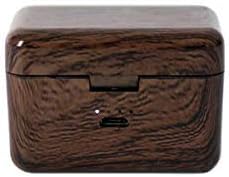
Image: The Reveal TWS charging case, featuring a wood-inspired finish and a micro USB port.
3. Setup
3.1 Initial Charging
Before first use, fully charge the earbuds and the charging case. The charging case can be charged using the supplied micro USB cable or wirelessly on a Qi-enabled wireless charging pad.
- Place the earbuds into the charging case.
- Connect the micro USB cable to the charging case and a power source, or place the case on a wireless charging pad.
- The indicator light on the case will show charging status.
A fully charged case can recharge the earbuds approximately 5 times, providing up to 20 hours of total music playback.
3.2 Pairing with a Device
The earbuds will automatically turn on and connect to each other when removed from the charging case.
- Open the charging case and remove both earbuds. They will automatically enter pairing mode.
- On your Bluetooth-enabled device (smartphone, tablet, computer), go to the Bluetooth settings.
- Search for available devices and select "Reveal TWS" from the list.
- Once connected, you will hear an audio confirmation, and the earbuds' indicator lights will change.
The earbuds will automatically reconnect to the last paired device when removed from the case, if Bluetooth is enabled on the device.
4. Operating Instructions
4.1 Touch Controls
The Reveal TWS earbuds feature touch controls on the outer surface of each earbud. Specific functions may vary slightly by device, but common controls include:
- Play/Pause: Single tap on either earbud.
- Next Track: Double tap on the right earbud.
- Previous Track: Double tap on the left earbud.
- Answer/End Call: Single tap on either earbud during an incoming call.
- Reject Call: Press and hold either earbud for 2 seconds during an incoming call.
- Activate Voice Assistant: Triple tap on either earbud (e.g., Siri, Google Assistant).
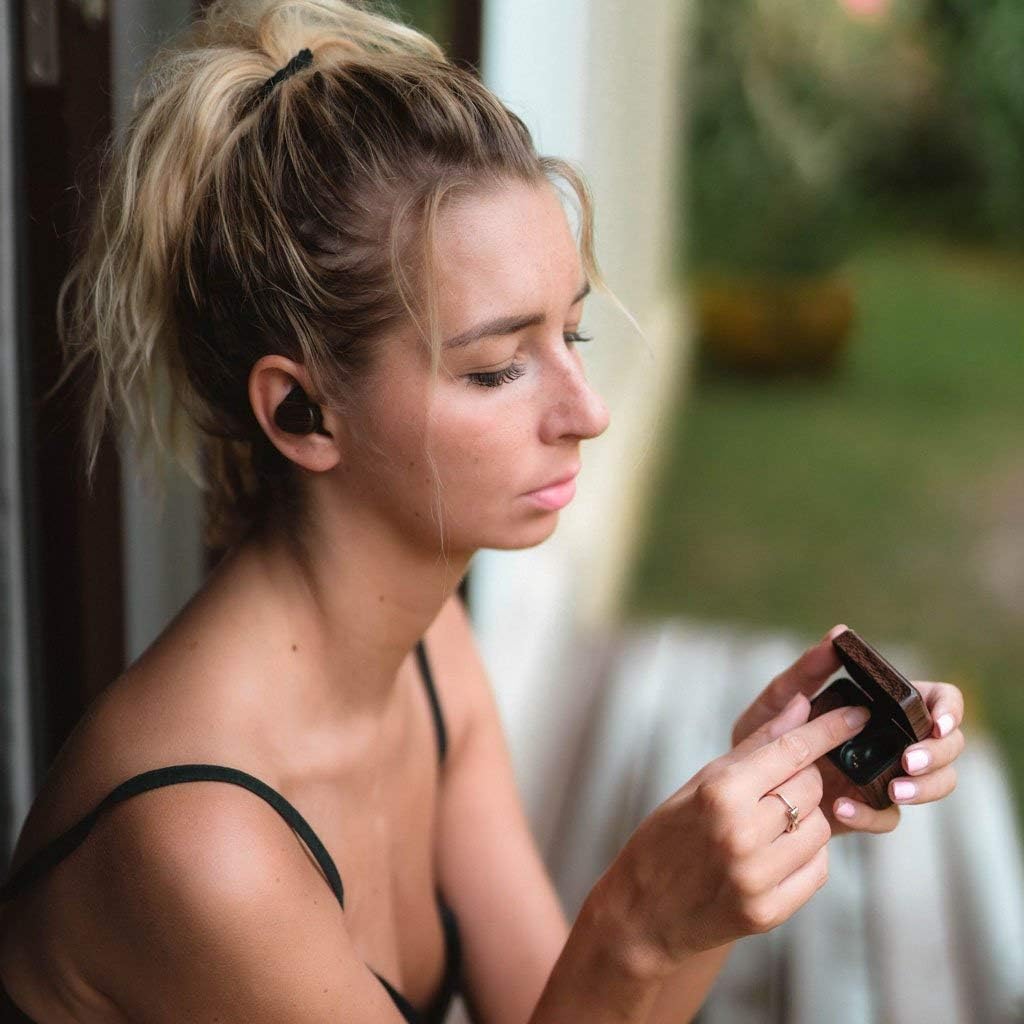
Image: A person wearing a Reveal TWS earbud, demonstrating its in-ear fit.
4.2 Power On/Off
- Power On: Remove earbuds from the charging case. They will power on automatically.
- Power Off: Place earbuds back into the charging case. They will power off and begin charging automatically.
5. Maintenance
To ensure the longevity and optimal performance of your Reveal TWS earbuds, follow these maintenance guidelines:
- Cleaning: Regularly clean the earbuds and charging case with a soft, dry, lint-free cloth. Do not use harsh chemicals or abrasive materials.
- Water Resistance: The earbuds are sweatproof. Avoid submerging them in water or exposing them to heavy rain. Dry them thoroughly if they get wet.
- Storage: When not in use, store the earbuds in their charging case to protect them and keep them charged.
- Temperature: Avoid exposing the earbuds to extreme temperatures (hot or cold) as this can affect battery life and performance.
6. Troubleshooting
If you encounter issues with your Reveal TWS earbuds, refer to the following common solutions:
| Problem | Solution |
|---|---|
| Earbuds not pairing with device. |
|
| Only one earbud is working. |
|
| Earbuds not charging. |
|
| Poor sound quality. |
|
7. Specifications
| Feature | Detail |
|---|---|
| Brand | Reveal |
| Model Name | Reveal TWS |
| Connectivity Technology | Wireless (Bluetooth 5.0) |
| Ear Placement | In Ear |
| Form Factor | In Ear |
| Control Type | Touch Control |
| Noise Control | Active Noise Cancellation |
| Battery Average Life (Earbuds) | 4 Hours |
| Charging Case Playtime | Up to 20 Hours (with case recharges) |
| Item Weight | 0.07 Kilograms |
| Water Resistance Level | Water Resistant (Sweatproof) |
| Enclosure Material | Wood |
| Compatible Devices | Bluetooth Compatible Devices such as Smartphones, Tablets and Computers |
8. Warranty and Support
The Reveal TWS True Wireless Stereo Bluetooth Earbuds come with a 1 Year Warranty. For warranty claims or technical support, please contact Reveal customer service.
You can find more information and support on the official Reveal store page: Reveal Store.
9. Product Video
Video: An official product video showcasing the Reveal Wood Grain TWS Bluetooth Wireless Earbuds in use, highlighting features like sound quality, touch controls, portable charging, and sweatproof design.