Introduction
The Geeni Smart Water Leak Sensor and Alarm is designed to detect water leaks and floods, providing instant notifications to your smartphone. This device helps protect your home from potential water damage by alerting you to issues as they occur. It operates on your home's 2.4 GHz Wi-Fi network and requires no additional hub.
Key Features
- Wi-Fi Connection: Connects directly to your home's 2.4 GHz Wi-Fi network.
- Water Alerts: Sends instant notifications to your smartphone upon detecting water.
- Control by App: Manage and monitor the sensor through the Geeni app.
- Share Access: Allows multiple users to receive alerts and monitor the device.
- Battery Powered: Operates wirelessly with a long-lasting battery.
- Sensor Extender: Includes an optional extender for detecting leaks in tight or hard-to-reach spaces.
- Easy Setup: Simple installation with peel-and-stick adhesive or screws.
What's in the Box
The Geeni Smart Water Leak Sensor package includes the following components:
- Geeni Smart Water Leak Sensor (Main Device)
- Sensor Holder
- Sensor Extender (optional)
- Mounting Kit (screws and adhesive)

Image: Compact Design. This image displays the Geeni water leak sensor along with its accessories, including the sensor holder, extender, and mounting kit.
Specifications
| Feature | Detail |
|---|---|
| Model Number | GNC-SS003-199 |
| UPC | 844702082632 |
| Brand | Geeni |
| Power Source | Battery Powered |
| Battery Type | 1 Lithium Ion battery required |
| Control Method | Touch (via app) |
| Mounting Type | Wall Mount (adhesive/screws) |
| Product Dimensions | 0.89"L x 2.69"W x 2.69"H |
| Item Weight | 4.6 ounces |
| Color | White |
Setup Instructions
1. Download the Geeni App
Download the Geeni app from the App Store (iOS) or Google Play Store (Android). Create an account or log in if you already have one.
2. Activate the Sensor
Open the sensor by removing the back cover. Locate the battery and remove the plastic pull tab to activate the battery. Close the back cover securely.

Image: Step 1 - Activate Sensor. Remove the back and pull the tab to turn on the sensor.
3. Connect to Wi-Fi and Pair with App
Ensure your smartphone is connected to a 2.4 GHz Wi-Fi network. The Geeni sensor only supports 2.4 GHz Wi-Fi. Open the Geeni app, tap "Add Device" or the "+" icon, and follow the on-screen instructions to pair your sensor. The sensor's indicator light will blink during pairing.
Image: Step 2 - Connect with Geeni App. Power the device on and make sure the indicator is flashing quickly or slowly as instructed by the app.
4. Placement and Mounting
Place the sensor in areas prone to water leaks, such as under sinks, near washing machines, water heaters, or in basements. Use the included peel-and-stick adhesive or screws to securely attach the sensor. If using the sensor extender, connect it to the main device and position the extender's tip where water detection is needed, especially in tight spaces.

Image: Place anywhere to monitor potential leaks. This image illustrates ideal placement locations for the sensor.

Image: Versatile Coverage. Utilize both the main device and optional add-on sensor for thorough water monitoring.
Operating Instructions
Monitoring
Once connected, the Geeni app will display the status of your water leak sensor. The sensor continuously monitors for water. When water is detected, the sensor's built-in alarm will sound, and an instant push notification will be sent to your smartphone.

Image: Monitor from Anywhere. Instant leak & flood alerts sent to your phone in real time.
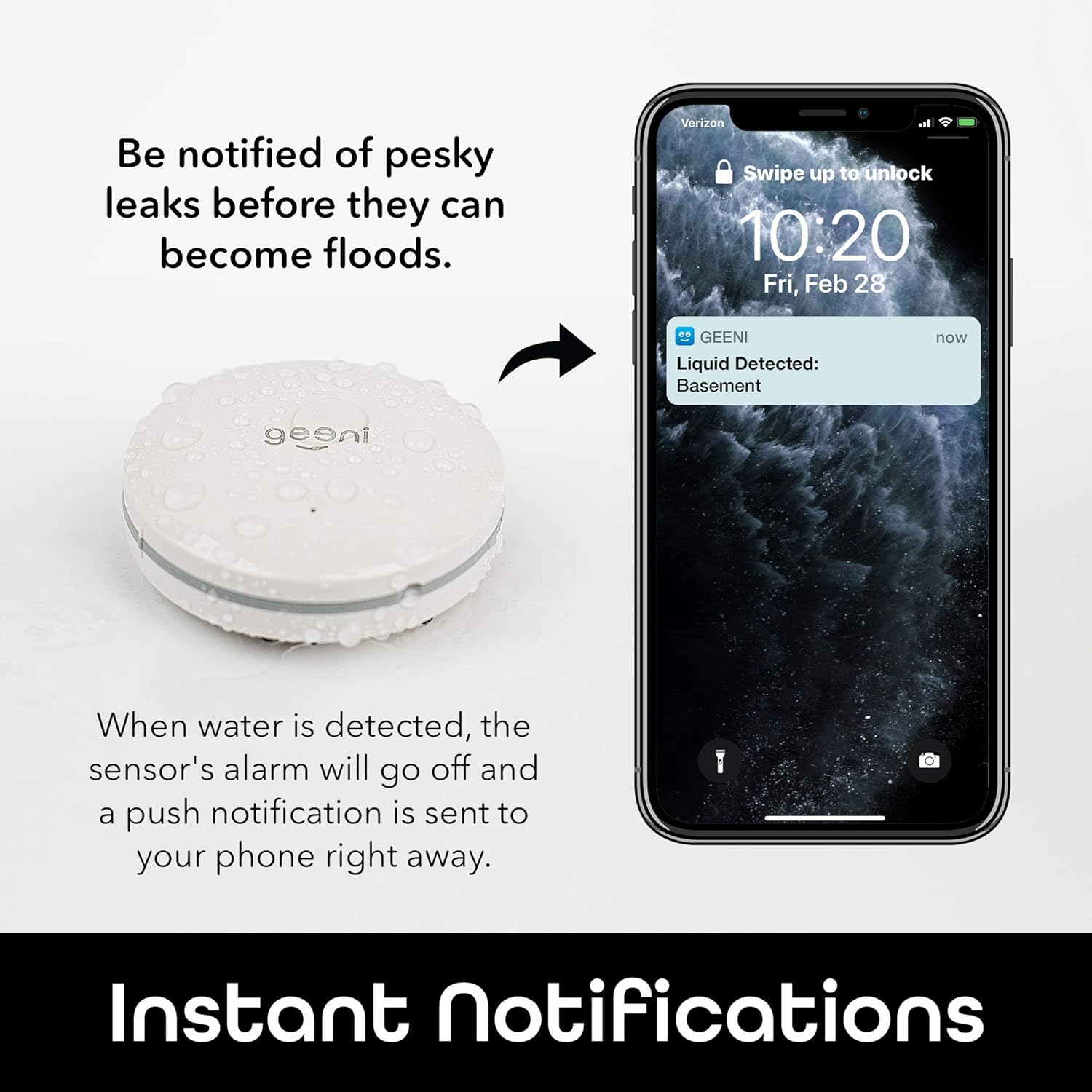
Image: Instant Notifications. When water is detected, the sensor's alarm will go off and a push notification is sent to your phone right away.
Responding to Alerts
Upon receiving an alert, promptly check the sensor's location for water. Address the source of the leak immediately to prevent further damage. After the water is cleared, the sensor will reset automatically.
Sharing Access
You can share access to your Geeni devices with family members or other trusted individuals through the Geeni app, allowing them to also receive alerts and monitor the sensor.
Maintenance
Battery Replacement
The sensor is powered by a Lithium Ion battery. The Geeni app will notify you when the battery level is low. To replace the battery, open the back cover, remove the old battery, and insert a new one of the same type. Ensure the battery is inserted with the correct polarity.
Cleaning
Wipe the sensor clean with a dry cloth as needed. Do not submerge the sensor in water or use harsh chemicals for cleaning.
Troubleshooting
Sensor Not Connecting to Wi-Fi
- Ensure your Wi-Fi network is 2.4 GHz. The sensor does not support 5 GHz networks.
- Verify your phone is connected to the 2.4 GHz network during setup.
- Move the sensor closer to your Wi-Fi router.
- Reset the sensor and try the pairing process again. Refer to the app for specific reset instructions.
No Notifications Received
- Check your phone's notification settings for the Geeni app to ensure notifications are enabled.
- Verify the sensor is connected to Wi-Fi and has sufficient battery life.
- Test the sensor by placing a small amount of water on its contacts to confirm it triggers an alarm.
False Alarms
- Ensure the sensor is placed in a dry area and not exposed to condensation or high humidity that could trigger it.
- Check for any residual moisture on the sensor contacts.
Warranty Information
The Geeni Smart Water Leak Sensor typically comes with a 1-year limited warranty. Please refer to the product packaging or the Geeni official website for the most current and detailed warranty information.
Support
For further assistance, please refer to the help section within the Geeni app or visit the official Geeni support website. You can also contact Geeni customer support directly for technical issues or inquiries.
Geeni Smart Home Ecosystem Overview
This video provides a general overview of the Geeni smart home product ecosystem, including various devices like security cameras, smart lighting, and sensors. While not exclusively focused on the water leak sensor, it demonstrates how Geeni products integrate for a connected home experience. The water leak sensor is briefly shown at the 0:40 mark.
Video: Geeni Smart Home Product Overview. This video showcases the range of Geeni smart devices and their integration, including a brief appearance of the water leak sensor.


