
Introduction
This manual provides essential instructions for the safe and efficient use of your Superer 45W AC Charger. Please read this manual thoroughly before using the product to ensure proper setup, operation, and maintenance. This charger is designed for specific Acer Spin 1 and Swift 1 laptop models.
Package Contents
- 1 x Superer 45W AC Adapter
- 1 x Power Cord
Setup Instructions
Follow these steps to set up your Superer 45W AC Charger:
- Unpack Components: Carefully remove the AC adapter and power cord from the packaging.
- Connect Power Cord: Plug the detachable power cord into the AC adapter unit. Ensure a firm connection.
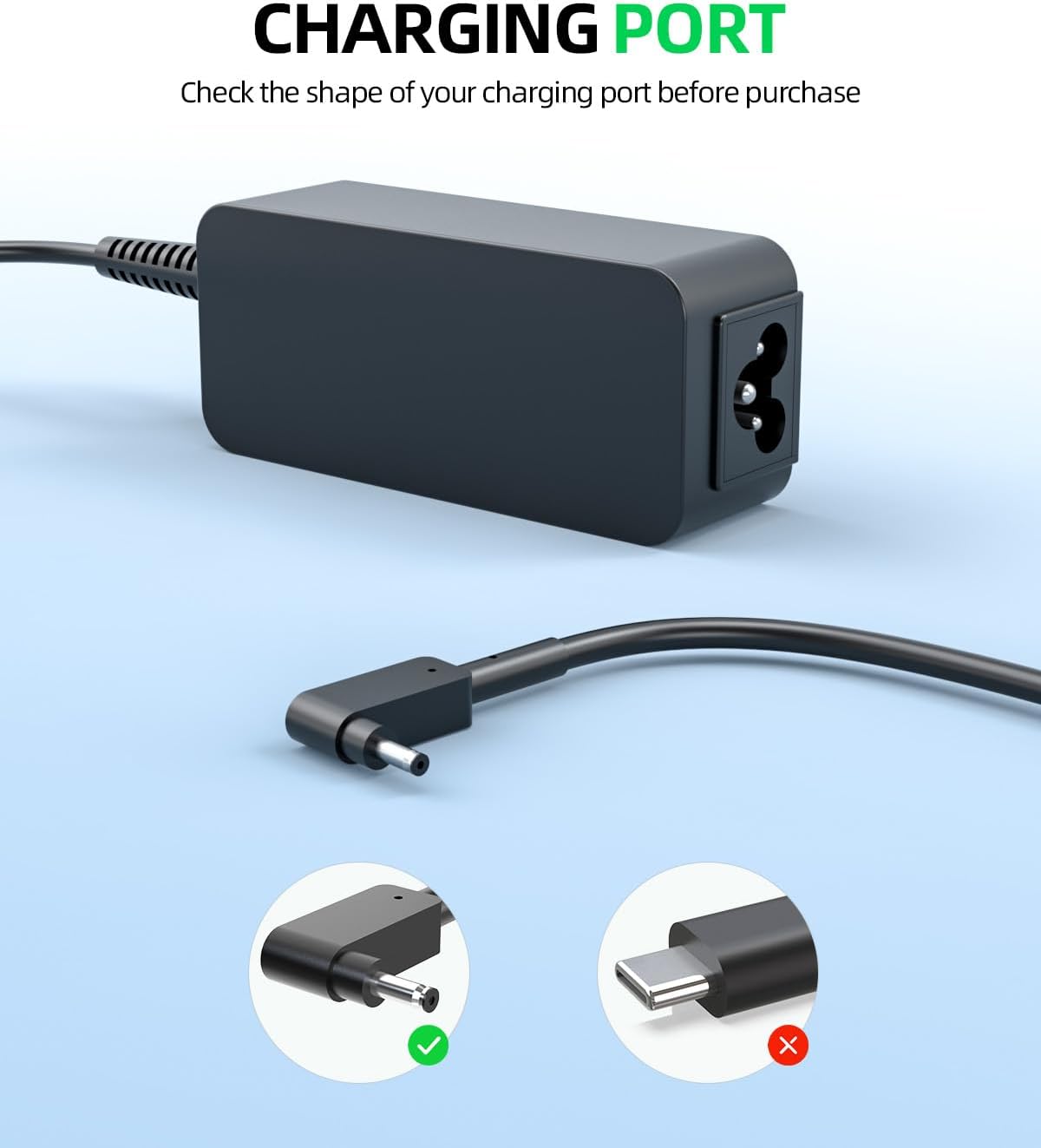
- Verify Compatibility: Before connecting to your laptop, confirm that your laptop model is listed as compatible and that its charging port matches the round-ended tip of the adapter. This charger is specifically designed for 19V 2.37A 45W requirements.
- Connect to Laptop: Insert the round-ended tip of the adapter's integrated cable into your laptop's charging port.
- Connect to Power Outlet: Plug the power cord into a standard wall outlet.


Operating Instructions
Once connected, the charger will automatically begin supplying power to your laptop and charging its battery. The charger is designed for continuous use within its specified parameters.
Safety Features
The Superer 45W AC Charger incorporates multiple safety mechanisms to ensure reliable operation:
- Short Circuit Protection: Prevents damage from electrical shorts.
- Overvoltage Protection: Safeguards against excessive voltage input.
- Overcurrent Protection: Protects against current surges.
- Internal Overheating Protection: Manages internal temperature to prevent overheating.

Maintenance
To ensure the longevity and optimal performance of your charger, follow these maintenance guidelines:
- Handle with Care: Avoid dropping or subjecting the adapter to strong impacts.
- Cable Management: Use the integrated fastener tape to keep cables neatly organized when not in use or during transport. Avoid sharp bends or kinks in the cables.
- Storage: Store the charger in a cool, dry place away from direct sunlight and extreme temperatures.
- Cleaning: Disconnect the charger from power before cleaning. Use a soft, dry cloth to wipe the adapter and cables. Do not use liquid cleaners.

Troubleshooting
If you encounter issues with your Superer 45W AC Charger, consider the following:
- No Power/Not Charging:
- Ensure all connections (wall outlet, power cord to adapter, adapter to laptop) are secure.
- Test the wall outlet with another device to confirm it is functional.
- Verify that the charger's specifications (19V 2.37A 45W) match your laptop's power requirements.
- Check the laptop's charging port for any obstructions or damage.
- Overheating:
- Ensure the adapter is in a well-ventilated area and not covered.
- If overheating persists, discontinue use and contact customer support.
If these steps do not resolve the issue, please refer to the Warranty and Support section for further assistance.
Specifications
| Brand | Superer |
| Model Number | ADP190237D |
| Input | 100-240V ~ 50-60Hz |
| Output | 19V 2.37A 45W |
| Connector Type | Round-ended tip |
| Compatible Devices | Acer Spin 1 (N16W2, N17H2, N18H1), Acer Swift 1 (N17P2, N15V2, N16C4, N16P5, N17P3, N17W7, N17W3, N18P2) |
| Item Weight | 11.2 ounces |
| Product Dimensions | 3.7 x 1.57 x 0.5 inches |
Safety Certifications
The Superer 45W AC Charger complies with the following safety standards:
- UL Listed: Passed UL safety tests for high-level electronic safety.
- FCC Approved: Meets regulated limits for ionizing radiation.
- CE Marking: Meets EU safety, health, and environmental protection requirements.

Warranty and Support
Superer is committed to providing high-quality products and customer satisfaction.
- 30-Day Return/Replacement: This product is eligible for replacement or returns within 30 days of purchase.
- 12-Month Guarantee: The manufacturer provides an additional 12-month guarantee for defects or malfunctions.
For warranty claims, technical assistance, or any product-related inquiries, please contact Superer customer support through the retailer's platform or the official Superer website.
