
Introduction
Thank you for purchasing the SUPERJARE Adjustable Monitor Stand Riser. This manual provides essential information for the proper setup, operation, and maintenance of your new monitor stand. Please read these instructions carefully before assembly and use to ensure safe and efficient operation.
Safety Information
- Ensure all components are present and undamaged before assembly.
- Do not exceed the maximum load capacity of 70 lbs (31.75 kg).
- Assemble on a clean, flat, and stable surface.
- Keep small parts away from children.
- Periodically check all connections for tightness.
Package Contents
Before beginning assembly, verify that all parts listed below are included in your package. A Phillips head screwdriver is required for assembly (not included).
- 3 x Main Board Sections (Center, Left, Right)
- Connecting Hardware (Screws, Dowels, Cam Locks)
- Instruction Manual

Image: The SUPERJARE Monitor Stand Riser assembled on a desk, supporting a monitor and laptop, demonstrating its use as a desktop organizer.
Setup and Assembly
Follow these steps to assemble your SUPERJARE Monitor Stand Riser.
Step 1: Prepare the Side Boards
- Insert the wooden dowels into the pre-drilled holes on the short edges of the two side boards.
- Attach the metal cam lock screws into the corresponding holes on the side boards.
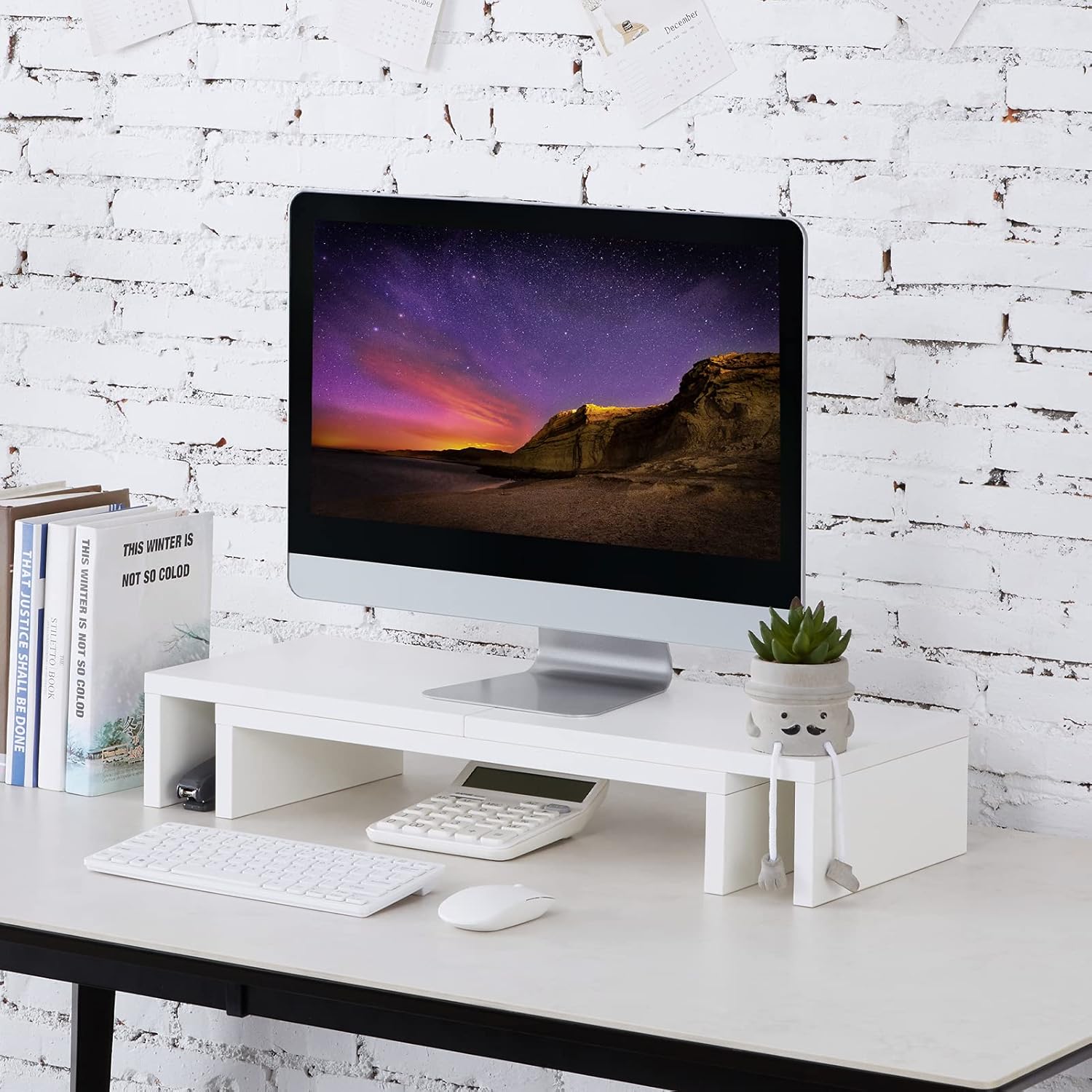
Image: The monitor stand fully assembled, supporting a single monitor, with a keyboard and mouse placed underneath the central section. This illustrates the completed first stage of assembly.
Step 2: Connect the Center Board
- Align the center board with the side boards, ensuring the dowels and cam lock screws fit into their respective holes.
- Secure the connection by turning the cam locks clockwise with a Phillips head screwdriver until tight.
Step 3: Adjust Length and Angle
The monitor stand features an adjustable design. The side sections can slide outwards to extend the length from 26.6 inches to 45.6 inches. They can also be angled to suit your desk configuration.
- To adjust length, gently slide the side boards along the central track.
- To adjust the angle, pivot the side boards at their connection points.
- For a fixed setup, use the provided extra metal parts and pre-drilled holes to secure the three pieces together, preventing sliding.

Image: A diagram illustrating the adjustable length capabilities of the monitor stand, showing both shortest (26.6 inches) and longest (45.6 inches) configurations, as well as the adjustable angle feature.

Image: The monitor stand configured with its side sections angled, supporting two monitors on a desk, showcasing its flexible design.
Operating Instructions
The SUPERJARE Monitor Stand Riser is designed to elevate your monitor(s) to an ergonomic height and organize your workspace.
- Placement: Position the stand on a stable, flat desk surface.
- Monitor Placement: Carefully place your monitor(s) on the top surface of the stand. Ensure the weight is evenly distributed and does not exceed the 70 lb (31.75 kg) capacity.
- Ergonomic Benefits: The stand elevates your monitor to eye level, which can help correct posture and reduce neck and back discomfort. The usable center space underneath is 3.24 inches high, and side spaces are 3.94 inches high, suitable for storing keyboards, mice, and other office supplies.
- Cable Management: Utilize the open back design to route cables neatly behind the stand, keeping your workspace tidy.

Image: An illustration demonstrating the difference between incorrect and correct sitting postures, highlighting how a monitor stand contributes to an ergonomic setup by raising the screen to eye level.

Image: The SUPERJARE Monitor Stand Riser in use, supporting two computer monitors and a central speaker, showcasing its capacity for multiple devices.
Maintenance
To ensure the longevity and appearance of your monitor stand, follow these maintenance guidelines:
- Cleaning: Wipe the surface with a soft, damp cloth. Avoid abrasive cleaners or harsh chemicals that may damage the finish.
- Inspection: Periodically check all screws and connections to ensure they remain tight. Retighten if necessary.
- Weight Distribution: Always ensure that items placed on the stand are evenly distributed and do not exceed the maximum weight capacity.
Troubleshooting
| Problem | Possible Cause | Solution |
|---|---|---|
| Stand is wobbly or unstable. | Loose connections or uneven surface. | Ensure all screws and cam locks are tightened. Place the stand on a flat, level surface. |
| Side boards slide unintentionally. | Securing hardware not installed or loose. | Install the extra metal parts and screws into the pre-drilled holes to fix the side boards in place. |
| Missing parts upon arrival. | Packaging error. | Contact SUPERJARE customer support immediately for replacement parts. |
Specifications
| Feature | Detail |
|---|---|
| Model Number | 80313W |
| Brand | SUPERJARE |
| Material | P2 Particleboard (Engineered Wood) |
| Color | White |
| Adjustable Length Range | 26.6 inches to 45.6 inches |
| Usable Center Space Height | 3.24 inches |
| Usable Side Space Height | 3.94 inches |
| Maximum Load Capacity | 70 lbs (31.75 kg) |
| Assembly Required | Yes |
Warranty and Support
SUPERJARE stands behind the quality of its products. For warranty information, missing parts, or any support inquiries, please contact our customer service team.
Contact Information:
- Email: superjare@outlook.com
- Website: SUPERJARE Official Store
Please have your model number (80313W) and purchase details ready when contacting support.