
LEICESTERCN LST-US-BC03
User Manual
LEICESTERCN 12V 1100mA Smart Battery Charger/Maintainer
Model: LST-US-BC03
1. Introduction
This manual provides detailed instructions for the safe and effective operation, maintenance, and troubleshooting of your LEICESTERCN 12V 1100mA Smart Battery Charger/Maintainer. Please read this manual thoroughly before using the product and retain it for future reference.
This device is designed to charge and maintain 12-volt lead-acid batteries (including Flood, Gel, SLA, AGM, VRLA) and 12V Lithium LiFePO4 batteries with BMS. It functions as both a battery charger and a maintainer, offering automatic charging and repair capabilities.
2. Safety Information
WARNING: Read all safety warnings and instructions before using this product. Failure to follow the warnings and instructions may result in electric shock, fire, and/or serious injury.
- Eye Protection: Always wear appropriate eye protection when working with batteries.
- Ventilation: Ensure adequate ventilation when charging batteries, as they can produce explosive gases.
- Spark Prevention: Connect and disconnect the charger leads only when the charger is unplugged from the AC outlet to prevent sparks.
- Reverse Polarity: The charger features reverse polarity protection, but always ensure correct connection (positive to positive, negative to negative).
- Damaged Batteries: Do not attempt to charge frozen or visibly damaged batteries.
- Indoor Use: This charger is designed for indoor use. Avoid exposure to rain or excessive moisture.
- Children: Keep out of reach of children. This is not a toy.
- Professional Use: If you are unsure about any aspect of operation, consult a qualified professional.
3. Product Overview
The LEICESTERCN 12V 1100mA Smart Battery Charger/Maintainer is a compact and intelligent device designed for various 12V battery types. It automatically detects battery status and adjusts charging parameters.

Figure 3.1: Overview of the LEICESTERCN 12V 1100mA Smart Battery Charger and its included accessories, showing two charger units, alligator clips, and ring terminal connectors.
Key Features:
- 2-in-1 Functionality: Acts as both a battery charger and a maintainer.
- Battery Compatibility: Supports 12V lead-acid batteries (Flood, Gel, SLA, AGM, VRLA) and 12V Lithium LiFePO4 batteries with BMS.
- Automatic Operation: Microcontroller Unit (MCU) controlled for automatic charging and float mode.
- Multi-Protection: Includes protection against reverse polarity, short circuit, over voltage, over current, overload, overheat, and spark proofing.
- Temperature Compensation: Integrated thermal sensor adjusts charging based on ambient temperature to prevent over-charging or under-charging.
- Low-Voltage Repair: Capable of restoring 12V lead-acid batteries with voltage lower than 8V.
- Detachable Connectors: Comes with detachable alligator clips and ring terminal connectors with a 5A fuse.
4. Setup and Connection
Follow these steps to properly set up and connect your battery charger:
- Prepare the Battery: Ensure the battery terminals are clean and free of corrosion. If necessary, clean them with a wire brush.
- Choose Connectors: Select either the alligator clips or the ring terminal connectors based on your application.
- Alligator Clips: Ideal for temporary connections.
- Ring Terminals: Suitable for semi-permanent installations, such as on a motorcycle or lawn mower.
- Connect to Battery (Charger UNPLUGGED):
- Connect the RED positive (+) lead to the positive (+) battery terminal.
- Connect the BLACK negative (-) lead to the negative (-) battery terminal.
Note: The charger is spark-proof, but it is best practice to connect to the battery before plugging into AC power.
- Plug into AC Outlet: Once the leads are securely connected to the battery, plug the charger's AC power cord into a standard 100-240V AC electrical outlet.

Figure 4.1: Proper connection of the battery charger to a vehicle battery. Ensure secure connections before plugging into power.
5. Operating Instructions
5.1 Automatic Charging Process
The charger will automatically detect the battery type (Lead-Acid or Lithium LiFePO4) and begin the charging process. The charging status is indicated by the LED lights on the charger unit.
- 0-50% Light ON: Indicates the battery is charging and is currently between 0% and 50% capacity.
- 50-100% Light ON: Indicates the battery is charging and is currently between 50% and 100% capacity.
- 100% Light ON (Solid): Indicates the battery is fully charged. The charger will automatically switch to float mode to maintain the battery.
- Fault Light ON: Indicates an error (e.g., reverse polarity, short circuit, abnormal battery). Disconnect the charger and check connections/battery condition.

Figure 5.1: The charger's automatic detection and charging capabilities ensure worry-free battery maintenance.
5.2 Low-Voltage Repair Mode (for 12V Lead-Acid Batteries Only)
This mode is designed to attempt to restore 12V lead-acid batteries that have discharged below 8V.
- Connect the charger to the low-voltage 12V lead-acid battery as described in Section 4.
- Plug the charger into the AC outlet.
- Press and hold the MODE button for 3 seconds. The 0-50% and 50-100% lights will both turn ON, indicating the repair process has started.
- The repair process is complete when the lights indicate a higher charge percentage or the 100% light turns solid.
Important: If the battery voltage is lower than 4V, it is generally recommended to replace the battery as it may be beyond repair.
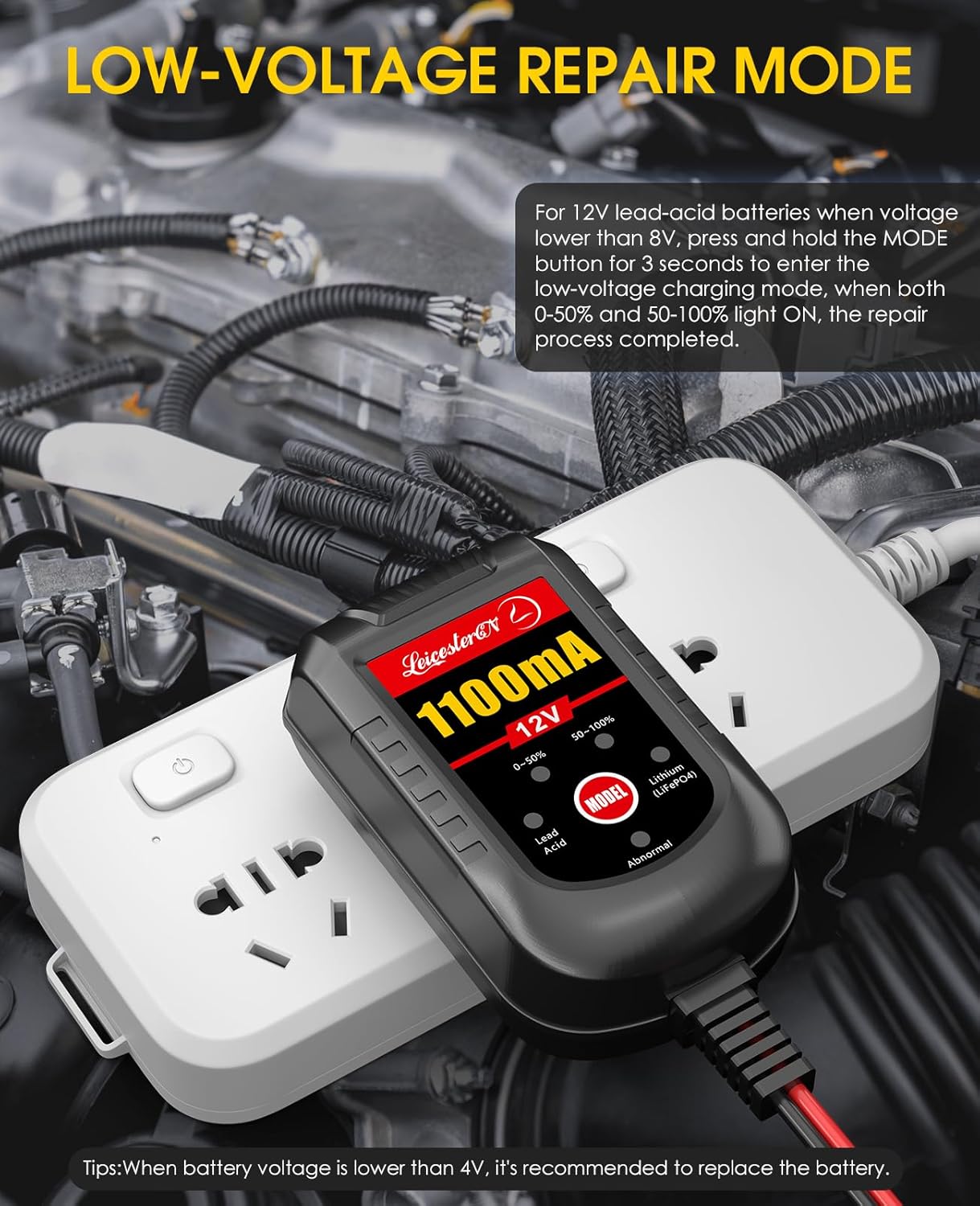
Figure 5.2: Activating the low-voltage repair mode for deeply discharged lead-acid batteries.
5.3 Disconnecting the Charger
To disconnect the charger from the battery:
- Unplug the charger from the AC electrical outlet first.
- Disconnect the negative (-) lead (black) from the battery terminal.
- Disconnect the positive (+) lead (red) from the battery terminal.
6. Maintenance
Proper maintenance ensures the longevity and optimal performance of your LEICESTERCN battery charger.
- Cleaning: Wipe the charger casing with a soft, dry cloth. Do not use abrasive cleaners or solvents.
- Storage: Store the charger in a cool, dry place when not in use. Keep the cables neatly coiled to prevent damage.
- Cable Inspection: Periodically inspect the AC cord and battery leads for any signs of damage, cuts, or fraying. Do not use the charger if any cables are damaged.
- Fuse Replacement: The detachable connectors include a 5A fuse. If the charger stops working, check and replace the fuse if blown. Ensure to use a fuse of the correct rating.
7. Troubleshooting
If you encounter issues with your charger, refer to the table below for common problems and solutions.
| Problem | Possible Cause | Solution |
|---|---|---|
| Charger not turning on / No lights | No AC power; Blown fuse in DC cable; Faulty AC outlet. | Check AC power connection; Test AC outlet with another device; Inspect and replace 5A fuse if blown. |
| Fault light is ON | Reverse polarity connection; Short circuit; Abnormal battery condition. | Disconnect charger, verify correct positive/negative connections; Check for short circuits in cables or battery; Test battery condition. |
| Battery not charging | Poor connection to battery terminals; Battery is severely discharged (below 4V); Battery is faulty. | Ensure clean and secure connections; For lead-acid, try low-voltage repair mode (if >4V); Replace battery if it cannot hold a charge. |
| Charger gets warm during operation | Normal operation during charging. | This is normal. Ensure adequate ventilation around the charger. If it becomes excessively hot, disconnect and contact support. |
8. Specifications
| Feature | Detail |
|---|---|
| Model Number | LST-US-BC03 |
| Input Voltage | 100-240V AC |
| Output Voltage | 12 Volts DC |
| Output Current | 1100mA (1.1 Amp) |
| Battery Types Supported | 12V Lead-Acid (Flood, Gel, SLA, AGM, VRLA), 12V Lithium LiFePO4 (with BMS) |
| Product Dimensions | 3.2 x 1.7 x 1.3 inches (8.1 x 4.3 x 3.3 cm) |
| Item Weight | 1.12 pounds (0.51 kg) |
| AC Power Cord Length | 6 feet (1.8 meters) |
| DC Output Cable Length | 2 feet (0.6 meters) |
| Safety Certifications | FCC |
9. Warranty and Support
LEICESTERCN offers a 3-Year quality assurance and 12-Month refund policy for this product. For any questions, concerns, or technical support, please contact LEICESTERCN customer service.
Contact Information: Refer to the contact details provided with your product packaging or visit the official LEICESTERCN website for support.
Note: Warranty terms and conditions may vary. Please retain your proof of purchase for warranty claims.
Related documentsLST-US-BC03


Ask a question about this manual
Ask about setup, troubleshooting, compatibility, parts, safety, or missing instructions. Manuals+ will review the question and use this page’s manual context to help answer it.