
Yenkee YSP 2025
Yenkee YSP 2025 2.0 PC Speaker System User Manual
Model: YSP 2025
1. Introduction
Thank you for purchasing the Yenkee YSP 2025 2.0 PC Speaker System. This manual provides detailed instructions for setting up, operating, and maintaining your new speakers. Please read this manual thoroughly before use to ensure proper operation and to maximize the lifespan of your product.
The Yenkee YSP 2025 speaker system is designed to enhance your multimedia audio experience with powerful and clear sound. It features versatile connectivity options including Bluetooth 5.0, 3.5mm audio input, TF card reader, and USB port for various audio sources.
2. Safety Information
To ensure safe operation and prevent damage, please observe the following safety precautions:
- Do not expose the speakers to water, moisture, or extreme temperatures.
- Do not place the speakers near heat sources such as radiators, heat registers, stoves, or other apparatus (including amplifiers) that produce heat.
- Use only attachments/accessories specified by the manufacturer.
- Unplug this apparatus during lightning storms or when unused for long periods of time.
- Refer all servicing to qualified service personnel. Servicing is required when the apparatus has been damaged in any way, such as power-supply cord or plug is damaged, liquid has been spilled or objects have fallen into the apparatus, the apparatus has been exposed to rain or moisture, does not operate normally, or has been dropped.
- Do not block any ventilation openings. Install in accordance with the manufacturer's instructions.
- Protect the power cord from being walked on or pinched, particularly at plugs, convenience receptacles, and the point where they exit from the apparatus.
3. Package Contents
Please check the package contents upon unpacking. If any items are missing or damaged, contact your retailer.
- Yenkee YSP 2025 2.0 PC Speaker System (2 speakers)
- Remote Control
- 3.5mm Audio Cable
- Power Cable
- User Manual
4. Product Overview
Familiarize yourself with the components and controls of your Yenkee YSP 2025 speaker system.

Figure 4.1: Front view of the Yenkee YSP 2025 speakers, showing the main speaker with control panel on the side and the secondary speaker.
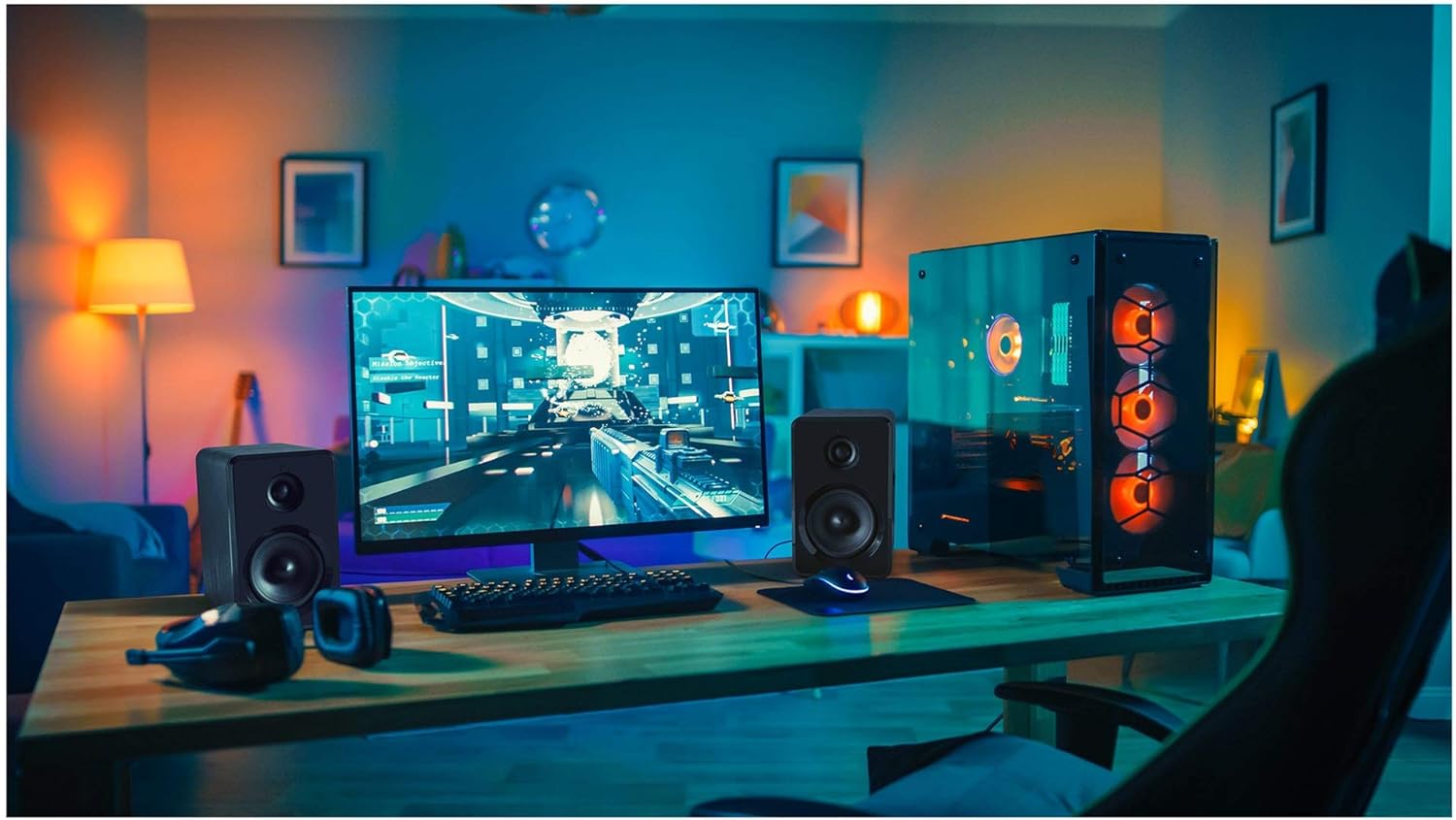
Figure 4.2: Yenkee YSP 2025 speakers integrated into a typical desktop computer setup, demonstrating their compact size and placement beside a monitor.

Figure 4.3: The retail packaging for the Yenkee YSP 2025 speakers, highlighting key features and including an image of the remote control.
4.1 Main Speaker Controls and Ports
The main speaker houses the primary controls and connectivity ports:
- Volume Knob: Adjusts the overall volume.
- Mode Button: Cycles through input modes (Bluetooth, AUX, USB, TF).
- Play/Pause Button: Controls playback in Bluetooth, USB, and TF modes.
- Previous/Next Track Buttons: Navigates tracks in Bluetooth, USB, and TF modes.
- USB Port: For USB flash drive playback.
- TF Card Slot: For TF (microSD) card playback.
- AUX Input (3.5mm): For connecting external audio devices via cable.
- Power Input: Connects to the power adapter.
- Speaker Output: Connects to the secondary speaker.
4.2 Remote Control
The included remote control provides convenient access to various functions:
- Power On/Off
- Mode Selection
- Volume Up/Down
- Mute
- Play/Pause
- Previous/Next Track
- EQ Presets (if available)
5. Setup
5.1 Speaker Placement
For optimal sound quality, place the speakers on a stable, flat surface. Position them equidistant from your listening position, forming an equilateral triangle for the best stereo imaging. Ensure there is adequate ventilation around the speakers.
5.2 Connecting the Speakers
- Connect the cable from the secondary speaker to the "Speaker Output" port on the main speaker.
- Connect the power cable to the "Power Input" on the main speaker, then plug the other end into a standard wall outlet (100-240V).
5.3 Connecting Audio Sources
5.3.1 AUX Connection
Use the included 3.5mm audio cable to connect your device (e.g., computer, smartphone, MP3 player) to the "AUX Input" port on the main speaker.
5.3.2 USB/TF Card Connection
Insert a USB flash drive or TF (microSD) card into the respective port on the main speaker. The system will automatically switch to USB/TF mode and begin playing supported audio files.
6. Operating Instructions
6.1 Power On/Off
Press the Power button on the remote control or the main speaker to turn the speakers on or off.
6.2 Mode Selection
Press the "MODE" button on the main speaker or the remote control to cycle through the available input modes: Bluetooth, AUX, USB, and TF.
6.3 Volume Control
Rotate the volume knob on the main speaker clockwise to increase volume and counter-clockwise to decrease. Alternatively, use the Volume Up/Down buttons on the remote control.
6.4 Bluetooth Pairing
- Switch the speaker system to Bluetooth mode. The indicator light will flash, indicating it's ready for pairing.
- On your Bluetooth-enabled device (e.g., smartphone, tablet, computer), enable Bluetooth and search for available devices.
- Select "Yenkee YSP 2025" from the list of devices.
- Once paired, the indicator light will stop flashing and remain solid. You can now play audio wirelessly from your device.
6.5 USB/TF Playback
When a USB flash drive or TF card is inserted, the speakers will automatically switch to the corresponding mode and begin playing audio files. Use the Play/Pause and Previous/Next Track buttons on the main speaker or remote control to manage playback.
7. Maintenance
Proper maintenance ensures the longevity and performance of your speakers:
- Cleaning: Use a soft, dry cloth to clean the speaker surfaces. Do not use abrasive cleaners, waxes, or solvents.
- Storage: If storing the speakers for an extended period, unplug them from the power outlet and store them in a cool, dry place, away from direct sunlight and extreme temperatures.
- Ventilation: Ensure that the ventilation openings are not blocked to prevent overheating.
8. Troubleshooting
If you encounter issues with your Yenkee YSP 2025 speakers, refer to the following common problems and solutions:
| Problem | Possible Cause | Solution |
|---|---|---|
| No sound |
|
|
| Distorted sound |
|
|
| Bluetooth pairing issues |
|
|
| USB/TF card not playing |
|
|
9. Specifications
Detailed technical specifications for the Yenkee YSP 2025 speaker system:
| Model Number | YSP 2025 |
| Speaker Type | 2.0 PC Speaker System |
| Output Power (RMS) | 40 W |
| Frequency Response | 60 Hz - 20 kHz |
| Bluetooth Version | 5.0 |
| Connectivity Options | Bluetooth, 3.5mm AUX, USB, TF Card |
| Dimensions (per speaker) | 115 x 185 x 159 mm (W x H x D) |
| Total Weight | 2.5 kg |
| Power Supply | AC 100-240V |
| Control Method | Push Button, Remote Control |
| Color | Black |
10. Warranty and Support
Yenkee products are manufactured to the highest quality standards. For information regarding warranty terms and conditions, please refer to the warranty card included with your product or contact your local retailer. Keep your purchase receipt as proof of purchase.
For technical support or service inquiries, please contact the retailer where you purchased the product or visit the official Yenkee website for contact information.
Related documentsYSP 2025


Ask a question about this manual
Ask about setup, troubleshooting, compatibility, parts, safety, or missing instructions. Manuals+ will review the question and use this page’s manual context to help answer it.