
1. Introduction
Thank you for purchasing the Tengsen M1 MP3 Player. This device is designed to provide a versatile multimedia experience, featuring Bluetooth 5.0 connectivity, a full touch screen, HD video playback, HiFi audio, FM radio, voice recording, e-book functionality, and a pedometer. This manual will guide you through the setup, operation, and maintenance of your new device.
2. Safety Information
- Do not expose the device to extreme temperatures, direct sunlight, or high humidity.
- Avoid dropping or subjecting the device to strong impacts.
- Keep the device away from water and other liquids.
- Use only the provided charging cable and a compatible power adapter.
- Do not attempt to disassemble or repair the device yourself. Contact customer support for assistance.
- Listen to audio at moderate volumes to prevent hearing damage.
3. Package Contents
Please check the package for the following items:
- Tengsen M1 MP3 Player
- USB Charging Cable (Type-C)
- Wired Earphones
- User Manual

Image: Tengsen M1 MP3 Player with USB cable and wired earphones.
4. Product Overview
The Tengsen M1 features a durable metal body and a 4.0-inch full touch screen for intuitive navigation. It includes a built-in speaker and supports various multimedia functions.

Image: Front view of the Tengsen M1 MP3 Player.
5. Setup
5.1 Initial Charging
Before first use, fully charge the device. Connect the USB charging cable to the player's Type-C port and the other end to a USB power adapter or computer. The battery indicator will show charging status.
5.2 Power On/Off
- To Power On: Press and hold the power button until the screen lights up.
- To Power Off: Press and hold the power button, then select 'Power Off' on the screen.
5.3 Transferring Files
Connect the MP3 player to your computer using the provided USB cable. The device will appear as a removable disk. You can then drag and drop music, video, and e-book files into the respective folders on the player's internal 16GB storage.
5.4 Expanding Storage
The device supports a Micro TF card up to 128GB (not included). Insert the card into the designated slot to expand storage capacity for more files.
6. Operating Instructions
6.1 Basic Navigation
The Tengsen M1 features a full touch screen. Swipe left/right or tap icons to navigate through menus and applications. Use the back arrow icon to return to the previous screen.

Image: The 4.0-inch full touch screen allows for easy operation, similar to a smartphone.
6.2 Music Playback
Tap the 'Music' icon to access your audio library. The player supports MP3, WMA, OGG, APE, FLAC, WAV, AAC-LC, ACELP, and M4A formats. You can create playlists and enjoy high-resolution audio through headphones or the built-in speaker.

Image: The device features a built-in speaker for direct audio playback.
6.3 Bluetooth Connectivity
The M1 player features Bluetooth 5.0 for wireless audio. Go to 'Settings' > 'Bluetooth' to enable and pair with your Bluetooth headphones or speakers. Note: This device cannot connect to mobile phones via Bluetooth.

Image: Bluetooth 5.0 provides a stable wireless connection for audio accessories.
6.4 Video Playback
Tap the 'Video' icon to play video files. The player supports high-resolution 720p and 1080p video playback without format conversion. Compatible formats include AVI, MKV, MPG, MPEG, RM, RMVB, VOB, MOV, FLV, ASF, DAT, MP4, and 3GP.
Image: The device supports 1080P HD video playback.
6.5 FM Radio
Plug in the wired earphones (they act as an antenna) and select the 'Radio' application. Scan for available stations and save your favorites.
6.6 Voice Recorder
Open the 'Record' application to use the built-in voice recorder. You can record lectures, meetings, or personal notes.
6.7 E-book Reader
Access the 'E-book' application to read text files. Ensure your e-book files are in a compatible format (e.g., TXT) and transferred to the device.
6.8 Pedometer
The 'Pedometer' function tracks your steps, making it suitable for sports and fitness activities. Activate it from the main menu to monitor your activity.
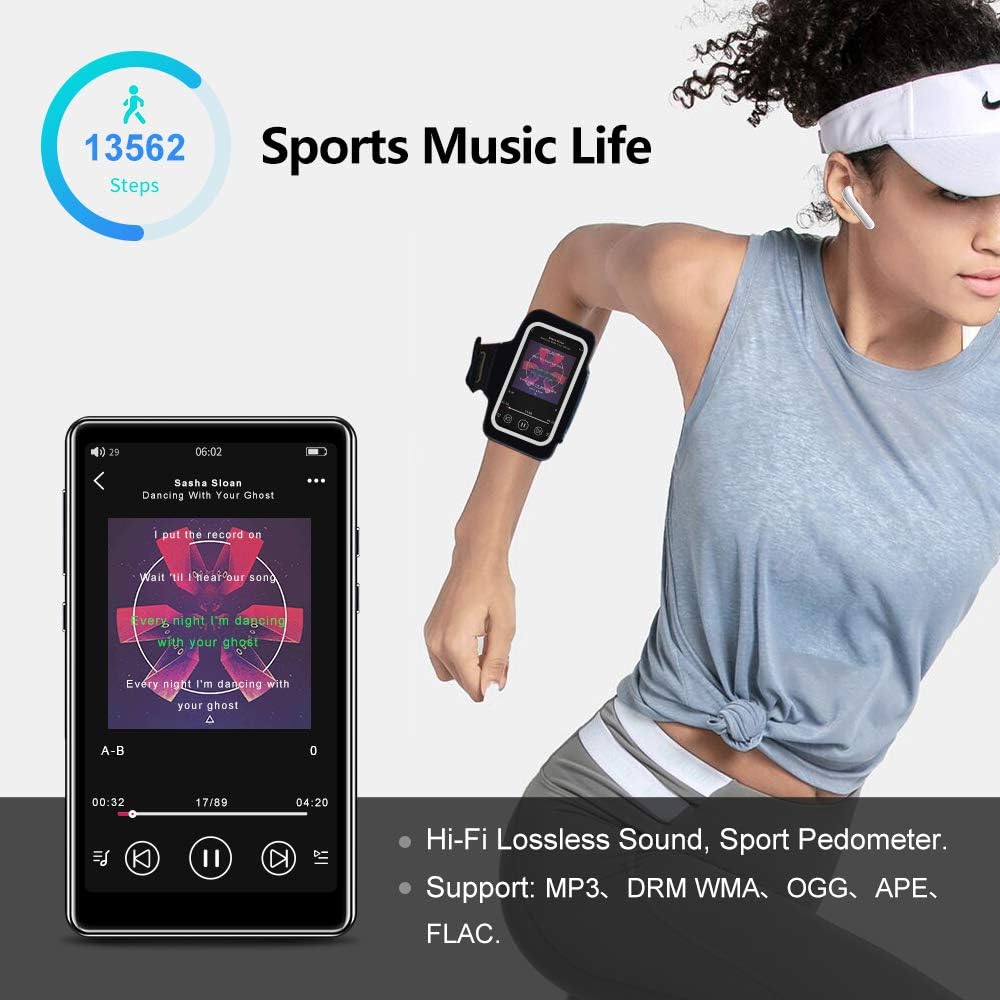
Image: The pedometer function supports tracking steps during sports activities.
7. Maintenance
7.1 Cleaning the Device
Use a soft, dry, lint-free cloth to clean the screen and body of the player. Do not use abrasive cleaners or solvents.
7.2 Battery Care
The device has a built-in 1400mAh lithium-ion battery. To prolong battery life, avoid fully discharging it frequently and store the device in a cool, dry place when not in use for extended periods. A full charge provides over 20 hours of music playback or 8+ hours of video playback with wired earphones.

Image: The 1400mAh battery provides extended usage time.
8. Troubleshooting
- Device not turning on: Ensure the battery is charged. Connect to a power source and try again.
- Bluetooth connection issues: Ensure Bluetooth is enabled on both the player and the accessory. Keep devices within range and try re-pairing.
- No sound from speaker: Check volume settings. Ensure headphones are not plugged in if you intend to use the speaker.
- Files not playing: Verify that the file format is supported by the player. Ensure files are not corrupted.
- Screen unresponsive: Try restarting the device by holding the power button. If the issue persists, contact support.
9. Specifications
| Brand | Tengsen |
| Model Name | M1 |
| Internal Storage | 16 GB |
| Expandable Storage | Up to 128 GB (Micro TF card, not included) |
| Bluetooth Version | 5.0 |
| Screen Size | 4.0 Inches |
| Battery Capacity | 1400 mAh Lithium-ion |
| Audio Formats | MP3, WMA, OGG, APE, FLAC, WAV, AAC-LC, ACELP, M4A |
| Video Formats | AVI, MKV, MPG, MPEG, RM, RMVB, VOB, MOV, FLV, ASF, DAT, MP4, 3GP (supports 720p, 1080p) |
| Special Features | Full Touch Screen, Built-in Speaker, FM Radio, Voice Recorder, E-book, Pedometer |
| Connectivity | Bluetooth, USB Type-C |
10. Warranty and Support
This product comes with a standard manufacturer's warranty. Please refer to the warranty card included in your package for specific terms and conditions. For technical support, troubleshooting assistance, or warranty claims, please contact the retailer or manufacturer directly.
