
Introduction
This user manual provides comprehensive instructions for the safe and effective use of your new RDSJ C32N2002 laptop battery. Please read this manual thoroughly before installation and use to ensure optimal performance and longevity of your battery. This battery is designed as a replacement for specific Asus ZenBook Pro 15 and ZenBook Flip 15 models.
Product Overview and Specifications
The RDSJ C32N2002 is a high-capacity Lithium-ion battery designed to power your compatible Asus laptop. Key specifications are detailed below:
- Battery Type: Li-ion
- Voltage: 11.55V
- Capacity: 96Wh / 8230mAh
- Cells: 6-cell
- Model Name: C32N2002
- Replace Part Numbers: C32N2002, 0B200-03770000, 0B200-03660200, 3ICP7/54/64-2
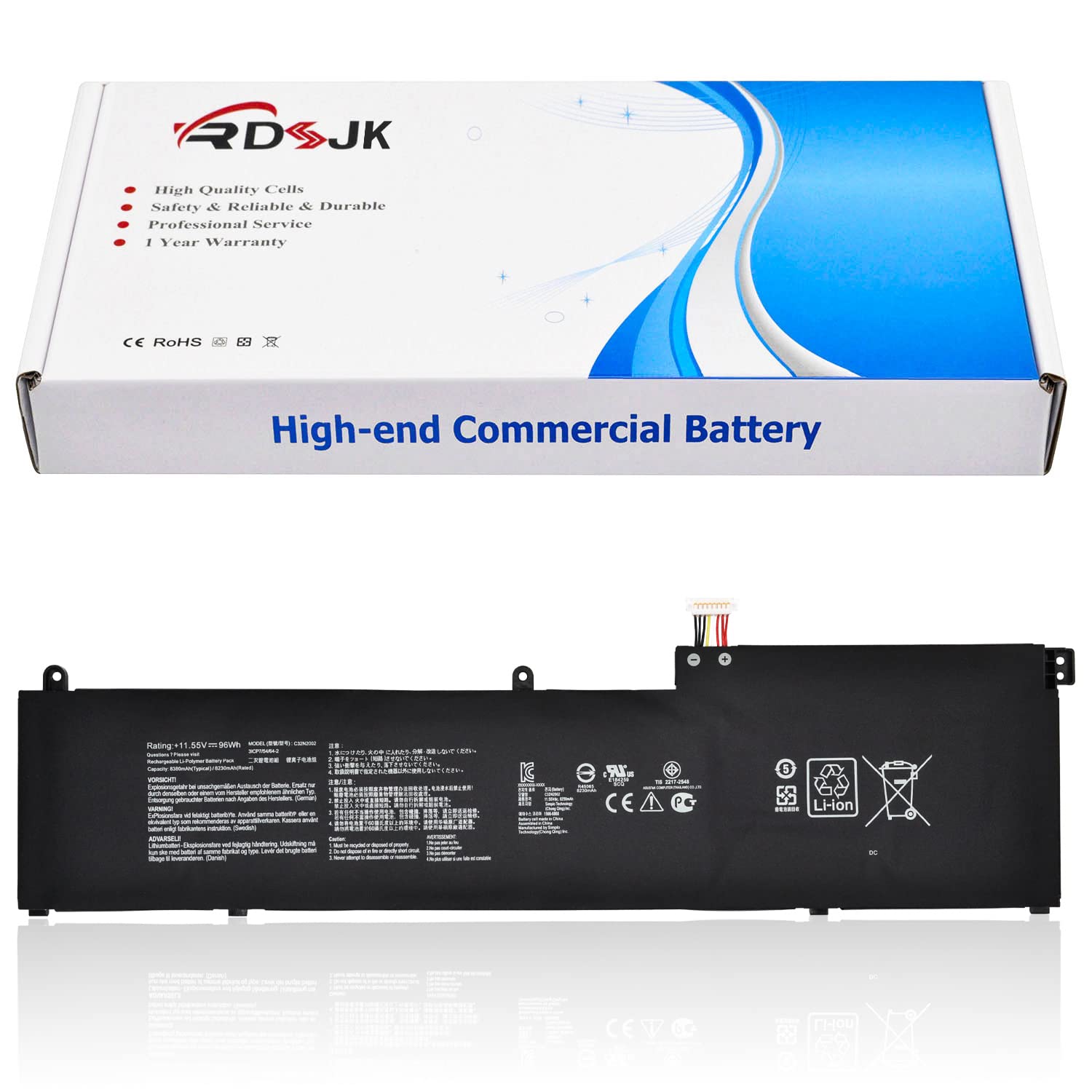
Image: The RDSJ C32N2002 laptop battery, displaying its model, type, voltage, and capacity.
Compatible Laptop Models
This battery is compatible with the following Asus ZenBook Pro 15 and ZenBook Flip 15 series laptops. Please verify your laptop model before installation.
- Asus ZenBook Pro 15 UX535, UX535L, UX535LI Series (e.g., UX535LI-XH77T, UX535LI-BO237T, UX535LI-BN198T, UX535LI-E3090T, UX535LI-E3133T)
- Asus ZenBook Pro 15 OLED UX535Q, UX535QA, UX535QE Series (e.g., UM535QA-KJ191, UM535QA-KY204W, UM535QA-KY236W, UM535QA-KY306W, UM535QA-KY310W, UM535QA-KY212WS, UM535QA-KY213WS)
- Asus ZenBook Flip 15 UX564, UX564EH, UX564EI, UX564P, UX564PH Series (e.g., UX564PH-EZ002T, UX564PH-EZ004T, UX564PH-EZ003R, UX564PH-EZ007R, UX564PH-WB721R, UX564PH-71A15CB1, UX564PH-71B15CP1, UX564EH-EZ035RZ, UX564EH-EZ035R, UX564EH-EZ006R, UX564EH-EZ004T, UX564EH-EZ018T, UX564EI-H2005T, UX564EI-H2017T, UX564EI-H2030T, UX564EI-H2038T, UX564EI-EZ006T, UX564EI-EZ711R, UX564EI-WB711R)
- Asus ZenBook Flip 15 Q528, Q528E, Q528EH Series
- Asus ZenBook Flip 15 Q538, Q538E, Q538EI Series
- Asus ZenBook Pro 15 BX535LH Series (e.g., BX535LH-BO070R, BX535LH-BO171R, BX535LH-BO240R, BX535LH-BN143R)

Image: Visual representation of compatible Asus ZenBook laptop models for the C32N2002 battery.

Image: Instructions on how to identify your laptop's model number using Windows system information.
Safety Information
Please observe the following safety precautions to prevent damage to the battery, your laptop, or personal injury:
- Do not disassemble, crush, puncture, or short-circuit the battery.
- Do not expose the battery to high temperatures (above 60°C / 140°F) or direct sunlight.
- Keep the battery away from fire, water, and other liquids.
- If the battery swells, emits an odor, or becomes excessively hot, discontinue use immediately and contact support.
- Dispose of used batteries according to local regulations. Do not discard with household waste.
- Ensure proper ventilation when charging.
- This battery includes built-in protections against over-temperature, over-current, over-discharge, over-voltage, and over-charge.

Image: Diagram illustrating the various protection mechanisms integrated into the battery, including over-temperature, over-current, over-discharge, over-voltage, and over-charge protection.
Installation Instructions
Replacing a laptop battery requires careful handling. If you are unsure about any step, it is recommended to seek professional assistance.
- Power Off and Disconnect: Completely shut down your laptop and disconnect it from the AC adapter. Remove any external devices.
- Discharge Residual Power: Press and hold the power button for 15-20 seconds to drain any residual power from the system.
- Access Battery Compartment: Carefully open the laptop's bottom cover. This usually involves unscrewing several small screws. Refer to your laptop's specific service manual for precise instructions.
- Disconnect Old Battery: Locate the old battery. Gently disconnect its cable from the motherboard. Be careful not to pull on the wires.
- Remove Old Battery: Unscrew any retaining screws holding the old battery in place and carefully lift it out.
- Install New Battery: Place the new RDSJ C32N2002 battery into the compartment. Ensure it sits correctly.
- Connect New Battery: Carefully connect the new battery's cable to the motherboard connector. Ensure it is firmly seated.
- Secure Battery: Replace any retaining screws to secure the new battery.
- Reassemble Laptop: Replace the bottom cover and secure it with the screws.
- Initial Charge: Connect the AC adapter and allow the battery to charge fully before powering on the laptop.

Image: The RDSJ C32N2002 laptop battery, showing its overall design and form factor for installation reference.

Image: Close-up view of the battery's connector, highlighting the contact points for secure connection.
Usage and Charging
Initial Use and Calibration
For the first use, it is recommended to calibrate the new battery:
- Discharge the battery to approximately 5% (do not let it drain to 0% and shut down).
- Then, charge the battery completely to 95-100% without interruption.
- Repeat this discharge-charge cycle 3-4 times to optimize battery performance and accuracy of the charge indicator.
General Charging Practices
- Always use the original or a certified compatible AC adapter for charging.
- Avoid frequently discharging the battery to extremely low levels (below 5%).
- It is generally safe to leave the laptop plugged in once fully charged, as modern laptops manage charging cycles to prevent overcharging.
Battery Care and Maintenance
Proper care can extend the lifespan of your battery, which is rated for up to 500 recharge cycles.
- Temperature: Operate your laptop in moderate temperatures. Extreme heat or cold can degrade battery performance and lifespan.
- Storage: If storing the battery for an extended period, ensure it is charged to about 50-70% and stored in a cool, dry place. Avoid storing a fully charged or completely depleted battery.
- Cleaning: Keep the battery contacts clean and free from dust or debris.
- Regular Use: For optimal health, use the battery regularly rather than keeping the laptop constantly plugged in.
Troubleshooting
If you encounter issues with your new battery, consider the following troubleshooting steps:
| Problem | Possible Cause | Solution |
|---|---|---|
| Battery not recognized by laptop | Loose connection, incorrect installation, driver issue. |
|
| Battery not charging or charging slowly | Faulty AC adapter, software issue, battery calibration needed. |
|
| Short battery life | High power consumption, background applications, display brightness. |
|
Warranty and Support
Your RDSJ C32N2002 laptop battery comes with the following:
- 30-Day Exchange Policy: For initial defects or compatibility issues.
- 365-Day Warranty: Covers manufacturing defects and performance issues under normal use.
- Customer Service: 24/7 online customer service is available for assistance.
For warranty claims or technical support, please contact RDSJ customer service through your purchase platform or the contact information provided with your product.