1. Product Overview
The Picun B27 Bluetooth Headphones are designed for versatile audio experiences, featuring low-latency technology for gaming, an extended 80-hour playtime, and comfortable over-ear design. They support both wireless Bluetooth 5.0+EDR and wired audio connections.

Image: Front view of the Picun B27 Bluetooth Headphones, showcasing the over-ear design and controls on the right earcup.
2. Setup
2.1 Charging the Headphones
Before initial use, fully charge the headphones. A full charge takes approximately 2 hours. A 5-minute charge provides approximately 3 hours of playback.
- Connect the provided USB charging cable to the charging port on the headphones.
- Connect the other end of the USB cable to a compatible USB power source (e.g., computer USB port, USB wall adapter).
- The indicator light will show charging status (refer to LED indicator section for details).
- Once fully charged, disconnect the charging cable.
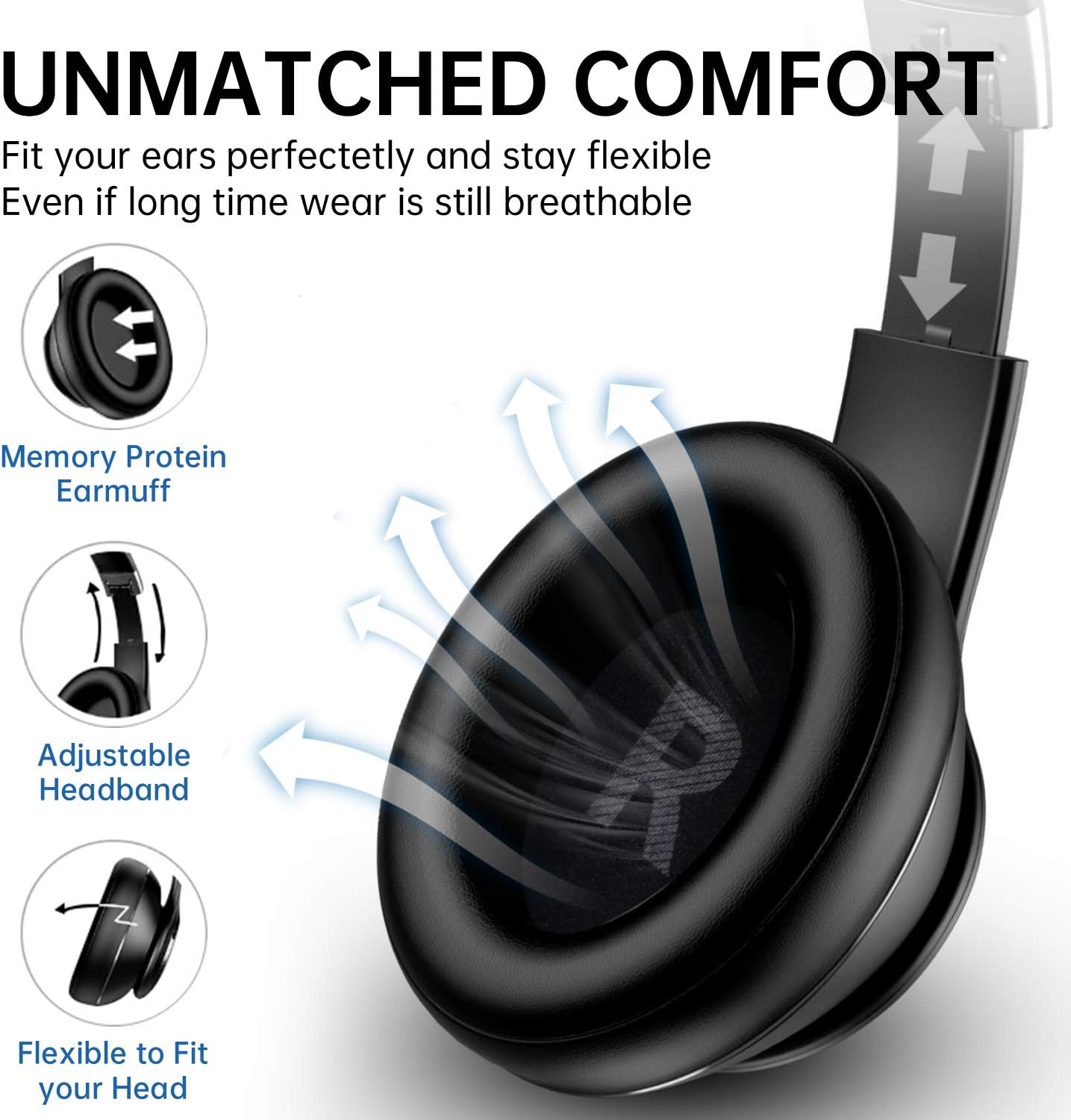
Image: Close-up of the right earcup showing the charging port, AUX input, and control buttons.
2.2 Powering On/Off
- To Power On: Press and hold the Power button for approximately 3 seconds until the indicator light flashes.
- To Power Off: Press and hold the Power button for approximately 3 seconds until the indicator light turns off.
2.3 Bluetooth Pairing
- Ensure the headphones are powered off.
- Press and hold the Power button for approximately 5 seconds until the indicator light flashes red and blue alternately, indicating pairing mode.
- On your device (smartphone, tablet, PC), enable Bluetooth and search for available devices.
- Select "Picun B27" from the list of found devices.
- Once paired, the indicator light will flash blue slowly.

Image: Picun B27 Headphones connected wirelessly to a smartphone, demonstrating Bluetooth 5.0+EDR connectivity.
2.4 Connecting Two Devices Simultaneously
The Picun B27 headphones can connect to two Bluetooth devices concurrently.
- Pair the headphones with the first device as described in section 2.3.
- Disable Bluetooth on the first device. The headphones will re-enter pairing mode.
- Pair the headphones with the second device.
- Re-enable Bluetooth on the first device. The headphones should automatically connect to both devices.
- You can now switch audio sources between the two connected devices without re-pairing.
2.5 Wired Mode Connection
Use the provided 3.5mm audio cable for a wired connection, which allows continued use even when the battery is depleted.
- Insert one end of the 3.5mm audio cable into the AUX port on the headphones.
- Insert the other end into the 3.5mm audio jack of your audio source device.
- The headphones will automatically switch to wired mode.
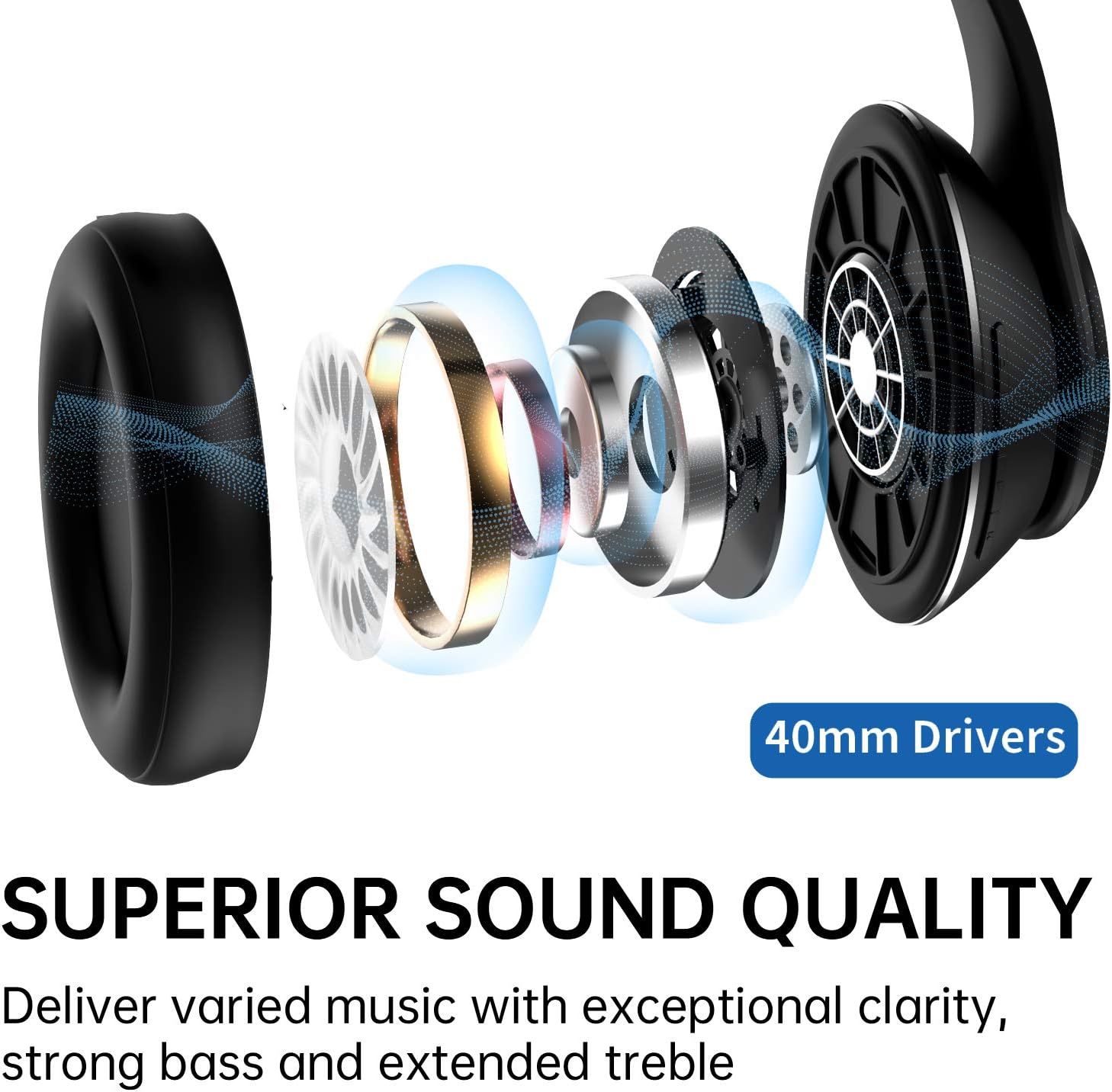
Image: Diagram illustrating the Picun B27 Headphones' ability to function in both wireless (Bluetooth) and wired (3.5mm AUX cable) modes.
3. Operation
3.1 Controls Overview
The main controls are located on the right earcup.
Image: Close-up of the right earcup, highlighting the power button, volume controls, and mode button.
| Button/Action | Function |
|---|---|
| Power Button (Long Press 3s) | Power On/Off |
| Power Button (Long Press 5s from Off) | Enter Bluetooth Pairing Mode |
| Play/Pause Button (Single Press) | Play/Pause Music, Answer/End Call |
| Volume Up (+) (Single Press) | Increase Volume |
| Volume Down (-) (Single Press) | Decrease Volume |
| Volume Up (+) (Long Press) | Next Track |
| Volume Down (-) (Long Press) | Previous Track |
| "M" Button (Long Press 3s) | Activate/Deactivate Low Latency Mode |
| "M" Button (Single Press) | Activate Voice Assistant (Siri, Google Assistant) |
3.2 Low Latency Mode for Gaming
The headphones feature a low-latency mode, reducing audio delay to under 50ms, ideal for gaming.
- To activate low latency mode, long press the "M" button for 3 seconds.
- To deactivate, long press the "M" button again for 3 seconds.

Image: A user wearing the Picun B27 headphones while engaged in gaming, highlighting the low latency feature activated by the 'M' button.
3.3 Making and Receiving Calls
The built-in CVC 6.0 noise reduction microphone allows for clear hands-free calls.
- Answer Call: Single press the Play/Pause button.
- End Call: Single press the Play/Pause button during a call.
- Reject Call: Long press the Play/Pause button when an incoming call rings.
- Redial Last Number: Double press the Play/Pause button.
4. Maintenance
4.1 Cleaning
- Wipe the headphones with a soft, dry cloth.
- Do not use abrasive cleaners, alcohol, or chemical solvents.
- Keep the charging port and audio jack free of dust and debris.
4.2 Storage
- Store the headphones in a cool, dry place away from direct sunlight and extreme temperatures.
- The foldable design allows for compact storage.

Image: The Picun B27 Headphones folded, demonstrating their space-saving design for easy portability and storage.
4.3 Battery Care
- To prolong battery life, avoid fully discharging the headphones frequently.
- Charge the headphones regularly, even if not in use for extended periods.
5. Troubleshooting
| Problem | Possible Solution |
|---|---|
| Headphones do not power on. | Ensure the headphones are charged. Connect to a power source and try again. |
| Cannot pair via Bluetooth. |
|
| No sound or low volume. |
|
| Sound cuts out or is intermittent. |
|
| Microphone not working. |
|
| Headphones feel uncomfortable after long use. | Take off the headphones every 2-3 hours to allow your ears to relax. Adjust the headband for a better fit. |
| Resetting the headphones. | If experiencing persistent issues, try resetting the headphones. Power off, then press and hold the Power button and the "M" button simultaneously for several seconds until the indicator light flashes rapidly. |
6. Specifications
| Feature | Detail |
|---|---|
| Model | B27 |
| Connectivity | Bluetooth 5.0 + EDR, 3.5mm AUX |
| Bluetooth Range | Up to 10 meters (33 feet) |
| Driver Size | 40mm Neodymium Magnetic Drivers |
| Playtime | Up to 80 hours (Bluetooth mode) |
| Charging Time | Approximately 2 hours |
| Microphone | Built-in CVC 6.0 Noise Reduction Mic |
| Low Latency Mode | Yes (Latency under 50ms) |
| Material | Faux Leather, Plastic |
| Form Factor | Over Ear, Foldable |
| Battery Type | Lithium Ion (included) |
| Weight | 426 g (approx.) |
| Dimensions (Package) | 19 x 18.6 x 9.5 cm (approx.) |

Image: An exploded diagram illustrating the internal components of the 40mm drivers within the Picun B27 headphones, contributing to superior sound quality.
7. Warranty and Support
Picun offers a warranty and customer support for the B27 Bluetooth Headphones.
- Warranty: 12 months warranty from the date of purchase.
- Return Policy: 30 days unconditional return policy.
- Customer Service: 24-hour customer-friendly service is available.
- For support inquiries, please refer to the contact information provided with your product packaging or visit the official Picun website.


