
Introduction
The Rybozen BR698-DE 2.4GHz Digital Wireless TV Headphones are designed to provide a high-fidelity audio experience for watching television, movies, and playing games without disturbing others. Utilizing 2.4GHz digital wireless technology, these headphones offer a stable connection and an extended range, ensuring clear sound throughout your home. The system includes multiple audio input options for broad compatibility with various devices.
Package Contents
Please verify that all items listed below are included in your package:
- Rybozen Wireless Headphones
- Charging Base / Transmitter
- Optical Audio Cable (SPDIF/TOSLINK)
- RCA Audio Cable
- 3.5mm AUX Audio Cable
- Power Adapter (DC 5V)
Product Overview

The Rybozen BR698-DE Wireless TV Headphones with its charging base.
Headphones
- Power Button: Located on the earcup, used to turn the headphones on/off.
- Volume Controls: Buttons for adjusting audio volume.
- Line-in Port: 3.5mm input for wired connection.
- Charging Contacts: Pins on the underside of the headband for charging on the base.
- Retractable Headband: Adjustable for comfortable fit.

Close-up view of the headphone earcup, showing the power button, volume controls, and line-in port.
Charging Base / Transmitter
- Optical Port: For digital audio input from your TV or audio source.
- AUX Port: 3.5mm input for analog audio.
- DC 5V IN: Power input port for the base station.
- SOURCE ON/OFF Switch: Powers the base station on or off.
- OPTICAL/AUX Mode Switch: Selects the audio input source.
- Charging/Operating Indicators: LEDs to show charging status and active connection.

Diagram illustrating the various audio input ports and power input on the base station.

The base station also serves as a charging dock for the headphones, with indicators for charging and operation.
Setup Instructions
Follow these steps to connect your Rybozen Wireless TV Headphones to your audio source.
Instructional video demonstrating the connection process for the Rybozen Wireless TV Headphones.
- Identify Your TV's Audio Output Port:
Before connecting, check the available audio output ports on your television. Common options include Optical (SPDIF/TOSLINK), RCA (Red/White), or a 3.5mm AUX/Headphone jack. Select only one output method.
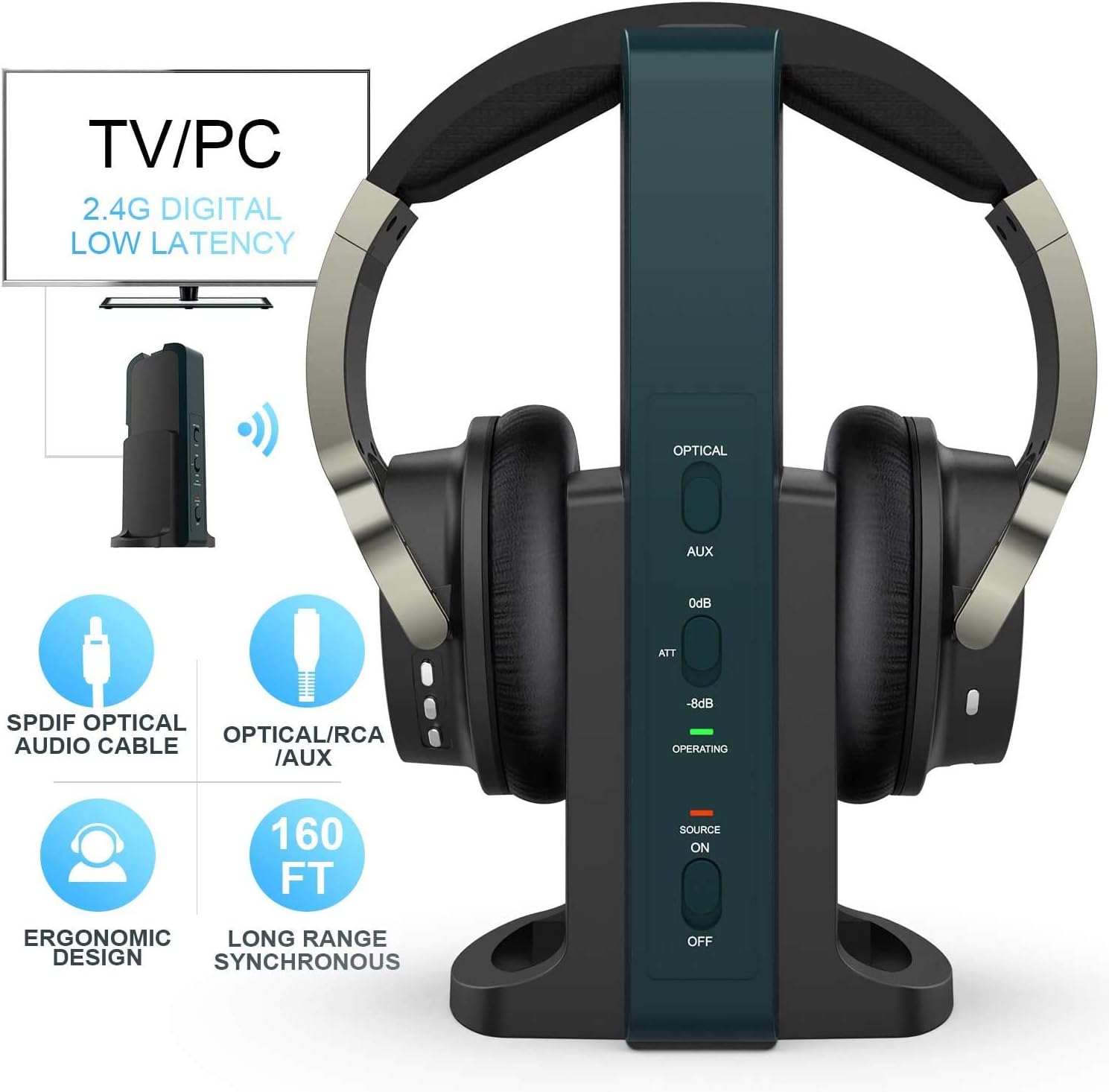
Illustration of common TV audio output ports. Identify the one you will use.
- Connect Power to the Base Station:
Plug the provided power adapter into the DC 5V IN port on the back of the base station, then connect it to a power outlet.
- Connect the Base Station to Your TV:
Use the appropriate cable for your TV's audio output port:
- Optical Connection: If your TV has an Optical (SPDIF/TOSLINK) output, use the optical cable. Connect one end to your TV's optical output and the other end to the OPTICAL input on the base station.
- RCA Connection: If your TV has RCA (Red/White) audio output, use the RCA cable. Connect the red and white plugs to the corresponding output jacks on your TV, and the 3.5mm end to the AUX input on the base station.
- 3.5mm AUX/Headphone Connection: If your TV has a 3.5mm headphone jack, use the 3.5mm AUX cable. Connect one end to your TV's headphone jack and the other end to the AUX input on the base station.

Connecting the optical cable from the TV's digital audio output to the base station.
Important Note for Optical Connection:
Due to the wide range of TV models and settings, if you are using the Optical connection, you may need to adjust your TV's audio output settings. Navigate to your TV's audio settings menu and change the Audio Format (or Digital Audio Output Format) to PCM (Pulse Code Modulation). Avoid Dolby Digital or DTS formats as they are not supported by this device.
- Power On the Base Station and Select Input:
Slide the SOURCE ON/OFF switch on the base station to the 'ON' position. Then, slide the AUX/OPTICAL Mode switch to the correct position corresponding to the cable you used (OPTICAL or AUX). The 'OPERATING' light on the base station will turn green when a successful connection is established.
- Power On the Headphones:
Press and hold the power button on the headphones for approximately 3 seconds to turn them on. The indicator light on the headphones will turn red, signifying that they are connected to the base station.
Operating Instructions
Wearing the Headphones
Adjust the retractable headband for a comfortable and secure fit. The earcups are designed to fit over your ears for optimal sound isolation and comfort during extended use.
Adjusting Volume
Use the volume control buttons located on the earcup of the headphones to increase or decrease the audio volume to your preferred level.
Wireless Range
The 2.4GHz digital wireless technology provides an exceptional range of up to 160 feet (approximately 48 meters). This allows you to move freely around your home while maintaining a clear audio connection to your TV or audio source.

The headphones offer an extended wireless range, allowing use throughout your home.
Charging the Headphones
The headphones feature built-in rechargeable Li-ion batteries that provide approximately 20 hours of listening time on a full charge.
- Ensure the base station is powered on and connected to a power source.
- Place the headphones onto the charging cradle of the base station. Ensure the charging contacts on the headphones align with the pins on the base.
- The 'CHARGING' indicator light on the base station will illuminate to confirm charging has begun.
- The headphones will automatically recharge when placed on the base.

Place the headphones on the base station for automatic recharging.
Maintenance
- Cleaning: Use a soft, dry cloth to clean the headphones and base station. Do not use liquid cleaners or aerosols.
- Storage: When not in use for extended periods, store the headphones on the charging base or in a cool, dry place.
- Battery Care: To prolong battery life, avoid fully discharging the headphones frequently. Recharge them regularly.
Troubleshooting
| Problem | Possible Cause | Solution |
|---|---|---|
| No sound from headphones |
|
|
| Sound cutting in/out or static |
|
|
| Headphones not charging |
|
|
Specifications
| Feature | Detail |
|---|---|
| Brand | Rybozen |
| Model Number | BR698-DE |
| Connectivity Technology | 2.4GHz Digital Wireless |
| Wireless Range | Up to 160 feet (48 meters) |
| Battery Life | Approximately 20 hours (rechargeable Li-ion) |
| Impedance | 32 Ohms |
| Frequency Range | 30 Hz - 20 kHz |
| Audio Inputs (Base) | Optical (SPDIF/TOSLINK), RCA, 3.5mm AUX |
| Headphone Form Factor | Over-Ear (Circum-aural) |
| Noise Control | Sound Isolation |
| Compatible Devices | Televisions, Gaming Consoles, Desktop Computers, Laptops, Tablets |
Warranty and Support
This product comes with a 12-month warranty from the date of purchase. For technical support, troubleshooting assistance, or warranty claims, please contact Rybozen customer service through the retailer's platform or the official Rybozen website. Please have your product model number (BR698-DE) and proof of purchase ready when contacting support.