
1. Important Safety Instructions
Read all instructions before using this appliance. Failure to follow these instructions may result in electric shock, fire, or serious injury.
- Always disconnect the power cord from the outlet before cleaning or moving the fireplace.
- Do not operate any fireplace with a damaged cord or plug, or if the fireplace has been dropped or damaged in any manner.
- Keep combustible materials, such as furniture, pillows, bedding, papers, clothes, and curtains at least 3 feet (0.9 m) from the front of the fireplace.
- This fireplace is hot when in use. To avoid burns, do not let bare skin touch hot surfaces.
- Do not insert or allow foreign objects to enter any ventilation or exhaust opening as this may cause an electric shock or fire, or damage the fireplace.
- This appliance is equipped with an overheat protection feature. If the fireplace overheats, the safety shut-off will activate.
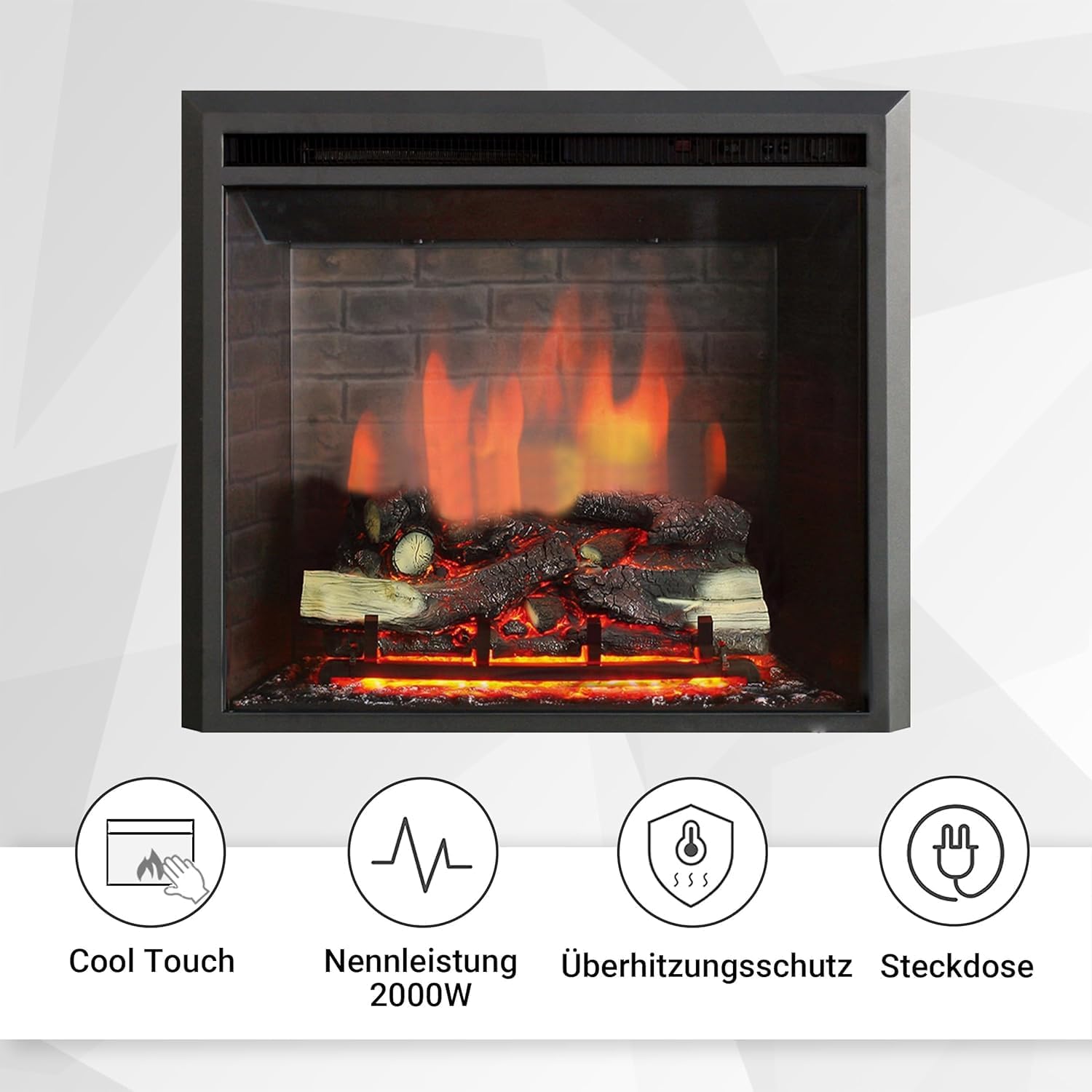
Image: Key features including Cool Touch surface, 2000W rated power, overheat protection, and standard power outlet compatibility.
2. Product Overview
The BALDERIA Calida Electric Fireplace offers a realistic 3D flame effect with adjustable colors, integrated heating, and a crackling sound function for an authentic ambiance. It is designed for built-in installation and comes with a remote control for convenient operation.

Image: Front view of the BALDERIA Calida 33" Electric Fireplace, showcasing the realistic 3D flame effect over artificial logs and embers.

Image: The electric fireplace seamlessly integrated into a contemporary living room, demonstrating its aesthetic appeal as a focal point.
3. Setup and Installation
This electric fireplace is designed for built-in installation. Ensure you have adequate space and proper electrical connections before proceeding.
3.1 Unpacking
- Carefully remove the fireplace from its packaging.
- Inspect the unit for any damage that may have occurred during shipping. If any damage is noted, contact your retailer immediately.
- Retain the original packaging for future storage or transport.
3.2 Dimensions and Clearances
Refer to the diagram below for precise dimensions and ensure sufficient clearance for ventilation and maintenance.

Image: Detailed technical drawing illustrating the dimensions of the fireplace unit in millimeters, crucial for built-in installation planning.
3.3 Electrical Connection
Connect the fireplace to a standard electrical outlet. Ensure the outlet meets the power requirements of 2000 Watts. Do not use extension cords or power strips.
4. Operating Instructions
The fireplace can be operated using the control panel on the unit or the included remote control.
4.1 Control Panel and Remote Control Overview

Image: An annotated diagram detailing the various buttons and indicators on both the fireplace's control panel and the handheld remote control, including heating indicator, thermostat, heating, flame, main switch, crackling sound, and power.
Control Panel Functions:
- Heating Indicator and Remote Control Receiver: Shows heating status and receives remote signals.
- Thermostat Regulator: Adjusts the desired room temperature.
- Heating: Activates or deactivates the heating function.
- Flame: Controls the flame effect.
- Main Switch: Turns the entire unit on or off.
Remote Control Functions:
- Power Button: Turns the fireplace on/off.
- Flame Button: Cycles through flame effects and colors.
- Heat Button: Activates/deactivates heating and adjusts heat settings (e.g., 1000W/2000W).
- Crackling Sound Button: Toggles the realistic crackling sound effect.

Image: Visual representation of the 3D flame effect available in three different colors, demonstrating customization options.

Image: An icon indicating the crackling sound feature, which enhances the realistic fireplace experience.
4.2 Adjusting Temperature and Timer
Use the thermostat regulator on the control panel or the remote control to set your desired temperature. The fireplace will automatically maintain this temperature. Some models may include a timer function for automatic shut-off.
5. Maintenance
Regular maintenance ensures the longevity and optimal performance of your electric fireplace.
5.1 Cleaning
- Always unplug the fireplace before cleaning.
- Wipe the exterior surfaces with a soft, damp cloth. Do not use abrasive cleaners or solvents.
- Gently clean the air intake and exhaust vents with a vacuum cleaner attachment to remove dust and debris.
5.2 Storage
When not in use, store the fireplace in a cool, dry place, preferably in its original packaging to protect it from dust and damage.
6. Troubleshooting
If you experience issues with your fireplace, consult the following table before contacting customer support.
| Problem | Possible Cause | Solution |
|---|---|---|
| Fireplace does not turn on. | No power to the unit; Main switch off; Overheat protection activated. | Check power outlet and plug connection; Ensure main switch is ON; Unplug, wait 15 minutes, then plug back in. |
| No heat output. | Heating function not activated; Thermostat set too low. | Activate heating via control panel or remote; Increase thermostat setting. |
| Flame effect not working. | Flame function off; LED lights malfunction. | Activate flame effect; If issue persists, contact support. |
| Remote control not working. | Batteries dead; Obstruction between remote and receiver. | Replace batteries; Ensure clear line of sight to receiver. |
7. Specifications
| Attribute | Value |
|---|---|
| Brand | BALDERIA |
| Model Number | EF45C |
| Dimensions (L x W x H) | 89 cm x 22.3 cm x 68.5 cm |
| Weight | 21 kg |
| Material | Metal |
| Heat Output | 2000 Watts |
| Power Source | Electric Cable |
| Special Features | Overheat protection, 3D flame effect, Crackling sound function, Adjustable temperature |
8. Warranty and Support
For warranty information or technical support, please contact BALDERIA customer service. Keep your purchase receipt as proof of purchase.
Note: Specific warranty terms may vary by region and retailer.