
SURKER 199-us
SURKER Professional Hair Clipper & Trimmer Set
Model: 199-us
Brand: SURKER
1. Safety Information
Please read all instructions carefully before using this product. Keep this manual for future reference.
- Avoid contact with eyes and skin.
- Do not use near water or in wet conditions.
- Keep away from infants and children.
- Follow recommended cleaning and maintenance procedures as outlined in this manual.
- Ensure the charger adapter is not included and use a compatible USB power source for charging.
2. Product Overview
The SURKER Professional Home Barbers Haircutting Kit provides a complete solution for at-home hair grooming. This kit includes a powerful hair clipper and a precise detail trimmer, both designed for efficient, snag-free cutting.


Key Features:
- High Carbon Steel Blades: Our cutting blades are designed to stay sharp longer, ensuring efficient cutting for all hair types. They are also rinseable for easy cleaning.
- Adjustable Length: The hair clipper features an adjustable taper lever, allowing customization of cutting lengths from 0.8mm to 2.0mm.
- Comprehensive Guide Combs: The hair clipper comes with 8 guide combs (3mm, 6mm, 9mm, 12mm, 1.5mm, 4.5mm, left ear taper, right ear taper). The detail trimmer includes 3 guide combs (1mm, 2mm, 3mm). These allow for easy adjustment to achieve desired hairstyles.
- Cordless Operation with High Capacity Battery: Both units are equipped with built-in rechargeable batteries. The hair clipper offers up to 240 minutes of running time after 2.5 hours of charging, while the detail trimmer provides up to 120 minutes of running time with 1.5 hours of charging.
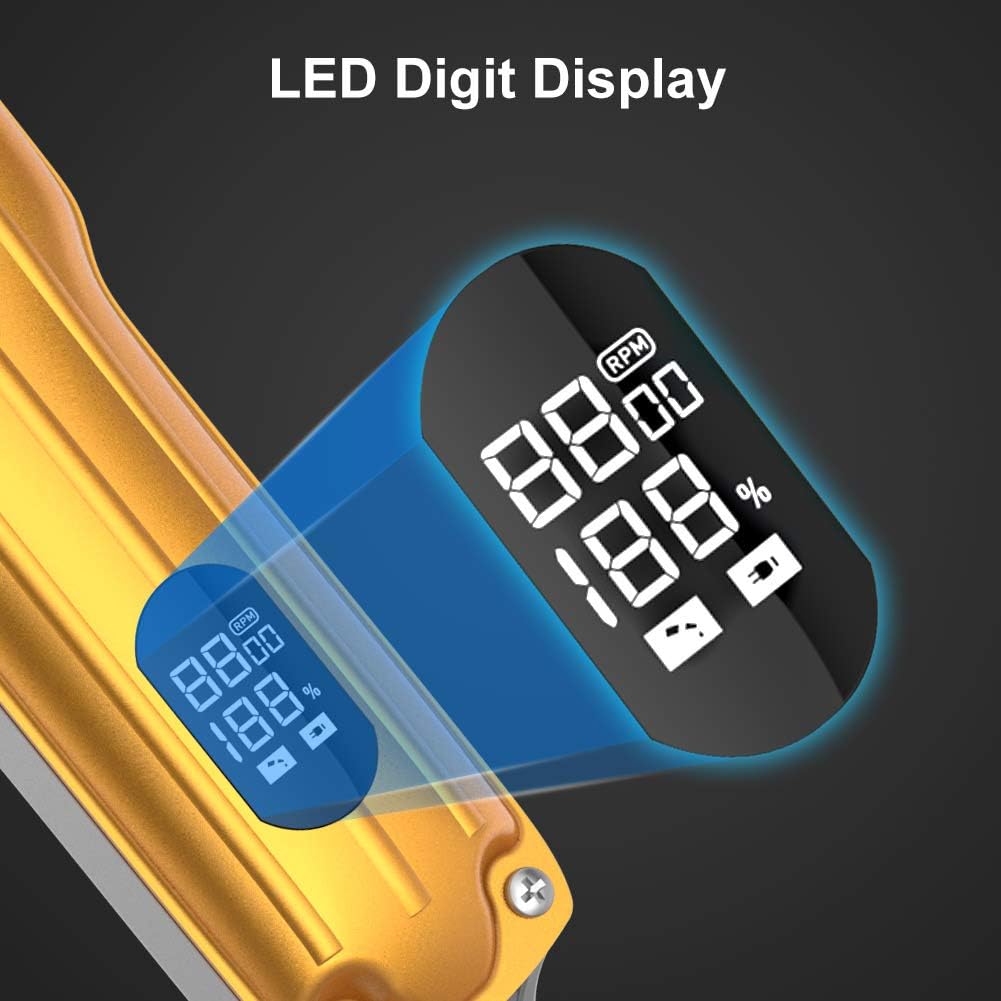
- LED Display: An integrated LED display indicates the current battery level, ensuring you are always aware of the remaining power.


3. Setup
Initial Charging:
Before first use, fully charge both the hair clipper and the detail trimmer. Connect the provided USB charging cables to a compatible USB power source (charger adapter not included). The LED display on the clipper will show charging progress, and the trimmer will indicate charging status via its LED lights.
- Hair Clipper: Approximately 2.5 hours for a full charge, providing up to 240 minutes of use.
- Detail Trimmer: Approximately 1.5 hours for a full charge, providing up to 120 minutes of use.

Attaching Guide Combs:
Select the desired guide comb based on the hair length you wish to achieve. Align the comb with the clipper or trimmer blade and firmly push until it clicks into place. Ensure it is securely attached before operation.
4. Operating Instructions
Using the Hair Clipper:
- Ensure the clipper is charged and a suitable guide comb is attached.
- Turn on the clipper using the ON/OFF switch.
- Adjust the taper lever on the side of the clipper to fine-tune the cutting length between 0.8mm and 2.0mm.
- Begin cutting hair, moving the clipper against the direction of hair growth for an even cut.
- For detailed work or outlining, remove the guide comb and use the bare blade.
Using the Detail Trimmer:
- Select one of the three guide combs (1mm, 2mm, 3mm) for the desired beard or hair length, or use without a comb for precise lines.
- Turn on the trimmer.
- Carefully trim beard, neckline, or create intricate hair designs.

5. Maintenance
Cleaning the Blades:
To maintain optimal performance and hygiene, regularly clean the blades after each use.
- Turn off the clipper/trimmer and disconnect it from any power source.
- Remove any attached guide combs.
- Run the blades under water to rinse away excess hair clippings and trimmings. Ensure water does not enter the main body of the device.
- Use the provided cleaning brush to remove stubborn hair particles from between the blades.
- Allow the blades to air dry completely before reattaching or storing the device.
Lubrication:
Periodically apply a small amount of clipper oil (not included) to the blades to ensure smooth operation and prolong their lifespan. Apply oil while the device is off and then briefly turn it on to distribute the oil evenly.
6. Troubleshooting
If you encounter any issues with your SURKER Hair Clipper and Trimmer Set, please refer to the following common solutions:
- Device not turning on: Ensure the device is fully charged. If the battery is low, connect it to a USB power source and allow it to charge for the recommended time.
- Poor cutting performance: Clean the blades thoroughly to remove any accumulated hair or debris. Lubricate the blades with clipper oil. Ensure the guide comb is correctly attached and not damaged.
- Excessive noise or vibration: This may indicate a need for blade cleaning and lubrication. If the issue persists, ensure the blades are properly aligned and secured.
- Battery not holding charge: Ensure you are using a compatible USB power source. If the issue continues after following charging instructions, contact customer support.
For further assistance, please refer to the support section.
7. Specifications
| Feature | Specification |
|---|---|
| Brand | SURKER |
| Model Number | 199-us |
| Product Dimensions | 3.27 x 9.65 x 11.89 inches |
| Item Weight | 1.58 Pounds (715 Grams) |
| Batteries | 2 AAA batteries required (included) |
| Blade Material | High Carbon Steel |
| Adjustable Cutting Length (Clipper) | 0.8mm to 2.0mm |
| Guide Combs (Clipper) | 8 (3mm, 6mm, 9mm, 12mm, 1.5mm, 4.5mm, left ear taper, right ear taper) |
| Guide Combs (Trimmer) | 3 (1mm, 2mm, 3mm) |
| Clipper Running Time | Up to 240 minutes |
| Clipper Charging Time | 2.5 hours |
| Trimmer Running Time | Up to 120 minutes |
| Trimmer Charging Time | 1.5 hours |
| Power Indicator | LED Display |
| Color | Gold |
8. Warranty and Support
SURKER is committed to providing high-quality products. If you experience any problems or have questions regarding your hair clipper and trimmer set, please feel free to contact us. We are dedicated to providing a satisfactory solution.
For specific warranty details or to reach customer support, please refer to the contact information provided with your product packaging or visit the official SURKER website.
Ask a question about this manual
Ask about setup, troubleshooting, compatibility, parts, safety, or missing instructions. Manuals+ will review the question and use this page’s manual context to help answer it.