
1. Product Overview
The SANNCE 1080P Security Camera is a versatile 4-in-1 CCTV camera designed for both indoor and outdoor surveillance. It features 1080p Full HD resolution, 100ft night vision, and IP66 weatherproof rating, ensuring reliable performance in various environments.

Figure 1: SANNCE 1080P Security Camera (Front View)
Key features include:
- Crystal 1080p Footage: Captures clear 2MP images day and night.
- Powerful 4-in-1 Compatibility: Supports AHD/TVI/CVI/CVBS video output, compatible with SANNCE DVRs and third-party DVRs.
- 100 ft Clear Night Vision: Smart IR LEDs provide sharp images up to 100 ft in low light conditions.
- IP66 Weatherproof & Dustproof: Designed to operate effectively in extreme weather conditions.
- Easy to Install and Operate: Features an adjustable 3-axis stand for flexible positioning.
Video 1: Overview of the Wired CCTV Security Camera features and capabilities.
2. What's Included
Verify that all components are present in the package:

Figure 2: Package Contents
- 1 x SANNCE 1080P Security Camera
- 1 x User Manual
- 1 x Wall Sticker
- 1 x Screw Bag (containing mounting screws and wall anchors)
3. Setup Instructions
3.1 Mounting the Camera
The camera features an adjustable 3-axis stand for flexible mounting on walls or ceilings.
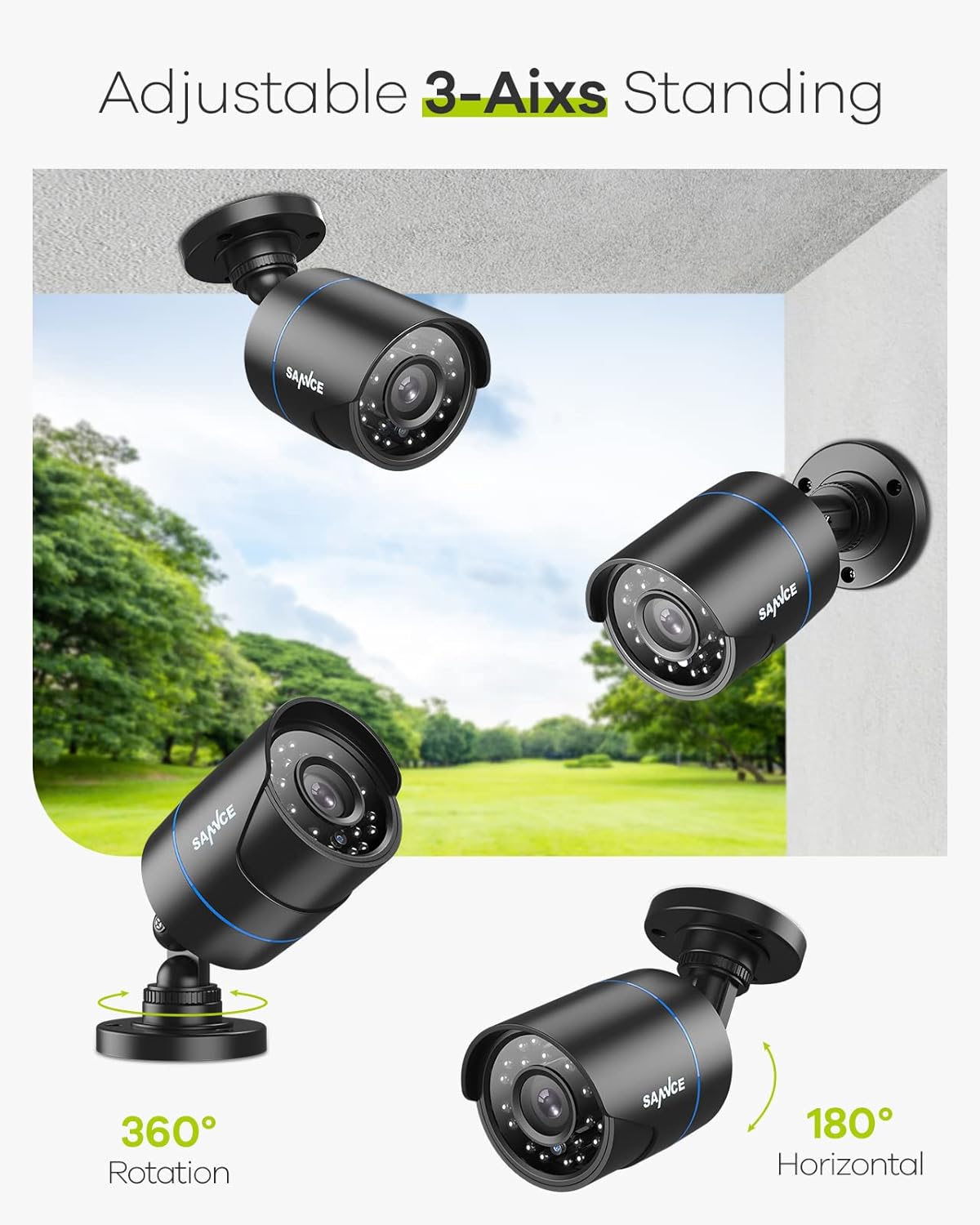
Figure 3: Camera Mounting Flexibility (360° Rotation, 180° Horizontal)
- Choose a Location: Select a suitable indoor or outdoor location that provides the desired viewing angle and is within reach of power and video cables. Ensure the surface is stable enough to support the camera.
- Mark Drilling Holes: Use the provided wall sticker or the camera base as a template to mark the positions for drilling holes.
- Drill Holes: Drill holes at the marked positions. Insert the wall anchors if mounting on drywall or masonry.
- Secure the Camera: Align the camera base with the drilled holes and secure it using the provided screws.
- Adjust Angle: Loosen the adjustment screws on the 3-axis stand to position the camera for optimal coverage. Tighten the screws once the desired angle is achieved.
3.2 Connecting the Camera
This camera requires a separate power supply and video cable (not included). It is compatible with SANNCE DVRs and most third-party analog DVRs.

Figure 4: 4-in-1 Camera Compatibility with DVRs
- Connect Video Cable: Connect one end of the video cable (BNC connector) to the camera's video output port. Connect the other end to a video input channel on your DVR.
- Connect Power Supply: Connect a 12V DC power adapter (not included) to the camera's power input port. Plug the power adapter into a power outlet.
- Power On DVR: Ensure your DVR system is powered on and configured to receive input from the connected channel.
4. Operating the Camera
4.1 Video Output Mode Switching
The SANNCE 1080P Security Camera supports four video output modes: AHD, TVI, CVI, and CVBS. You can switch between these modes using the control button located on the camera's cable.

Figure 5: Video Output Mode Switching Diagram
To switch modes:
- Locate the small joystick-like button on the camera's cable.
- Press and hold the button in one of the four directions (Up, Down, Left, Right) for approximately 5 seconds to switch to the corresponding video mode (CVBS, CVI, AHD, TVI).
- Release the button. The camera will automatically switch to the selected mode.
- Ensure the selected mode matches the input type supported by your DVR.
4.2 Night Vision Operation
The camera is equipped with Smart IR LEDs for enhanced night vision, providing clear images up to 100 feet in low-light or no-light conditions.

Figure 6: Night Vision Performance with Smart IR
The Smart IR feature automatically adjusts the intensity of the infrared LEDs to prevent overexposure of objects closer to the camera, ensuring balanced illumination and clear images in the dark.
5. Maintenance
Regular maintenance helps ensure optimal performance and longevity of your security camera.
- Cleaning: Periodically clean the camera lens and housing with a soft, damp cloth. Avoid abrasive cleaners or solvents that could damage the surface.
- Weather Protection: The camera has an IP66 weatherproof rating, designed to withstand rain, snow, and dust. However, ensure proper installation to prevent water accumulation around connections.
- Cable Inspection: Regularly inspect all cables and connections for any signs of wear, damage, or corrosion. Replace damaged cables immediately.
- Firmware Updates: Check the SANNCE official website for any available firmware updates for your camera model. Follow the instructions provided with the update carefully.

Figure 7: IP66 Weatherproof and Dustproof Design
6. Troubleshooting
| Problem | Possible Cause | Solution |
|---|---|---|
| No video signal |
|
|
| Poor image quality / Grainy video |
|
|
| Night vision not working |
|
|
7. Technical Specifications

Figure 8: Camera Components Overview
| Feature | Detail |
|---|---|
| Model | B08CMPS7J3 |
| Video Capture Resolution | 1080p Full HD (2MP) |
| Video Output Modes | AHD, TVI, CVI, CVBS (4-in-1) |
| Night Vision Range | Up to 100 feet (30 meters) with Smart IR |
| Weatherproof Rating | IP66 |
| Operating Temperature | -20°C to 50°C (-4°F to 122°F) |
| Power Source | Corded Electric (12V DC, 1W) |
| Material | Plastic |
| Mounting Type | Wall Mount (Adjustable 3-axis) |
| Dimensions | 6.34 x 2.76 x 2.72 inches |
| Item Weight | 7 ounces |
8. Warranty and Support
For warranty information and technical support, please refer to the official SANNCE website or contact their customer service directly. Details can typically be found on the product packaging or the included user manual.
SANNCE Official Website: www.sannce.com
For further assistance, you may also visit the SANNCE store on Amazon: SANNCE Amazon Store


