
GreenForest c4d9bf6b-50b8-4dfb-8f64-bf197f5b418e
GreenForest Computer Desk 47" User Manual
Model: c4d9bf6b-50b8-4dfb-8f64-bf197f5b418e
Introduction
Thank you for choosing the GreenForest Computer Desk. This 47-inch desk is designed for home office and writing use, offering a modern, simple, and sturdy workstation solution. This manual provides essential information for assembly, operation, maintenance, and troubleshooting to ensure you get the most out of your new desk.
Safety Information
- Read all instructions carefully before assembly and use.
- Keep all small parts and packaging materials away from children and pets to prevent choking hazards.
- Assemble the desk on a soft, clean surface to prevent scratches.
- Ensure all screws and fasteners are tightened securely before use. Periodically check and re-tighten as needed.
- Do not overload the desk. Refer to the "Specifications" section for maximum weight capacity.
- Avoid placing hot items directly on the desk surface without protection.
- Do not stand or sit on the desk.
Package Contents
Please verify that all components are present before beginning assembly. If any parts are missing or damaged, please contact customer support.
- Desk Top (1)
- Desk Legs (4)
- Leg Connectors/Brackets (4)
- Adjustable Foot Pads (4)
- Cable Management Grommet (1)
- Assembly Hardware (Screws, Allen Wrench, etc.)
Setup and Assembly
Follow these steps carefully to assemble your GreenForest Computer Desk.
Step 1: Prepare the Workspace
Unpack all components and lay them out on a clean, soft, and flat surface to prevent scratching the desk parts during assembly.
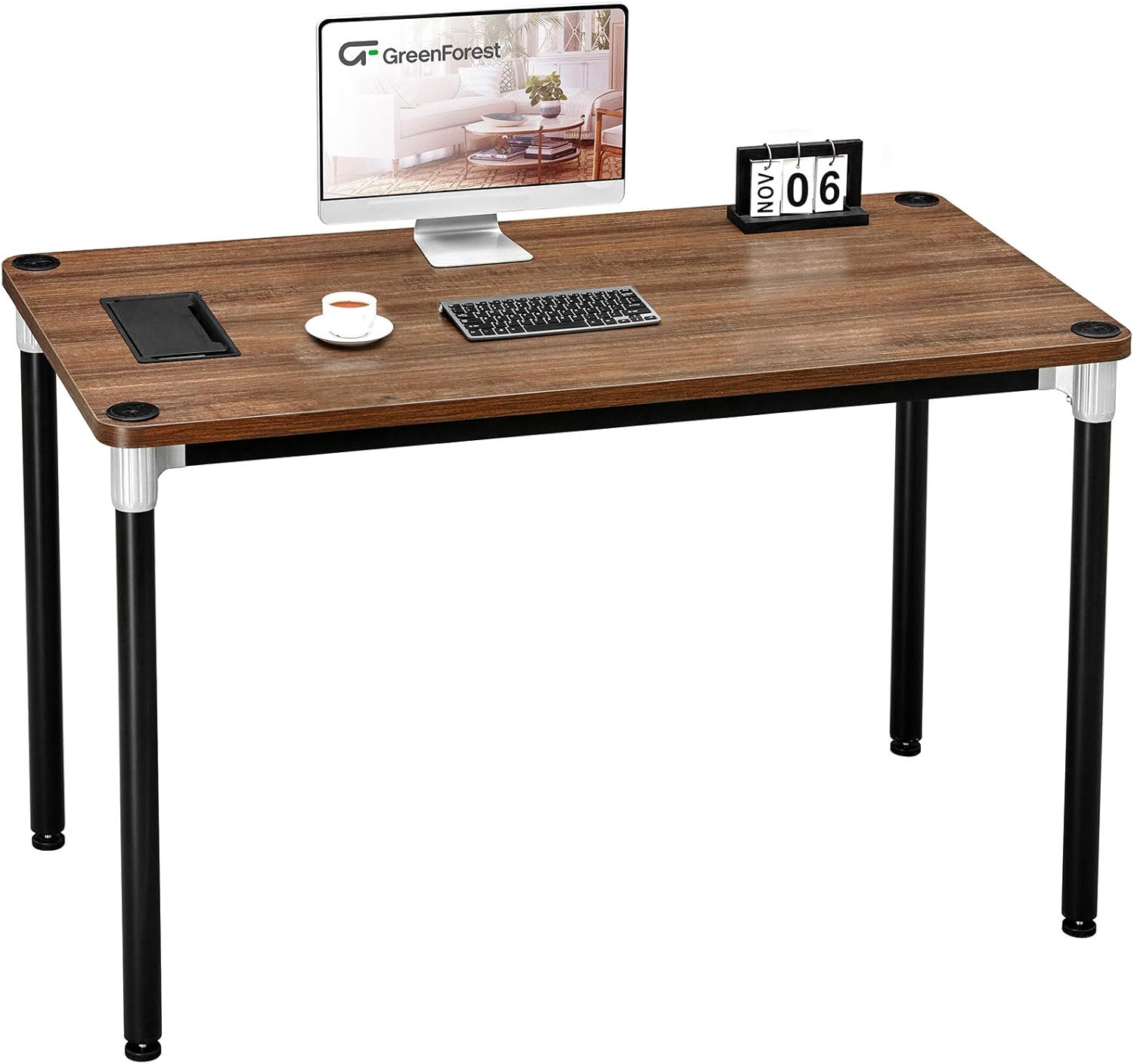
Image: Overview of the GreenForest Computer Desk, showing the desk top with a monitor, keyboard, and mouse, highlighting its simple and functional design.
Step 2: Attach Leg Connectors to Desk Top
Locate the four leg connectors/brackets. Align them with the pre-drilled holes on the underside of the desk top at each corner. Secure them using the provided screws. Ensure they are firmly attached but do not overtighten.

Image: A close-up view of the desk corner, illustrating the strong and sturdy connection between the desk top (1 inch thick) and the leg connector (1.8 inches wide).
Step 3: Attach Desk Legs
Screw each of the four desk legs into the attached leg connectors. Hand-tighten first, then use the provided Allen wrench to secure them firmly. Make sure each leg is straight and stable.

Image: The GreenForest Computer Desk positioned in a home office setting, showcasing its compact size and suitability for various room layouts.
Step 4: Install Adjustable Foot Pads
Screw the adjustable foot pads into the bottom of each desk leg. These pads help stabilize the desk on uneven surfaces and protect your floor.

Image: A close-up of the desk corner, emphasizing the round corner design for enhanced safety and the protective foot pad.
Step 5: Install Cable Management Grommet
If your desk includes a cable management grommet, insert it into the pre-cut opening on the desk top. This feature helps organize your wires and cables for a cleaner workspace.

Image: Detailed view of the cable management grommet, showing its dimensions (8.8 inches long, 4.5 inches wide) and how it opens to organize wires and cables easily.
Step 6: Final Check
Carefully flip the desk upright. Gently shake it to ensure all connections are secure and the desk is stable. Adjust the foot pads if necessary to eliminate any wobbling.

Image: The GreenForest Computer Desk set up in a room with a monitor, keyboard, and desk lamp, demonstrating its practical use as a workstation.
Operating Instructions
The GreenForest Computer Desk is designed for straightforward use. Once assembled, it provides a stable surface for your computer, writing, or other tasks.
- Placement: Position the desk on a flat, level surface. Use the adjustable foot pads to compensate for any unevenness in the floor.
- Cable Management: Utilize the integrated cable management grommet to route and organize your computer cables, power cords, and other wires. This helps maintain a tidy and safe workspace.
- Weight Distribution: Distribute weight evenly across the desk surface. Avoid concentrating heavy items in one small area.
Maintenance
Proper care will extend the life and appearance of your GreenForest Computer Desk.
- Cleaning: Wipe the desk surface with a soft, damp cloth. For stubborn marks, use a mild soap solution and immediately dry with a clean cloth. Avoid abrasive cleaners or harsh chemicals.
- Spills: Clean up spills immediately to prevent staining or damage to the desk surface.
- Hardware Check: Periodically check all screws and fasteners to ensure they remain tight. Re-tighten if necessary to maintain stability.
- Protection: Use coasters for drinks and protective pads under hot items or sharp objects to prevent damage to the desk surface.
Troubleshooting
If you encounter any issues with your desk, refer to the following common problems and solutions.
| Problem | Possible Cause | Solution |
|---|---|---|
| Desk wobbles after assembly. | Uneven floor surface or loose connections. | Adjust the foot pads on the bottom of the legs until the desk is stable. Check and tighten all assembly screws. |
| Parts do not align during assembly. | Incorrect orientation of parts or manufacturing tolerance. | Double-check the assembly instructions and ensure all parts are oriented correctly. If issues persist, contact customer support. |
| Missing or damaged parts. | Packaging error or shipping damage. | Do not proceed with assembly. Contact GreenForest customer support immediately with your purchase details. |
Specifications
| Feature | Detail |
|---|---|
| Brand | GreenForest |
| Model Number | c4d9bf6b-50b8-4dfb-8f64-bf197f5b418e |
| Product Dimensions (D x W x H) | 23.6"D x 47.2"W x 29.5"H |
| Color | Brown (Walnut finish) |
| Style | Gaming / Home Office |
| Base Material | Metal |
| Top Material Type | Metal, Wood |
| Special Feature | Adjustable (foot pads) |
| Maximum Weight Recommendation | 100 Pounds |
| Required Assembly | Yes |
| Includes All Assembly Tools | No (Tools Recommended: Screw Driver) |
| Cable Management | Integrated Grommet |

Image: Diagram showing the overall dimensions of the GreenForest Computer Desk: 47.2 inches (width), 23.6 inches (depth), and 29.5 inches (height).
Warranty and Support
The GreenForest Computer Desk comes with a Lifetime Warranty. This warranty covers manufacturing defects and ensures the quality of materials and workmanship under normal use.
For warranty claims, missing parts, assembly assistance, or any other inquiries, please contact GreenForest customer support. Refer to your purchase documentation or the retailer's website for specific contact information.
You can also visit the official GreenForest brand page for more information: GreenForest on Amazon.
Related documentsc4d9bf6b-50b8-4dfb-8f64-bf197f5b418e

Ask a question about this manual
Ask about setup, troubleshooting, compatibility, parts, safety, or missing instructions. Manuals+ will review the question and use this page’s manual context to help answer it.