
Important Safety Information
Please read all instructions carefully before using the Osaki Titan 3D Pro Prestige Massage Chair. Retain this manual for future reference.
- General Use: See instructions for proper use and assembly.
- Children: Keep away from children. This product is not intended for use by persons with reduced physical, sensory, or mental capabilities, or lack of experience and knowledge, unless they have been given supervision or instruction concerning use of the appliance by a person responsible for their safety.
- Weight Capacity: Do not exceed the maximum weight capacity. Consult the specifications section for details.
- Medical Conditions: Consult a physician before use if you have any medical conditions, are pregnant, or have a pacemaker.
- Power: Ensure the power cord is not damaged and is properly connected to a grounded outlet.
- Environment: Use indoors only. Avoid exposure to water or high humidity.
Product Overview
The Osaki Titan 3D Pro Prestige is an advanced massage chair designed for comprehensive full-body relaxation. It incorporates several innovative features to provide a personalized massage experience.
Key Features:
- Brushless Motor: Ensures quiet and efficient operation.
- 3D Airbag with Position Sensor: Provides targeted compression massage.
- SL Track Massage: Contours to the natural curve of your spine, extending massage from neck to glutes.
- Zero Gravity Recline: Elevates your legs above your heart, reducing spinal pressure.
- 3 Core Processor: For faster response, transition, and reliability of massage programs.
- Integrated Speakers: For audio playback during massage.
- Charging Port: Conveniently charge devices.
- Heat Function: Targeted heat therapy for enhanced relaxation.
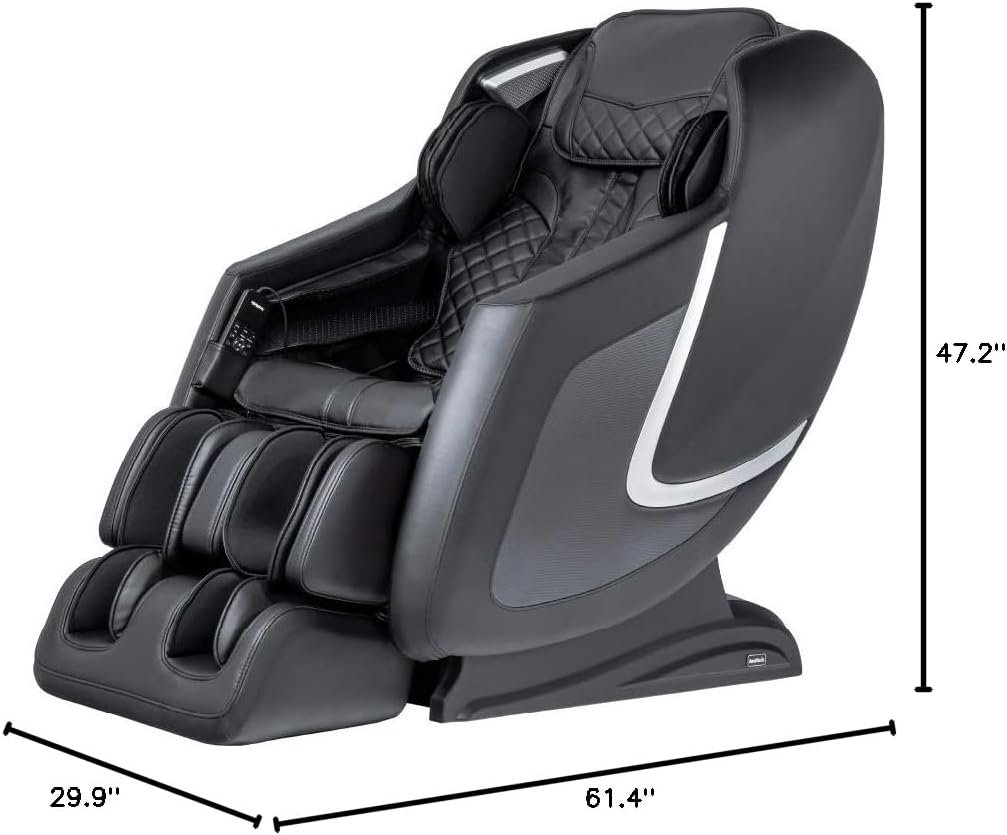
Image: The Osaki Titan 3D Pro Prestige Massage Chair in black, showing its overall dimensions: 61.4 inches deep, 29.9 inches wide, and 47.2 inches high.
Setup and Installation
Unpacking:
- Carefully remove the massage chair from its packaging.
- Inspect all components for any signs of damage. Contact customer support immediately if any damage is found.
- Ensure all parts listed in the packing list are present.
Placement:
- Place the chair on a hard, level surface.
- Allow sufficient space around the chair for recline and movement. The chair features space-saving technology, but ensure adequate clearance for full recline.
- Avoid placing the chair in direct sunlight or near heat sources.
- Ensure the power outlet is easily accessible.
Power Connection:
- Connect the power cord to the chair's power input.
- Plug the power cord into a grounded electrical outlet (120V AC, 60Hz).
- Ensure the power switch on the chair is in the "OFF" position before plugging in.
Operating Instructions
Remote Control Overview:
The Osaki Titan 3D Pro Prestige massage chair is operated via a wired remote control. The remote allows you to select various massage programs, adjust intensity, and control chair functions.
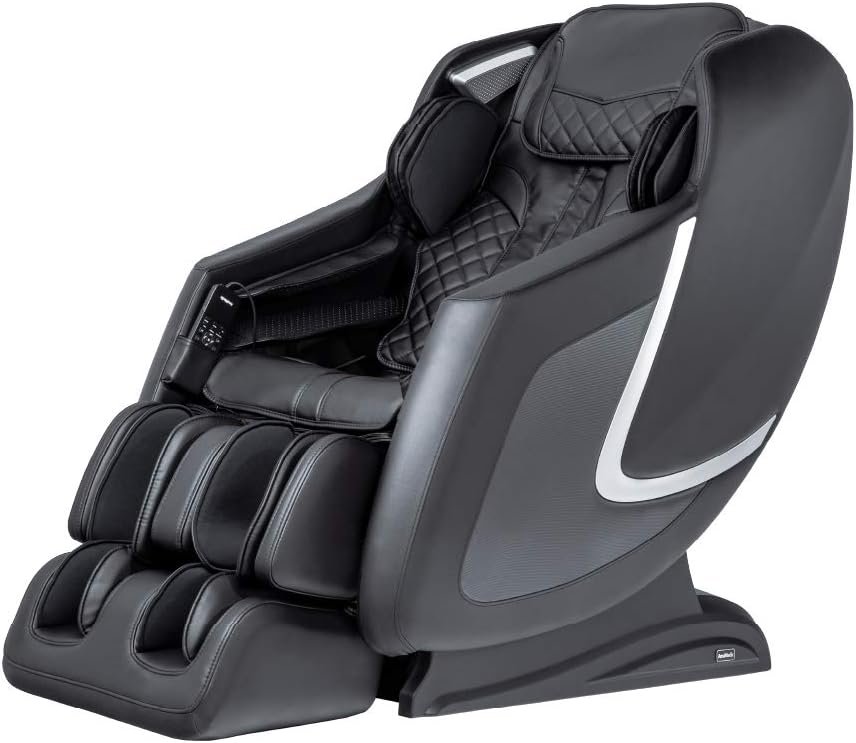
Image: Close-up of the Osaki Titan 3D Pro Prestige massage chair's remote control, showing its display and various buttons for massage selection and adjustments.
Starting a Massage:
- Sit comfortably in the chair.
- Turn on the main power switch located at the back of the chair.
- Press the power button on the remote control.
- Select a desired automatic program (e.g., Gentle, Therapy, Relax, Vigorous, Swedish, Thai, Chinese) or enter Manual mode to customize your massage.
Key Functions:
- 3D Massage: Adjust the protrusion of the massage rollers for deeper or lighter massage.
- SL Track: Experience massage from your neck down to your glutes, following the natural curve of your spine.
- Zero Gravity: Press the "ZGR" button to recline into a zero-gravity position, which can be adjusted to multiple stages.
- Airbag Massage: Activate and adjust intensity for compression massage in areas like shoulders, arms, calves, and feet.
- Heat Therapy: Turn on the heat function for lumbar or other targeted areas.
- Bluetooth Speakers: Connect your device via Bluetooth to enjoy music during your massage.
- USB Charging Port: Use the integrated USB port to charge your mobile devices.
Maintenance and Care
Cleaning:
- Exterior: Wipe clean with a soft, damp cloth. Do not use abrasive cleaners or solvents.
- Interior: For fabric areas, use a mild upholstery cleaner if necessary. Ensure the chair is completely dry before use.
- Power Off: Always unplug the chair from the power outlet before cleaning.
Storage:
- When not in use for extended periods, unplug the chair and store it in a cool, dry place.
- Avoid placing heavy objects on the chair.
Troubleshooting Guide
| Problem | Possible Cause | Solution |
|---|---|---|
| Chair does not power on. | Power cord not connected; main power switch off; power outlet issue. | Ensure power cord is securely plugged in. Check if the main power switch is ON. Test the outlet with another device. |
| Remote control is unresponsive. | Remote cable loose; chair not powered on. | Check the remote control cable connection. Ensure the chair's main power is ON. |
| Massage feels too weak or too strong. | Intensity settings incorrect; 3D roller protrusion needs adjustment. | Adjust the intensity settings via the remote control. Modify the 3D roller protrusion for desired depth. |
| Unusual noises during operation. | Normal operational sounds; loose component. | Some mechanical sounds are normal. If the noise is loud or unusual, power off the chair and contact customer support. |
If you encounter issues not listed here or if solutions do not resolve the problem, please contact Osaki customer support.
Product Specifications
| Feature | Detail |
|---|---|
| Brand | Osaki |
| Model Number | U600001790 |
| Color | Black |
| Material | Polyurethane, Foam |
| Product Dimensions (D x W x H) | 61.4" x 29.9" x 47.2" |
| Recommended Uses | Relaxing |
| Room Type | Indoor |
| Included Components | Extendable Footrest, Bluetooth Speakers, Remote Control |
| Required Assembly | No |
| Frame Material | Stainless Steel or Alloy Steel |
| Reclining Positions | 3+ |
Warranty and Customer Support
Warranty Information:
Osaki massage chairs come with a comprehensive 1-year warranty covering parts and labor. An optional extension up to 3 years for parts may be available, ensuring your relaxation is uninterrupted and worry-free. Please refer to your purchase documentation for specific warranty terms and registration details.
Customer Support:
For technical assistance, warranty claims, or any questions regarding your Osaki Titan 3D Pro Prestige Massage Chair, please contact Osaki customer support.
- Online Support: Visit the official Osaki website for FAQs and support resources.
- Contact Information: Refer to your product registration card or the Osaki website for current contact details (phone, email).


